

- How to bypass Discord age verification for adults
- What is Discord age verification in the UK?
- Can I use a VPN to bypass Discord age verification?
- How to bypass Discord age verification in the UK: a step-by-step guide for adults
- Best Discord age verification VPNs
- How to verify your age on Discord without a VPN
- Is Discord age verification safe?
- Discord age verification not working fix
- Conclusion on Discord UK age verification
- FAQ
As of July 25, 2025, all UK Discord users will have to undergo an identity and age verification process to confirm they’re at least 18 years old. This Discord ID and age verification requirement falls under the UK’s Online Safety Act, which aims to protect minors from potentially harmful content, such as sexually explicit material.
To verify adult age, Discord relies on a government-approved third-party app called k-ID. The app offers two ID and age verification options: a face scan or an ID scan. Needless to say, both options are highly privacy-intrusive, even if Discord and k-ID claim to delete your selfie and uploaded documents the instant your identity and age are verified. Thus, currently, there are two ways you can use Discord in the UK:
- By verifying your age through k-ID
- By maintaining your privacy and bypassing ID and age checks with a VPN
Based on my tests, VPN is the easiest and most effective way to bypass Discord’s age verification. With a VPN, you can safely change your virtual location and access Discord in the UK as if from a country with no age verification requirements. Keep reading this guide to learn how to use a VPN to access Discord identity and age verification, and which VPN services are the best for UK Discord.
How to bypass Discord age verification for adults
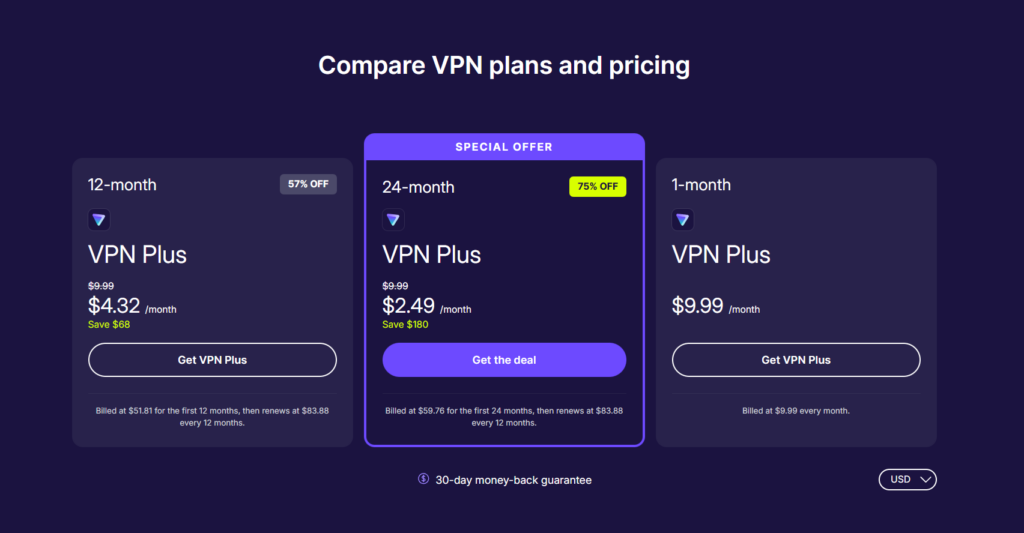
- Get a reliable UK Discord VPN. I recommend Proton VPN, now off, as it offers thousands of secure servers in non-UK locations.
- Download and install the VPN app.
- Launch the VPN app and connect to a server outside the UK restrictions area, like in Ireland.
- Open Discord and use the platform without ID and age verification!

Disclaimer
This article discusses the requirement to share personal data when accessing adult websites in the UK, from the perspective of individuals who wish to remain anonymous. The content is provided for informational purposes only and is not, under any circumstances, intended for minors seeking to bypass restrictions in order to access material that may be harmful or inappropriate for them. We do not promote, encourage, or endorse such bypassing. Your use of the content herein is entirely at your own risk.
What is Discord age verification in the UK?
Discord UK identity and age verification is implemented under the Online Safety Act, which came into full effect on July 25, 2025. From then on, all UK users had their profile settings reverted to default regarding the Sensitive Media Filter and Message Requests. These default settings for UK users make it easier for Discord to trigger an ID and age check whenever an adult wants to adjust the Sensitive Media Filter, Message Requests, or tries to access adult-only channels.

Discord is partnered with a third-party application called k-ID to handle identity and age verification. Adults who must complete this process can choose between a face scan or an ID scan. Both k-ID and Discord state that all personal data is deleted immediately after identity and age confirmation is complete. Once an adult is verified as being over 18, they should not be prompted again. If the initial verification fails, adult users may retry or request a manual review. Rarely, an account can be adversely affected if verification fails repeatedly.
That said, even if k-ID promotes its privacy-sensitive methods, many adult users remain concerned about the risks of uploading personal identification online for these ID and age checks. While these privacy concerns may lead some people to look for ways to bypass the system, it’s important to understand the reason these laws are in place. These mandatory identity and age verification measures exist primarily to protect minors by preventing them from accessing content that is not appropriate for their age.
Can I use a VPN to bypass Discord age verification?
Yes, if you are of your age, you can bypass identity and age verification on sites like Discord by using a VPN. By connecting to a VPN server outside the UK, your IP address is changed, making it appear as though you’re accessing the site from a country without ID and age verification checks. This simple step lets you use Discord or access adult websites without uploading an ID.
Although the UK government has clearly stated that sites restricted under the Online Safety Act cannot promote or implement any workarounds against the identity and age verification procedure for adults, I recommend a VPN service as a tool to regain your privacy and keep your safety online.
How to bypass Discord age verification in the UK: a step-by-step guide for adults
Since July 25, 2025, all UK Discord users have to verify their identity and age through a third-party app, k-ID, choosing from a face scan or an ID scan. Without ID and age verification, some functionality will still be available on Discord. However, once the age check prompt is triggered by a Sensitive Media Filter or Message Request settings, or when accessing adult-only channels, the procedure must be completed before a user is allowed to remain on the platform. Of course, such ID and age checks raise serious questions on privacy and anonymity, with many adults choosing to use a VPN service to access the UK Discord without verification.
Here’s how adults can use a VPN to bypass Discord ID and age verification in the UK:
Step 1. Get a reliable VPN
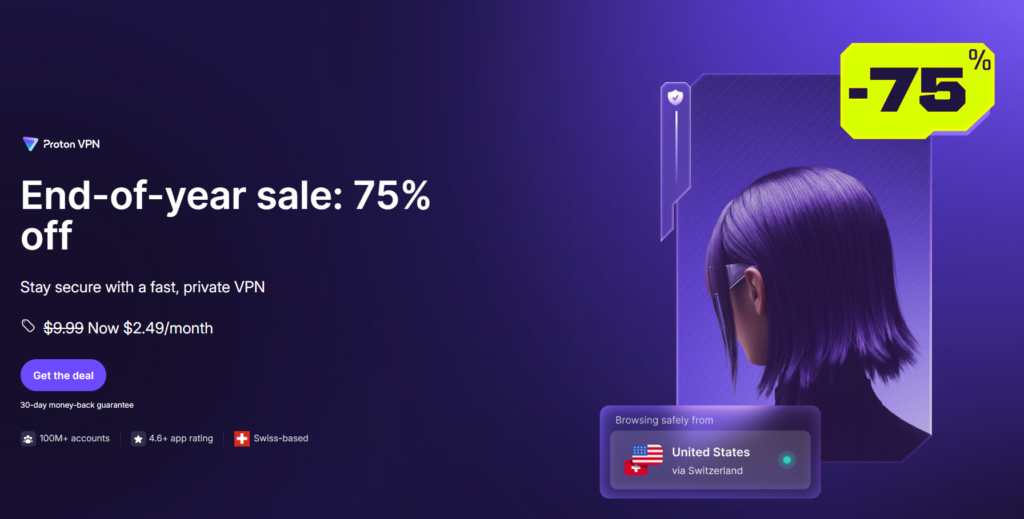
To bypass UK Discord identity and age verification privately and securely, make sure to choose a truly reliable VPN service. From my experience, Proton VPN is the best VPN in this case, as it offers thousands of secure servers in countries with no Discord ID and age verification restrictions. Additionally, it has a third-party verified no-logs policy, ensuring that your data remains private when using the service. Plus, Proton VPN has the fastest connection speeds in the industry, so you won’t experience any slowdowns at all.
Step 2. Download and install the VPN app
If you use Discord on your laptop or PC, download your selected VPN provider’s app directly from its official website. If you prefer to use Discord on your smartphone, you can get the VPN app from the Google Play Store for Android or the Apple App Store for iPhones. Once you have the app on your device, install it by following the on-screen instructions. If asked, grant all permissions for your VPN service to work properly.
Step 3. Connect to a VPN server outside the UK
Connecting to a server in a country with no Discord age verification is a crucial step to bypass the UK ID checks for adults. Once you are connected to a server, your IP address will correspond to the country your selected server is in, making it seem as though you’re accessing Discord from there. I used a server in Ireland, as it is the closest country to the UK, and it has no Discord age verification. I selected the server located in Ireland by entering the country name in the search bar on the app. Alternatively, you can also connect through the in-app interactive map or browse the full country list.
Step 4. Head to Discord and bypass the UK ID and age verification
Before opening Discord, as a preventative measure, you may want to clear your browser’s cookies and cache. While the stored browser data is great for enhancing your browsing experience, it may reveal your real location even through a VPN connection if not cleared often. Once that is all done and your VPN is connected, open the UK Discord and use the platform without having to upload your ID.
Best Discord age verification VPNs
The best VPNs to access Discord in the UK without ID and age checks must have a verified no-logs policy, robust security and privacy features, such as strong encryption and obfuscated servers, and enough servers in non-UK locations for an easy IP address change. After testing multiple services, Proton VPN, TotalVPN, and IPVanish proved to be the most effective.
-
- Proton VPN: a robust VPN for avoiding Discord ID and age verification, especially if privacy is your top priority. Proton VPN has a strict no-logs policy and secure servers optimized for streaming and bypassing geo-restrictions, making it an excellent choice for accessing Discord and similar platforms without restrictions.
- TotalVPN: an affordable VPN access Discord without ID and age verification with user-friendly interface and stable connection speeds. It offers strategically distributed servers across multiple countries, and its built-in antivirus blocks ads, trackers, and beyond, allowing you to stream privately and securely without age-based restrictions.
- IPVanish: a reliable VPN provider with strong global servers, stable performance, and optimized P2P support for effortless Discord access without geo-restrictions and beyond.
All of the top 3 Discord VPNs are excellent for maintaining privacy and bypassing UK Discord ID and age verification checks, but Proton VPN performed the best during my tests. Although these laws are designed to protect minors, Proton VPN is a strong choice for adults who value privacy. You can try the service with its risk-free 30-day money-back guarantee and see if it’s your fit.

How to verify your age on Discord without a VPN
All Discord identity and age verification procedures are managed by a third-party app called k-ID. Once you see a ‘verify age’ prompt, you will be able to choose from two options – face scan or ID scan. A face scan is usually the quicker option than an ID scan, which takes more steps and takes a bit longer to complete.
Here’s how to verify your age on Discord through a face scan for adults:
- Select Face Scan on the ID and age verification screen.
- Allow access to your device’s camera when prompted.
- Follow the instructions to complete the scan. It may ask you to move a bit to ensure you’re a real, live human being.
- Press Done to submit.
After this, your age should be confirmed, and you should be able to access sensitive material or adult-only Discord channels.
The other age verification option is through an ID scan, and here’s how it usually works:
- Select Scan ID on the ID and age verification screen.
- Use your mobile device to scan the QR code shown on the screen.
- Take a photo of your ID. Ensure you are in a well-lit area, and the ID is placed on a flat, dark surface with all the corners visible.
- Then, take a selfie to match the ID document.
- Press Done to submit
As you can see, confirming your age via a face scan is quicker and requires fewer steps. Still, the quickest and safest way is to simply use a VPN service to protect your privacy and bypass the identity and age verification altogether.
Is Discord age verification safe?
The UK Discord identity and age verification relies on a third-party app called k-ID. Through the app, users can confirm their age using either a face scan or an ID scan. Discord assures that user selfies or scanned document images are deleted immediately after age confirmation and are not stored anywhere after that.
However, such verification methods still raise privacy concerns, as even short-lived biometric uploads can be vulnerable to breaches. Additionally, current ID and age verification systems can be easily fooled by AI-generated or game-rendered images, which emphasizes their far-from-perfect working state.
So, while Discord’s age verification through k-ID is safer than some other methods, the system is still riddled with privacy and reliability concerns. In this case, even if you are of age and want to upload your ID to verify your identity and age on Discord, I still recommend using a VPN service, such as Proton VPN, to encrypt your traffic and mask your actual location, just to be safe.
Discord age verification not working fix
The UK Discord age verification process for adults, required under the Online Safety Act, can sometimes fail even if you follow the steps correctly. The identity and age verification errors can happen when the k-ID face scan or ID check judges your age incorrectly, rejects clear photos, or can’t process the document you’ve uploaded. If this happens, you can try these quick fixes:
- Retry the age verification process. Discord allows for retries, but make sure your camera is clear, the lighting is bright, and your face or ID is fully visible.
- Use a different device or browser. Compatibility issues can cause some identity and age verification failures.
- Request a manual review. If you run into automated errors, you can ask Discord support to verify your age manually.
However, if you don’t want to run into any issues when confirming your age on Discord or are concerned about your privacy, then using a VPN, like Proton VPN, is the safest way to protect your personal data. You can completely bypass the UK Discord age checks if you are over 18 by connecting to a VPN server in a country with no identity or age verification and accessing the platform without face scans or ID uploads.
Conclusion on Discord UK age verification
From July 25, 2025, all UK Discord users have to verify their identity and age before continuing to use the platform. The age verification requirements are based on the Online Safety Act, which aims to protect minors from potentially harmful content. However, many users feel that verifying age through the third-party app k-ID poses a risk to their privacy and anonymity online. That’s why many in the UK Discord community are turning to VPN services.
With a VPN, you can bypass the UK Discord age verification for adults and access the platform privately and securely. Although the UK government discourages restricted platforms from offering age verification workarounds, I still recommend using a VPN primarily as a tool to safeguard your online privacy. If you’re looking for a truly reliable service, I recommend Proton VPN, as it offers thousands of secure servers outside the UK, features the latest VPN security protocols, and boasts the fastest connection speeds for seamless browsing.
Related articles:
How to bypass Tinder age verification
How to bypass Twitter age verification
How to bypass Hinge age verification
How to bypass Grindr age verification
How to bypass Reddit age verification
Best UK PornHub VPNs
Best VPN for UK porn sites
FAQ
No, minors should not use a VPN or any other method to bypass age verification systems. These laws are specifically designed to protect young people from accessing content that could be harmful or inappropriate for their age. By bypassing these checks, minors would not only be violating the rules but also putting themselves at risk of exposure to explicit material that can have negative effects. Age verification exists to create a safer online environment, and it’s important for minors to respect these boundaries and avoid tools like VPNs to get around them.
If you are an adult user in the UK, Discord may ask for your ID to verify your identity and age. This is a direct requirement of the UK’s Online Safety Act. The legislation mandates that platforms with content suitable only for adults must implement robust ID and age checks to ensure their users are at least 18 years old. The fundamental purpose of this law is to protect minors from being exposed to potentially harmful or age-inappropriate material.
Yes, for adult users in the UK, completing an identity and age verification process is a requirement for using platforms like Discord. This is mandated by the UK’s Online Safety Act. As of July 25, 2025, many online platforms and sites that host adult content are legally required to implement robust ID and age verification checks, which can include methods such as ID uploads or facial scans. However, you can bypass the UK Discord identity and age verification by using a VPN, like Proton VPN, to change your virtual location and safely access Discord with no ID and age check requirements.
Yes, if you are of age, you can access Discord’s identity and age verification without your ID by using a VPN service. With a reliable VPN, like Proton VPN, you can connect to a server in a country where there are no Discord ID and age verification requirements, like Ireland. This simple step will change your virtual location to Ireland, and you’ll be able to access Discord as if from there and without having to upload your ID.
Currently, only the UK has a mandatory identity and age verification requirement for Discord. All other EU countries and most Western countries, including Canada and the US, do not have mandatory Discord ID and age verification. One exception is Australia, where the government is currently rolling out an experimental Discord ID and age verification system. To access Discord without identity and age checks in the UK, you can use a VPN, like Proton VPN, connect to any other non-UK location, and access the platform as if from there.
You can verify your identity and age on Discord through a third-party app called k-ID, which gives two options: a face scan or an ID scan. Choose your method and complete the process following the on-screen instructions. Alternatively, you can skip the UK Discord age verification if you are of your age, completely by using a VPN, like Proton VPN, to change your virtual location.
Currently, there is no news on Discord indicating that ID checks will be required for adults in the US anytime soon. However, I still recommend using a VPN when accessing Discord to ensure your online privacy and anonymity. If you’re looking for a really trustworthy option, I recommend Proton VPN due to its robust privacy features and thousands of secure servers.
Currently, the UK is the only country with mandatory Discord age checks for adults, but Australia is also rolling out experimental checks. Apart from these two countries, all other countries do not have mandatory Discord checks on the scale like the UK. If you are of age and located in the UK and want to access Discord without ID checks, use a VPN, like Proton VPN, to connect to a non-UK location and access Discord as if from a country with no ID and age checks.


