
ExpressVPN review 2026

Why trust our review process 
We may earn affiliate commissions for the recommended products. Learn more.
What is ExpressVPN: overview
ExpressVPN is a virtual private network (VPN) service designed to protect your online privacy and provide unrestricted internet access. Founded in 2009 by Peter Burchhardt and Dan Pomerantz, it has grown into one of the most recognized VPNs worldwide. Since 2021, it has been owned by Kape Technologies. The company’s headquarters are located in the British Virgin Islands, a place with strong privacy laws and outside of major surveillance alliances.
During my testing, I found ExpressVPN to be a smooth, user-friendly VPN that offers consistent performance, a straightforward setup process, and an intuitive interface across all devices. It masks your IP address through a secure tunnel while encrypting your internet connection. It also protects your online activities from your internet provider, hackers, and government surveillance. You can use ExpressVPN to connect to public Wi-Fi, bypass censorship, or stream geo-blocked content without issues.
However, with so many VPNs promising high-quality performance, my goal is to break down exactly how ExpressVPN performs in real-world scenarios, and whether it actually exceeds expectations. My tests included speed tests across multiple servers, app evaluations on different platforms, privacy analyses, IP and DNS leak testing, and an exploration of its streaming capabilities. Plus, I looked at ExpressVPN’s pricing, customer support effectiveness, and device compatibility. Below you will find an ExpressVPN overview of its pricing plans, streaming capabilities, and performance:
| ExpressVPN rating: | 8.5⭐⭐⭐⭐⭐ |
| Price: | $ 2.99/month for 2 years, $6.67/month for 1 year, and $12.95/month for a one-month plan |
| Free trial: | ✅ 3 days on iOS and Android |
| Servers: | 3000 servers in 113 countries |
| Good for streaming? | ✅ Yes, consistently unblocks Netflix, Hulu, Amazon Prime Video, Disney+, BBC iPlayer, and more |
| Good for torrenting? | ✅ Yes, supports P2P on all servers with strong privacy protections |
| Good for gaming? | ✅ Yes, offers fast, low-latency servers suitable for gaming |
| Current deal: | 80% on 2-year plan |
Generally, ExpressVPN is considered a highly secure and reliable VPN due to its registration in the British Virgin Islands and independent auditing of its no-logs policy, which my research also confirms. However, I have noted past user complaints regarding a 2016 incident, which has been misinterpreted as a data breach, and persistent concerns about the company’s premium pricing. Therefore, I tested ExpressVPN extensively over time and saw continued improvements in its security, performance with the Lightway protocol, and user-friendly interface. As a result, my analysis of ExpressVPN concluded that it is worth the price for users who prioritize privacy and performance. Read on to learn more about what ExpressVPN has to offer in 2026.
How much does ExpressVPN cost?
ExpressVPN offers 3 plans: monthly, 1-year, and 2-year. All plans include the same core features; the only difference is the subscription length and the cost. As a bonus, each plan also includes a free eSIM with 1GB, 3GB, or 5GB of mobile data, depending on the plan you choose.
ExpressVPN prices start at $ 2.99 per month when you choose the 2-year plan. This is $139.72 for the first 24 months, plus you get 4 extra months free. You can also opt for a 1-year plan at $6.67/month (billed $99.95 for 12 months plus 3 months free) or a monthly plan at $12.95 if you prefer flexibility. So, as of February, ExpressVPN costs:
- 2-Year plan: $ 2.99 per month, billed $139.72 for the first 28 months
- 1-Year plan: $6.67 per month, billed $99.95 for 15 months
- Monthly plan: $12.95 per month
For my testing, I ordered an ExpressVPN 2-year plan because it is the most cost-effective option, as it offers the same features as monthly and yearly plans, but at a lower monthly rate. Having this option allowed me to explore the VPN over a longer period without overpaying. The sign-up process was fast: I subscribed to the official website, created my account, and downloaded the app within minutes. Installation was simple on both a MacBook and an Android phone. In under five minutes, I was connected to my first server and began testing speeds, streaming performance, and security features.
ExpressVPN monthly vs 1-year vs 2-year plans
To provide a clearer picture of ExpressVPN’s features, I’ve compared its monthly, 1-year, and 2-year plans side-by-side. Despite the significant differences in pricing, VPN features such as access to all servers, AES-256 encryption, Lightway protocol, and kill switch are the same across all plans. However, an ExpressVPN 2-year plan offers the best value due to its significantly lower monthly price and extended 28-month coverage, giving you long-term savings without frequent renewals. Here is a table that shows all the main ExpressVPN features:
| Feature | Monthly plan | 1-year Plan | 2-year plan |
|---|---|---|---|
| Lightway protocol | ✅ Yes | ✅ Yes | ✅ Yes |
| Network Lock (kill switch) | ✅ Yes | ✅ Yes | ✅ Yes |
| Split tunneling | ✅ Yes | ✅ Yes | ✅ Yes |
| No-logs policy | ✅ Yes | ✅ Yes | ✅ Yes |
| ExpressVPN Key (Password Manager) | ✅ Yes | ✅ Yes | ✅ Yes |
| Shuffle IP feature | ✅ Yes | ✅ Yes | ✅ Yes |
| Torrenting/P2P support | ✅ Yes | ✅ Yes | ✅ Yes |
| Router app/support | ✅ Yes | ✅ Yes | ✅ Yes |
| Parental controls | ✅ Yes | ✅ Yes | ✅ Yes |
| Post-Quantum protection | ✅ Yes | ✅ Yes | ✅ Yes |
| TrustedServer Technology | ✅ Yes | ✅ Yes | ✅ Yes |
| Threat Manager | ✅ Yes | ✅ Yes | ✅ Yes |
| 8 simultaneous connections | ✅ Yes | ✅ Yes | ✅ Yes |
| 24/7 customer support | ✅ Yes | ✅ Yes | ✅ Yes |
| 30-day money-back guarantee | ✅ Yes | ✅ Yes | ✅ Yes |
| Free eSIM + up to 5GB data | ✅ Yes | ✅ Yes | ✅ Yes |
| Price | $12.95/month | $6.67/month | $ 2.99/month |
To start using ExpressVPN, you need to subscribe to a plan, with auto-renewal set up by default for payment methods, available in monthly, 1-year, or 2-year options. You can pay for your subscription using diverse methods, including major credit cards, PayPal, Google Pay, and Apple Pay. Moreover, ExpressVPN also supports cryptocurrency payments via BitPay, allowing anonymous transactions. I’ve also noticed that the VPN provider frequently offers discounts, especially on their 2-year plans, which include an extra 4 free months.
Does ExpressVPN work with Netflix and other streaming sites?
Yes, during my testing, ExpressVPN worked reliably with Netflix and several other major streaming platforms. I tested ExpressVPN on multiple servers and devices to see how well it bypasses geo-restricted content and whether it streams smoothly in HD. To ensure accuracy, I used a consistent testing process from my location in Paris, France. By connecting to ExpressVPN’s global server network, I simulated access from different countries to evaluate its streaming performance. Here’s what I found:
| Netflix region | Works with ExpressVPN? |
|---|---|
| US | ✅ Yes |
| UK | ✅ Yes |
| India | ✅ Yes |
| Japan | ✅ Yes |
| Philippines | ✅ Yes |
| Thailand | ✅ Yes |
| Vietnam | ✅ Yes |
As a result, connecting to different servers to unblock Netflix libraries in various regions was smooth, thanks to the Lightway protocol, which maintained stable speeds. I didn’t experience any buffering, and the video quality consistently stayed in HD.

I also tested ExpressVPN on other popular streaming platforms. Here are my findings about other streaming services:
- Amazon Prime Video. When I connected to ExpressVPN servers in the US, UK, and Japan, Prime Video unblocked its regional libraries immediately and played streams in HD without a buffering issue.
- Disney+. Switching between ExpressVPN’s US, Canada, Australia, and Netherlands servers gave me instant access to all regional catalogs.
- BBC iPlayer. My connection to iPlayer remained stable in less than three seconds after routing from Paris to the UK servers.
- Hulu. While testing the ExpressVPN US servers, my video quality never dipped below 720p and I had access to Hulu’s full library.
- Paramount+. I also simulated connections from Germany, France, and the Philippines, and I gained full access to Paramount+’s US catalog, with no lag or quality issues.
- Peacock. The Peacock streams were launched immediately and maintained at high resolution using US servers.
Overall, my tests confirm that ExpressVPN reliably bypasses geo-restrictions and delivers smooth, high-quality streaming across all major platforms.
Is ExpressVPN good for torrenting?
While ExpressVPN does not offer P2P-optimized servers, it supports torrenting on all its servers in 113 countries. This means you can safely torrent from any server, whether in the US, Switzerland, or Singapore. It uses AES 256-bit encryption and post-quantum encryption, ensuring privacy. I also enabled Network Lock (kill switch), which adds an extra layer of protection by blocking all internet traffic if the VPN connection unexpectedly drops, though in my case, the connection remained stable throughout testing.
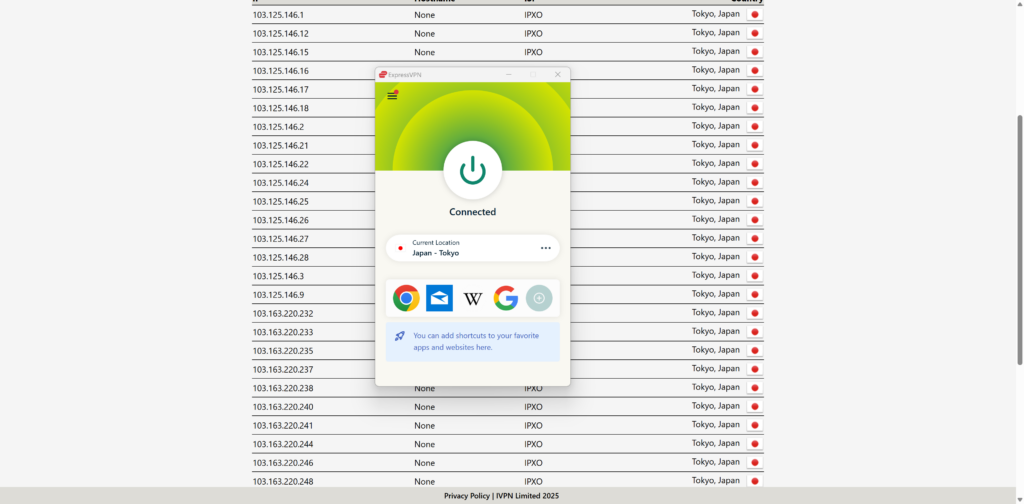
During my tests, I downloaded a 5.8GB Ubuntu 25.04 ISO file via qBittorrent. The download completed in about 4 minutes, peaking at around 14-18Mbps, with no significant speed drops or interruptions. I didn’t encounter any bandwidth limits, and the Lightway protocol maintained a stable connection throughout. I also checked for DNS and IP leaks while torrenting, and ExpressVPN passed with zero leaks.
Lastly, if you’re looking for SOCKS5 proxy support, note that ExpressVPN doesn’t offer SOCKS5 connections, it focuses entirely on full-device encryption through its VPN apps. While SOCKS5 proxies can offer faster speeds for specific apps like torrent clients, they lack encryption and security. If you want full anonymity and privacy while torrenting, a complete VPN like ExpressVPN is the better choice.
Is ExpressVPN good for gaming?
Yes, ExpressVPN is reliable for gaming based on my tests. I played fast-paced games like Call of Duty and Fortnite using servers in the US, UK, and Germany, and the connection remained stable, with an average ping of 24ms, thanks to its proprietary Lightway protocol. Additionally, I specifically looked at its ability to protect against DDoS attacks. My findings confirm that ExpressVPN offers robust protection against DDoS attacks by masking your real IP address. Instead of hitting your home network, any malicious traffic is directed at their network, which is built to withstand such onslaughts. I explored this during my gaming sessions; my real IP address remained completely hidden, significantly reducing the risk of such attacks.

Moreover, ExpressVPN bypasses geo-restrictions, allowing access to games or DLC that are unavailable in your region. It also prevents ISP throttling because your encrypted traffic hides your activity from your internet provider, ensuring consistent speeds during long gaming sessions. Even though there are no “gaming-specific” servers, the entire network is optimized for performance, and its unlimited bandwidth makes it ideal for large game updates. For console gamers, I found installing ExpressVPN on a router is an effective way to extend its benefits to devices like PlayStation and Xbox that don’t support native VPN apps.
ExpressVPN speed test results
ExpressVPN is a fast VPN provider that consistently ranks among the best. I’ve compared its performance to other top VPNs, such as NordVPN and Surfshark. While my in-house tests showed an average download speed of around 215Mbps for ExpressVPN, Surfshark sometimes edges it out slightly (e.g., 422Mbps average in some tests), and NordVPN is also a strong contender with averages around 438Mbps. I would categorize ExpressVPN’s speed as solid, although there is still room for improvement.
Speed performance can vary depending on VPN use. I found ExpressVPN’s speeds were good for streaming 4K content, with minimal buffering. For gaming, the Lightway protocol offers low latency, making gameplay more responsive. Similarly, for torrenting, I experienced fast download times without significant slowdowns. This indicates ExpressVPN is well-optimized for data-intensive tasks across the board.
| ExpressVPN speed test | ||
|---|---|---|
| Server location | Distance to server | Connection speed |
| Germany | 817 km (507 miles) | 237Mbps |
| Switzerland | 1,411 km (881 miles) | 235Mbps |
| France | 1,696 km (1,052 miles) | 232Mbps |
| UK | 1,723 km (1,081 miles) | 235Mbps |
| Brazil | 11,020 km (6,847 miles) | 212Mbps |
| Canada | 7,022 km (4,363 miles) | 218Mbps |
| US | 6,667 km (4,141 miles) | 245Mbps |
| Australia | 15,285 km (9,488 miles) | 172Mbps |
*Speed and latency can fluctuate due to various factors, such as server load and network congestion. Therefore, it’s best to use the in-app speed test feature for real-time results.
ExpressVPN is actively working to boost performance, introducing Lightway Turbo for Windows to use multiple tunnels and Data Channel Offload (DCO) for OpenVPN on Windows for more efficient data processing. In any case, I recommend using the Lightway protocol and selecting the server closest to you to optimize speed.
ExpressVPN server locations
When choosing the best VPN, one of the key things I look for is a broad and diverse server network. I often switch between servers to unlock different Netflix and Hulu libraries, watch local news when traveling, bypass sports blackouts on services like ESPN or NFL Game Pass, and even search for cheaper flight or hotel prices by connecting to lower-cost regions. I also use different server locations to access games, avoid bandwidth throttling, and protect my privacy on public Wi-Fi. That’s why having access to a wide range of servers across the globe, and especially across the US, is important for me.
As of now, ExpressVPN offers over 3000 servers in 113 countries, including the US, Canada, the UK, and Australia. Additionally, ExpressVPN now has servers in all 50 US states, from Alaska to Wyoming. This is convenient for anyone looking to unblock local content, access region-specific services, or just get better speeds by connecting to a nearby server. Below you will see ExpressVPN’s server availability in key countries:
| Country | ExpressVPN servers |
|---|---|
| US | 62 |
| Canada | 4 |
| UK | 6 |
| Australia | 7 |
| Brazil | 2 |
| Switzerland | 2 |
| Germany | 3 |
| France | 5 |
Overall, I’m impressed with ExpressVPN’s global coverage and the fact that it now spans every US state. It’s a huge bonus if you’re trying to avoid region-locked content or want a US IP address from a specific state. That said, if you’re someone who needs a higher number of US-based servers in individual cities for very specific location spoofing or faster speeds in high-traffic areas, you might want to consider NordVPN. There are over 2,788 servers in the US, providing you with more options if performance is a priority for you.
Is ExpressVPN safe?
Yes, ExpressVPN is one of the safest VPNs I’ve tested. Its core strength lies in AES-256 encryption, the industry standard trusted globally, ensuring your data is virtually unreadable to third parties. Beyond this, ExpressVPN maintains a strict no-logs policy, meaning it never collects or stores any private data about user activity or connection logs, and this policy is independently verified through regular audits.
I tested ExpressVPN’s Network Lock, its built-in kill switch, and it instantly blocked all internet traffic whenever the VPN connection dropped to prevent data leaks. This stops your real location and online activity from being accidentally revealed. Plus, ExpressVPN uses its own private, encrypted DNS on every server. This means your requests to visit websites stay hidden from your internet provider, and my tests confirm it offers strong IP leak protection, keeping your actual IP address concealed.

ExpressVPN offers a selection of VPN protocols for optimal performance. I recommend their proprietary Lightway protocol first, as it is engineered for speed and security, including post-quantum protection by default. Other reliable options, such as OpenVPN is an open-source protocol that is widely trusted, highly secure, and can effectively conceal VPN traffic to bypass firewalls and censorship. Additionally, IKEv2/IPSec is a robust and fast protocol, particularly reliable on mobile devices due to its ability to reconnect after network changes quickly.
ExpressVPN doesn’t support Multi-hop (Double VPN), which might be a drawback for some privacy purists. However, it uses RAM-only servers with its TrustedServer technology, meaning no data is written to hard drives and all information is wiped with every reboot. I also found its split tunneling feature very useful for specific control over VPN usage for specific apps. Also, the Threat Manager feature actively blocks trackers and malicious sites, enhancing overall browsing security, which I observed effectively reduced unwanted connections during my testing.
Overall, ExpressVPN is a secure, fast, and transparent VPN. It covers all essential protections without overcomplicating the experience.
Who owns ExpressVPN?
ExpressVPN is owned by Kape Technologies, acquired in 2021, and operates independently with its own infrastructure and privacy policies. However, ExpressVPN maintains its legal base in the British Virgin Islands, a privacy-friendly jurisdiction without data retention laws. Despite the ownership change, ExpressVPN’s consistent independent audits and TrustedServer technology indicate that it continues to uphold its strict no-logs policy. I consider it a trustworthy VPN provider due to its commitment to user privacy.
Does ExpressVPN keep logs?
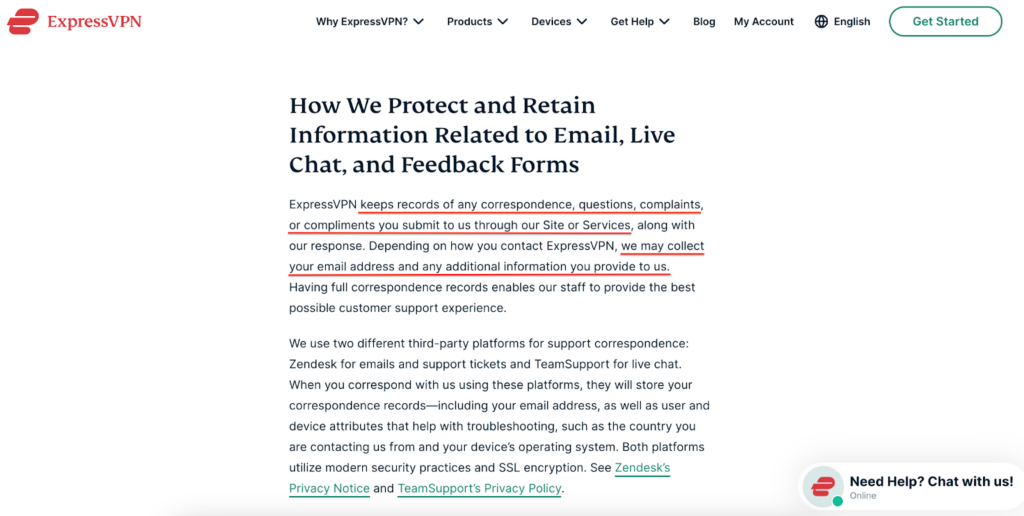
ExpressVPN maintains a strict no-logs policy, which is fundamental to their privacy commitment. I reviewed their privacy policy and explored how their infrastructure is built around privacy by design. ExpressVPN clearly states that it does not collect any logs of your browsing activity, DNS queries, traffic destinations, or content. Additionally, they do not store connection logs, meaning no logs of your IP address, your outgoing VPN IP address, connection timestamp, or session duration.
While ExpressVPN maintains a strict no-logs policy for sensitive data, they do collect a minimal amount of anonymized information essential for maintaining service quality and providing support. For example, app version and connection dates can help troubleshoot technical issues. It also collects the total data transferred for network management and optional anonymized diagnostic reports (like speed tests or crash reports) that cannot be linked to individual users.
ExpressVPN’s latest significant audit was completed by KPMG LLP, one of the “Big Four” accounting firms. As of February 28, 2025, this assessment examined ExpressVPN’s TrustedServer system and privacy policies. The audit was conducted under the globally recognized International Standard on Assurance Engagements (ISAE) (UK) 3000 Type 1. Following thorough testing of ExpressVPN’s TrustedServer architecture and privacy controls, KPMG provided reasonable assurance that ExpressVPN’s systems functioned as designed, with no identified issues regarding their technical safeguards against activity logging. As a result of this audit, ExpressVPN’s commitment to its no-logs policy is further reinforced, and its technology prevents the collection of such logs.
Does ExpressVPN work in China?
During my testing, ExpressVPN worked in China, but only occasionally and often unreliably. I tested servers in Hong Kong, Singapore, Japan, and Los Angeles. Sometimes I could connect and browse the internet freely, but the connection often dropped within 10 minutes or failed to connect at all. Even switching cities didn’t improve things much. In one case, I had success in Shanghai for a short while, but the app suddenly froze and disconnected. Hence, ExpressVPN uses obfuscation to disguise VPN traffic as regular HTTPS and rotates IP addresses to bypass detection.
Despite these struggles, some users find temporary success by trying different recommended servers or connection times. In particular, installing ExpressVPN before entering China is essential, as their website is usually blocked there. In summary, ExpressVPN is one of the few VPNs that can occasionally bypass the Great Firewall; however, its performance is inconsistent, requiring significant patience and often relying on luck.
How many devices can ExpressVPN support?
With a single ExpressVPN subscription, you can connect up to 8 devices simultaneously. This covers a wide range of major operating systems and platforms, including Windows, macOS, Linux, Android, iOS, Chrome, Firefox, Edge, Android TV, tvOS, Amazon Fire TV/Stick, routers, gaming consoles (PlayStation, Xbox, Nintendo Switch), and smart TVs. Generally, I found this limit adequate for protecting common household gadgets as well as my own needs.
Additionally, I tested ExpressVPN across multiple devices, and it’s designed for simplicity and consistency, although the installation process can vary. For example, on Windows, macOS, Android, and iOS, the installation process was easy. I simply downloaded the app from their official website or the App Store, logged in with my credentials, and connected with a single tap or click. The apps on these platforms are very intuitive, featuring a large connect button, a clear server list, and easy access to settings like the kill switch and protocol selection. My favorite feature was the “Smart Location” feature, which connects you to the best server based on your location.
However, to use ExpressVPN Roku, I found that the most effective method is to install ExpressVPN on your Wi-Fi router. This setup allows all devices connected to that router, including Roku, gaming consoles, and non-Android smart TVs. The installation process for routers is more technical, often involving flashing custom firmware; however, ExpressVPN provides clear guides and offers a pre-configured Aircove router for a simpler, plug-and-play setup. This method also unblocks streaming platforms, such as Netflix, Hulu, Disney+, BBC iPlayer, and sports streaming services like ESPN, Fubo, and DAZN.
ExpressVPN for Teams
ExpressVPN has introduced ExpressVPN for Teams, a new business-oriented plan built to help small, mid-sized, and fast-growing organizations secure remote work in a simple, scalable way. Instead of relying on individual consumer subscriptions for each employee, Teams provides a centralized management dashboard that lets admins easily assign or revoke access, manage user accounts, and oversee billing from a single interface. This makes it particularly well-suited for startups, agencies, and SMBs without a full-time IT department. The service requires a minimum of 5 seats and offers monthly, annual, and 2-year billing options, with discounts of up to 50% for larger teams and longer commitments, reducing the effective price to approximately $2–$3 per user per month on extended plans. Teams includes all of ExpressVPN’s core security features – including AES-256 encryption, the Lightway protocol, RAM-only TrustedServer infrastructure, and a verified no-logs policy – along with an optional Dedicated IP add-on for easier IP whitelisting and consistent access.
ExpressVPN Reddit reviews: what real users are saying
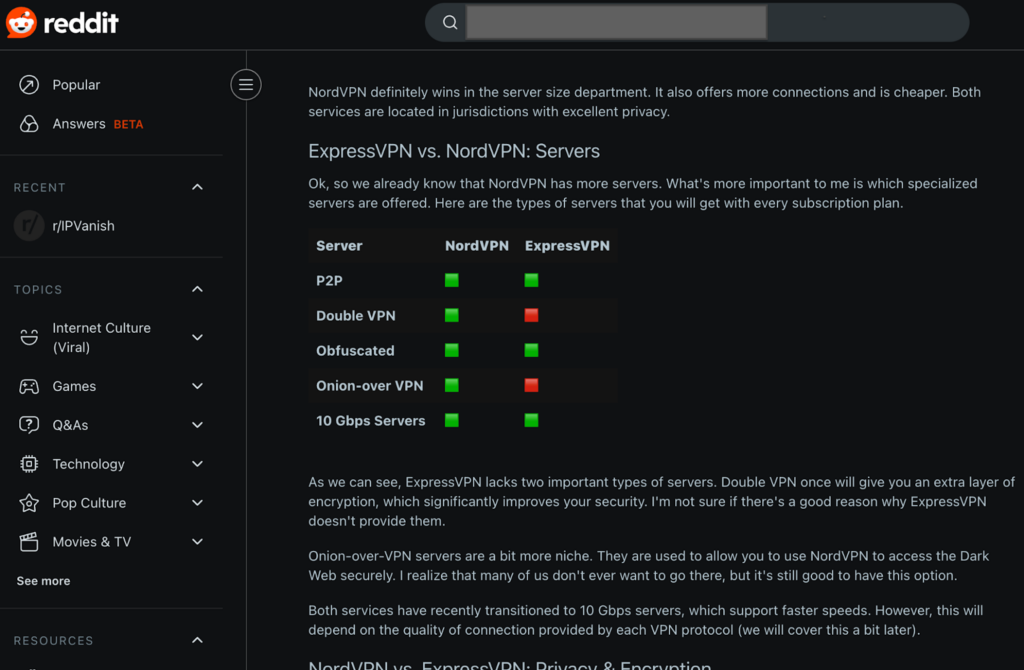
As someone who regularly tests VPNs, I always cross-check my results with user feedback, especially on Reddit, where users share their uncensored opinions. Recently, I came across an in-depth Reddit thread comparing ExpressVPN and NordVPN. I discovered that while NordVPN is faster and offers more advanced features, like Double VPN and Onion-over-VPN, ExpressVPN stands out for its stability and ease of use, especially after expanding to all 50 US states. ExpressVPN performed better on long-distance servers, while NordVPN was faster overall and unlocked more streaming libraries. Both are secure, but NordVPN offers more for power users.
I’ve been reviewing recent Reddit threads about ExpressVPN in China, and the feedback is quite mixed. Some users claim that it still works if you use the Lightway protocol or manually switch servers, but others report frequent connection drops or total connectivity inability. A few mentioned success only when setting it up before entering China. Others, however, suggest switching to VPNs with stronger obfuscation, such as NordVPN, since it appears to perform better behind the Great Firewall. So based on what I’ve read, ExpressVPN isn’t the most consistent choice for China right now, and having a backup plan is a smart move.

From my research, I’ve found ExpressVPN stands out for its stability and user-friendliness, a sentiment echoed by many on Reddit. While competitors like NordVPN may offer more features and slightly faster overall speeds, ExpressVPN’s new expansion to all 50 US states provides a significant advantage for users needing reliable long-distance connections. However, my review of user feedback on ExpressVPN’s performance in China is less positive; it appears to be an inconsistent choice that often faces connection drops, making a backup VPN a smart move for anyone traveling there. As a result, ExpressVPN remains a premium choice for its ease of use and consistent performance.
Final verdict: Is ExpressVPN worth it in 2026?
Based on my extensive testing, ExpressVPN is a high-quality VPN and remains a strong choice for 2026. My research confirms its commitment to privacy, strong security features, and a consistently fast, user-friendly experience. It is particularly worth it for those who prioritize a seamless service and are willing to pay for robust security and reliable performance across a wide range of devices.
ExpressVPN pros
- ✅ Extensive server network. ExpressVPN has over 3000 servers in 113 countries, with a significant expansion to 62 servers across all 50 US states. This helps reduce lag and provides faster speeds by connecting to servers closer to your location.
- ✅ Advanced encryption and protocols. ExpressVPN uses military-grade AES-256 encryption. Its custom Lightway protocol, which boosts speed and stability, while post-quantum encryption protects against future threats.
- ✅ Transparency and privacy commitment. ExpressVPN has completed 19 independent audits, including KPMG, that confirm its strict no-logs policy. This level of third-party assurance makes it one of the most trusted VPNs for privacy.
- ✅ Identity protection features. For new 1- and 2-year subscribers, ExpressVPN offers ID Theft Insurance, which covers up to $1 million, adding an extra layer of security beyond typical VPN protection.
ExpressVPN cons
- ❌ Premium pricing. ExpressVPN’s annual plan starts at $ 2.99 per month, which is more expensive than many competitors with similar features.
- ❌ Limited free trial. ExpressVPN’s 3-day free trial is only available through its iOS and Android apps.
- ❌ Unreliable in China. Based on my research and user feedback, ExpressVPN’s performance in China can be inconsistent, with frequent disconnections.
- ❌ Limited connections. Compared to some competitors that offer unlimited connections, ExpressVPN offers 8 simultaneous connections.
You may also like to read:
- ExpressVPN vs NordVPN
- ExpressVPN vs Surfshark
- ExpressVPN vs Surfshark vs NordVPN
- ExpressVPN vs CyberGhost
- ExpressVPN vs PIA
- ExpressVPN vs IPVanish
FAQ
No, ExpressVPN isn’t free and doesn’t offer a permanent free plan. However, it has a 3-day free trial on iOS and Android. First-time users who subscribe directly through the ExpressVPN website also get a 30-day money-back guarantee.
ExpressVPN is based in the British Virgin Islands and operates under the jurisdiction of the country. As the BVI is not a member of the 5/9/14 Eyes alliance, ExpressVPN is not legally obligated to store or share user data. The company’s infrastructure follows a strict no-logs policy and RAM-only servers to ensure users’ data is wiped every time the server reboots, adding an extra layer of security to anonymous browsing.
Yes, you can use ExpressVPN on your Roku. During my testing, I found that Roku doesn’t support VPN apps directly, so you’ll need to connect it through a VPN-enabled router or use ExpressVPN’s Smart DNS (MediaStreamer) feature. Setup took just a few minutes, and streaming quality was excellent with no buffering. It unblocks platforms like Netflix, Hulu, Disney+, and BBC iPlayer.
No, you can’t be tracked using ExpressVPN. It uses robust AES-256 encryption to hide your browsing activity and location from ISPs, trackers, and government surveillance. It also offers RAM-only servers, and its audited no-logs policy ensures that it doesn’t store any data about its customers.
No, ExpressVPN itself has not reported being hacked in a way that compromised user data on its VPN servers. While there was an incident in 2017, Turkish authorities seized an ExpressVPN server during an investigation, but it contained no user logs, confirming the provider’s strict no-logs policy. Since then, ExpressVPN’s systems have not been breached or exposed any customer data.
Got this service to access Netflix Asia. It’s not guaranteed that you’ll get a server on that region even though the app says you’re connected.
Very helpful. I would like to join.
If you want to get a subscription to ExpressVPN, you can do so by visiting their website by clicking here.
Good quality, although kill switch is triggered quite often. But I guess that is what it's for, probably doing it's job when my connection is somewhat unstable. Pretty pleased with ExpressVPN so far.
Thank you for sharing your experience! If your connection is unstable, the kill switch will indeed be triggered quite regularly. This does make sure that none of your online data will slip past your secure connection, however. We're glad you're enjoying ExpressVPN! It's one of our absolute favorite providers.