
- How can adults get around OnlyFans age verification with a VPN?
- Why can’t adults access OnlyFans in the UK?
- Best UK OnlyFans VPN
- How to watch OnlyFans in the UK: my step-by-step guide for adults
- How does identity and age verification on UK OnlyFans work?
- Other porn sites requiring identity and age verification in the UK
- Where is OnlyFans blocked?
- Is it legal for adults to unblock UK OnlyFans using a VPN?
- Conclusion on OnlyFans age verification in the UK
- FAQ
The UK has implemented a new porn law that prohibits anyone under 18 from accessing explicit material online. This means that since July 25, 2025, all sites hosting pornographic material must verify their user’ identity and age to prevent minors from accessing their content. The law also affects OnlyFans’ availability in the UK, and now, all adult users must verify their identity by uploading a photo of their ID to access the OnlyFans feed.
The only way for adults to unblock OnlyFans without providing ID is with a VPN. With the technology, anyone can change their virtual location and access OnlyFans without ID checks in the UK if they are of legal age. Learn how adult OnlyFans visitors can bypass the UK identity checks and protect their privacy online with the best OnlyFans VPNs.
How can adults get around OnlyFans age verification with a VPN?
- Subscribe to a reliable UK OnlyFans VPN. I recommend Proton VPN, now 70% off, as it offers plenty of secure servers in countries with no OnlyFans ID checks.
- Download and install the VPN on your device.
- Launch the VPN and connect to a server in a location with no OnlyFans ID checks, like Ireland.
- If you are of age, head to OnlyFans and access the platform without identity and age checks in the UK.

Disclaimer
This article discusses the requirement to share personal data when accessing adult websites in the UK, from the perspective of individuals who wish to remain anonymous. The content is provided for informational purposes only and is not, under any circumstances, intended for minors seeking to bypass restrictions in order to access material that may be harmful or inappropriate for them. We do not promote, encourage, or endorse such bypassing. Your use of the content herein is entirely at your own risk.
Why can’t adults access OnlyFans in the UK?
Although pornography is legal for adults in the UK, OnlyFans asks to verify your age and identity to be sure you are at least 18 years old. This new requirement stems from the UK Online Safety Act 2023, which came into full force in July 2025. This new legislation aims to shield and protect minors from accidentally or purposefully accessing explicit and potentially harmful material online; however, many adult users feel such ID checks are highly privacy-invasive and place undue burden on their freedoms.
When I visited OnlyFans, the platform made it look as though I was free to browse around and play videos. However, when I tried to actually stream one of them, the identity verification pop-up got triggered, and I was no longer able to access the content unless I verified my identity. First, I was asked to provide my credit card details, which are also used to verify my identity and confirm I’m of legal age. Then, I had to verify my identity again through a third-party app, Yoti, used by OnlyFans to check visitor IDs.

Naturally, I wasn’t too excited to share my personal details on what essentially is a porn site, so I looked for other ways users of legal age can access adult sites privately without providing their documents. Ultimately, I found that using a VPN, for instance, something as reliable as Proton VPN, allowed me to bypass UK OnlyFans ID checks and access the platform as if I were outside the UK by simply using one of the service’s servers to change my location and encrypt my traffic.
Best UK OnlyFans VPN
To find the best VPNs for adults to access OnlyFans in the UK, I tested 17 different services. I looked for VPNs with plenty of servers in areas with no OnlyFans ID checks, fast connection speeds for uninterrupted streaming, and a strong security feature set for guaranteed privacy online. Ultimately, I found my top 3 OnlyFans UK VPNs:
- Proton VPN: The best overall VPN for adults to access OnlyFans without ID checks in the UK. The service offers thousands of secure servers in locations with no OnlyFans identity checks, the fastest connection speeds for smooth streaming, and the latest privacy features to ensure your anonymity.
- TotalVPN: A budget-friendly VPN for OnlyFans UK to ensure your privacy online. It also provides a simple setup and consistent performance, which helps bypass restrictions smoothly.
- IPVanish: A privacy-first VPN for users of legal age to access OnlyFans in the UK without verification. Additionally, the service offers unlimited simultaneous connections, making it a good choice for sharing.

Although all of my top 3 OnlyFans UK VPNs are excellent, Proton VPN stood out during my tests for its speed, usability, and security. You can try the service for free version or subscribe to Proton VPN immediately risk-free with the 30-day money-back guarantee.
How to watch OnlyFans in the UK: my step-by-step guide for adults
Since July 25, 2025, OnlyFans is no longer freely available to adults in the UK. Now, all visitors of the site must verify their identity and age through privacy-invasive, yet government-approved methods, such as ID uploads, live selfie scans, or credit card detail checkups. Suppose you are an adult who’d rather access OnlyFans without uploading your personal documents and information. In that case, I suggest using a UK VPN to encrypt your traffic, protect your privacy, and access OnlyFans in the UK as if from a location with no ID check requirements. Here’s how adults can use VPN services to access OnlyFans in the UK without verification:
Step 1. Select a reliable UK OnlyFans VPN
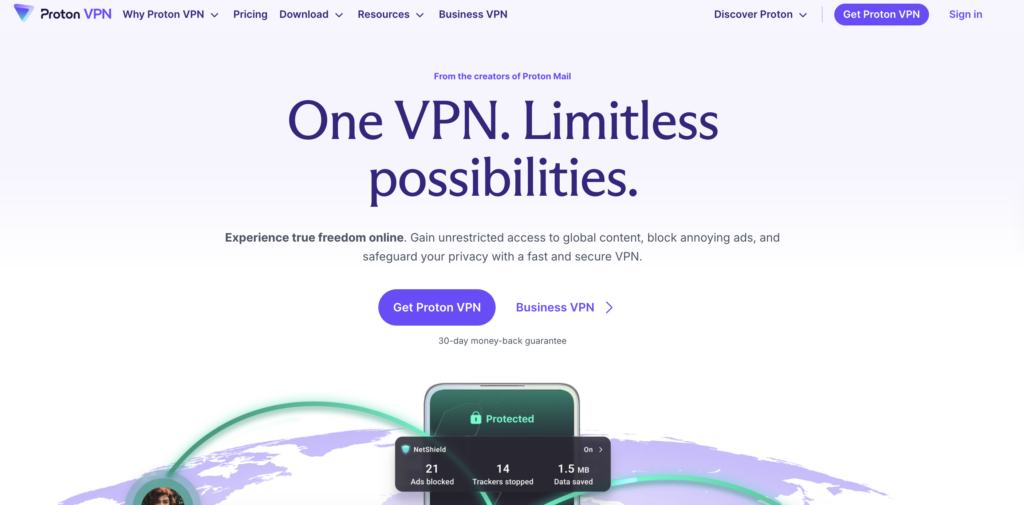
If your priority is to protect your privacy and anonymity online while accessing OnlyFans in the UK, then I recommend choosing only a reliable and trusted VPN service. For instance, I had the best experience with Proton VPN, because the service uses the latest VPN security and privacy technology, encrypts my traffic with military-grade encryption, and provides the smoothest streaming experience, all thanks to its incredibly fast connection speeds.
Step 2. Download and install the VPN
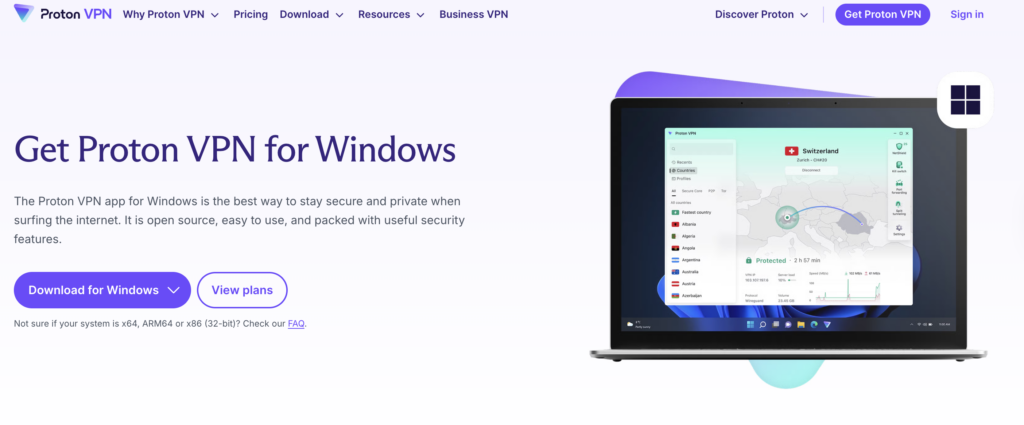
Once you have selected your preferred provider, you can download their app from the official website. Alternatively, you can get your provider’s apps from the Apple App Store for iOS devices or the Google Play Store for Android. Then, install the app following the onscreen instructions and grant all permissions for the service to properly function if prompted.
Step 3. Launch the VPN and connect to a server
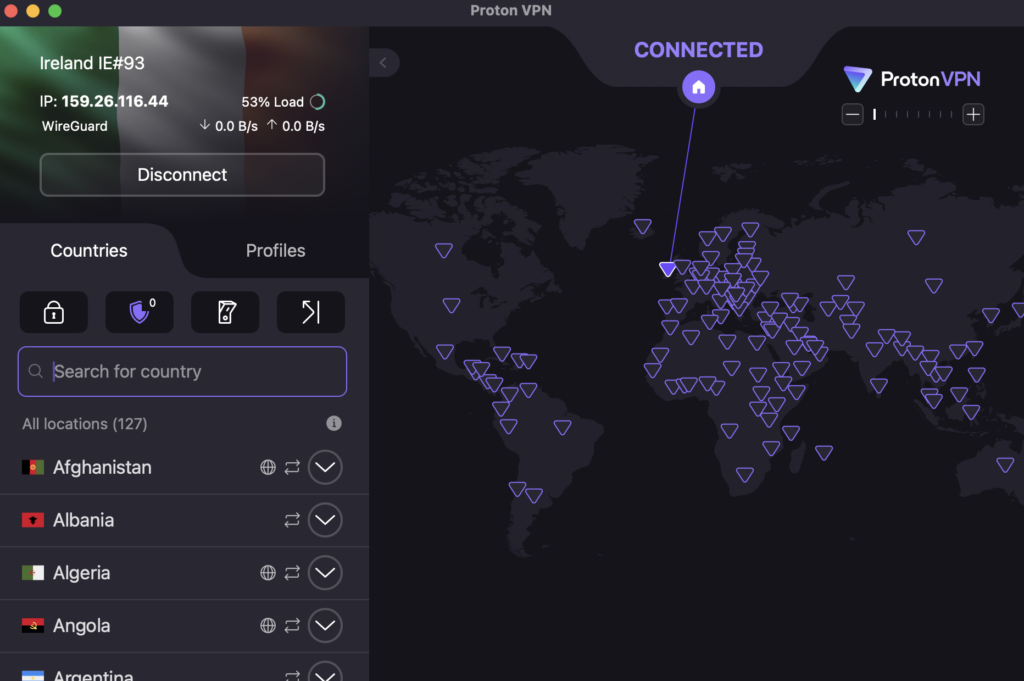
After launching the VPN, connect to a server in your chosen location. Since the aim here is to bypass the UK OnlyFans ID checks, select a server in an area with no OnlyFans restrictions, such as Ireland. Once you are connected to the servers, your actual location and IP address will be masked, making it appear as though you’re accessing OnlyFans from outside the UK.
Step 4. Head to OnlyFans UK and access content privately
If you are of legal age, head to OnlyFans UK with the VPN still connected. Now, you should be able to bypass the identity checks and access OnlyFans content privately as before.
How does identity and age verification on UK OnlyFans work?
UK OnlyFans is legally required to verify each user’s identity to ensure they are at least 18 years old when accessing the site’s content. To comply with the law, OnlyFans relies on Yoti, a third-party identity verification app. Through the app, OnlyFans users can choose from several ID verification methods, including uploading their ID, using an AI-based live selfie scan, or verifying their credit card details. Although Yoti is known as a safe identity and age verification service, it is still risky to upload your personal information online, even for the short time it takes to confirm your identity.
If you do not comply with the OnlyFans UK identity check rules, you will not be able to subscribe, stream, or upload videos onto the platform. However, if you choose to undergo the identity verification process on OnlyFans, your personal data will be logged, and your past activities may be linked to your daily life. Due to this, using a VPN to protect your online privacy is an essential tool when accessing OnlyFans in the UK. The technology helps to change your virtual location, encrypts your network traffic, and makes it easier for adults to use OnlyFans privately and safely.
Other porn sites requiring identity and age verification in the UK
OnlyFans is not the only website that requires an identity check from adult users in the UK. Since July 25, 2025, all social platforms, dating sites, or websites hosting explicit material must verify user identity due to the age verification in the UK laws. Below, you will find a list of adult sites that also require identity verification in the UK:
| UK porn site | Can adults access safely with a VPN? |
| 1. xHamster | ✅ Yes |
| 2. SpankBang | ✅ Yes |
| 3. xVideos | ✅ Yes |
| 4. PornHub | ✅ Yes |
| 5. XNXX | ✅ Yes |
| 6. Chaturbate | ✅ Yes |
| 7. YouPorn | ✅ Yes |
| 8. Adultwork | ✅ Yes |
| 9. Redgifs | ✅ Yes |
| 10. Stripchat | ✅ Yes |
| 11. ePorner | ✅ Yes |
| 12. Fabswingers | ✅ Yes |
Where is OnlyFans blocked?
In the UK, OnlyFans is required to verify the age of adult users. However, due to the site’s notoriety, OnlyFans is completely blocked in numerous countries worldwide. Currently, the list of countries where OnlyFans is blocked includes:
- Dubai
- Russia
- India
- Belarus
- Sweden
- Turkey
- Bangladesh
- And more
If you’re currently located in one of these regions, you will need to use a VPN to connect to a server in a location where OnlyFans is legal, such as Ireland or the US, to bypass local restrictions. In addition to governments, places like universities or offices also restrict access to OnlyFans, and you won’t be able to access the platform while connected to their networks. In some cases, even public Wi-Fi providers may block users from accessing the site.
Remember that if you are an adult and would like to access OnlyFans while on a restrictive network connection, you can also use a VPN to unblock the site and enter it undetected.
Is it legal for adults to unblock UK OnlyFans using a VPN?
Yes, if you are an adult, you can legally use a VPN to access OnlyFans in the UK. Using VPN services to encrypt your traffic and mask your actual IP address is lawful in the UK, as well as in most Western countries, including the US, Australia, Germany, and others. Incidentally, entering video platforms or similar sites against their Terms of Service is not a criminal activity, and you are unlikely to get banned from visiting again if caught using a VPN.
One thing to remember is that using a VPN is legal as long as it is used for lawful online activities.
Conclusion on OnlyFans age verification in the UK
OnlyFans is no longer freely available in the UK for adults. Since July 25, 2025, following the enactment of the UK Online Safety Act, all sites deemed potentially harmful to minors must verify user identity and age through strict checks. This means that if you are an adult and would like to visit OnlyFans, you will need to provide your ID or a similar document before accessing the explicit content hosted on the site.
Fortunately, adult users in the UK can still access OnlyFans privately and without UK ID porn checks with a VPN. Based on my experience, Proton VPN is the best overall VPN for UK OnlyFans adult users, as it enables them to mask their IP addresses, encrypt their traffic, and access OnlyFans privately without sharing their personal information online.
You may also want to read:
How to watch porn in the UK without age verification
How to bypass Twitter age verification
How to bypass Telegram age verification in the UK
How to bypass Discord age verification
How to bypass Tinder age verification
How to unblock OnlyFans in China
How to watch Sophie Rain OnlyFans
FAQ
No, minors should not use a VPN or any other method to bypass age verification systems. These laws are specifically designed to protect young people from accessing content that could be harmful or inappropriate for their age. By bypassing these checks, minors would not only be violating the rules but also putting themselves at risk of exposure to explicit material that can have negative effects. Age verification exists to create a safer online environment, and it’s important for minors to respect these boundaries and avoid tools like VPNs to get around them.
OnlyFans is blocked in the UK due to the requirements in the Online Safety Act UK, which came into effect in July 2025. The law requires all sites deemed potentially harmful to minors to verify user identity and age before allowing access to restricted content. However, if you are a responsible adult and would like to access OnlyFans in the UK without uploading your information, you can use a VPN, like Proton VPN, to mask your real IP address and access OnlyFans as if from outside the UK.
Yes, if you are an adult, you can legally use a VPN to watch OnlyFans in the UK. Using VPNs to encrypt your traffic and mask your IP address is legal in the UK, and visiting sites against their Terms of Service is also not a crime. However, I suggest using only a reliable VPN, such as Proton VPN, to ensure your data privacy and safety while you browse on OnlyFans UK.
The best VPN to access OnlyFans in the UK is Proton VPN. The service offers plenty of secure servers in Ireland, the US, Canada, and other countries where OnlyFans does not require ID checks to enter. Additionally, Proton VPN has the fastest connection speeds for the smoothest streaming experience, while its security features guarantee you stay anonymous online no matter what.
The OnlyFans identity and age verification law in the UK stems from the UK Online Safety Act 2023 and requires all potentially harmful sites to verify user identity before granting access. The law aims to protect minors from accessing sexually explicit material online, but it also puts adult user data at risk due to the mandatory ID checks. If you are an adult and would like to access OnlyFans privately and without identity verification, you can use a VPN, such as Proton VPN, to encrypt your traffic and access the site as if from another location.
Yes, adults can use their ID to access OnlyFans in the UK. However, uploading your personal information online, such as your ID, puts your data at heightened risk of exploitation and abuse. To prevent such risks, use a VPN, such as Proton VPN, to encrypt your traffic and mask your IP address before attempting to access OnlyFans UK with your personal documents.
Adults can open OnlyFans in the UK by verifying their identity through a third-party app, Yoti, used by OnlyFans for this purpose. However, if you’d rather access the site privately and without sharing your personal data, you can use a VPN to encrypt your traffic and mask your location. From my experience, Proton VPN is the best VPN to access OnlyFans in the UK, thanks to its ease-of-use and thousands of secure and fast servers in locations with no OnlyFans ID check requirements.
Canada, Australia, New Zealand, and some of US states are among the countries where OnlyFans is available without age verification for adults. If you are in the UK or other country, where OnlyFans is blocked, adults can use a VPN to access OnlyFans available countries.

