
Imagine having a digital personal assistant that doesn’t just answer questions, but actually logs into your account and does your work for you. OpenClaw AI is currently the talk of the tech world as more people use it to manage emails, browse the web, and perform real-world tasks. Security experts are raising concerns about how easily this AI assistant can be misused or exposed.
OpenClaw AI is an advanced assistant designed to act on your behalf, not just answer questions. Unlike typical chatbots, it can access files, execute scripts, and interact with external services when given permission. While that makes it incredibly useful, it also increases the potential impact of security mistakes.
In this article, I’ll explain whether OpenClaw AI is safe, the main security risks you should be aware of, and how to use OpenClaw safely by self-hosting it and accessing it through NordVPN’s Meshnet instead of exposing it to the public internet.
What is OpenClaw AI, and how does it work?
OpenClaw is an open-source, self-hosted AI assistant that runs on infrastructure you control rather than as a fully managed cloud service. You can install it on your local computer, a virtual private server (VPS), or dedicated hardware, such as a Raspberry Pi. This setup means your data stays in your environment rather than being processed entirely on external servers.
OpenClaw AI interacts directly with your files, applications, and system processes if you permit it. In simple terms, it acts like a digital assistant that can actually perform tasks for you, not just suggest them.
OpenClaw operates as a proactive AI agent with messaging-based control, conversational memory, and real-world task execution capabilities. You give it instructions through chat, and OpenClaw interprets intent, recalls context, and performs actions on your system, acting as a personal productivity and automation layer. It also keeps a conversational context, which helps it remember previous instructions and respond more intelligently over time.
Peter Steinberger launched the project in late 2025 as Clawdbot. On January 26, 2026, it became one of the fastest-growing projects on GitHub, surpassing 60,000 stars within three days.
Claude AI was renamed Moltbot after Anthropic expressed trademark concerns over the similarity between the Clawd mascot and Claude AI. Soon after, the company was rebranded as OpenClaw to highlight its open-source, self-hosted nature.
Is OpenClaw AI safe by default?
Because a standard OpenClaw setup gives the AI deep access to your files, emails, and computer commands, it essentially has the keys to your house. If you leave it running without extra protection, you trust the AI never to make a mistake or be tricked by a hacker.
The biggest threat to your OpenClaw security is the public internet. If you set up your assistant and leave it “open” so you can access it from anywhere, hackers can find it too. This exposure makes you a target for OpenClaw prompt injection. This attack involves a hacker sending you a message or email with hidden instructions. When your AI assistant reads it, the hidden code can trick the AI into stealing your password or deleting your files without you knowing.
To use OpenClaw safely, you must keep it hidden from the internet. The safest way to use OpenClaw is through NordVPN’s Meshnet. Meshnet creates a private, encrypted tunnel directly between your phone and your computer. This means your AI assistant stays invisible to hackers online, but you can still use it safely from anywhere. By using Meshnet, you keep the convenience of a personal assistant while locking the digital door to your private data.
OpenClaw AI security risks explained
OpenClaw can read information, make decisions, and take real actions on your system. But that same power also introduces new security risks. Unlike simple chatbots that only generate text, OpenClaw can execute commands and interact with files, which means mistakes or attacks can have real-world consequences.
To understand whether OpenClaw is truly safe, it’s important to look at the specific risks involved. Below, I break down the most important OpenClaw security concerns and explain why they matter:
Prompt injection of vulnerabilities
Prompt injection is one of the most dangerous threats to OpenClaw’s security because it tricks AI with plain language rather than malware. Attackers can hide malicious instructions in emails or websites that OpenClaw reads. The AI may treat those hidden lines as real commands and ignore your original rules. Since OpenClaw can execute actions, a successful attack could lead to stolen data, installed backdoors, or deleted files. Because the AI cannot always tell safe instructions from harmful ones, keeping it off the public internet and using a private connection like NordVPN’s Meshnet greatly reduces this risk.
Exposed OpenClaw instances on the public internet
Exposed OpenClaw instances are one of the biggest security risks. In many cases, misconfigured setups make the AI control panel visible on the public internet. In early 2026, researchers found over 140,000 OpenClaw instances exposed online, many of which lacked password protection. This meant anyone who discovered them could gain full control.
When OpenClaw is publicly accessible, attackers can easily find it using device search engines and exploit its permissions to read messages, steal login tokens, access files, or run commands. The safest approach is never to expose OpenClaw to the public internet and instead use a private, encrypted connection, such as NordVPN’s Meshnet.
Malware and unauthorized access risks
The OpenClaw skills ecosystem introduces serious supply-chain risk. Because skills are community-built plugins, they may not undergo rigorous security vetting. Researchers have found that a meaningful share of marketplace plugins contained hidden malicious behavior, including credential harvesting and malware deployment. These Trojanized skills appear legitimate, but once installed, they exploit AI’s elevated system permissions.
A single compromised plugin can expose API keys, scrape saved passwords or crypto wallets, and even establish persistent remote access. Since OpenClaw executes skills with broad authority, users must treat every third-party plugin as untrusted code and apply strict review and access controls.
How to use OpenClaw AI safely
Using OpenClaw AI safely depends on three key principles: keeping it isolated, controlling what it can access, and avoiding public exposure. Because OpenClaw can take real action on your system, a secure setup and limited permissions are essential from the start. Here are the steps to using OpenClaw safely:
Step 1. Run OpenClaw on a local or self-hosted server
Don’t install OpenClaw on your main computer, which stores all your personal data and credentials. It’s safer to run it on a spare computer, a virtual machine, a Docker container, or even a Raspberry Pi. This way, if the AI makes a mistake or faces a prompt injection attack, the risk is contained to that device and cannot easily affect your personal files, photos, or sensitive accounts.
Step 2. Avoid exposing OpenClaw to the public internet
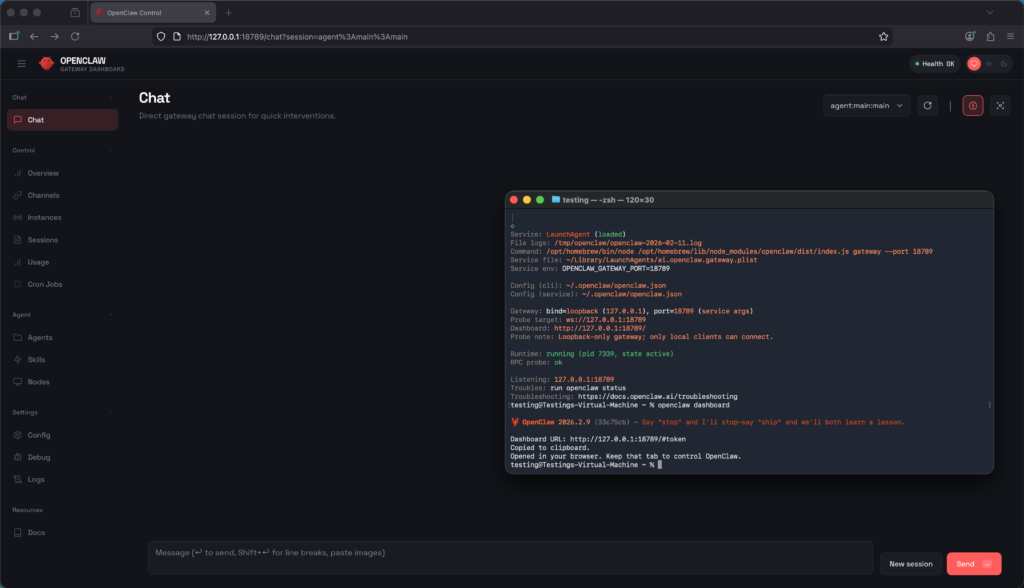
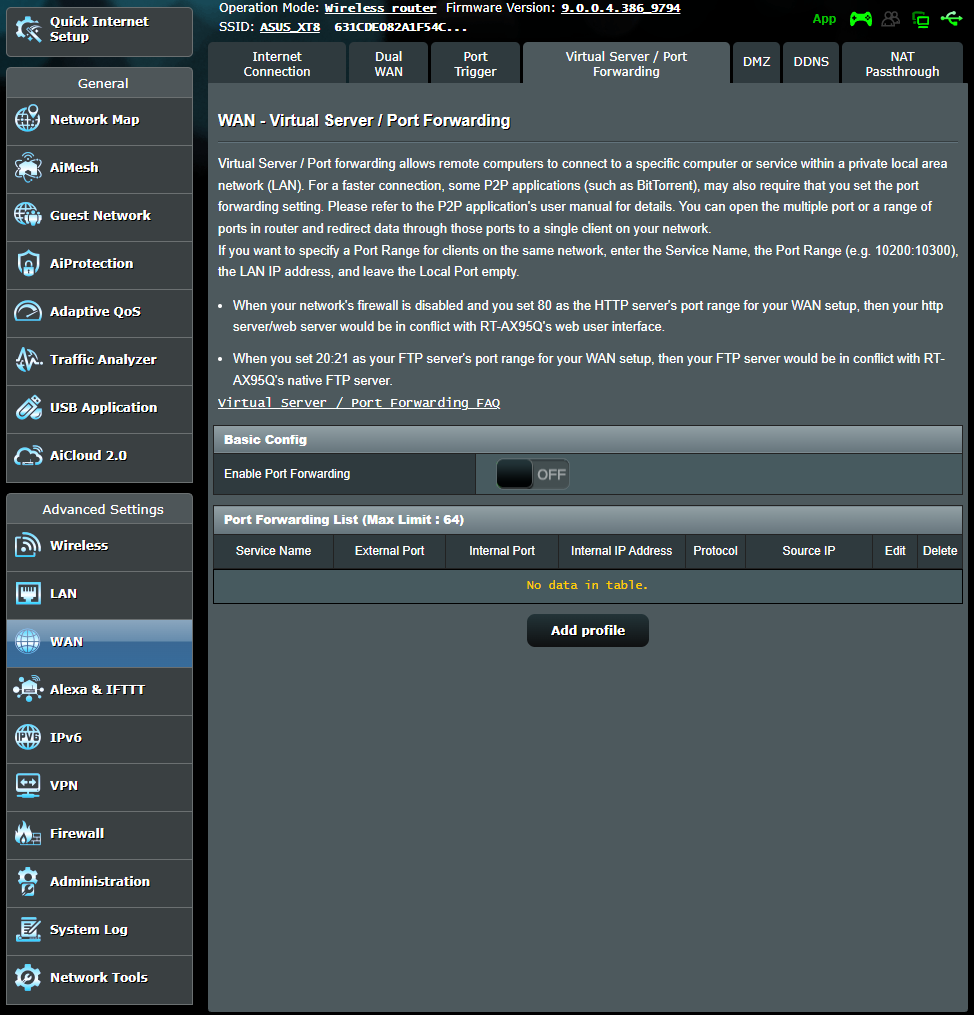
Don’t connect OpenClaw directly to the internet. By default, OpenClaw runs a local service on your computer using port 18789. If you forward this port on your router to access AI while away, you leave your front door unlocked. Hackers use automated scanners to find these open ports. Once they find yours, they can hijack your assistant to steal your data or even take over your computer.
To keep your OpenClaw setup secure, ensure it is configured to listen only on localhost (127.0.0.1). This setting ensures that the AI can only communicate with the device it’s installed on and cannot be accessed from other computers or the internet, helping keep it private. You shouldn’t be able to access your OpenClaw dashboard via a standard website address unless you use a secure, private connection, such as a VPN.
Step 3. Restrict access to trusted devices only
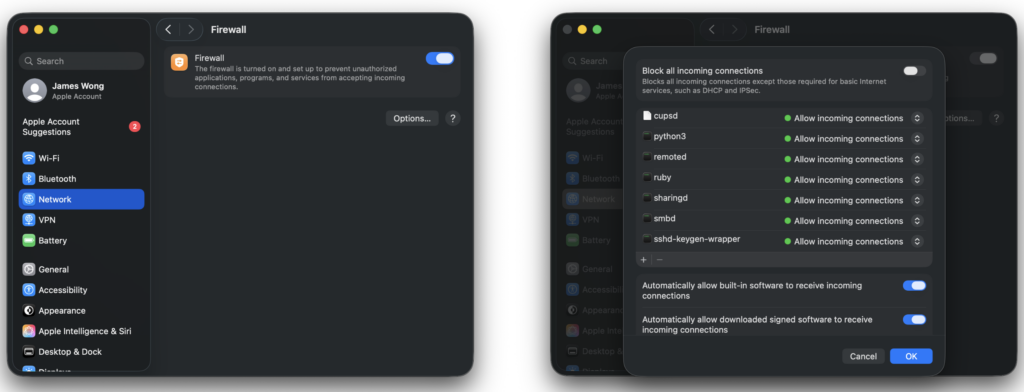
Only allow OpenClaw to connect to devices you trust. Start with limited permissions, such as read-only access or access to specific folders, and avoid granting full system control from the start. As you become more familiar with its behavior and security, you can gradually give additional permissions if needed. This approach helps prevent accidental or malicious actions from affecting your main system or sensitive data.
Moreover, use NordVPN’s Meshnet to ensure that only your specific, trusted devices, such as your phone or laptop, can communicate with the AI. Meshnet acts as a digital bouncer, checking the identity of every device that tries to connect. This prevents strangers from even seeing your OpenClaw instance.
Step 4. Use a secure private network for remote access
If you need to access OpenClaw remotely, always use a secure, private network. Keep your connection to your own device and avoid public networks or untrusted participants. Interacting over unsecured channels increases the risk of OpenClaw prompt injection, in which someone could send hidden instructions that cause the AI to perform unintended actions. Using encrypted connections, such as a VPN or a private mesh network, ensures your AI stays safe and under your control. The safest way to use OpenClaw remotely is through NordVPN’s Meshnet. Instead of sending your messages over the open web, Meshnet creates a direct, encrypted tunnel between your mobile device and your OpenClaw server. This ensures that your assistant is invisible to everyone except you.
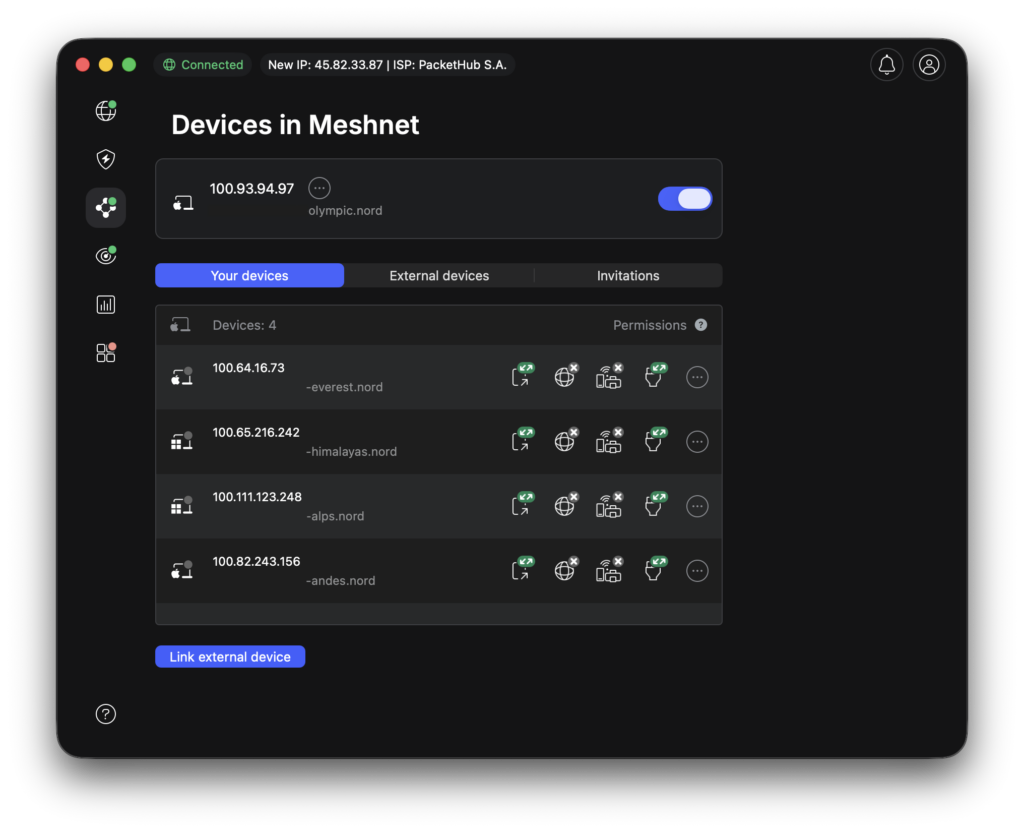
How NordVPN Meshnet helps secure a self-hosted OpenClaw setup
NordVPN’s Meshnet is a powerful tool for securing a self-hosted OpenClaw instance. By creating a private, encrypted connection between your devices, Meshnet lets you access OpenClaw remotely without exposing it to the public internet. This means your AI assistant can communicate only with devices you trust, reducing the risk of attacks or OpenClaw prompt injection.
With Meshnet, your OpenClaw setup behaves as if it’s on a local network, even when you’re accessing it from another location. You don’t need to forward ports or make your instance visible online, which eliminates one of the biggest security risks for self-hosted AI. This approach keeps your data private, your system isolated, and makes it safer to interact with OpenClaw from anywhere. Here is how Meshnet acts as a digital fortress for your OpenClaw AI assistant:
- It eliminates public exposure. Normally, to reach a home server from your phone, you have to forward a port to your router. This is like leaving a window unlocked so you can climb in later, but hackers can find that window too. With Meshnet, you don’t open any ports. Your OpenClaw instance is invisible to the internet, existing only on a private, virtual network that only you can see.
- Peer-to-peer encryption. Meshnet uses the NordLynx protocol (based on WireGuard) to create a direct, encrypted tunnel between your devices. When you message your AI assistant from a coffee shop, your data doesn’t bounce around on untrusted third-party servers. It travels directly from your phone to your home computer through a secure bridge, protecting your sensitive conversations and files from man-in-the-middle attacks.
- Secure local access from anywhere. Meshnet makes your devices act as if they are plugged into the same Wi-Fi router, even if they are on different continents. You can log in to your OpenClaw dashboard using a secure token via this private connection. This ensures that even if someone somehow discovers your Meshnet address, they would still be blocked because they aren’t part of your authenticated Meshnet circle.
- Protection against prompt injection. By keeping OpenClaw off the open web, you significantly reduce the risk of OpenClaw prompt injection. Since hackers cannot see your assistant’s control interface, they cannot easily send the assistant direct commands. Meshnet ensures that the only person giving instructions to your AI is you, through a device you have already verified and linked.
Final verdict: Is OpenClaw AI safe?
OpenClaw is an autonomous agent with deep permissions to your files and accounts, which means that it acts with more authority than a typical chatbot. Because it is a self-hosted tool, the security burden falls entirely on you. If left at its default settings, you are vulnerable to OpenClaw prompt injection and thousands of hackers who use automated scanners to find exposed instances on the public internet, which can lead to data leaks or system misuse.
The safest way to use OpenClaw is to keep it completely isolated from the open web using NordVPN’s Meshnet. By using Meshnet, you create a private, encrypted tunnel that allows only your trusted devices to see your AI agent. This setup effectively locks your digital front door, ensuring that your AI can manage your life in the background without ever being visible to hackers and malicious skills.

