
As of today, Sora 2 is not available in the UK or Europe. It’s geo‑restricted to the United States and Canada, so you’ll need a reliable VPN to connect through a US or Canadian server.
OpenAI launched Sora 2 on 30 September 2025, but early access is limited to users in the United States and Canada. To use the app, you need an invite code or a ChatGPT Plus or Pro subscription, both of which allow you to log in through the iOS app or the ChatGPT web interface. If you don’t have a subscription, you can join OpenAI’s waitlist, and many early users share spare invite codes on Reddit and other social platforms. Once you have a code, you can sign in from anywhere by connecting to a US or Canadian server through a VPN.
How to access Sora 2 with a VPN from the UK and Europe?
- Select a reliable VPN with fast servers in the US. I recommend NordVPN, now 75% off, as it offers the fastest connection speeds and close to 2000 US servers.
- Download and install the VPN on your device.
- Launch the VPN and connect to a server in the US where Sora 2 is currently available.
- Download the Sora app on iOS and log in with your OpenAI credentials.
- Launch the Sora app and start using Sora 2 from anywhere!
Why is Sora 2 not available in the UK and Europe?
OpenAI launched the Sora 2 model on September 30, 2025. However, the initial launch only covers the US and Canadian markets, with users in the UK, EU, and Australia currently without access to the next-gen generative AI model. What’s more, OpenAI does not give any details on the dates when Sora 2 should be expected to be available in these regions. The gradual rollout is done to ensure legal compliance, safety, and infrastructure readiness. Here’s a more detailed look at the issues preventing Sora 2’s immediate rollout to all markets:
- Regulatory and legal compliance. Different regions, especially the EU and UK, adhere to strict data protection and privacy laws, which include AI regulation requirements. Thus, OpenAI needs to ensure that Sora 2 meets those requirements before it is available in broader regions.
- Safety and moderation concerns. As video generation tools raise big concerns about deepfakes, misleading content, misuse, and similar issues, OpenAI is building in safeguards. Until they test and adjust them, they won’t make the app available to a broader public.
- Infrastructure and rollout logistics. The launch of a new AI model requires significant compute, bandwidth, localization, and custom support. So, to prevent any crashes, OpenAI chose to launch Sora only in the US and Canada.
In summary, OpenAI must comply with regional privacy regulations, content moderation laws, and infrastructure logistics, which slow the rollout.
In addition to all of this, Sora 2 is currently only available for iOS devices, which makes it even harder for some potential users to access. However, if you do have an iOS device and would like to try out Sora 2 before it is available in your country, you can use a VPN to mask your real location and get the app as though you are located in the US or Canada. Simply choose a reliable VPN service, connect to a server in the US and Canada, and access Sora 2 from anywhere.
Sora 2 availability by region
| Region / Country | Sora 2 Availability | Notes |
|---|---|---|
| United States & Canada | ✅ Available (invite only) | Access via the iOS app or ChatGPT web interface; ChatGPT Plus/Pro subscribers get immediate access. |
| UK, EU, Australia & most of Asia | ❌ Not yet available | No release date announced. Use a VPN to connect through the US or Canada, and you still need an invite code or subscription. |
| Alternative access (GlobalGPT) | ✅ Available | GlobalGPT integrates Sora 2 without regional limits; features and quality may differ from the official app. Use at your discretion. |
How to access Sora 2 in UK and Europe: a detailed guide
Currently, Sora 2 by OpenAI is only available in the US and Canada. However, if you’d like to access the new generative AI model from outside these two countries, by far the easiest way to do so is by using a VPN. Below, you’ll find my detailed guide on how to access Sora 2 from anywhere with a VPN:
Step 1. Choose a reliable VPN service
To have secure access to Sora 2 from anywhere, you need to choose a VPN with numerous high-performance servers in the US, fast connection speeds for seamless app usability, and robust privacy features to keep your activities secure. From my experience, NordVPN is the best VPN for this purpose, as it offers the fastest connection speeds in the industry, with over 2000 servers in the US alone, and utilizes the latest VPN technology to mask your real location and prevent accidental IP leaks.
Step 2. Download and install the VPN
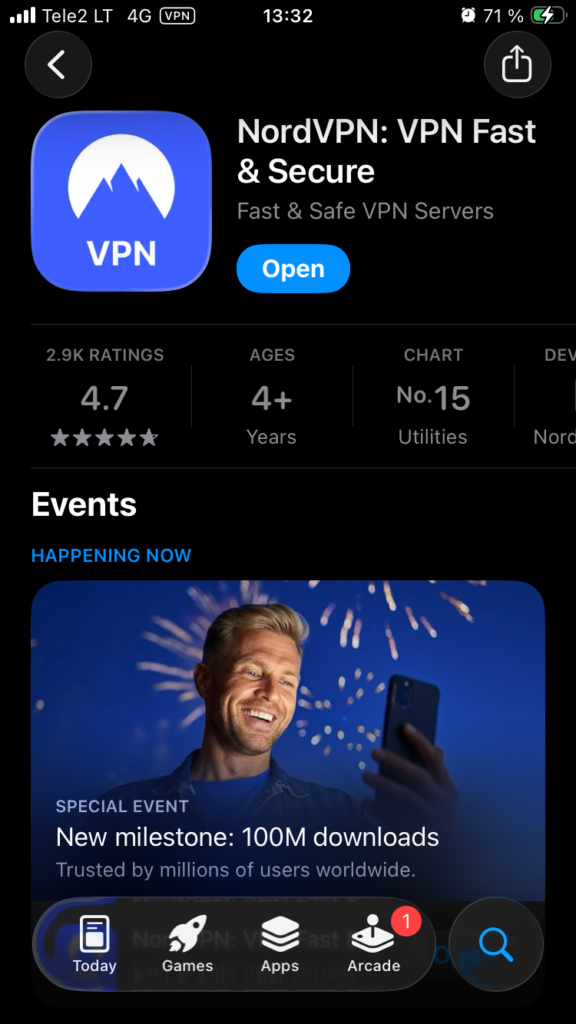
Since Sora 2 is currently only available for iOS devices, you can download the appropriate VPN app from the Apple App Store. Alternatively, you can find the iOS app on your provider’s official website. Once you have the app, install it and grant all necessary permissions for the VPN to function correctly.
Step 3. Connect to a VPN server in the US or Canada
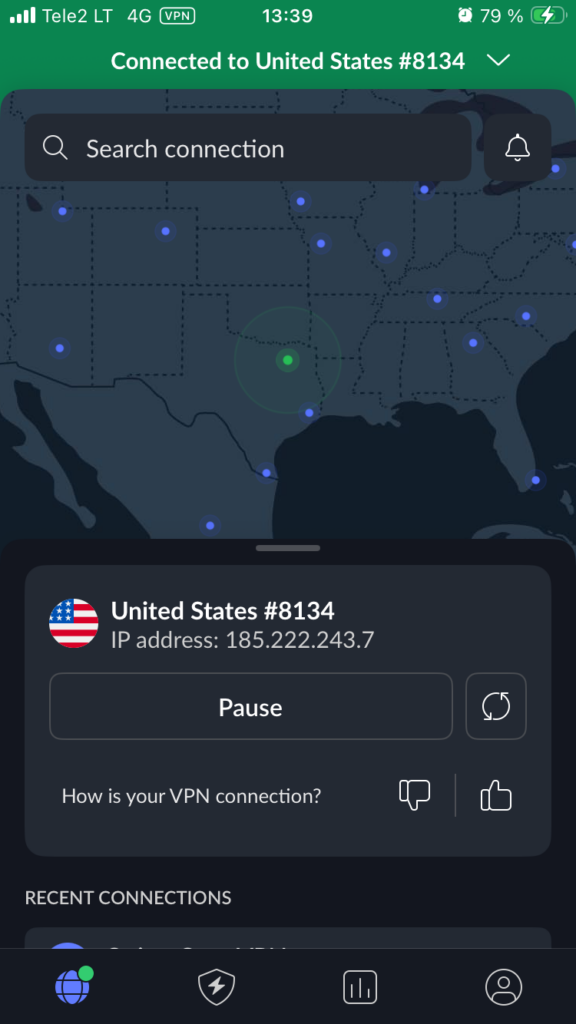
Launch your VPN app and connect to a server in the US. This simple move will mask your real location and make it look as though you are currently located in the US. Alternatively, you can select a server in Canada, as Sora 2 is also available there.
Step 4. Download the Sora app from the Apple App Store
Since the Apple App Store also uses the information you’ve registered with to track your location, you may need to create a new Apple App Store account with new, US-based credentials. You can find more information on how to do this in our thorough guide explaining how to change your location on the Apple App Store. Once that’s all settled, download the app and log in with your OpenAI credentials or create a new account.
One more thing to remember – in the early days of the Sora 2 launch, not all US and Canada-based users were able to find the app in their Apple App Stores. If you currently cannot see the app listed in your App Store, you will either have to wait until it becomes available to you or ask users who already have the Sora 2 app for an invitation.
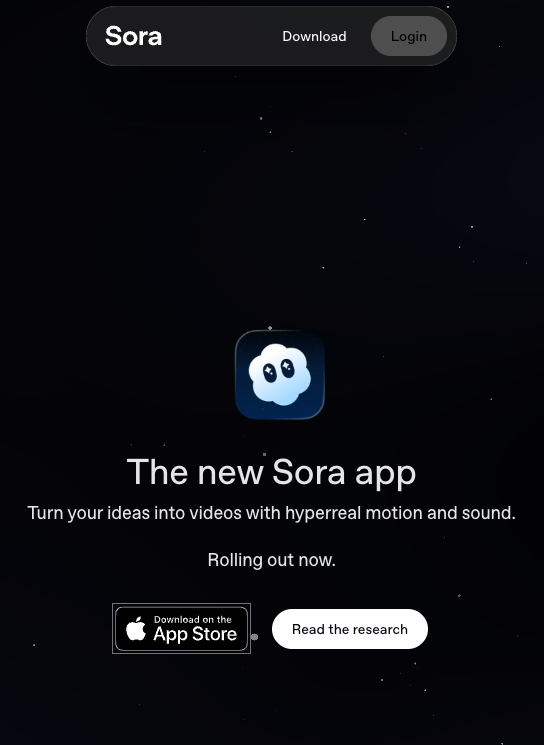
Step 4. Start using Sora 2 from anywhere
With the VPN still connected, launch the Sora 2 app and start creating your next-gen, life-like videos from anywhere!
Extra tips when accessing Sora 2 from the UK and EU with a VPN
To improve your chances of connecting from abroad, follow these additional precautions:
- Disable GPS/location services: After connecting to a US or Canadian VPN server, turn off GPS and other location services on your device to prevent apps from revealing your real location.
- Clear cache and use private browsing: Clear your browser and app cache, then open Sora in a private window to minimize IP leaks.
- Create a US Apple ID (if needed): On iOS you may need a US‑based Apple ID to download the Sora app. Sign out of your current account, create a new one with a US address and zip code, and download the app from the US App Store.
- Use a strong VPN protocol: Choose a protocol known for stability (such as WireGuard or OpenVPN) and select a server near a major US hub (New York or Los Angeles) for better speeds.
Remember that even with a VPN you still need an invite code or a ChatGPT Plus/Pro subscription to sign in.
Best Sora 2 VPN
To find the best VPNs to access Sora 2 from anywhere, I tested 16 different services. I looked for fast connection speeds for easy downloads and usability, plenty of secure US servers, and strong security features to prevent accidental IP slips and safeguard your privacy.
- NordVPN: The overall best VPN to access Sora 2 from anywhere. NordVPN offers close to 2000 servers in the US, over 400 servers in Canada, the fastest connection speeds for smooth use, and the latest VPN security features.
- Surfshark: An affordable and fast VPN to access Sora 2 from unavailable countries. Additionally, Surfshark offers unlimited connections, making it a very convenient choice if you own multiple devices.
- Proton VPN: Privacy-oriented VPN to access Sora 2 from anywhere in the world. Proton VPN ensures there are no accidental IP slips to interrupt your work with Sora 2 and provides a smooth user experience, no matter the activity.
Although all of my top 3 Sora 2 VPNs are excellent, NordVPN still outperformed them during my speed, usability, and security tests. You can subscribe to NordVPN for just $ 3.49/month or test it out first during a 3-day free trial. Alternatively, you can subscribe to NordVPN immediately without any risks, thanks to the 30-day money-back guarantee.

How to get an invite code & official access
Even if you’re using a VPN, you still need a valid invite code to sign in. There are two legitimate paths:
- Subscribe to ChatGPT Plus or Pro: Paying subscribers can access Sora 2 immediately through the iOS app or the ChatGPT web interface. Pro subscribers can create longer, higher‑quality videos.
- Join the waitlist and hunt for codes: OpenAI sends invites to users on its waitlist. You can also watch community threads on Reddit and other social platforms. Many early users post spare invite codes there. Search for phrases like “Sora 2 invite code” and act quickly when codes appear. Avoid buying codes from unknown sellers to protect your account and privacy.
Once you have a code, sign in with your OpenAI account, enter the code, and you’ll gain access. Remember that a VPN only bypasses geo‑blocking. It doesn’t remove the need for an invite or subscription.
What’s new in Sora 2?
Sora 2 is a big leap forward from the first version. Key improvements include:
- Synchronized audio and dialogue: The model now generates ambient sound, music, and character voices that match lip movements and visuals.
- Realistic physics: Objects and characters behave according to real‑world physics; basketballs rebound naturally, water splashes realistically, and gymnasts follow gravity.
- Cameo feature: You can insert yourself or friends into AI‑generated videos by recording a short clip. Sora 2 learns your face and voice for accurate results.
- Longer, higher‑quality videos (Pro): Free and Plus users can create 10‑second clips at 720p. Pro subscribers can make 20‑second videos at 1080p with priority in the generation queue.
Sora vs Sora 2: what’s the difference?
If you’re wondering if it’s worth going the extra mile to unlock Sora 2 in unavailable countries by using a VPN, the answer is yes, especially if you want to create truly next-gen AI-generated videos with increased realism and physics. Additionally, Sora 2 offers significantly more features than its predecessor, making it more reliable and better at following instructions.
Below, you’ll find my quick comparison of the key differences between Sora and Sora 2:
| Feature | Sora | Sora 2 |
| Release and access | Launched December 2024. Included in ChatGPT for Plus & Pro users | Launched September 30, 2025. Available initially via invite in the US and Canada; new standalone iOS Sora app; future API access planned |
| Audio and sound | Silent or only very limited / no built-in synchronized audio (voice, ambient, etc.) | Major improvement: built-in audio generation including dialogue, sound effects, ambient background; sync between visual & audio |
| Physics and realism | Good visual quality, but some physical inconsistencies (object motion, continuity, etc.) | Better physics simulation, more coherent motion; more realistic handling of dynamics (bounce, gravity, collisions), improved realism overall |
| Continuity and world consistency | Shorter clips; simpler shots; limitations in maintaining consistent style or character across multiple shots | Improved continuity: multiple shots, consistent characters, lighting, style, props in the same scene across shots; prompts better obeyed |
| Video duration and format | Clips of modest length (short video clips) and more limited control over style/format | Currently supports up to ~10-second videos in the iOS app; style and format are more flexible; vertical feed interface (like TikTok) via the Sora app |
| “Cameo,” likeness, and consent controls | Original Sora did not have a full “cameo” feature for users’ own likeness or voices, with consent, in the same way | New Cameo feature: users can opt in by providing voice + image; there are consent/authorization mechanisms, and users are “co-owners” of content generated using their likeness, with the ability to revoke permissions |
| Safety and content moderation | Standard safety guardrails: prohibited/filtered content, limits on public figure likeness without rights, watermark for AI content, etc | Enhanced safety, stricter moderation thresholds, more attention to misuse, non-consensual likeness, minors, etc. Also, more visible watermarking/metadata to track AI-generated content |
| Stylistic range and prompt control | Could produce artistic, stylized, or realistic video, but with more limitations in fidelity and realism under complex prompts | Greater steerability: better at handling complex prompts, wider style range, more expressive visuals; also better at obeying user directions with higher fidelity. |
| User experience | Integrated via ChatGPT, mostly prompt to video; less social-feed style; fewer remix or feed-based interactions | New app for iOS with social video feed, remix-style features, vertical scrolling feed, interaction (likes/comments), etc. More built for content creation/sharing. |
| Limitations | Only certain users (Plus/Pro), shorter clips, limited audio, and less realism under stress | Still invite-only in many places; limitations remain around video length (currently ~10s in social apps), availability (geographically), and content restrictions; still, some edge cases of physics or realism where it fails |
Overall, Sora 2 offers many more options for creating next-gen, realistic videos, with significantly improved physics, the addition of audio, and enhanced safety and content moderation. However, until the enhanced Sora 2 model arrives in currently unavailable countries, the only way to access it is by using a reliable and fast VPN.
Conclusion
OpenAI just launched its new generation of generative AI for video making, Sora 2. The model features enhanced physics, improved realism, enhanced controls, and improved usability. Additionally, it offers entirely new features, such as Cameo and built-in audio generation. However, the initial Sora 2 rollout only includes the US and Canada, meaning that the next-gen AI is currently unavailable to users in the UK, EU, Australia, and other countries.
Fortunately, you can access Sora 2 from anywhere with a VPN. A VPN allows you to quickly switch your virtual location to the US or Canada and access the Sora 2 app on the Apple App Store, regardless of your actual location. Based on my experience, the best VPN for Sora 2 is NordVPN, as it offers exceptionally fast connection speeds for seamless app usage, numerous servers in the US and Canada, and utilizes the latest VPN technology to ensure your online privacy.
You may also want to read:
How to access ChatGPT 5 from anywhere
How to bypass online censorship
FAQ
Yes, it is legal to use a VPN to access Sora 2. Using a VPN to encrypt your traffic and mask your IP address is perfectly legal in most Western countries, including the UK and the EU. For the best results, I recommend using NordVPN, as the service ensures access to Sora 2 from anywhere with 1,970+ US servers and fast connection speeds.
No, I do not recommend using Sora 2 with a free VPN. For one, free VPNs often come with crippling data caps, which means you won’t be able to generate any videos using an unpaid VPN and Sora 2. Additionally, such servers have a very poor server selection and are generally unsafe to use due to data tracking. Instead of risking it with a free VPN, choose a premium Sora 2 VPN, such as NordVPN, and use it for free with the 30-day money-back guarantee.
Sora 2 is the next-gen generative AI for creating video content with better physics, increased realism, built-in audio generation, and a new Cameo feature. In comparison, the original Sora was not capable of human-like realism, had no integrated sound generation, produced shorter videos, and had fewer overall controls. However, since Sora 2 is currently available in the US and Canada only, you will have to use a VPN, like NordVPN, to access the app on the Apple App Store from unavailable countries.
You can access Sora in the UK and EU with a VPN. Get a reliable VPN, like NordVPN, install the app, and connect to a server in the US or Canada, as this is where Sora 2 is currently available. Then, download the app from the Apple App Store, launch it, and log in. Remember that, in addition to using a VPN to mask your real location, you may need to create a new Apple App Store account using US or Canadian credentials to access the Sora 2 app.
OpenAI hasn’t announced a date, as expansion depends on regulatory compliance. In a meantime, you can use a VPN to access Sora 2 AI from your region, where the service is not available.
No, ChatGPT Plus and Pro users get immediate access to Sora AI. However, free users still need an invite. In any case, you need a VPN to access Sora 2 from the UK, Europe and other regions, outside the US and Canada.

