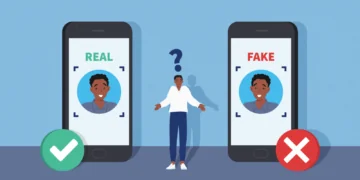
Social engineering ain’t about hacking computers; it’s about hacking people. Instead of breaking into systems, scammers try to win your trust, create urgency, or spark curiosity so you will willingly give away information.
It can look surprisingly ordinary, for example, you receive an email from your bank, or you get a message from a friend asking for help. It could be a phone call from someone claiming to be tech support. The reason these situations work is that they are familiar to us.
As more of our lives move online, these tricks are becoming more common. Once you know what to look for, they’re easier to spot. Here are the most common tricks that could help you recognize a scam:
- An email from a trusted company asking you to verify your account.
- A phone call saying there’s an urgent issue with your bank or device.
- A text message with a suspicious link or delivery notification.
- An offer that feels too good to be true (free gifts, prizes, or downloads).
- Someone pretending to need help or access for a legitimate reason.
They all rely on the same thing: catching you off guard.

In today’s online world, scammers are constantly looking for easy ways to get their hands on sensitive information, things like passwords, account logins, or even quick payments. Sometimes, they’ll try to pressure you into acting fast, like sending money or transferring cryptocurrency before you’ve had time to think it through.
On the other hand, they don’t always need to hack into the systems to do it. Instead, many rely on something much simpler: your trust. They might pretend to be from a company you know, a colleague, or even customer support. By creating urgency or sounding convincing, they trick people into giving away information about themselves. This approach is called social engineering, and it’s one of the most common and effective tactics used today.
As more of our lives move online, these scams are becoming more polished and harder to recognize at first glance. That’s why it’s important to understand how they work, what they look like in everyday situations, and how you can protect yourself (and your business) from falling into the trap.
How does social engineering work?
In a social engineering attack, a cybercriminal will interact with victims to gain their trust, obtain sensitive data, or persuade them to perform an act they might not otherwise do.
If they’re trying to infiltrate a corporate network, con artists might pose as tech support, a new employee, or an authority figure. If they’re looking to drain individual bank or cryptocurrency accounts, cybercriminals might pose as customer service representatives.
The end goal of scammers is to ask questions, engage in conversation, and extract sensitive information, such as passwords or login credentials, from targets. In social engineering, the bad actor could also be trying to pry out other information, such as names, positions, and company or private information, to use against other victims, furthering their credibility.
Examples of social engineering attacks
Social engineering attacks usually come in the form of emails, phone calls, text messages, and sometimes face-to-face interaction. Whatever the means of communication, social engineering attacks tend to evoke a sense of urgency, fear, or another strong emotion. The aim is to push victims to take action without careful thought.
When flustered, victims might do a number of things without fully thinking the situation through:
- Hand over personal or company data
- Give up passwords, login credentials, or multifactor authorization codes
- Click a malicious link
- Download a malicious file
- Send money, gift cards, or cryptocurrency to a fraudulent account
- Give remote access control of a computer
In social engineering attacks, it’s estimated that 70% to 90% start with phishing. Here are a few examples:
1. Phishing emails or messages from a friend or contact
The domino effect that social engineering can cause is alarming. Once a social engineer has successfully hacked someone’s email or social media account, they’ve got access to the victim’s entire contact list. Now, the cycle continues as the cybercriminal tries to compromise all of the accounts on that person’s contact list.
While the details of attacks are limited only by the perpetrator’s imagination, researchers and cybersecurity experts have identified some recurring social engineering techniques and ideas.
- Urgent help. Your friend or contact is stuck in another country. They’ve either been robbed or injured in an accident and need financial help. People who respond might be asked to click malicious links or downloads, send money or Bitcoin, or be guided to a fraudulent site where they’ll enter sensitive data the scammer can steal.
- Request from boss or co-workers. A scammer could ask about invoices, company credit card details, upcoming projects, or anything related to the company’s business. Sometimes bosses ask their workers to get gift cards to hand out as company perks.
- Please donate to charity. A compromised email might ask you to donate to a charity that is helping with a timely topic or issue. Those with soft hearts might send money to a phony charity or click a malicious link, which could infect them with malware or redirect them to a spoofed charity site.
2. Phishing emails from trusted sources
In social engineering, scammers might impersonate representatives of banks, financial institutions, government entities, law firms, or popular sites such as Amazon, Netflix, or PayPal. If a victim replies to one of these emails, the fraudster on the other end might dupe them into providing names, account numbers, addresses, or social security numbers.
Cybercriminals have become quite talented at recreating websites and can redirect targets to spoofed sites where they’ll enter these credentials. Here are a few common phishing techniques:
- Response to your inquiry. Fraudsters will pose as huge companies or services that millions of consumers use every day and “Respond to your question.” Since they’re casting such a wide net through phishing campaigns, some users who have actually asked questions or are having issues and want to jump on the opportunity might respond.
- We need verification. Imposters from legitimate-looking sites may ask for account verification. You’ll be asked to provide information via email or redirected to a spoofed form on a malicious website. Talented hackers can copy logos, banners, and make a website look like the real deal, so victims may not hesitate to enter sensitive data.
- Government and legal requests. Victims have reported receiving fake emails from real law firms or government entities that require their appearance in court. The email will request that the target click a link to confirm they received the notice. Scammers might also instill alarm by issuing unpaid or overdue taxes.
- You’re a winner. Whether it’s the lottery, an inheritance from an unknown relative, or an accidental overpayment, victims come out losers instead. One recent scam targets people who have ads for services or items up for sale. The scammer sends a check for an amount too high and asks the mark to return the difference. Since the check is fraudulent, it bounces when cashed, and the victim is out the difference.

3. Vishing and smishing attacks (voice and SMS text phishing)
Some phishing emails will request that you call or text customer support, tech support, or department numbers for the company. Fraudsters can create these false customer support phone numbers for banks or financial apps and go hunting for targets. Through spam emails and phishing attempts, they’ll try to bait victims with phony security alerts or customer service queries. On the other end of the line is a bold social-engineering criminal looking to run a scam and steal your information.
But scammers can also call or text you. Outbound calls are especially dangerous because fraudsters can spoof legitimate customer support numbers. You might get a call or SMS from “your bank,” financial apps, or other services you use. Never provide any confidential information when a representative calls you.
4. Spear phishing attack
These scams are much more personalized, making the target even more likely to fall for them. In spear phishing attacks, the perpetrator homes in on a specific target, likely someone with a strong online presence, by thoroughly researching them on Google and sifting through their social media accounts.
Think about it this way: a person recently posted that they were at their mobile phone provider getting a device upgrade. The phisher could use that information to craft a spear phishing email using the mobile provider’s logos, the device they purchased, and any other information they gathered.
Or they could call the target in a vishing attack and try to pull out credit card numbers or other account information. If a phisher targets a high-profile target, such as a celebrity, a CEO, or higher-ups in a company, it’s called whale phishing.
Common social engineering techniques
Since social engineering often takes the form of phishing, it’s important to be aware of the various techniques and nuances used in attacks. Whatever ideas that hackers can come up with are the limits to the attacks.
Through emails, phone calls, text messages, and face-to-face communication, these crooks can extract all kinds of information from unsuspecting victims. Here are a few examples that experts and researchers have uncovered:
Baiting
Cybercriminals have been known to leave USB drives loaded with malware around offices, coffee shops, and libraries, or even hand them out at work conferences. While targets think they’re getting free storage drives, they could unknowingly download a remote access trojan (RAT) or ransomware onto their systems or devices.
This concept is known as baiting, and hackers often prefer it because it’s highly effective. In emails, calls, and texts, scammers try to bait targets into clicking on malicious links or downloading virus-infected files by offering free gift cards, music, movies, or other enticing prizes. Baiting, in this case, is quite similar to phishing.
Sometimes they also use the baiting technique in reverse, making it seem like you’ll lose money if you don’t act. A good example of a reverse-baiting phishing email is this one:

This email uses a trusted name (Norton) and believable yet fake invoice numbers. It also creates a sense of urgency by setting a deadline and stating that you have to act if you don’t want to lose money. The message even makes it seem valid by adding a phone number. However, the layout, spelling errors, and the fact that the recipient, in this case, didn’t order Norton 360 are clear signs that this is a fake phishing email.
Pretexting
This is when the scammer has created a story, or pretext, that they want the target to fall for.
Generally, victims are approached by someone posing as a person in a position of power, such as law enforcement, company executives, or auditors, who has the authority to access login credentials or sensitive data. This illusion of power might make a victim feel obligated to hand over sensitive data.
Imagine you’re a new employee at a company, and someone pretending to be the CEO or head of IT calls or emails you. You’re more likely to give up sensitive login information to the corporate network during a credential check from someone in authority.
Quid pro quo
This technique is used when targets actually need something. Once a phishing target has been successfully acquired, say, the cybercriminal has been looking for a worker who actually needs tech support, they try to offer their service in exchange for sensitive data.
A hacker posing as IT support could be hunting for someone who’s been having a common problem, such as logging in to the company’s VPN. Once they’ve found their mark, the attacker could easily “take care of their technical problem” if they give them remote access to their computer or provide their login credentials.
Piggybacking and tailgating
These are social engineering techniques that occur in person or electronically. If a malicious actor wants access to a restricted area or to pass through security checkpoints, he or she accompanies someone with authorization.
They could do this by tricking a target into thinking they’re someone they’re not. A target might be more apt to let a security guard tag along into a secured area, or a cybersecurity official walk them through logins.
Tailgating is similar, but the authorized person isn’t aware they’re being followed. This could be something as simple as physically sticking their foot in a door before it’s closed, or as complex as hacking and tracking the activity of an online user.
How to protect yourself against social engineering attacks
While social engineering and phishing attacks are widespread and can be devastating for individuals and companies, there are measures you can take to protect yourself and your company. Here are some tips:
- Relax and slow down. If you receive an email that requires you to act right away and you feel uncomfortable moving so fast, make sure to slow down and breathe. These cybercriminals need you to act without thinking, so you make a mistake before you’ve had time to consider the situation. Take time to think over the scenario and see if it’s legitimate. Never rush into giving away information.
- Avoid suspicious links and downloads. Be wary of clicking links and downloads. When hackers copycat sites, they can change something very minor in the URL, like adding a zero instead of the letter O, which could redirect you to a spoofed site. Also, never download anything unless you know the sender and are expecting it.
- Double-check emails and support numbers. If you receive an email from a service, company, or institution you use, do a quick Google search to make sure the numbers and email addresses match. Some services, like PayPal, have lists of common scams and disclaimers stating they will never ask for sensitive information such as passwords, logins, or credit card numbers.
- Type it yourself. To protect yourself, it’s a good idea to manually type the name of the website in question into your browser to ensure you get to the right one. This will also allow you to access the actual site, where you can verify whether it’s a legitimate notification about your account.
- Hijacked emails and social media accounts are common. These days, it’s not rare to get emails or malicious messages from people you know and trust. Pay attention to the wording and spelling, and make sure it really sounds like the person it’s coming from. If they only send a link or download, it’s best not to click. You might get an email or message later saying their account had been compromised.
- Be wary of people you don’t know. Don’t take people at face value. If someone you don’t know injects themselves into your life or work and seems to be seeking personal information or sensitive data, wait until they’ve verified who they are. Double-check with friends or coworkers to make sure they are who they say they are.
Technical tips for avoiding social engineering attacks
The best line of defense against social engineering attacks is to learn to recognize and avoid them. But if you happen to run into any of these scam communications, there are other ways you can protect yourself. Here’s what you can do:
- Set your spam filters high. Scam emails that reach your primary inbox can be alarming and prompt you to act quickly. Make sure your filter settings are on high. Then do regular checks in your spam folder to make sure legitimate emails didn’t end up there by mistake.
- Delete emails asking for private information. It’s best not to respond. If you get an email asking to provide a password, login information, or credit card number, the safest thing to do is delete it. Legitimate companies and organizations should never ask you to reply with that information by email.
- Delete emails offering help. If you didn’t specifically ask customer support for help, don’t reply.
- Delete emails asking for help. It’s always better to seek out your own charitable organizations and causes that you’d like to donate to. Scammers often use current events and causes to prey on kind-hearted individuals.
- Use available security tools. Firewalls, antivirus software, and anti-spyware software can offer an extra layer of protection against threats. If you wind up on a malicious page, good protective services won’t let you access the site and will block connections. Likewise, if you accidentally click a malicious link and start a malware download, solid antivirus software will quarantine and delete the threat.

What information are social engineering scams looking for?
Con artists are constantly trying to think of ways to get you to respond in the heat of the moment. It’s a good idea to think like a crook and remember exactly what these scammers are after. In the end, the goal is often the same. They might want:
- Your login info and passwords: Never give your login information or passwords for verification over the phone or in an email. These credentials should be entered only in secure sections of legitimate websites.
- To send money or cryptocurrency. Whether it’s a friend stuck in a tough situation or a company representative asking for account verification, never make a transfer unless you know the person and have been planning to send them money.
- Remote access. Cybercriminals often request remote access to your device to fix an issue you might have. You should never give anyone remote access to your device, especially not someone who contacted you out of nowhere.
- Two-factor/multifactor authentication info. Fraudsters could be hunting for 2FA codes or passwords to access your account. Never give these up. They’re there to offer an extra wall of protection in case your passwords are compromised.
- Your personal information. If a social engineer can’t get any of the above information, they’ll be more than happy to obtain all sorts of other information. They often do this by cyberstalking their victims as well. Security questions for lost passwords often include children’s and pets’ names, schools you attended, or jobs you’ve worked at, all of which a cybercriminal can use against you. Scammers can also get information about a company to make themselves more believable when trying to breach a corporate network.
Even bigger companies are at risk of social engineering attacks
Even companies with the highest levels of cybersecurity training and technical know-how can fall victim to these tactics. When hackers breached Twitter in 2020 and ran an unprecedented Bitcoin scam on users, they used social engineering to infiltrate Twitter’s administrative network. Many hackers use social engineering tactics to commit CEO fraud and to target watering holes as well.
Instead of exploiting technical vulnerabilities, cybercriminals took it to a human level, posing as Twitter IT support and offering to fix a common VPN issue that Twitter employees had been facing. Hackers directed a high-ranking employee to a fraudulent phishing site and persuaded them to enter their login credentials.
Simultaneously, the hackers entered the credentials into the real Twitter site. When prompted to enable two-factor authentication, the employee complied, and hackers gained access to one of the world’s largest social media platforms. In today’s increasingly dangerous online world, it’s more important than ever to recognize threats and know how to protect yourself and your business.
FAQ
Social engineering is a manipulation technique used by cybercriminals to get personal information from victims. They’re often looking for passwords, login credentials, credit card numbers, or account numbers. Cybercriminals can impersonate customer service or technical support representatives, or even pretend to be new employees and authority figures to obtain the data they’re looking for.
In social engineering phishing attacks, cybercriminals send out countless emails in hopes of baiting a victim. These are usually responses to customer service and tech support requests, or security alerts. Once a target falls for the email, the cybercriminal engages in communication, gains their trust, and tries to pry sensitive data from them.
Hackers using social engineering typically engage with victims and build their trust. They impersonate individuals that targets are willing to share their personal data with, like tech support, customer service, or even friends, family, and co-workers. Hackers mainly try to gain access to financial accounts, like PayPal. However, it’s easy to secure your PayPal account.
There are several red flags for recognizing social engineering attacks. Here are a few:
- They typically convey a sense of urgency or try to instill a strong emotion.
- They pressure the reader to act immediately, in the hope that the victim acts before they’ve had time to think.
- They might pretend to be technical support or customer service, and contact you by phone or email without your request.
Cybercriminals typically use baiting, pretexting, and quid pro quo as techniques in social engineering attacks.
- Baiting is the practice of dangling something enticing in front of a victim, like gift cards or free music, to get their account information.
- Pretexting is creating a story or background that tricks the victim into thinking the cybercriminal is someone they’re not.
- Quid pro quo means something for something, like when a hacker poses as tech support and can fix a problem if the victim provides remote access to their device.
These are also among the most common PayPal scams.