

Two-factor authentication, or 2FA, is a way to keep your accounts safer by asking for two types of identification. Instead of just entering your password, you also need to confirm your identity in another way. This could mean entering a code sent to your phone, approving a login in an app, or using your fingerprint or face. Basically, 2FA combines your password with something else only you have, like your phone or a unique feature such as your fingerprint.
Today, passwords by themselves are not very secure because we often choose ones that are easy to remember, which also makes them easy to guess. Many people use the same password for different accounts or keep the same one for a long time. If your password is stolen, it can end up online for anyone to use. Hackers use software to try these passwords on your email, bank, and social media accounts. So, one simple password can put all your online accounts in danger.
Two-factor authentication gives your accounts extra protection and makes it much harder for hackers to break in. Even if someone gets your password, they still need the second step, like a code sent to your phone or your fingerprint, to log in. This blocks most common attacks, like phishing emails or password guessing, because hackers do not have your phone or your fingerprint.
In this article, I will explain what two-factor authentication is, why it matters, and how it works. I will also go over the different types of 2FA and show how it helps protect your accounts from hacks and phishing.

Why are your passwords alone not enough?
You should never use a password that is easy to guess, steal, or reuse across multiple accounts, since it can be compromised or misused. To create a secure password, a password would need to:
- More than six characters, preferably at least ten characters
- Include at least one uppercase letter, one lowercase letter, one number, and one symbol.
- Avoid consecutive keys on the keyboard, sequential letters, or numbers.
- Be unique for every account, no duplicates.
- Change your password at least every 6 months to a new, unused one.
- Create memorable, but not based on birthdays, common words, or simple phrases.
Most people have dozens of accounts, so it’s almost impossible to follow all these rules, which is why many reuse simple passwords like “123456” or use the same one across multiple sites. Once a password is set, most won’t change it unless forced. However, password managers can help you remember and generate stronger passwords, instead of trying to memorize dozens of complicated ones.
What is a two-factor authentication method?
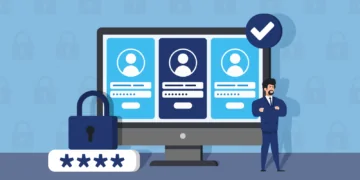
Two-factor authentication (2FA) is a security method that adds an extra step to your login process. Instead of typing a password, you need a second way to prove that it’s really you. It makes it much harder for anyone else to access your account, even if they know your password. The second factor could be something you have, like your phone or a security key, or something unique to you, like your fingerprint, face scan, or voice.
For example, many services, including Google, use 2FA by sending a one-time code to your phone in the Authenticator app (TOTP). You must enter your password first, and then the code from your phone. The code only works once and expires every 30 to 60 seconds.
Other examples include a small device that generates a unique number for logging in, or biometric authentication, such as fingerprints, facial recognition, eye scans, or voice verification. In every case, 2FA relies on two different ways to confirm your identity, giving your accounts much stronger protection than a password alone.
Benefits of two-factor authentication
As we’ve seen all too often, a password can be cracked or stolen by a determined hacker. When you use single-factor authentication, someone with access to your password can easily log on to your account. When you use two-factor authentication, a password alone is not enough to break into your information.
Even if a hacker gains access to your password, without access to your second authentication method, they cannot get into your account. Usually, this would mean the hacker would need your fingerprint, voiceprint, or something else unique to you. In other cases, the hacker might need access to your phone or the token supplied to provide the unique number code.
With two-factor authentication, a hacker cannot simply steal your password to access your account. Two-factor authentication does more than merely double the information required to access your account. In fact, two-factor authentication makes it exponentially more difficult to gain access to your information.
Potential weaknesses of a two-factor authentication system
What happens if a thief steals your phone and tries to access your accounts? With many two-factor authentication systems, a login code is sent via text message. You can protect yourself by using a strong lock screen on your phone. While this won’t stop a determined thief forever, it can give you time to suspend your phone service or take other steps before they gain access.
Even biometric methods, like fingerprints or face scans, carry some risk. When your device scans your fingerprint or voice, it converts it into a unique code, essentially a very complex password that only you possess. If a hacker gains access to a site where you used that code, they could potentially reuse it.
Ultimately, there is no perfect security system yet. While two-factor authentication is strong, a determined thief might find ways to bypass protections. However, two-factor authentication significantly reduces the risk of casual hacking or accidental breaches. Adding an extra layer of protection makes your accounts much harder to access and improves your chances of keeping your information safe. Even though perfect security isn’t possible, 2FA is a simple, effective way to make it nearly impossible for most hackers to steal your data.
As of 2026, these are the most concerning facts about passwords:
- 90% of passwords can be cracked in less than six hours: Advances in hardware mean that an 8-character password can be broken in minutes.
- The domino effect: Over 60% of people reuse the same password across multiple accounts. If a hacker steals your login for a simple shopping site, they immediately have the master key to your email, bank account, and social media accounts.
- AI vs. your password: Modern AI tools can crack simple 8-character passwords in seconds. Even if you think your password is clever, a computer can guess millions of variations in the blink of an eye.
- The “123456” problem: Despite all the warnings, 123456 and password are still the most common logins worldwide. These can be cracked in less than 1 second by even a beginner hacker.
- There are now over 16 billion stolen passwords circulating on the dark web. Most hackers don’t “guess” your password; they simply buy a list of leaked ones and use bots to see which other accounts they can unlock.
- The human limit: The average person now manages over 100 accounts. It is humanly impossible to memorize 100 unique 16-character codes, which is why 55% of us still rely on memorizing just a few simple ones.
Related articles:
- What is encryption
- How to create a secure password
- How to be safe online
- How to stay safe on public Wi-Fi

After some common cold or cough, my voice changes for sometime. Can the voice security and password security be of help?
If your voice recognition software no longer recognizes you during a cold, having a backup like password security can definitely help. Usually, devices offer this by default. We definitely recommend using other ways of security on top of voice recognition (like proper two-factor authentication, as described above) to make sure you're always able to access your devices without giving others easy access, as well.