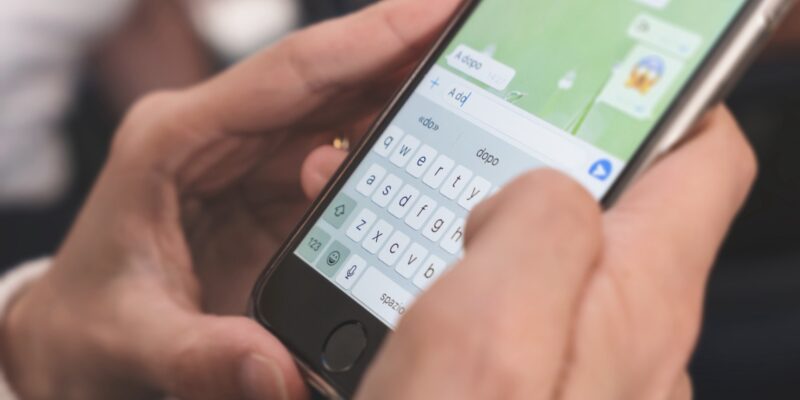
WhatsApp users can now block messages from unknown numbers directly from the lock screen of their device without needing to open the app, easing the process of blocking phishing scams.
Aside from just blocking numbers, users can also report the sender to WhatsApp, directly from a check box on the lock screen. A user just has to long-press the notification on their lock screen to get the options.
Previously, blocking an unknown number on WhatsApp required a cumbersome three-step process: sifting through the chat, selecting the user, then blocking the contact.
WhatsApp’s global user base of almost 3 billion makes it simple for criminals to reach a vast audience, making this update a vital new component for the leading messaging app. Once a bad actor has someone’s phone number associated with the app — which can be purchased on the dark web — they can contact them on WhatsApp.
This functionality is part of the latest WhatsApp update, which is being distributed in phases. Users that have the feature should have received a message from WhatsApp. It might take some time before it’s accessible to all users worldwide.
Block Suspicious Messages With Ease
With the latest version of WhatsApp, users can now access two options directly from the lock screen when receiving a message from an unknown number: they can either reply and add the contact to their list or block and report the number.
This feature is crucial for protecting users from phishing attempts, which have become increasingly common on messaging platforms like WhatsApp. Phishing scams often involve cybercriminals sending messages that appear urgent or important, prompting users to click on malicious links or share personal information.
Overall, this new security feature represents a proactive step by Meta to protect WhatsApp users from phishing scams and other malicious activities. WhatsApp has also significantly enhanced user security by introducing the Chat Lock feature last year, which adds an extra layer of protection for conversations through passwords or biometric security, and complements this new update.
WhatsApp is also set to enable cross-platform communication, allowing its two billion-plus users to interact with third-party messaging services like iMessage, Telegram, Google Messages, and Signal by March.
How to Use the Feature and Stay Safe on WhatsApp
WhatsApp’s new security feature aims to thwart phishing and unauthorized access, yet various sophisticated scams persist. Recent schemes, including criminals posing as Binance reps on WhatsApp, are evidence of the lengths scammers will go to to exploit victims’ trust and bypass protective measures.
This trend of social engineering, highlighted by scams like call-forwarding account takeovers and impersonation, underlines the ongoing challenges in safeguarding digital security on messaging platforms.
To use WhatsApp’s new blocking feature, simply long-press the message from the lock screen to unveil a new “block” option alongside the reply button. By tapping on the “block” button, users can, if necessary, proceed to report the message to WhatsApp by adhering to the on-screen instructions.
Despite WhatsApp’s introduction of a feature that allows users to block spam directly from their lock screen, malicious actors still have potential methods to target users:
- Sophisticated phishing attempts: Scammers can craft sophisticated phishing attempts that mimic legitimate contacts and brands, or use social engineering tactics such as inciting urgency or fear or convincing users to take action. Information gathered from other platforms or social media can help scammers send tailored, targeted messages.
- Account takeover: Attempts to hijack WhatsApp accounts through methods like SIM swapping to impersonate the user.
- WhatsApp group risks: Infiltrating WhatsApp groups to distribute spam or phishing messages under the guise of legitimacy. We recommend you hide your phone number in group chats, since anyone can contact you on WhatsApp if they have your phone number.
We also recommend you visit our WhatsApp privacy settings guide for added protection.
You can also refer to our guide on what WhatsApp knows about you.
For more news, follow us on X (Twitter), Threads, and Mastodon!