
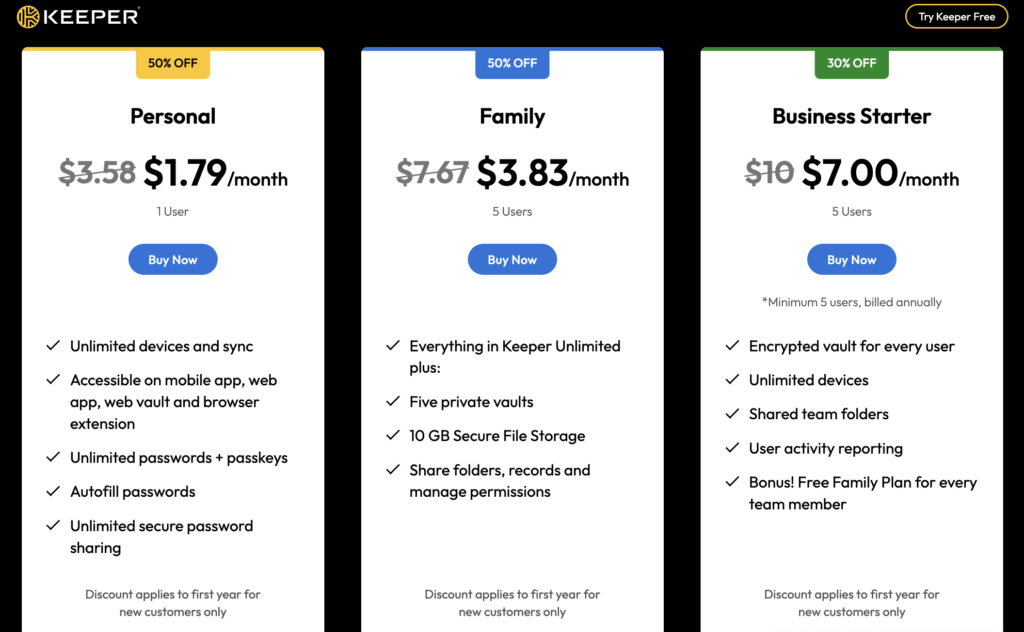
Choose one of our 3 Keeper coupon codes, and save as much as 50% on your subscription to one of the best password manager services for online security and privacy. These new-user discounts include 50% off the 1-year Keeper Personal plan, 50% off Keeper Family, and 30% off Business Starter with a 5-user minimum. Prices start from just $ 1.79/month, but these deals won’t last forever, so it’s worth checking them while they’re available.
Note:
These discounts only apply to the first year of a subscription, and renewal prices rise in the second year, so look out for deals before renewal. Also note that you can’t combine discounts to increase your savings, and these Keeper coupons are limited to new customers.
Compare Keeper password manager deals
| Keeper password manager plan | Discount | 1-year plan | Unlimited devices | Unlimited password and passkeys | Autofill | Secure sharing | Secure file storage | Manage permissions | Shared team folders | User activity reporting | Free family plan per user |
|---|---|---|---|---|---|---|---|---|---|---|---|
| 1. Personal | 50% OFF | $ 1.79/month (was $3.58/month) | ✅Yes | ✅Yes | ✅Yes | ✅Yes | ❌No | ❌No | ❌No | ❌No | ❌No |
| 2. Family | 50% OFF | $3.83/month (was $7.67/month) | ✅Yes | ✅Yes | ✅Yes | ✅Yes | ✅Yes | ✅Yes | ❌No | ❌No | ❌No |
| 3. Business Starter | 30% OFF | $7.00/user/month (was $10/user/month) | ✅Yes | ✅Yes | ✅Yes | ✅Yes | ✅Yes | ✅Yes | ✅Yes | ✅Yes | ✅Yes |
How to apply a Keeper Security promo code
Securing your Keeper Security discount is simple and only requires you to visit the official Keeper website via our special discount link.
Step 1. Visit the official Keeper website
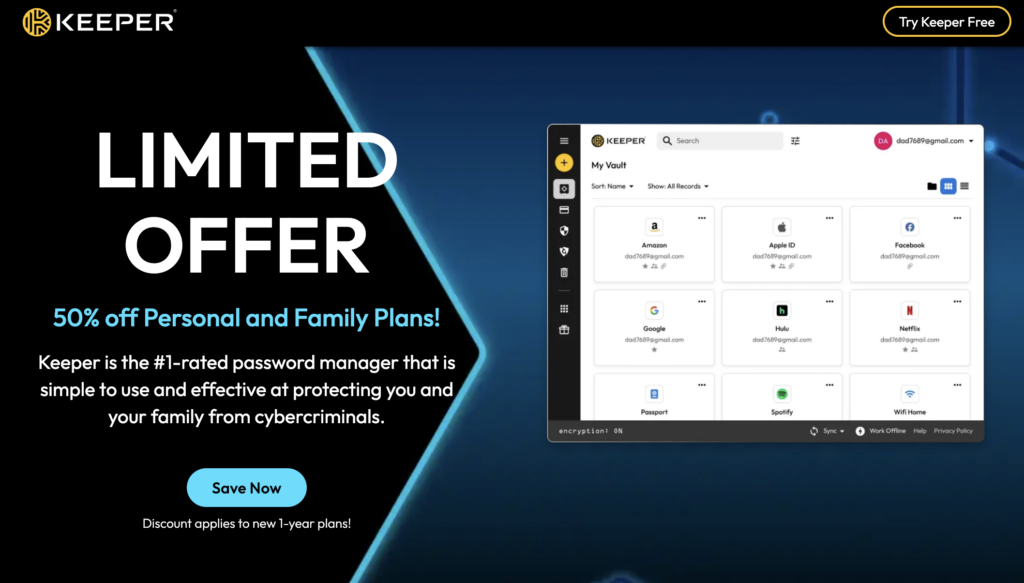
First, go to the official Keeper website using our special discount link, which will automatically apply the discount. You don’t need to input a Keeper Security coupon code, as you’ll see the discounted prices when you use our link. Keeper is offering up to 50% off its Personal and Family plans until the sale ends, so act fast to avoid disappointment.
Step 2. Choose your preferred plan
Scroll down the page to see Keeper’s three subscription options and their prices, and choose your plan. You can get 50% off a Personal or Family plan, or you can save 30% on the Business Starter plan. Once you’ve decided which plan you’d like, click on “Buy Now” to proceed.
Step 3. Complete your payment
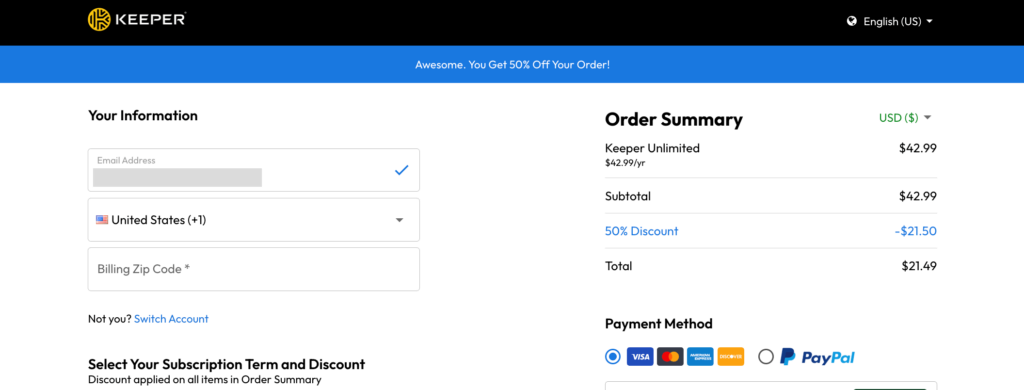
Now, you can complete your payment to secure your Keeper Security password manager deal. When you reach the checkout page, make sure that you can see the discount applied in your basket. You can pay for your subscription with major credit or debit cards, Apple Pay, or PayPal.
Step 4. Start using Keeper to manage your passwords
Now, you can securely store your passwords and passkeys in Keeper to boost your online security. You can securely share these with others, use autofill to speed up form filling, and access your private vault on mobile, desktop, and in-browser.
Keeper Security discount code not working? Troubleshooting guide
If your Keeper discount code isn’t working, the code may have expired, you may have made a mistake when inputting the code, or it might apply to a different plan or deal. I recommend checking these details first and contacting customer support if you can’t figure out what went wrong. However, our Keeper password manager discount is applied automatically when you visit the Keeper website using our special discount link. This saves you from having to input the code yourself, speeding up the checkout process and avoiding any mistakes.
Does Keeper provide a student discount?
Yes, Keeper offers a student discount that gives you 50% off your subscription if you can prove your enrollment at a high school, college, or university. This involves verification through a third-party provider called Student Beans. Once you’ve signed up to Student Beans, you can verify your student status within a couple of minutes. Alternatively, you can skip this step and secure 50% off with our special discount link.
Does Keeper offer a military discount?
Yes, Keeper password manager offers a 40% discount for active duty, veterans, and military family members. Verification can be completed through ID.me and applies to Keeper’s 1-year subscriptions. However, you can get a bigger discount of 50% from Keeper using our special discount link. This deal may not last for long, so it’s worth acting fast if you want to avoid potential disappointment.
Why choose Keeper password manager?
| Keeper password manager rating: | 8.3 ⭐⭐⭐⭐ |
| Passkey support: | ✅ Yes, unlimited passkey support and autofill on all Keeper plans |
| 2FA support: | ✅ Yes, Keeper supports two-factor authentication |
| Emergency access/recovery kit: | ✅ Yes, and designate trusted people for emergency access |
| Email aliases: | ❌ No, Keeper doesn’t provide email aliases |
| Encrypted storage: | ✅ Yes, 10 GB secure storage included with Family and Business Starter plans |
| Best Keeper password manager deal: | Get 50% off Keeper Personal or Family |
| Price after discount: | $ 1.79 to $3.83/month |
Keeper is worth choosing because it offers a strong array of security features to improve your password and file security, and it ranked well in our Keeper review, earning it an 8.3/10. I found Keeper excellent for avoiding password reuse, as it can automatically generate strong, complex passwords for every account. Unlimited passwords and passkeys can then be stored in an encrypted vault accessible from mobile and desktop devices.
Keeper’s autofill feature doesn’t just make logins speedier and easier, but it also protects you against keylogging malware that records your keystrokes. Multi-factor authentication, emergency access, secure password sharing, and encrypted file storage strengthen security further, while Family and Business Starter plans add features like private vaults, permission management, shared folders, and user activity reporting.
All of these are solid reasons to choose Keeper, and the current 50% off Personal and Family plans with prices from $ 1.79/month make it cheaper to protect your passwords, files, and passkeys
How we source Keeper coupon codes
Along with the VPNOverview team, I scoured the internet to find the best Keeper password manager deals and drew on retail partnerships and affiliate networks. We regularly review and update this information every few days to ensure that only the most recent, valid coupons and offers are shown. We also make sure that these coupons are still valid by following certain guidelines:
- Following promotional deals: At VPNOverview, we track Keeper special discounts and promotions to make sure that new deals are added or removed when they become available and expire.
- Checking Keeper’s online channels: We regularly check the official Keeper website and other online channels like social media so that we can add new discounts and promotions as they appear.
- Maintaining affiliate partnerships: Our partnerships with Keeper and other password manager companies mean that we can receive direct information in a timely manner that allows us to list discounts before they’re available from other sources in many cases.
Related articles:
Proton Pass Black Friday Deals
NordPass discount codes for 2026
RoboForm coupon codes
LastPass coupon codes
1Password coupon codes
FAQ
No, Keeper does not tend to offer coupons for existing subscribers. User reports suggest that while renewal discounts used to exist, they’re less common now. However, you may be able to get discounts from their referral program or via a promotional newsletter.
You can currently get 50% off Keeper Personal and Family plans, or 30% off Keeper Business Starter. Personal starts at $ 1.79/month, Family starts at $3.83/month, and Business Starter costs $7.00/user/month with a 5-user minimum.
Black Friday is usually the best time of year to find big discounts on Keeper Password Manager. However, you don’t always need to wait for seasonal sales, as Keeper currently offers up to 50% off Personal and Family plans through our special discount links.
Keeper password manager coupons usually last for the duration of a specific promotion. Current Keeper deals can change or be withdrawn without notice, so it’s best to check the offer terms before subscribing.