
- How to get around Bluesky age verification in the US with a VPN
- Bluesky is rolling out age verification in South Dakota and Wyoming
- Bypass Bluesky age verification in the US: step-by-step guide
- Best VPNs to bypass Bluesky age verification
- Controversy of the BlueSky age verification law
- How to verify your age on Bluesky
- Conclusion: access Bluesky without age verification
- FAQ
Since August 2025, Bluesky has been completely blocked in Mississippi. This decision was made by the platform itself to avoid the burden of complying with the state law’s privacy and resource requirements. Meanwhile, as of September 2025, Bluesky requires age verification for its age-restricted content in Wyoming and South Dakota. In these two states, Bluesky uses a third-party app to verify user age via a face scan, and ID or credit card checks.
The most straightforward way to unblock Bluesky in Mississippi and bypass Bluesky age verification in other US states is to use a VPN (Virtual Private Network). With a VPN, anyone can change their virtual location to a country or a US state where Bluesky is unrestricted, and access the platform as if from there.
However, while most VPNs can bypass Bluesky’s geographic restrictions, you need to use a truly reliable and secure service to make this work and keep your data private. Based on my tests, NordVPN is currently the best VPN for Bluesky age verification bypass, as it offers thousands of secure servers in Bluasky-friendly locations, such as Canada, and protects your privacy with the latest VPN technology.

How to get around Bluesky age verification in the US with a VPN
- Select a reliable Bluesky VPN with servers in countries with no Bluesky age verification. I recommend NordVPN, now 75% off, as it’s currently the best VPN for the platform.
- Download and install the VPN app on your device.
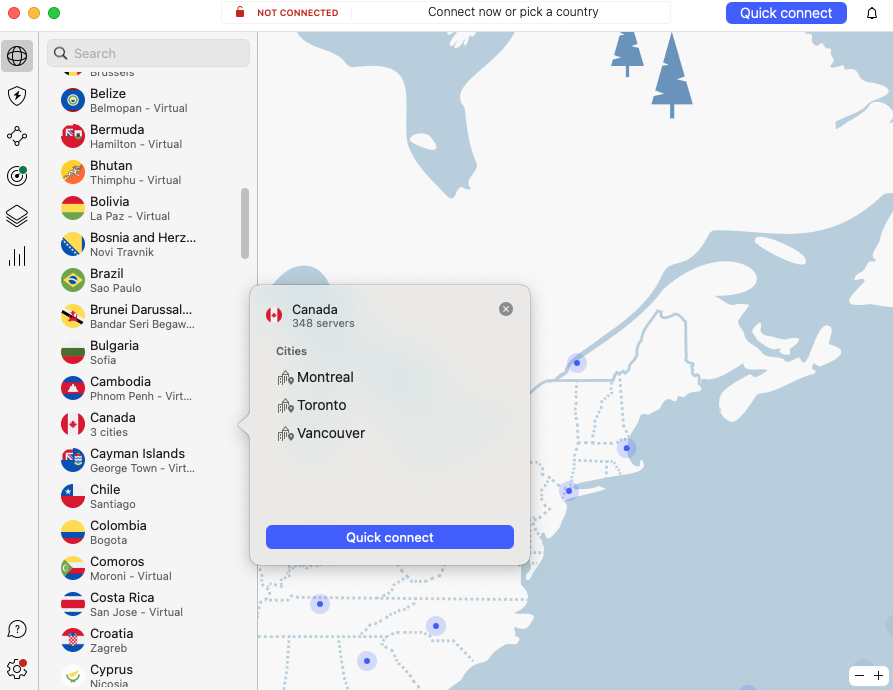
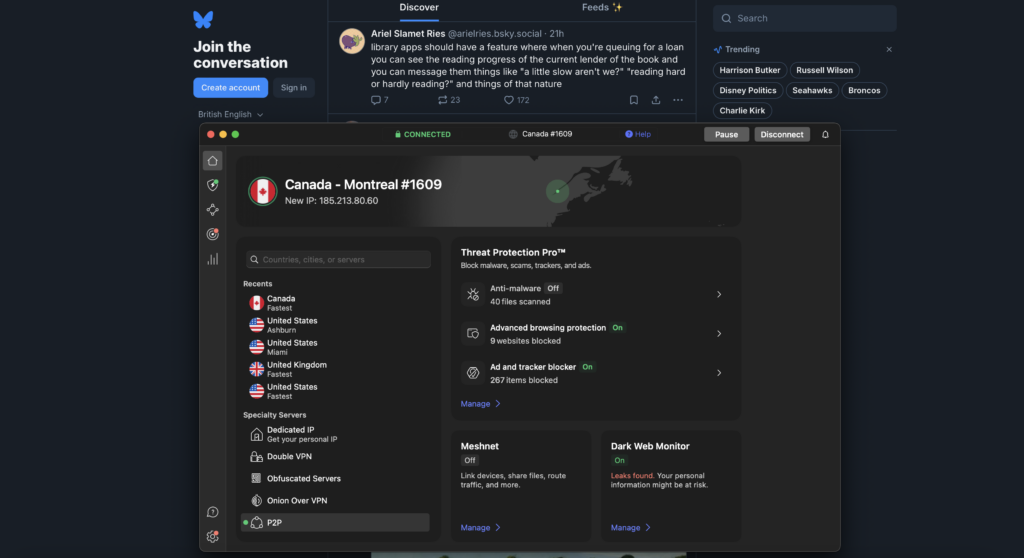
- Launch the VPN and connect to a server in a country where Bluesky does not require age verification, like Canada.
- As a precaution, clear your browser or device’s cookies and cache.
- Open Bluesky and access it without age verification or any other restrictions.
Bluesky is rolling out age verification in South Dakota and Wyoming
Before the Bluesky age restrictions in Wyoming and South Dakota were enforced, the platform was completely blocked in Mississippi in August 2025. The state’s law – HB 1126 – requires all social media users, including adults, to have their age verified. The company chose to block all access to its services for users with Mississippi IP (Internet Protocol) addresses instead, to avoid the burdens of third-party age checks inflicted by the law.
The situation with Bluesky in South Dakota and Wyoming is currently similar, but not exactly the same as in Mississippi. While Mississippi has an all-encompassing age verification law for all social media, the two aforementioned states only use targeted age verification to access specific features, like direct messaging and adult content, on social media platforms and the like. So, in South Dakota and Wyoming, the general Bluesky feed is available to all users without age checks, while age-restricted content requires age verification. Users can access restricted content on Bluesky by verifying they are adults via a third-party app called Kids Web Services (KWS) from Epic Games.

The age verification for restricted content in South Dakota and Wyoming works in a simple way. Once a user tries to access restricted content, they get an age verification pop-up from KWS, blocking access unless the prompt is completed. KWS offers several age verification methods, including ID scanning, credit card checks, or completing the procedure through an AI-based facial age estimation tool.
Although the procedure seems straightforward, there’s a catch – users who choose to verify their age must submit personal information to KWS, which is a third-party app. Naturally, privacy advocates have raised concerns about this, emphasizing that such laws normalize handing over sensitive personal data and put users at an increased risk of identity theft.
Bypass Bluesky age verification in the US: step-by-step guide
Using a secure VPN is the best option if you’re looking for a way to bypass Bluesky age verification and avoid sharing personal information. With a VPN, you can easily mask and change your virtual location by routing your network traffic through a server in any of the countries where Bluesky age checks do not apply. Below, you’ll find my detailed step-by-step guide on how to bypass Bluesky age verification in the US by using a VPN:
Step 1. Choose a highly secure VPN
After testing 17 VPN services, I found that NordVPN, Surfshark, and Proton VPN are the best VPNs for Bluesky age verification bypass. NordVPN proved to be the best overall VPN for Bluesky, offering iron-clad privacy, thousands of servers in Bluesky-friendly locations, and the fastest connection speeds for smooth browsing. Meanwhile, Surfshark stood out as the best affordable option for Bluesky and Proton VPN for offering heightened privacy and a freemium option.
Step 2. Download and install the VPN app
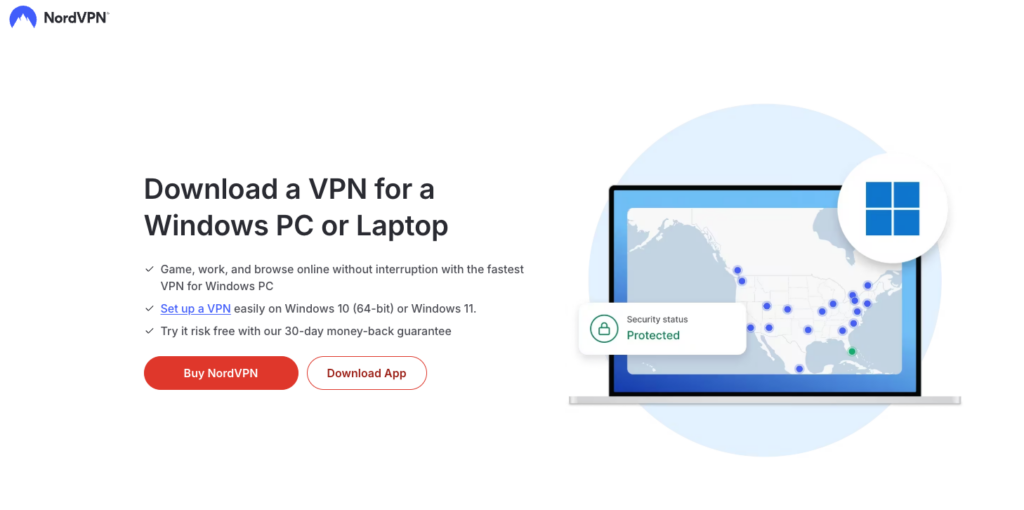
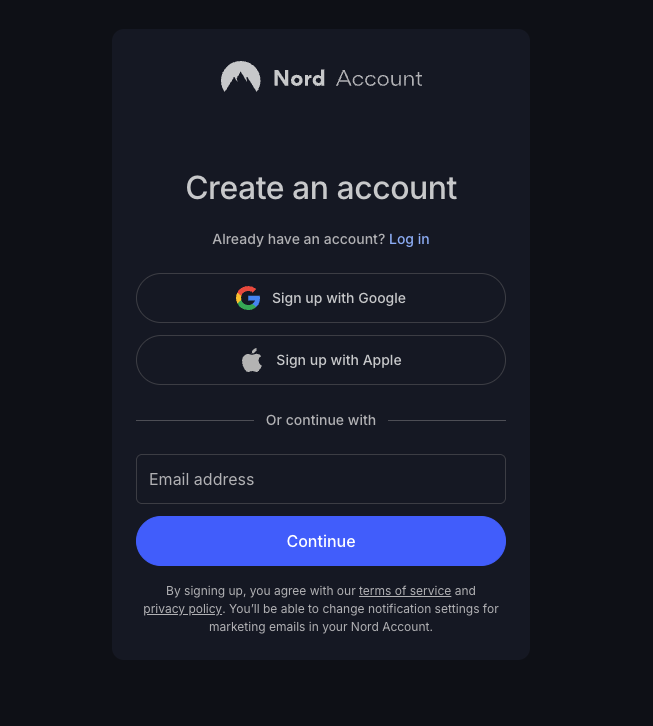
You can use Bluesky on both iOS and Android devices, as well as the app’s desktop version on laptops and PCs. Download a corresponding VPN app either directly from the official provider’s website, the Apple App Store for iOS, or the Google Play Store for Android devices. However, I do not recommend using free VPNs to access Bluesky, as such services do not offer the same level of security and privacy as premium VPNs. Instead, if you need a free service, you can choose a premium provider, like NordVPN, and take advantage of its 3-day free trial available through the Google Play Store. Alternatively, you can use NordVPN for free for longer, thanks to its 30-day money-back guarantee for all devices. Using a premium VPN will ensure your security, privacy, and smooth access to Blueasky from anywhere. Once you choose your provider, create an account, select a subscription, and download and install the app.
Step 3. Connect to a country without age verification
Currently, Bluesky requires age verification in the UK, South Dakota, and Wyoming, blocking all access completely in Mississippi. To access Bluesky without restrictions or age checks with a VPN, connect to one of the countries where no such requirements apply. For instance, Canada and Mexico only use the minimum age rule (13+), but do not ask for any further age proof. As of right now, most other US states also remain unrestricted as to Blueasky access.
Step 4. Open Bluesky and start using
With the VPN connected, open Bluesky. Now you should be able to access the platform without any restrictions or age verification prompts. However, if the restrictions persist, you may want to clear your browser or device’s cookies and cache, as they might be exposing your real location even with a VPN connected. Alternatively, you can try a different VPN server in the same location – this usually solves most issues.
Best VPNs to bypass Bluesky age verification
After testing 17 VPN services, I found the top VPNs to bypass Bluesky age verification and restrictions. All 3 providers easily unblocked the platform, had fast connection speeds for smooth access, and ensured my privacy while browsing:
-
1.NordVPN: NordVPN is the overall best Bluesky VPN, as it offers thousands of secure servers in no age verification Bluesky countries, such as Canada and Mexico. Additionally, the service has the fastest connection speeds for a smooth browsing experience, as well as the latest privacy and security features. From $ 3.49/month.
-
2.Surfshark: An affordable and fast Bluesky VPN with unlimited device connections. Additionally, the service has servers in Canada and Mexico for an easy Bluesky restriction bypass. From $ 2.49/month.
-
3.Proton VPN: A privacy-oriented Bluesky VPN with good connection speeds and thousands of servers in countries with no Bluesky age verification. Proton VPN also offers a free version, which can be used to bypass Bluesky restrictions if you need a basic VPN service. From $ 2.99/month.
Controversy of the BlueSky age verification law
The Bluesky age verification law in South Dakota and Wyoming has caused a fervent debate among privacy advocates. That is mainly because the law affects everyone, from the government to the social media platforms, and the users themselves. Here’s a quick breakdown of the age verification law controversy and what it means to different groups of users:
For Bluesky: Bluesky’s varying responses to state laws, case in point, the complete block in Mississippi, and third-party age verification in South Dakota and Wyoming, prove the complexity of operating under seriously conflicting regulations. This creates a significant burden to any internet company, no matter its size. Though the fact that Bluesky is such a small organization makes it even harder for it to act within the legislature, as all age check implementations cost significantly.
For the internet and its users: The new age verification laws force internet users to give up their sensitive information, such as ID or credit card details, breaking anonymity and increasing the risk of data breaches. Additionally, such age verification laws also restrict adults’ access to legal content and limit freedom of expression. To sum it up, the requirements to hand over sensitive information can have scary side effects for both adults and minors who are wary of reprisal or surveillance.
As a result of these restrictions and the risks stemming from them, more users are turning to VPNs to bypass restrictions. Such user behavior also raises the question of whether these laws are truly effective in protecting minors from harmful content. Overall, the age verification measures imposed on Bluesky and other websites ignited a broader debate on actually effective ways to protect kids online without compromising the privacy and freedoms of adult internet users.
How to verify your age on Bluesky
If you choose to verify your age on Bluesky to access restricted content, you must follow the on-screen prompts that appear when trying to access age-restricted content or features, such as direct messaging. Bluesky partners with a third-party app for age verification services called Kids Web Services (KWS), owned by Epic Games, which offers several age identification methods. For more information, refer to my guide below on how to verify your age on Bluesky:
Step 1. Access the Buesky age assurance page
If you are located in the UK, you will receive information prompting you to verify your age when accessing the platform. Tap the notification to go to the age assurance page on Bluesky, and there you will be asked to enter your email address to begin the age verification process. Once you enter your address, you will receive an email with further instructions.
If you are located in Mississippi, you won’t be able to access Bluesky at all and will be greeted with an explanatory message when opening the site. Even if you’d be willing to verify your age to access Bluesky in the state, no such option is available if you’re currently located in Mississippi.
As for South Dakota and Wyoming, all users can access the basic Bluesky feed, but are prompted with an age verification message when trying to access age-restricted content or features, such as messaging. Once you get the prompt from KWS, select your preferred age verification method – ID scan, credit card details, or a face scan – click on it and proceed by following the instructions.
Step 2. Choose a verification method
Currently, there are three age verification methods available on KWS for Bluesky: face scan, ID upload, and credit card details. Here’s how they work:
- Face scan: You will have to use your device’s camera to perform an AI-based age estimation face scan. This is the simplest procedure; however, the AI age estimation might not always be accurate, blocking access even though you are legally an adult.
- ID upload: For this, you will have to upload an image of your personal government-issued ID, such as a passport or a driver’s license.
- Credit card details: To verify your age with this method, you will have to provide your credit card details. Based on the data you provided, you may be granted access to Bluesky if you’re of an adult age.
Step 3. Complete the steps
Once you select your preferred age verification method, follow the on-screen instructions to complete the process. Then, wait for confirmation, as KWS has to process your submission. The confirmation process usually takes no time for credit card or face scan processing, but can take longer for ID uploads. Once KWS verifies your age, you will be able to access the previously restricted content and features.
Disclaimer:
Bluesky does not store your verification information, as the third-party app, Kids Web Services, handles this. However, providing any personal data to a third party for verification carries privacy considerations and risks.
Conclusion: access Bluesky without age verification
As of August 2025, Bluesky is no longer available in Mississippi. Meanwhile, in Wyoming and South Dakota, the platform uses a third-party age verification app to check user age when accessing age-restricted content and features, such as messaging. Needless to say, verifying your age using your ID, credit card details, or a face scan puts your sensitive personal information at a heightened risk of identity theft and fraud.
Luckily, users in South Dakota and Wyoming can bypass Bluesky ge verification with a VPN. A VPN allows you to change your virtual location and access the platform as if from a location with no age verification checks. Using the same VPN method, users in Mississippi can unblock the platform from their state. After testing 17 VPN services, I found that NordVPN is the best VPN for Bluesky, as it offers fast connection speeds, unparalleled security, and thousands of servers in locations with no Bluesky age checks.
Related articles:
- How to bypass Twitter (X) age verification
- How to bypass Grindr age verification in the UK
- Bypass YouTube age verification
- How to bypass the US porn ban
- Watch porn in Virginia
- Watch PornHub in Georgia
- Bypass age verification on Google apps
- How to bypass paywall and read articles for free
FAQ
Yes, Bluesky has an age limit. The platform only allows users of 13+ years to register and use the platform. Other than that, Bluesky asks for age verification in the UK and employs content-triggered age verification in Wyoming and South Dakota. To bypass these additional age checks, you can use a reliable VPN, like NordVPN, to change your virtual location and access Blueasky as if from a location where age checks are not required.
Yes, a VPN can get around Bluesky age verification. However, choose only a reliable and trustworthy VPN provider, like NordVPN, both for the best results and to keep your data safe and private. Once you have your VPN, connect to a server in a US state or a country with no Bluesky age verification, like Canada or Mexico, and access the platform as if from there, bypassing age checks altogether.
Yes, a VPN can get around Bluesky age verification. However, choose only a reliable and trustworthy VPN provider, like NordVPN, both for the best results and to keep your data safe and private. Once you have your VPN, connect to a server in a US state or a country with no Bluesky age verification, like Canada or Mexico, and access the platform as if from there, bypassing age checks altogether.
To turn off age restrictions on Bluesky, go to Settings > Moderation > Content Filtering and toggle Enable Adult Content to Show. Then, adjust the settings for sexual images and non-sexual nudity to your preference, typically by selecting Warn or Show. However, I still recommend using a reliable Bluesky VPN, such as NordVPN, to ensure your activities remain invisible to onlookers and your data is kept private to you.

