
- How to bypass DirecTV blackouts in 2026
- Why are channels blacked out on DirecTV?
- Can a VPN help during a DirecTV blackout?
- How to bypass DirecTV blackouts with a VPN
- Best US server locations for DirecTV
- Can I bypass DirecTV blackouts without a VPN?
- Can I watch DirecTV while traveling?
- Conclusion
- FAQ
- A DirecTV blackout usually happens when DirecTV and a local broadcaster cannot agree on carriage terms.
- As a result, channels like local ABC, CBS, FOX, and NBC affiliates can be blocked across different US markets, leaving viewers without access to local news, sports, and live events.
- Using a reliable VPN, you can connect through another US location and bypass DirecTV blackouts.
- NordVPN is the best VPN for DirecTV thanks to its fast speeds, over 3453 servers across the US, and stable streaming performance.

DirecTV blackouts have recently affected dozens of local stations across the US, including local ABC, CBS, FOX, and NBC affiliates. Because of these disputes and regional restrictions, viewers lose access to local news, NBA Finals coverage, Stanley Cup Final games, US Open matches, and other live broadcasts.
That’s why many are looking for ways to bypass DirecTV blackouts and keep watching their favorite local channels while traveling or trying to get around regional restrictions. A reliable DirecTV VPN can help you connect to a server in a different US state, giving you a local IP address and access to DirecTV channels available in that market.
In this guide, I’ll explain how a DirecTV blackout works, when a VPN can help, and which services work best to watch DirecTV from anywhere.
How to bypass DirecTV blackouts in 2026
- Subscribe to a reliable DirecTV VPN. I recommend NordVPN, as it offers around 3500 servers in the US and fast streaming performance.
- Download and install the VPN app on your streaming device.
- Connect to a server in a different US state where the channel is available.
- Open DirecTV Stream app or website and log in.
- Start streaming local channels and live broadcasts available in the selected market.
Why are channels blacked out on DirecTV?
A DirecTV blackout happens when DirecTV can’t show a channel in a specific location. In most cases, this comes down to broadcaster negotiations. Local stations owners and DirecTV need to agree on carriage terms before DirecTV can continue to include their stations in its channel lineup.
These deals are often tied to retransmission consent agreements. If no agreement is reached on things like pricing, distribution rights, or contract conditions, DirecTV may lose permission to show that channel.
That’s why local affiliates can suddenly disappear from your package, even if you previously had access to them. A DirecTV local channel blackout can affect ABC, CBS, FOX, NBC, and other regional stations, depending on the market and the broadcaster involved.
Can a VPN help during a DirecTV blackout?
A VPN can help during a DirecTV blackout by changing the location DirecTV sees when you stream. This way, you can access channels and broadcasts that are available in another US market, making a VPN a useful tool for getting around local channel blackouts, sports restrictions, and watching your usual programming while traveling.
Access channels available in another market
DirecTV uses your location to decide which local channels you can access. So, if a channel is blacked out in your area, it may still be available through DirecTV in another US market. A VPN can help you access those local affiliates by changing your virtual location. For example, if a DirecTV blackout affects your local ABC, CBS, FOX, or NBC station, you can connect to a VPN server in a different US state where that channel is still available. DirecTV then sees the VPN server’s location instead of your actual one, which can help you stream channels that are offered in that market.
Watch live sports during local blackouts
Live sports are one of the biggest reasons viewers look for ways to bypass DirecTV blackouts. A DirecTV sports blackout can affect NBA Finals coverage, Stanley Cup Final games, NFL games, MLB games, and college sports, depending on broadcast rights in your area. With a VPN, you can connect to another US server to mask your IP address, then open DirecTV Stream and check whether the game is available in that market.
Watch local news while traveling
If you travel outside your home region, DirecTV may show local channels from your current location instead of the ones you usually watch. This means you can lose access to local news, weather reports, and regional broadcasts from your usual ABC, CBS, FOX, or NBC affiliates. With a VPN, you can connect to a server in or near your home market and access the DirecTV channels available there. This makes it easier to watch DirecTV while traveling and keep up with local coverage while you’re away.
Stream DirecTV securely from anywhere
Besides helping to bypass geo-restrictions and DirecTV blackouts, a VPN adds privacy when streaming DirecTV online. It masks your IP address and encrypts your connection, which is especially useful on public Wi-Fi in hotels, airports, or cafés. This makes it harder for third parties to track your browsing or streaming activity. As a result, your data stays protected while you watch DirecTV from anywhere and access local channels, live sports, and other programming.
How to bypass DirecTV blackouts with a VPN
A VPN helps you get around DirecTV blackouts by masking your real IP address and routing your traffic through another US server. Once connected, DirecTV shows channels available in that selected market instead of your current location. Here’s how to set up a VPN on your device to bypass DirecTV blackouts:
Step 1. Choose a reliable VPN
Choose a VPN that works well with DirecTV Stream and has plenty of US server locations. Server coverage matters because you need to connect to a different US market where the blacked-out channel or sports broadcast is still available. NordVPN is the best choice for bypassing DirecTV blackouts because it offers fast speeds, strong streaming performance, and over 3453 servers across all 50 US states.

Step 2. Install the VPN
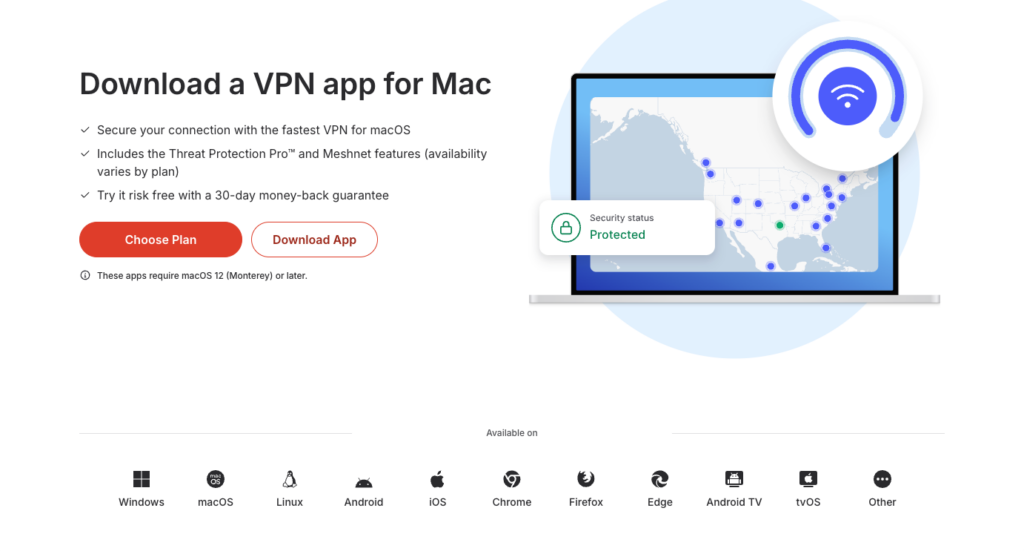
Download and install the VPN app on your streaming device. Most reputable DirecTV VPNs support Windows, macOS, Android, iOS, and Smart TVs, making it easy to set up the VPN on laptops, phones, tablets, and big-screen devices. Once installed, open the app and sign in.
Step 3. Connect to another US location
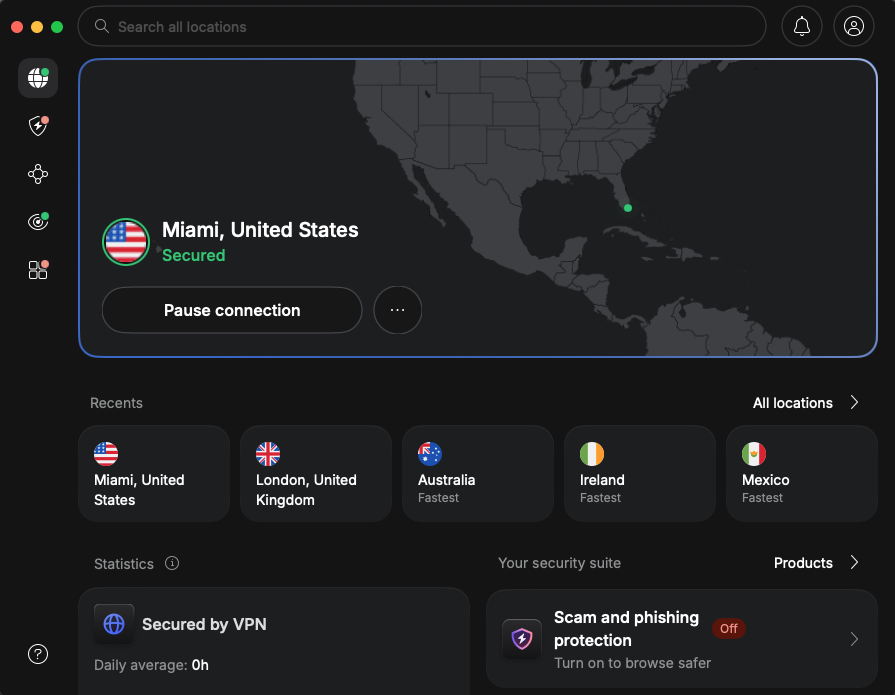
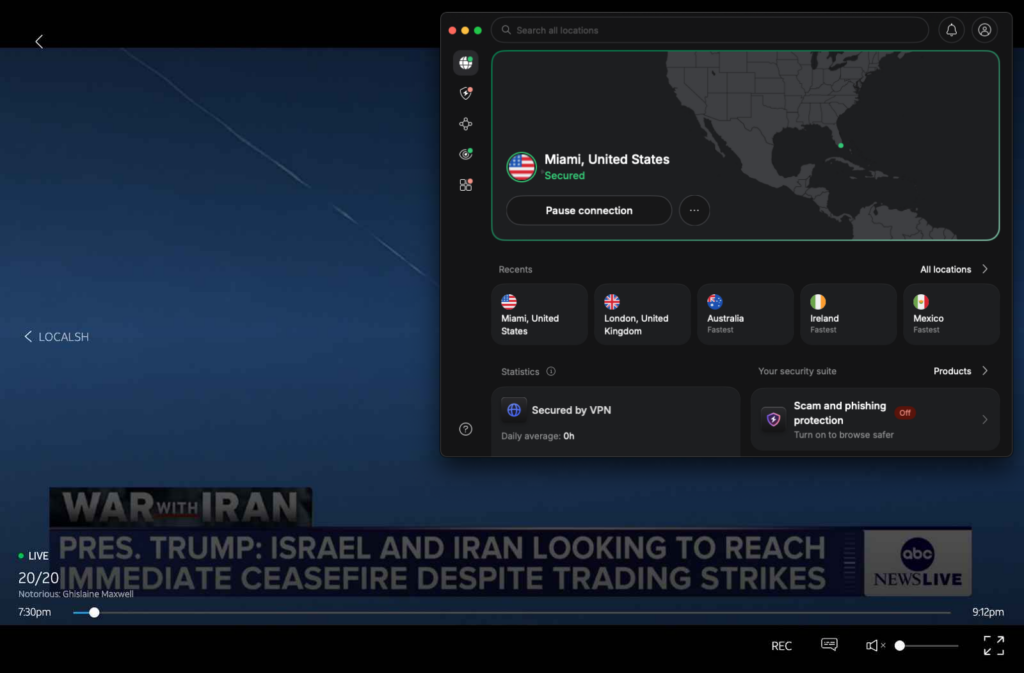
Connect to a VPN server in another US location where the blacked-out DirecTV channel may still be available. Good locations to try include New York, Chicago, Dallas, Los Angeles, and Miami, as these are major TV markets with broad local channel coverage. If one server doesn’t work, switch to another city and refresh DirecTV Stream.
Step 4. Open DirecTV Stream
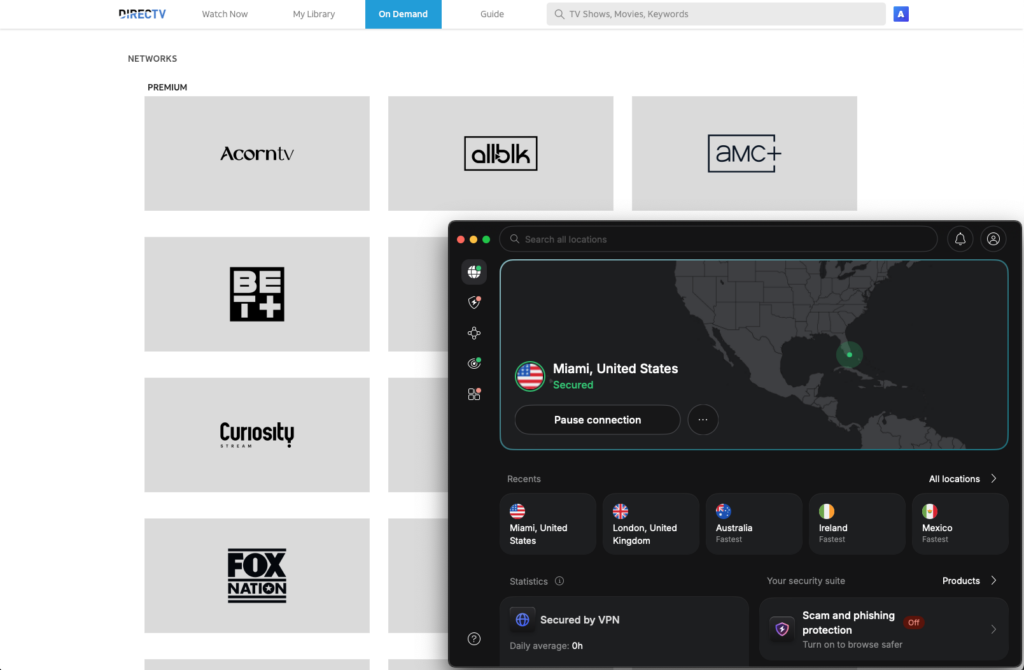
Open the DirecTV Stream app or website after connecting to the VPN. If DirecTV was already open, close and reopen it so the service can detect your new US location. In case DirecTV still detects your old location, refresh the page, restart the app, or clear your browser cache before trying again.
Step 5. Start watching available channels
After DirecTV Stream detects your new location, browse the available channels and start watching. If the channel, game, or event is still unavailable, connect to a different US server and refresh the app. Since blackout rules can vary by location, you may need to test a few cities before finding one that works.
Not every VPN works well with DirecTV Stream, especially during local channel or sports blackouts. The best VPNs for bypassing DirecTV blackouts should have fast US servers, reliable streaming performance, strong privacy tools, and enough server locations to help you switch between DirecTV markets. After testing 20 VPN providers, here are my top 3 DirecTV VPNs:
- NordVPN: NordVPN is the best VPN for DirecTV because it delivers the fastest speeds, reliable DirecTV access, and plenty of US server locations to choose from. With over 3453 servers across all 50 US states, it makes it easy to switch between DirecTV markets and find available local channels or sports broadcasts. Its NordLynx protocol also makes NordVPN ideal for streaming, thanks to stable connections and strong performance with HD and 4K streams.
- Surfshark: Surfshark is a strong DirecTV VPN if you want affordable pricing and coverage for every device in your household. It allows unlimited simultaneous connections, so you can use it on phones, laptops, tablets, Smart TVs, and other streaming devices with just one subscription. Surfshark has more than 600 fast servers across 19 US states, making it useful for switching DirecTV markets during local channel or sports blackouts.
- Proton VPN: Proton VPN is best for privacy-focused users who want secure DirecTV streaming. It includes strong encryption, a no-logs policy, and privacy tools that help protect your connection while watching online. Proton VPN also has a free plan, but the paid version is more suitable for bypassing DirecTV blackouts because it unlocks over 6000 US servers and faster speeds with its VPN Accelerator feature.

Best US server locations for DirecTV
Different VPN server locations can give access to different DirecTV local channels, depending on the market DirecTV detects. If one city shows a blackout, switch to another major US location and check the available local affiliates, sports broadcasts, and live programming.
New York
New York is a strong location to try because it’s one of the largest US TV markets. Connecting to a New York VPN server can give you access to local ABC, CBS, FOX, and NBC affiliates that are available in that region.
Chicago
Chicago is another useful DirecTV VPN location, especially for viewers who are trying to get around DirecTV blackouts in other US markets. It can provide a different local channel lineup and regional sports availability.
Dallas
Dallas can be a good server location for accessing local channels and broadcasts available in Texas. If your current DirecTV market is blacked out, switching to Dallas may give you access to a different set of local affiliates.
Los Angeles
Los Angeles is a major West Coast TV market with broad local broadcast coverage. Connecting to a Los Angeles server can help you check whether the blacked-out channel, game, or live event is available in that market.
Miami
Miami is useful if you want to test a southeastern US DirecTV market. It may provide access to different local affiliates, regional news, and sports broadcasts compared with northern or western US server locations.
Can I bypass DirecTV blackouts without a VPN?
You don’t always need a VPN to bypass DirecTV blackouts, but non-VPN methods come with more limitations. Other streaming providers, broadcaster apps, and carriage dispute updates can help in some cases, but they don’t give you the same fast workaround or control over your virtual location as a VPN does.
Use another streaming provider
If you don’t want to use a VPN to bypass DirecTV blackouts, you can try another streaming provider when DirecTV is missing a local channel. Services like YouTube TV, Hulu + Live TV, Fubo, and Sling TV may carry the ABC, CBS, FOX, or NBC affiliate you need. The downside is that affiliate availability still depends on your location, the provider’s channel lineup, and broadcast rights in that market. You may also need to pay for another subscription, which makes this a less convenient workaround.
Wait for the dispute to end
You can wait until DirecTV and the broadcaster reach a new agreement, but this is also the least useful option if you want to watch something right now. A DirecTV blackout caused by a carriage dispute usually ends only after DirecTV and the broadcaster reach a new deal. Until then, the channel can stay unavailable in your market, even if your subscription has not changed.
Watch through official broadcaster apps
Official broadcaster apps can help in some cases, especially if you only need local news, highlights, or on-demand programming. Apps from ABC, CBS, FOX, and NBC may offer some content without you needing access to DirecTV. However, access often depends on your location, a supported TV provider login, or a separate subscription, so this method does not always work during a DirecTV blackout.
Can I watch DirecTV while traveling?
Yes, you can watch DirecTV while traveling, but DirecTV may adjust your channel lineup when it detects a temporary location change. For example, if you travel to another state, you may see different local ABC, CBS, FOX, or NBC affiliates than the ones you usually watch at home.
However, if you’re traveling abroad, access can be more limited because DirecTV is designed for US viewers. So, to watch DirecTV outside the US, you’ll need to use a reliable VPN that can connect you to a US server, like NordVPN. This way, you’ll be able to access your account while abroad and stream available channels as if you were back in a US market.
Conclusion
DirecTV blackouts can affect local affiliates, including ABC, CBS, FOX, and NBC, when DirecTV and broadcasters fail to reach an agreement. As a result, viewers can lose access to local news, live sports, major broadcasts, and time-sensitive events, sometimes right before a game or scheduled live program.
However, with a VPN, you can get around these restrictions by connecting to another US state where the blacked-out channel or event is still available. For the best results, I recommend NordVPN as the best overall option for bypassing DirecTV blackouts. It offers fast speeds, a large server network that covers all 50 US states, strong privacy features, and reliable streaming performance for DirecTV.
Related articles:
- How to bypass Sling blackouts
- How to watch NBC Sports online
- How to watch the Super Bowl for free
- How to watch NFL Thursday Night football for free
- How to watch MBL World Series from anywhere
FAQ
DirecTV blackouts are usually caused by carriage disputes between DirecTV and local broadcasters. When DirecTV and a local station owner cannot agree on pricing, distribution rights, or carriage terms, channels like ABC, CBS, FOX, and NBC affiliates can become unavailable in affected US markets.
Yes, a VPN can help bypass a DirecTV blackout by changing your virtual location. A VPN for DirecTV, like NordVPN, lets you connect through a different US city or state, so DirecTV may show the local channels and live broadcasts available there.
The channels affected by DirecTV blackouts vary by market, but they often include local ABC, CBS, FOX, and NBC affiliates. Sports channels and regional broadcasts can also be affected when local rights or carriage agreements change.
Yes, a VPN can help you watch local channels in another state if those channels are available in the selected DirecTV market. A VPN like NordVPN changes your IP address to another US state, so DirecTV can show local channels, news, sports, and live broadcasts offered there.
Based on my tests, the best VPN for DirecTV is NordVPN. It has fast US servers, strong privacy features, and reliable DirecTV Stream performance. Its server network covers all 50 US states, which helps when trying to bypass DirecTV blackouts in different markets.
Yes, you can watch DirecTV while traveling, but your channel lineup can change based on your temporary location. If you travel abroad, use a reliable VPN to connect to a US server and access your DirecTV account.
DirecTV is designed for viewers in the US, so it may not work outside the US without a VPN. To watch DirecTV outside the US, connect to a reliable VPN like NordVPN, Surfshark, or Proton VPN, choose a US server, then open DirecTV Stream.
You can try a free VPN for DirecTV, but it’s not the best option. Free VPNs usually have fewer US servers, slower speeds, and stricter data limits. For reliable DirecTV streaming and blackout bypassing, a paid VPN like NordVPN works better.
You can change your DirecTV location by connecting to a VPN server in another US city or state. Once connected, open DirecTV and refresh the app or website. This changes the location DirecTV sees, helping you access local channels and broadcasts from another market.