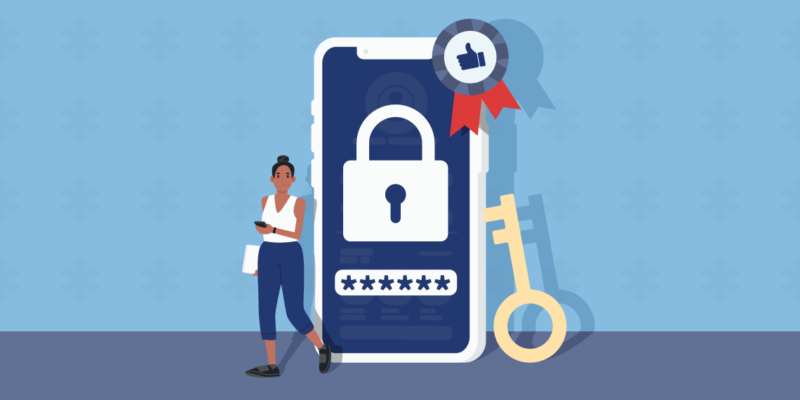

How do you keep your passwords safe on your iPhone? While the built-in Apple Keychain feature on iPhone is decent enough, it doesn’t protect your sensitive information completely. For that, you need a premium password manager.
Below, we’ve listed the best password managers for iPhone that will ease your mind, help you generate better passwords, and store all your data in highly-encrypted vaults. Compare security attributes, price, and additional features to make sure your passwords are fully protected going forward.
Best Password Managers for iPhone in 2026
We’ve put 15 password managers through extensive testing in order to select the best iPhone password manager for you. Here’s our round-up:
For each password manager we evaluate compatibility with iOS and Apple Watch, the type of security features on offer, the price-quality ratio, and any additional features that are included.
What is the Best Way to Manage Passwords on iPhone?
If you’re looking for a secure way to save your passwords on iPhone, you’ve likely come across the iCloud Keychain feature. With Keychain, you can autosave and autofill passwords on your iPhone.
However, if you really want to optimize your digital security and take your privacy to the next level, we recommend using a dedicated password manager app. Password managers offer a few key benefits over Keychain:
- Log-in security: Specialized password manager apps have a higher security standard when it comes to gaining access to your passwords; you’ll be asked to use multi-factor authentication or a master password. For Keychain, all you need is a passcode.
- Better functionality: Keychain is certainly sufficient for basic password data, but dedicated password managers allow you to store much more sensitive data, including documents, credit card information, and more.
- Extra features: Most premium password managers offer additional features to improve your security, including identity theft protection, travel settings, dark web monitoring, or even a VPN.
If you’re ready to ditch Keychain and secure your data properly, have a look at our detailed password manager for iPhone reviews below.
Best iPhone Password Manager – Top 3
Which password manager is best for you? It depends on your needs. We want to make sure that you can make an informed decision, which is why we’ve extensively tested and reviewed different password managers for iPhone.
1. NordPass: Best iPhone password manager in 2026

NordPass is our #1 password manager for iPhone. We’ve found the app easy to use and quick to set up. More importantly, NordPass goes above and beyond when it comes to keeping your passwords safe. Thanks to its live scanning text feature, you rarely have to enter information manually.
With the zero-knowledge architecture that we know and love from NordVPN, all your data is encrypted by 256-bit encryption. You sign in using 2FA and MFA (incl. biometrics), which ensures no one besides you gets access.
You can get NordPass for iOS 15.0 and any later updates. While NordPass is not compatible with Apple Watch, the iOS app works very well! NordPass is also one of the first password managers that is compatible with passkeys, a relatively new feature that removes the need for passwords entirely.
When testing, we were thrilled by the features NordPass offers: you get a built-in password generator, a Password Health Checker, and an emergency access feature that lets another NordPass user into your vault in case of emergency. NordPass also scans the dark web for any leaked data.
The NordPass Premium two-year plan is very affordable at just $0.99 per month, and it frequently offers deals and coupon codes that can lower the price even more or give you bonus months
Pros
- Next-generation XChaCha20 encryption on all data
- Data Breach Scanner: scans dark web for sensitive information
- Compatible with passkeys
- Easy-to-use iOS app for iPhone and iPad
- Sign in with Touch ID or Face ID (2FA & MFA)
Cons
- Not compatible with Apple Watch
2. 1Password: Best iOS password manager with unique features

If you’re looking for a password manager that offers special features, 1Password is a fantastic option. With Watchtower, 1Password keeps an eye out for potential data breaches. Thanks to Travel Mode, you can also hide vaults before going on holiday for even more security.
Besides these unique selling points, 1Password allows you to create and manage multiple vaults on a single account. You can even set up mobile-only vaults. Use the Family vault for shared logins, such as streaming services, and your Personal vaults for sensitive info.
When testing the 1Password app on iPhone we found that it integrated really well, making it easy to auto-save and auto-fill passwords. You use a Secret Key to get access, and setting up Touch ID and Face ID is quick and straightforward. You can even use 1Password on your Apple Watch — a benefit over other password managers!
Like NordPass, 1Password supports passkeys. The biggest difference between the two is that 1Password doesn’t offer emergency access, which Keeper and NordPass both do. You can try the password manager yourself by using the 14-day free trial!
Pros
- Biometric login and Apple Watch compatibility
- Watchtower feature to scan the dark web for breaches
- Manage multiple Personal and Family vaults
- 1 GB encrypted storage
- Privacy Cards: create virtual payment cards
Cons
- No emergency access available
3. Keeper: Password manager for iOS with great security

Keeper is a very secure password manager that frequently gets audited and is fully Service Organization Controls-compliant. It’s highly compatible with iOS (including Apple Watch!) and offers a wide range of useful features that elevate your online security.
With KeeperChat, you can send encrypted messages, images and videos, similar to apps like Telegram and WhatsApp. This feature even has a self-destruct setting for extra sensitive messages. This is a unique feature that’s useful for iOS and not offered by every password manager.
Store as many items as you want with Keeper’s unlimited password storage. While dark web monitoring is not included by default, you can select it as an add-on when choosing your subscription. Similarly, you have the option of adding up to 100 GB of encrypted storage.
Unlike 1Password, Keeper offers a free version that’s useful, albeit a bit limited. Either way, it’s worth choosing Keeper over the standard Keychain feature on your iPhone, since Keeper uses three layers of security against Keychain’s industry-standard encryption.
Paid plans start from just $1.67 per month, and you can check out Keeper Security coupon codes to save on your subscription.
Pros
- Very user-friendly iOS app (compatible with Apple Watch)
- Highly secure log-in options (2FA / MFA)
- Private messaging feature: KeeperChat
- Self-destruct option for vaults and messages
- Unlimited password storage
Cons
- Some featurse only available as add-ons
Honorable mention: Apple Keychain
Let’s not forget about Apple’s built-in password manager! We do want to highlight iCloud Keychain as a decent password manager for iOS that covers most basics.
Keychain might not come with all of the extra features offered by dedicated password managers. However, you still have a secure way of storing your passwords across different Apple devices.
One of the main downsides of using Apple Keychain is the fact that you can only use it on Apple devices, while a dedicated password manager can sync across different browsers and operating systems.
If you’re looking for real peace of mind and security, you are better off with a password manager that offers multi-layer encryption, a data breach scanner, and other functionalities that are lacking from Apple Keychain. You can get started with our #1 recommendation right away!
How We Tested Password Apps for iPhone
Not every password manager app is perfectly suited for iPhone. When testing these password managers, we paid specific attention to the following things:
- Secure log-in options: How can you get access to your vault? Is there a master password? Two-factor authentication or multi-factor authentication? Does the password manager support Apple Watch biometric log-ins?
- Zero-knowledge architecture: When it comes to password managers, you want to be sure that the zero-knowledge technology is absolutely sound. We review the encryption infrastructure thoroughly and assess independent audits.
- Mobile compatibility: Using a password manager on your phone requires a solid mobile iOS app. We pay attention to how easy it is to generate passwords, auto-save and auto-fill on iPhone, as well as whether there are specific mobile features.
- Features: We love testing extra features such as dark web monitors, travel features and encrypted storage or messaging features. These separate the premium password managers from the basic ones.
- Value for money: Of course, we don’t want you to spend a fortune on a password manager. We review the best deals and ensure you get bang for your buck!
Wrap-Up: Choose the Best iPhone Password Manager
Looking for the best iPhone password manager? With any of the password managers in our top 3, you’ll be all set:
- NordPass: Best iPhone password manager overall
- 1Password: Best iOS password manager with unique features
- Keeper: Password manager for iOS with great security
While using iCloud Keychain is a great start, using one of these password managers will take your online privacy and security to the next level! No more scribbling passwords on a piece of paper or relying on your memory — with NordPass, 1Password or Keeper, you can keep everything in one place.
For more information, have a look at our related articles:
- The Best Password Managers: Our Top 5 Picks
- The Best Free Password Managers: Our Top 6
- Keeper vs. 1Password: Safe Credential Storage Compared
Do you have any lingering questions about iPhone password managers? Have a look at our FAQ below for some quick answers!
The safest password manager for iPhone is NordPass. This password manager has a solid zero-knowledge architecture, next-gen XChaCha20 encryption, and a wide range of security features on offer.
You can safely store and manage passwords on your iPhone through iCloud Keychain. However, for optimal security we recommend using a dedicated password manager such as NordPass, 1Password, or Keeper.
Yes, it’s worth investing in a dedicated password manager app. While Apple Keychain (iCloud Keychain) offers basic security, a dedicated password manager lets you store and manage passwords across various devices and browsers. On top of that, password managers come with additional security extras such as dark web scanners or self-destruct features.
iOS security is, generally speaking, very decent, especially if you store passwords in Keychain. However, with a dedicated password manager you strongly limit the risk of anyone ever stealing your passwords from your iPhone.
No, it’s not safe to store passwords in iPhone notes. Though it is possible to keep the note password-protected, the iPhone notes app doesn’t offer nearly as much security and encryption as a dedicated password manager.