If you’re looking to enjoy the advantages of using a VPN but you don’t want to pay any money, a free VPN for PC is the way to go. We’ve done the heavy lifting for you and listed the best free VPNs for Windows below.
Keep in mind that any free VPN, as good as it may be, still comes with restrictions and limitations. You likely won’t get access to a huge server network or find advanced features — for that, we recommend using a premium VPN service.
Nevertheless, the VPNs listed below will encrypt your traffic and allow you to see what a VPN can do for you!
Best Free VPN for PC: Shortlist
Not all free VPN apps are actually safe — some contain malware hidden in nice packaging. To make sure you find exactly what you’re looking for, we’ve shortlisted the top five free VPNs for PC here.
Top 5 Best Free VPNs for PC
- ProtonVPN: Free VPN with unlimited data
- Windscribe: Free VPN with adblocker for PC users
- Hotspot Shield: Free VPN with high-speed connections
- Hide.me: Free VPN with the best customer support
- TunnelBear: Free VPN with the most server locations
We have tested 70+ VPNs. To narrow down the best free VPNs for PC, we’ve paid specific attention to the following criteria:
- The VPN offers intuitive apps for Windows and is easy to set up.
- Speeds are consistent and reliable.
- You get a secure connection with safe protocols and military-grade encryption (security features such as a kill switch, obfuscation and ad blockers are a plus).
- Your privacy is protected with a strict and certified no logs policy.
Is There a Good Free VPN?
Yes, there are free VPNs that perform well on Windows. Our #1 recommendation is Proton VPN, since it is one of the few free VPNs that comes with unlimited data. On top of that, Proton’s features are on par with our security standards.
Having said this, Proton is still a basic VPN in comparison to premium services. You can’t manually select a server (a real downside if you want to use your VPN for streaming!) and you only have access to five locations. On top of that, it’s a bare-bones VPN that doesn’t come with any extra benefits.
If you want to unlock the real VPN experience, you’re better off with a premium VPN, such as NordVPN or Surfshark. Some of the best VPNs in the world offer limited free trials, so you can see the difference for yourself.
Best Premium VPNs With Free Trial
There are some fantastic premium VPNs out there that offer a trial period for new users. Here are some of our favorite options:
- NordVPN: NordVPN is our #1 best VPN overall. Unfortunately, there is no free trial for Windows specifically (only Android). But Windows users can make use of the 30-day money-back guarantee and get a full refund if they cancel within 30 days.
- CyberGhost: CyberGhost has a free trial for Windows! It’s only 24 hours, but if you wish to test this fast and secure VPN for longer, there’s also a 45-day money-back guarantee — one of the longest trial periods on offer.
- Surfshark: Surfshark has no specific trial available for PC users. However, this excellent VPN is worth checking out! You can use the 30-day money-back guarantee to try it risk-free.
Best Free VPNs for PC – Detailed List
Below, we offer detailed information about the best free VPNs for PC. We have tested each VPN on this list extensively on Windows desktops and laptops.
1. Proton VPN: Free VPN with unlimited data

Based on our tests, Proton VPN is the #1 best free VPN. It comes with unlimited bandwidth and an easy-to-use Windows app. On top of that, it provides a high-level of security that rivals premium providers.
The free VPN includes AES 256-bit encryption, WireGuard and OpenVPN protocols, a kill switch, an ad-blocker, and Perfect Forward Secrecy (PFS). It also comes with a strict no-log policy to keep your data safe.
If you want to optimize your online privacy even more, you can make use of Proton’s free anonymous email service (Proton Mail) and cloud storage (Proton Drive) alongside the VPN.
However, there are still drawbacks. ProtonVPN’s free version connects automatically to the best server, which means you can’t manually select a server location. On top of that, you only get access to five locations: US, Japan, Netherlands, Poland and Romania. However, if you decide to get a premium version, Proton VPN pricing starts at $ 2.99/month.
Pros
- Unlimited bandwidth
- Top-notch security for your PC
- Strict no logs policy to protect your privacy
- Built-in ad blocker in Windows app
- Free encrypted mail (Proton Mail) and cloud storage (Proton Drive)
Cons
- You can't select a server location

If you’d like to know more about Proton and the services it offers, you can read our full Proton VPN review or check out our comparison between NordVPN and Proton VPN.
2. Windscribe: Free VPN with adblocker for PC users

Windscribe comes with a Windows app that uses WireGuard, IKEv2 and OpenVPN. It also has a no-logs policy to ensure your online anonymity. The free version of this free VPN service offers a fast internet connection to servers in ten countries, including the US, the UK and Canada.
This free VPN comes with 2GB of monthly data in its standard package. Providing Windscribe with an email will give users a total of 10GB per month. Windscribe guarantees that your email will never be sold or distributed to any other parties.
One of the more interesting features that comes with Windscribe’s free version is ROBERT, a configurable adblocker. This should help you avoid targeted ads that may be infected with malware.
With ROBERT, you can create customized block lists, block ads and trackers, and increase your browsing speed. Since Windscribe has unlimited bandwidth, the adblocker is also an advantage when you want to use the VPN for streaming sites.
Pros
- No logs policy to protect your privacy
- Fast connection
- Servers in ten countries
- Unique configurable adblocker ROBERT
- Unlimited number of simultaneous connections
Cons
- 2 GB – 10 GB datalimit

If you’d like to know more about this provider, have a look at our Windscribe review.
3. Hotspot Shield: Free VPN with high-speed connections

Another top contender VPN for Windows is Hotspot Shield. Hotspot’s native Windows app (an app made specifically with PC users in mind) forgoes the need for any registration, which is a plus on the privacy front.
Thanks to the Catapult Hydra protocol, free users maintain decent speeds on PC. For a free VPN, fast and consistent connections are a rare but welcome feature that pushes Hotspot Shield to the top of the list.
Although Hotspot Shield offers DNS leak protections and obfuscation, its free servers aren’t optimized for streaming nor gaming. As a result, we sometimes struggle to unblock streaming sites. Adding to this disappointment is the fact that free users only have 500 MB/month.
Even with its restrictions, Hotspot Shield is still one of the best free VPN services available for Windows. It’s easy to set up and doesn’t slow down your system in any significant ways.
Pros
- Native Windows app
- No registration required
- Fast connection thanks to Catapult Hydra protocol
- Offers free obfuscated servers
Cons
- Free servers aren't optimized for streaming
- 500 MB/month data limit

If you would like to know more, check out our Hotspot Shield review.
4. Hide.me: Free VPN with the best customer support

Hide.me comes fourth on our list of the best free VPNs. Though it offers unrestricted speeds, its bandwidth data limit is capped at 10 GB a month. This is sufficient for about 5 hours of streaming in full HD.
The free version of Hide.me offers a single simultaneous connection on one account. It has eight server locations available, including the US, the UK and Canada.
In terms of features, we’re happy to see some that are typically only found in premium VPN software: an internet kill switch and split tunneling are both available at no cost. Hide.me Free even offers double VPN and obfuscation with StealthGuard.
Users can also expect quick and useful advice from Hide.me’s 24/7 customer support. The customer service is top-notch regardless of whether you’re using their free VPN services or the paid Hide.me version.
Pros
- Unrestricted bandwidth speed
- Eight server locations available
- Free double VPN available
- Obfuscation with StealthGuard
- Top-notch customer service
Cons
- 10 GB datalimit a month

Take a look at our Hide.me review for more information about this provider.
5. TunnelBear: Free VPN with the most server locations
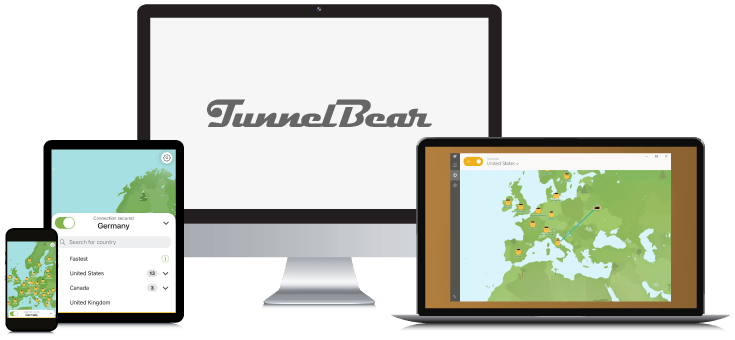
The last best free VPN on our list is TunnelBear. TunnelBear is one of the best free VPNs for beginners thanks to its easy installation and appealing user interface for Windows.
With TunnelBear, you get fast connections and free features such as split tunneling and obfuscation. The provider also has a verified no-log policy.
Users looking to stream Netflix from multiple countries will have an assortment of locations to pull from. TunnelBear’s free VPN account boasts access to 45+ server locations, including the US, UK, Japan, Brazil, and Canada.
The unfortunate thing about TunnelBear’s free tier is that it only offers 2GB of monthly bandwidth, which equals about 2 hours of Netflix. So long as you’re not planning a movie marathon, TunnelBear certainly earns a spot on our list of the best free VPNs.
Pros
- Easy-to-install and use Windows app
- Fast connections
- Offers 45+ server locations for free
- Offers split tunneling and obfuscation
- 5 simultaneous connections
Cons
- Monthly datalimit of 2GB

Do you want to know more about this provider? Check out our TunnelBear review.
How We Chose the Best Free VPN for PC
To select the best free VPNs for your Windows PC we have used several criteria. We have chosen VPNs with the following requirements in mind:
- PC support: Some VPNs are only available for non-Windows operating systems and mobile devices.
- Ease of use: A VPN should be easy to install on Windows and easy to use, preferably with just the click of a button.
- Adequate security: Making sure your free VPN offers anonymity, good levels of encryption, and some other basic security features is a must.
- Privacy: A VPN’s logging policy is vital to keeping your online data private. Ad-supported VPN services should be avoided as ads will expose you to data tracking by various agencies.
Best Free VPN for PC – Comparison
Let’s sum up the features of the top 5 best free VPNs for Windows PCs:
| Editor’s Pick | |||||
| VPN |  |  |  |  |  |
| Score | 7.0 | 7.5 | 7.0 | 7.4 | 7.0 |
| Logs | Zero logs | Connection Logs | Connection Logs | Zero logs | Zero logs |
| Connections | 1 | Unlimited | 1 | 1 | 1 |
| Protocols | OpenVPN, IKEv2, WireGuard, Proprietary | OpenVPN, IKEv2, WireGuard | OpenVPN, IKEv2, WireGuard, Catapult Hydra | OpenVPN, IKEv2, SSTP, WireGuard | OpenVPN, WireGuard, L2TP/IPsec |
| Torrent options | |||||
| Netflix | |||||
| Compatibilities |   | | |||
| Visit Proton VPN (Free Version) | Visit Windscribe VPN (Free Version) | Visit Hotspot Shield (Free Version) | Visit Hide.me VPN (Free Version) | Visit TunnelBear VPN (Free Version) |
Limitations of Free VPNs
Even the best free VPNs tend to have restrictions and disadvantages. Free VPN users should keep these possible limitations in mind:
- Limited bandwidth
- Average or low connection speeds due to server congestion
- Minimal amount of server locations
- Possible ads
All in all, a free VPN may not provide the services you require a VPN for. Whether it’s due to a data cap or speed throttling, a free VPN won’t unlock all the features of a VPN for Windows. For this, you need a paid subscription.
Best Premium VPN for PC: NordVPN

Our #1 best-tested VPN is NordVPN. Nord never puts a cap on your monthly bandwidth, has 8900 servers all over the world, and can easily unblock streaming services like Netflix.
For privacy, NordVPN is the best choice. It has a strict no logs policy which gets audited yearly by an independent company. NordVPN uses RAM-only servers to make sure no customer data are ever stored!
NordVPN is also very easy to install on any Windows PC and the app works intuitively. Connect to any server by clicking on the preferred location on the map.
Besides NordVPN’s own lightning-fast NordLynx protocol, NordVPN offers many additional security features, such as split tunneling, obfuscation, and double VPN connection. Threat Protection even protects you from ad, trackers and malware. And NordVPN’s subscriptions are pretty affordable too!
Pros
- Easy to install on Windows
- Lightning-fast speeds with Nordlynx
- Offers many additional security features
- Threat Protection to keep your PC safe
- No logs policy and RAM-only server to protect your privacy
- 30-day money-back-guarantee
Cons
- No free version available

Are you interested in knowing more about NordVPN? Check out our NordVPN review.
Final Thoughts
There are plenty of free VPN options for PC. Our #1 recommendation is ProtonVPN. This no-logs VPN offers military grade encryption and top-notch security. Since ProtonVPN does not have any data limits, you can encrypt all your internet traffic and stream without restrictions.
Try out Proton VPN with this unlimited free version!
Don’t want to deal with the restrictions of a free VPN? Get a premium VPN to enjoy the full package!
Check out our list of the best VPNs for Windows or the best free VPNs for Mac if you’re interested.
Have questions about the best free VPNs for PC? Check out our FAQ section below. Just click a question to view the answer.
The best free VPN for PC based on testing is ProtonVPN. Those looking for a reliable connection at decent speeds all month long will be more than happy with this service. Its unlimited monthly data and exemplary security make it our most recommended free VPN.
Windscribe is an excellent choice. Its free VPN is a great solution for PC. Though the monthly bandwidth allowance is low (10GB), its connection speeds are of decent quality. What sets it apart is ROBERT, a unique security feature that allows users to customize block lists, block ads and trackers, and increase browsing speed.
Sometimes you can unblock Netflix with a free VPN, but it’s very rare and usually requires jumping between multiple servers to find one that works. When choosing a free VPN, the unblocking of streaming services is not a guaranteed feature.
Even so, there are a few free Netflix VPNs out there that will give you the very best odds.