
Have you gotten banned from Hinge? Don’t worry, there are two solutions you can try to get unbanned from Hinge: either file a Hinge ban appeal or create a new account.
If you need to make a new Hinge account, make sure to use different information and pictures for your new account. Otherwise, Hinge will detect your new account and ban you again.
You will also have to change your device ID and IP address to bypass Hinge’s detection system. A great way to change your IP address on Hinge is by using a VPN, such as NordVPN.
Here’s how to get around the Hinge ban using a VPN:
- Choose and subscribe to a robust VPN to change your IP address. I recommend NordVPN, now 74% off.
- Download and install the VPN on the device that you use for Hinge.
- Connect to a VPN server in your chosen location.
- Create a new Hinge account and use it again, bypassing the ban!

To learn more about Hinge bans and how to get unbanned, check out the complete article below.
Why did Hinge ban me?
You can get banned on Hinge for violating their Terms of Service, even if you believe you haven’t done anything wrong. Hinge enforces specific guidelines regarding behaviour and content. Violations like using fake photos, inappropriate messages, harassment, or creating multiple accounts can lead to a ban. In some cases, users are banned due to false or revenge reports from other users, which Hinge’s automated systems may not always detect as inaccurate. Luckily, it is possible to get unbanned from Hinge.
Can I get unbanned from Hinge?
Yes, you can get unbanned from Hinge. However, it’s no easy task. The app is strict when it comes to enforcing its Terms of Service, and its team of moderators has the final say in any ban-related decisions.
If you’ve been banned from Hinge, there are two potential paths to regaining access:
The challenge with creating a new account is that Hinge could have banned not just your email address but also your IP address and device ID. I will discuss how to resolve these two issues later in this article.
How long do Hinge bans last?
A banned Hinge account is permanent unless you convince Hinge your ban was in error by sending them a successful appeals submission form. The platform doesn’t issue temporary bans or warnings. If you get caught violating Hinge’s Terms of Service, then you may get banned for life.
How to get unbanned from Hinge?
If you believe that you were wrongfully banned from Hinge, there are a couple of ways to get unbanned. While these steps will require some time and dedication, it’s the only way to use Hinge again without restrictions. Here are a few Hinge ban workarounds that you can try:
Method 1. Submit an official appeal
It’s difficult to get a Hinge account unbanned. What’s more, Hinge doesn’t let users know the reason behind their ban. To quote its Terms of Service: “We do not tell people why they were banned. This policy is in place to protect the identities of those who reported the account.”
However, if you’re sure you haven’t broken any of the rules in Hinge’s Terms of Service, it makes sense to appeal the decision. To do so, simply open the Hinge app, where you will see an account removal prompt. There, click on the option to appeal the ban. You will then be asked to provide personal information. When filling in the appeal, be sure to provide truthful answers and avoid any accusations. After you submit the appeal, you’ll need to wait for a response, which might take a few days or even weeks.
In case you haven’t received a response after a couple of weeks, you can write a follow-up to Hinge’s customer support at [email protected]. When doing so, be sure to explain the situation and provide all details like name, phone number, and your email address.
Method 2. Change your IP address
Just like other apps, Hinge uses advanced detection systems to track any suspicious behaviour. To do so, the service checks the user’s IP address. If your account was banned, your IP address was also banned. Even if you try to create a new account, you will most likely not be able to, as the system will recognize your IP address.
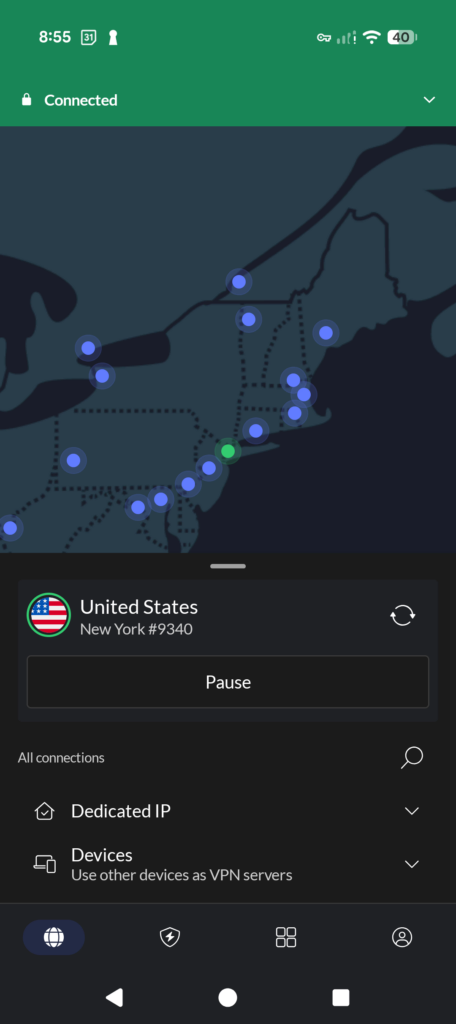
The only way to bypass this is by using a reliable VPN provider, like NordVPN. Using NordVPN, you’ll be able to connect to a VPN server in any chosen location, which will encrypt your traffic and change your IP address. This way, Hinge will no longer be able to recognize that the IP address belongs to you, allowing you to create an account without any restrictions.
Method 3. Use a different phone number
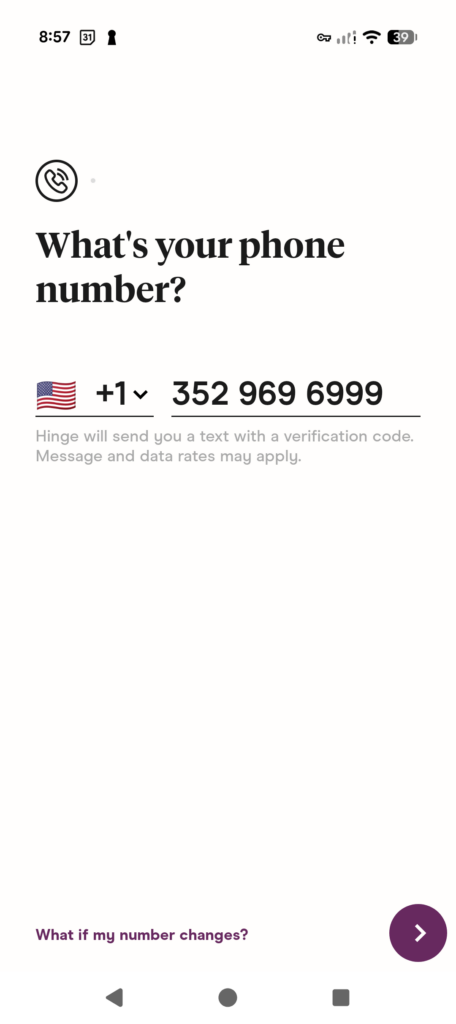
To create an account, you need to link your phone number. If your account gets banned and you try to create a new one using the same phone number, you will most likely not be able to do that. Since you used that phone number on your previous account, it is now linked to the ban.
To avoid any issues while creating a new Hinge account, try using a different phone number. You can do that by using a secondary SIM card or online phone number services. Keep in mind that you must use a real phone number where you can receive messages, as Hinge will require verification by sending a code to the provided phone number.
Method 4. Modify old photos to avoid hash detection
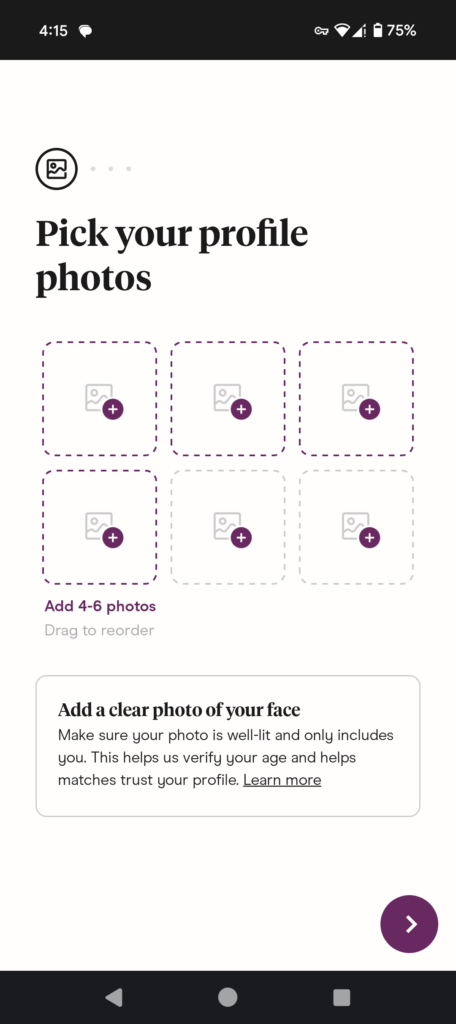
Once you create a new account, avoid using the same pictures as Hinge might recognize them from your previous account. Hinge uses advanced technologies that allow the service to recognize images, especially if they have been reused. Even if you successfully create a new account, uploading the same pictures can lead to an immediate ban again. To avoid this, simply upload new pictures and use Hinge without any restrictions again.
Method 5. Follow Hinge’s Terms of Service
Once you have managed to bypass the Hinge ban and create a new account, be sure to follow Hinge’s Terms of Service, avoid conflicts, spam, harmful language, or any other suspicious behaviour. Hinge takes its bans very seriously, so any prohibited activity greatly increases the chances of being banned again. In case of repeated bans, it will be almost impossible to use Hinge again.
How to create a new Hinge account after being banned
Generally, Hinge doesn’t let people create new accounts after the ban. It is meant to be permanent, so the platform actively works to prevent banned users from creating new accounts.
Hinge links accounts to email addresses, phone numbers, and devices. It can also track your IP address, making it harder to create a new account. To avoid this, you should reset your device’s ID and change your IP address. This can be done with a VPN.

Below, I will guide you through the steps on how to get unbanned from Hinge by creating a new account.
Step 1. Change your device ID
Just like most online services, Hinge gathers a ton of data on its users. One type of data they collect is your unique device ID. This is a number that, you guessed it, identifies your smartphone.
Since Hinge can ban you based on your device ID, you need to reset this device ID before creating a new Hinge account. Below, you’ll find out how to do this on Android and iOS.
Note:
The methods described below for resetting your device ID involve factory resetting your phone. Before performing a factory reset, always make sure to make a backup of all your data.
How to change your device ID on Android
In order to reset the device ID linked to your Hinge account on an Android phone or tablet, you’ll have to perform a factory reset. To reset your device, simply go to Settings > General Management > Reset > Factory Data Reset. Now, select “Erase All Data.”
You should now have a new device ID. From here, you only need to configure your phone.
How to change your device ID on iOS
On Apple devices, you can generate a new device ID for Hinge by performing a full reset. Simply go to Settings > General > Reset. Then, choose “Reset all Contents and Settings.”
These steps should be enough to combat the device ID recognition of most online services. However, Hinge might still recognize you based on the data saved in your iCloud.
To delete this data, follow these steps:
- Navigate to Settings.
- Choose “Apple ID.”
- Select “iCloud.”
- Click on “Manage Storage.”
- Select “Hinge” and delete all your data.
Step 2. Change your IP address
Hinge very clearly states in its privacy policy that it collects your IP address. Therefore, there’s a chance it’ll use your IP address to recognize you when you create a new account after a ban.
Fortunately, there’s a very easy way to change your IP address and get unbanned from Hinge: use a VPN. A VPN helps to hide your real IP address by rerouting your online traffic through a server in another location. This way, you will appear as if you are from somewhere else and can get around any IP-based restrictions on Hinge.
A VPN we wholeheartedly recommend for changing your IP and getting unbanned from Hinge is NordVPN. This VPN offers a huge server network of 9300 servers in 137 countries. This should offer you plenty of opportunities to circumvent Hinge’s IP bans.
Moreover, NordVPN is incredibly affordable and features reliable, fast servers. This means you can swipe to your heart’s content without interruption. Lastly, NordVPN offers a 30-day money-back guarantee so you can test the service.

You can find our other recommendations in this roundup of the best VPNs.
Why does Hinge ban people?
Hinge bans users who violate the Terms of Use Agreement, which includes things like harassment, hate speech, spam, and fake profiles. They do this to keep your online dating experience as safe as possible.
Common reasons for a permanent Hinge ban:
- Harassing, upsetting, embarrassing, alarming, or annoying other users
- Posting or sharing pornographic or obscene content or images
- Posting or sharing violent content or images
- Abusing, insulting, or threatening anyone or engaging in behavior that Hinge considers bigoted or hateful
- Encouraging or facilitating illegal activity
- Defaming or spreading lies about other users
- Engaging in commercial activity, such as promoting escort services or offering to be a sugar baby/daddy
- Spamming other users in any way, shape, or form
- Using text that you didn’t write or that you created with an automatic text generation tool
- Pretending to be someone you aren’t
When you get reported by another user, the Hinge moderation team will investigate if your behavior violates its terms. If they think it is, you’ll get banned from Hinge.
What happens if you are banned from Hinge?
When you get banned from Hinge, you lose access to your account, your matches, and your messages. You can no longer browse potential matches or edit your profile.
An important thing to note is that Hinge says you still have to cancel your subscription manually after a ban. If you don’t, Hinge will keep charging you. This implies there are no refunds for subscriptions when you get your Hinge account banned.
Hinge bans are permanent. Unless you manage to successfully appeal your Hinge ban, you’ll have a banned Hinge account forever.
NordVPN is the best VPN to get around a Hinge ban
After testing over 30 VPNs, I found that NordVPN is the best VPN to get unbanned from Hinge due to its robust security, stable connections, and reliable speeds. It offers 9300 servers to choose from, which means you have 9300 ways to unblock Hinge. It’s also the fastest VPN on the market based on our speed tests, so you never have to sacrifice speed for privacy and security.
I used this top VPN provider for all our tests on unblocking Hinge, and I confirm that NordVPN is one of the best VPNs for Hinge as it’s effective, fast, and easy to use. Beginners and power users alike will enjoy NordVPN’s user-friendly app, available on Windows, Mac, Android, and iOS.
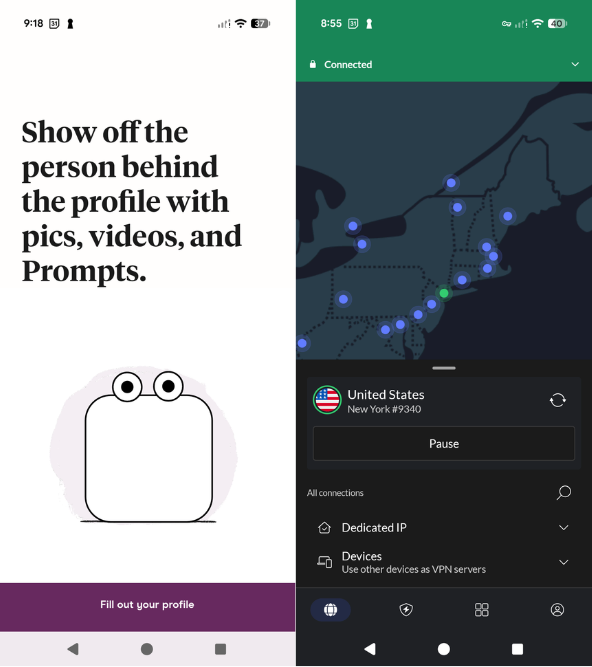
The best part? You can use NordVPN on 10 devices simultaneously. This means you can split NordVPN’s affordable subscription rates with your family and friends. You can even use its 30-day money-back guarantee to test the service for free.
Final thoughts: Get unbanned from Hinge
Hinge takes its Terms of Service very seriously, banning all users who break the service’s rules. However, it’s also possible that Hinge has wrongfully banned your account even if you didn’t do anything to break its Tos. If that happens, it will not be easy to get your account back, but there are a couple of Hinge ban workarounds that you can try.
To get unbanned on Hinge, you can either appeal the ban and wait for a response or create a new account. However, keep in mind that creating a new account will not be easy, and you will need to use a VPN to get a new IP address. My in-house test revealed that NordVPN is the best VPN to get unbanned on Hinge in 2026, as it guarantees anonymity and offers a wide selection of servers worldwide.
Are you having issues with other dating apps or services that are blocking you? Check out the articles below.
- How to Get Unbanned From Facebook
- How to Get Unbanned From Tinder
- How to Get Unbanned From Omegle
- How to Get Unbanned From Snapchat
- How to Get Around Bumble Ban
- Get Unbanned from Roblox
- How to get unbanned from OmeTV
FAQ
Do you have a specific question about how to get unbanned from Hinge and Hinge bans? Check out our FAQ below to see if we’ve answered your question. If we haven’t, feel free to leave us a comment below!
Yes, you can get back on Hinge if you’re banned, but it will not be easy. The only way to use Hinge again is by appealing the ban or by creating a new account. Since the appeal might take several weeks to be resolved, creating a new account is a more efficient way, but you will need to use a VPN to do so, such as NordVPN.
To get around a Hinge ban, fill in an appeal or create a new account. Since the appeal can take a long time to be resolved, creating a new account will be quicker. However, to do so, you will need to use a new phone number, upload new pictures, and use a VPN like NordVPN to hide your real IP address, which otherwise might be recognized by Hinge.
Yes, Hinge bans your IP address. Just like other services, Hinge checks users’ IP addresses and links them to their accounts. If your account was banned and you try to create a new one, you will most likely not be able to do that, as it will recognize your IP address.
Yes, a Hinge ban is permanent. Hinge takes its Terms of Service seriously, quickly reacting to any rule breaks. If you get banned on Hinge, you will no longer be able to use the service. However, it is possible that you’re banned by mistake, which is why there is an option to appeal the ban.
Yes, you can appeal a Hinge ban. If your account was banned, you will be prompted with a message stating that. In that message, you’ll find a link where you can appeal the ban. To do so, you’ll need to fill in some personal details, explain the situation, and wait for an answer from Hinge.
Hinge appeals can take from a few hours or days to a few weeks. It’s hard to guess the exact time as it depends on the load of requests. However, if you don’t get a response after a couple of weeks, you can write a follow-up to Hinge’s customer support at [email protected].