
In January 2026, Apple TV became the official broadcaster of F1 in the US, covering live and on-demand races. As a result, viewers in the US can no longer watch it via the standalone F1 TV Pro service.
The only way to watch F1 2026 without Apple TV via F1 TV Pro or other streaming services is to use a reliable VPN. By connecting to a VPN server outside of the US, you’ll be able to bypass geo-restrictions and watch F1 races via international streaming services. While there are many VPNs available, I found that NordVPN is the best VPN for watching F1 2026 without Apple TV in the US, thanks to its stable connections, reliable servers, and fast speeds. Read on and learn how to watch F1 without Apple TV with a VPN in 2026.
You can still watch F1 in the US without Apple TV using a VPN. By connecting to a VPN server outside of the US, you’ll be able to access F1 TV Pro and other streaming services that broadcast the 2026 F1 season. For smooth, unrestricted streaming, choose NordVPN, which successfully bypasses geo-restrictions and ensures anonymity. Besides, it comes with a 30-day money-back guarantee, so you can stream F1 risk-free.
-
- Choose and subscribe to a reliable streaming VPN. I recommend NordVPN, now off.
- Download and install the VPN app on your device.
- Connect to a VPN server outside of the US (e.g., the Netherlands)
- Visit F1 TV Pro and watch F1 races from the US without Apple TV!

Can I watch F1 without Apple TV in the US?
Yes, you can watch F1 in the US without Apple TV if you use a robust VPN. As of 2026, F1 races in the US are broadcast on Apple TV, meaning they’re no longer available on the standalone F1 TV Pro service. However, the races are still broadcast on F1 TV Pro in other countries, as well as on other services, including Sky Sports in the UK, TSN in Canada, Kayo Sports in Australia, and Viaplay in the Netherlands.
By connecting to a VPN server, your IP address will be changed. This way, you’ll be able to change your virtual location and access F1 streaming services that are not available in the US. Using a VPN is the only reliable way to watch F1 without Apple TV in the US.
Where to watch F1 in 2026 without Apple TV
If you don’t have Apple TV, you can still watch F1 2026 in the US by using a VPN. There are a few international streaming services, including the F1 TV Pro, Kayo Sports, TSN, and Sky Sports, that are still available in other countries. Below, you can find a few official streaming services that broadcast the 2026 F1 season:
Watch Formula 1 on F1 TV Pro
F1 TV Pro is an official streaming service created by F1. The service includes ad-free, live, and on-demand F1 practices, sprints, team radio, onboard cameras, and grand Prix races.
F1 TV Pro is one of the cheapest ways to watch the races. Unfortunately, it’s no longer available in the US as it’s now included in Apple TV. Luckily, you can still easily access F1 races and watch them more cheaply on F1 TV Pro by using a VPN for the US. The service also supports multiple commentary languages, including English, French, German, Spanish, Dutch, and Portuguese, making it accessible to fans worldwide.
Here is a table of a few cheapest countries to access F1 TV Pro:
| Cheapest F1 TV Pro countries | Price |
|---|---|
| India | $3.99/month |
| South Africa | $4.99/month |
| Brazil | $5.99/month |
| Belgium | $6.00/month |
| Turkey | $6.45/month |
| The Netherlands | $13.50/month |
Watch Formula 1 on other international platforms
The 2026 F1 season will also be broadcast in other countries via different streaming services. F1 is officially broadcast on many services, including Kayo Sports and Network 10 in Australia, TSN in Canada, Sky Sports in the UK and Ireland, DAZN in Japan and Spain, and Viaplay in the Netherlands.
If you already have a subscription for one of these services, you can watch the races using it. Even if you’re currently traveling abroad, you can still access these services using a VPN. Additionally, if you’re in the US and you don’t have Apple TV, you can use a VPN and watch F1 via one of these services:
| F1 platform | Country | Streaming language | Apple TV needed? | Price? |
|---|---|---|---|---|
| Sky Sports | UK, Ireland | English | ❌No | ~$29.00/month |
| TSN | Canada | English | ❌No | ~$24.99/month |
| Kayo Sports | Australia | English | ❌No | ~$29.99/month |
| DAZN | Spain, Japan | Spanish, Japanese | ❌No | ~$23.00/month |
| Canal+ | France | French | ❌No | ~$28.00/month |
| Viaplay | Netherlands | Dutch | ❌No | ~$21.00/month |
| Go3 | Lithuania | Lithuanian | ❌No | ~$8.00/month |
How to watch F1 without Apple TV with a VPN: detailed guide
You can watch F1 in the US without Apple TV if you use a reliable VPN. As of 2026, F1 is only available in the US via Apple TV, but there are alternative viewing options. Using a VPN is a straightforward process, so you’ll have no issues doing so, even if it’s your first time. Below, you can find a step-by-step guide on how to watch F1 without Apple TV with a VPN:
Step 1. Choose a reliable VPN for streaming
To watch F1 online without Apple TV, you will need to use a VPN. To do so, first choose and subscribe to a reliable VPN provider. For the best experience, I recommend trying NordVPN, as it’s one of the best VPNs for F1 2026 on the market due to its fast speeds and robust security features.
Step 2. Download and install the VPN app on your device
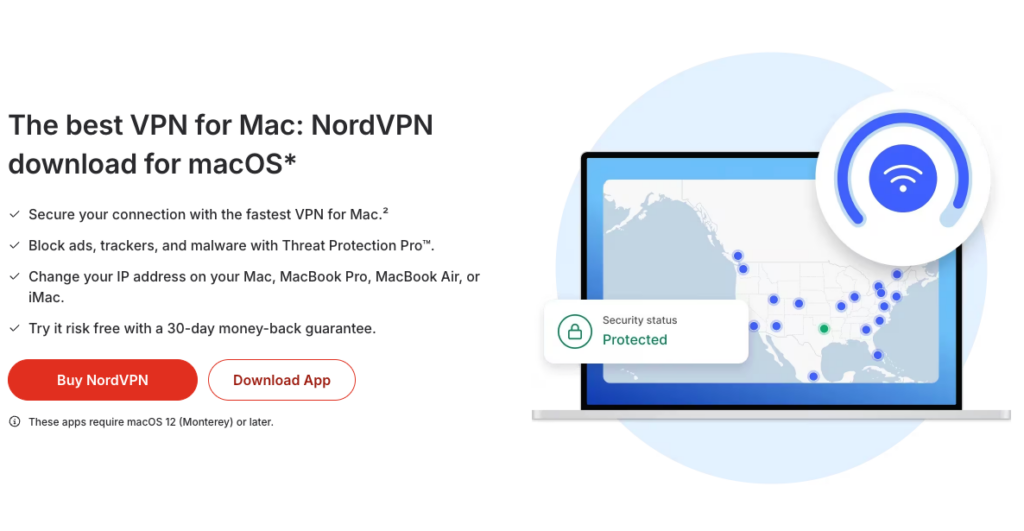
Once you have subscribed to a VPN service, download and install the VPN app on your device. Most providers offer dedicated apps for all major operating systems. You can download the app from your VPN provider’s official website, the Google Play Store, or the Apple App Store, depending on the device that you’re using.
Step 3. Connect to a server in a region with F1 streaming rights
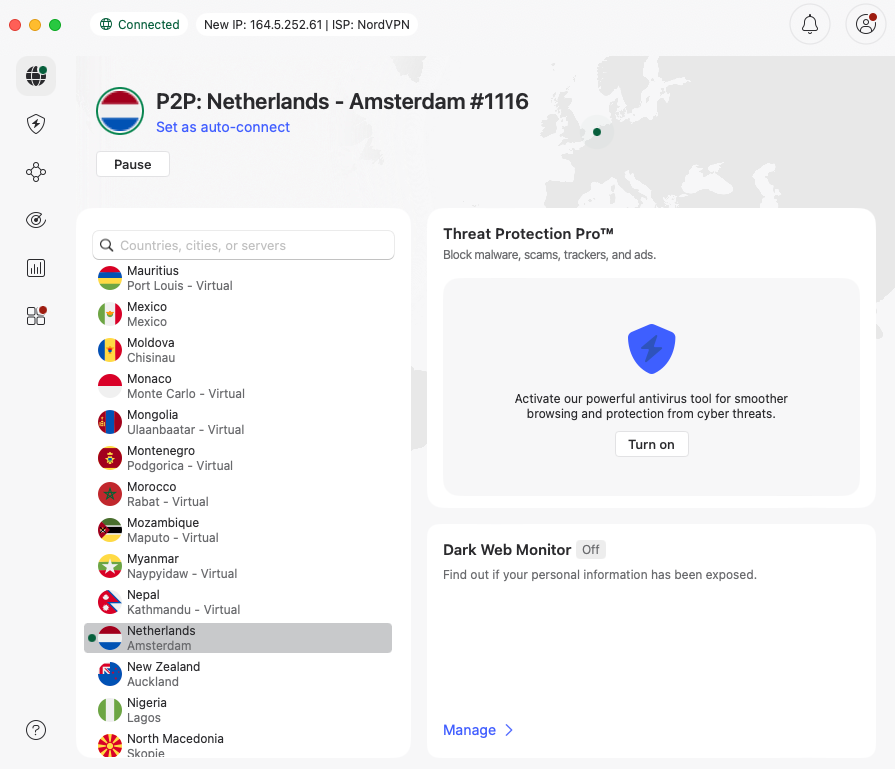
To start watching F1 without Apple TV, you will need to connect to a VPN server outside the US and access streaming services that will broadcast the 2026 F1 season. To do so, you can try servers in Europe, such as the Netherlands or Ireland. For the best speeds, choose a server closer to your actual location.
Step 4. Access F1 TV Pro or another streaming service and start watching
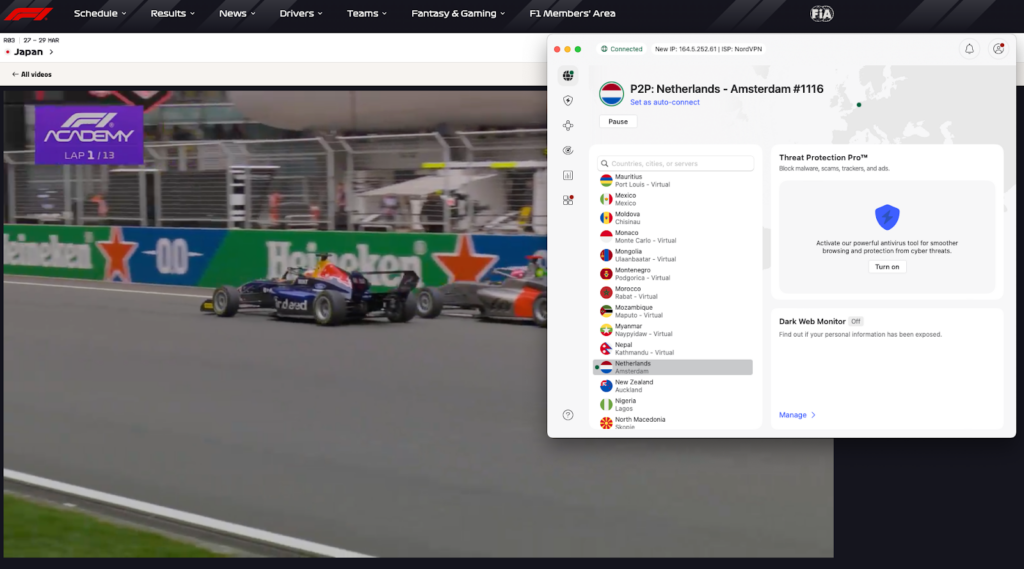
After you connect to a VPN server, visit the F1 TV Pro or any other streaming service and enjoy the 2026 F1 season without Apple TV. In case you’re still unable to watch it, try connecting to a different VPN server, as this usually solves the problem.
The best VPNs to watch F1 without Apple TV
To find the best VPNs for F1 without Apple TV in the US, I tested 32 providers. During my tests, I reviewed each provider’s server fleet, speed, geo-restrictions bypassing capabilities, privacy measures, and price. After my extensive testing, I was able to identify the top 3 F1 VPNs in 2026:
-
1.NordVPN: the best overall VPN to watch F1 without Apple TV in the US that delivers exceptional speeds, successfully bypasses geo-restrictions, and ensures total privacy with robust security features.
-
2.Surfshark: premium 2026 F1 VPN that offers advanced features, unlimited simultaneous connections, and a budget-friendly price.
-
3.Proton VPN: privacy-oriented VPN for F1 without Apple TV that has a wide selection of servers worldwide, uses all necessary security measures, and offers a reliable and effective free version.
Can I use a free VPN to watch F1 in the US?
Theoretically, you can use a free VPN to watch F1 in the US, but I don’t recommend doing it. Usually, free VPNs come with limitations, such as only a few server locations and major speed or data limits, which is not ideal for streaming. Even if a free VPN can unblock geo-restricted streaming services, most of them pose security risks. Many free VPNs don’t use all necessary security measures and even collect user data, which they later sell to third parties.
Instead of using a free VPN and risking your privacy, you can get a premium provider that offers a free trial or a money-back guarantee, like NordVPN. NordVPN is the best VPN for F1 in 2026, and it allows users to test it risk-free with a 3-day free trial and a 30-day money-back guarantee. If you want to learn more about the provider, be sure to check our NordVPN review.
Conclusion
F1 races are no longer available on F1 TV Pro in the US as of 2026, as it’s now combined with Apple TV. While the 2026 F1 season is available on F1 TV Pro and other streaming services worldwide, viewers in the US will need to use a VPN to watch F1 without Apple TV.
After testing multiple providers, I found that NordVPN is the best VPN for F1 in 2026 as it ensures a smooth, lag-free, and most importantly, private streaming experience. If you’re still wondering how to watch F1 without Apple TV, get NordVPN and use it for F1 risk-free.
Related articles:
Top 20 free football streaming websites in 2026
How to watch Six Nations Rugby for free in the USA
How to watch the Premier League 2025/26 live
How to watch Big Bash League live streams free online
How to watch blackout NHL games in the 2026 season
How to watch out of market NFL games
How to Watch UFC PPV Fights From Anywhere
How to watch F1 TV Pro in Japan
FAQ
Yes, you can watch F1 without Apple TV in the US by using a VPN. By changing your virtual location with a VPN, you’ll be able to access other streaming services that broadcast F1 outside of the US. This way, you can watch F1 2026 on F1 TV Pro, Kayo Sports, Sky Sports, or Viaplay.
No, F1 TV Pro is not available in the US without Apple TV. While the service previously operated as a standalone, as of 2026, the official broadcaster became Apple TV, which includes F1 TV. The only way to access F1 TV Pro in the US without Apple TV is to use a reliable VPN, such as NordVPN.
The easiest way to watch F1 without Apple TV is with a VPN. By connecting to a VPN server, you’ll be able to access other services that broadcast F1, including F1 TV Pro, DAZN, Sky Sports, and others. For the best streaming experience from anywhere, choose a robust VPN with a large server network, such as NordVPN.
Yes, it’s legal to use a VPN for F1 in the US. A VPN’s main purpose is online privacy, and there are no laws in the US that would prohibit the use of VPNs for security reasons. However, it’s always recommended to familiarize yourself with each service’s terms of service and their view on VPNs to avoid any issues.