Amazon Prime Video uses geo-restrictions that block content in certain regions. Using a best VPN for Prime Video, like NordVPN, lets you change your location and access different Prime libraries worldwide.
If Amazon Prime Video says that a show or a movie isn’t available in your location, then you’re dealing with geo-restrictions. Due to licensing agreements, Prime Video blocks content in certain regions, as it typically cannot allow access to content in a country where another streaming platform holds the rights to stream it. The good news is that a premium VPN for Amazon Prime Video lets you bypass these blocks and access different regional libraries with ease.
The best VPNs for Prime Video can help you unblock streaming content, fix VPN proxy errors, and stream smoothly without interruptions. After testing 24+ VPNs, NordVPN stands out as the best VPN for Amazon Prime Video, thanks to its strong unblocking performance, vast server network, and fast streaming speeds.
How to change your Amazon Prime Video location with a VPN
If you want to change your Amazon Prime Video location and access unrestricted content, follow the steps below:
Subscribe to a premium VPN. I recommend NordVPN to unblock Amazon Prime. In my tests, I always succeeded in getting around geo-restrictions with NordVPN.
Download and install the VPN client. It’s readily available for all popular devices.
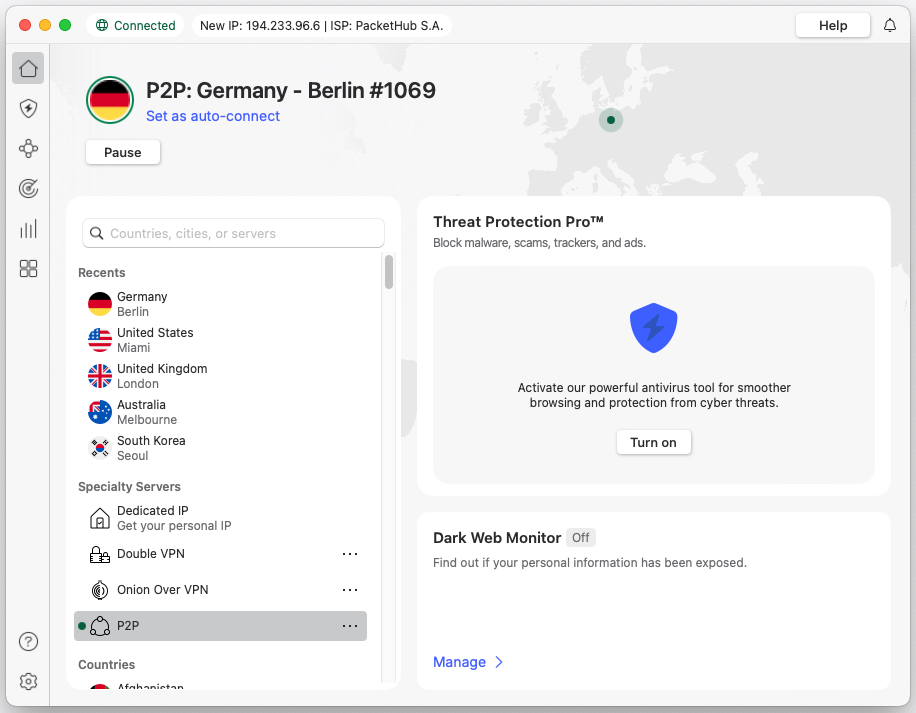
Log in and connect to a server in a country that has the Prime content you want.
Open Amazon Prime Video and search for your TV show or film.
Don’t miss out on our temporary discount and change your Prime Video location right away.
Why are videos currently unavailable to watch in my location?
Due to limited distribution rights, Amazon Prime Video has different content catalogs for different locations.
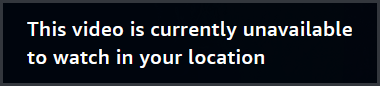
You can’t always watch any TV show or movie that is available on the platform. In fact, it’s likely you’ve come across the following message: “This video is currently unavailable to watch in your location.”
If you’ve been traveling or you’re simply trying to access a wider selection of shows and movies from different international libraries, the Amazon Prime Video error message will pop up.
What can you do if your favorite movie or TV show is not available? Use a VPN! With a reliable VPN, you can virtually change your location, meaning you can watch Amazon Prime Video content that’s otherwise exclusively available in select regions.
Get the most out your Amazon Prime Video subscription
Amazon Prime Video is available worldwide, except for mainland China, Cuba, Iran, North Korea, Russia, Belarus, Sudan, Vietnam, and Syria. You can find Amazon Originals and a wide range of movies and TV shows.
Can’t find a particular show or movie on Amazon Prime? Chances are, Amazon doesn’t have distribution rights for it in your country. If you want to watch any Amazon show or movie, no matter where you are in the world, you can use a virtual private network (VPN).
A VPN routes your internet traffic through a server in a country of your choosing. It also changes your IP address – a digital identifier that marks your location. This allows you to change your virtual location.
“I’ve used NordVPN to unblock some of my favorite Amazon Prime series. The show ‘It’s a Sin’ is a Canada exclusive on Amazon Prime. I’ve used NordVPN to get a Canadian IP address and watch all episodes.”
Erica Greenwood
Tech Journalist
Best VPNs to change your location on Amazon Prime
Not every VPN will be able to unblock Prime Video or change your location for you. I’ve tested 24+ VPNs and have narrowed them down to my top 5 best VPNs for Amazon Prime Video.
When selecting these VPNs, I made sure that they are fast, secure, and can change your Prime location easily.
Top 1. NordVPN – overall best VPN to unblock Amazon Prime
NordVPN is the best VPN for Amazon Prime Video, for several reasons:
Can unblock different Amazon Prime Video libraries, as well as other streaming platforms.
Very smooth connection speeds – you won’t notice you’ve got a VPN on!
When testing NordVPN, I was very impressed by its wide range of features.
8900 servers across 149 countries.
If you’re looking for an affordable VPN that offers a dream package of features, NordVPN is the pick for you!
What I like about NordVPN
Changing my Amazon Prime location with NordVPN was very easy! It’s a very user-friendly VPN that’s quick to install. I didn’t have any issues changing between VPN servers or toggling with more advanced settings like obfuscation.
On top of that, NordVPN is one of the fastest VPNs around. I could stream some of my favorite shows without any hiccups or delays! And unlike budget providers, NordVPN’s app is fully localized in 15+ languages (including French, German, Spanish, Japanese, and Korean). It supports various operating systems, including Windows, macOS, iOS, Android, Apple TV, Android TV, Fire TV Stick, and more. And for devices that don’t support native VPN apps, there’s the SmartDNS feature that will let you access Prime Video’s US library.
What I don’t like about NordVPN
There are not many downsides to getting a NordVPN subscription. One thing to note is that it lacks a custom router app. So if you want to unblock Prime Video on devices that don’t support VPNs natively, you will need to manually configure the router settings, which can be technically challenging for beginners. Otherwise, you can’t go wrong with this VPN!
Want to see for yourself? Make use of NordVPN’s 3-day free trial on Android, or grab a subscription for just 75%/month and a 30-day money-back guarantee for completely risk-free testing.
You can find out everything you need to know about this VPN in our extensive NordVPN review.
Top 2. Surfshark – affordable, beginner-friendly VPN
Surfshark boasts a fantastic set of features that can help you change your Prime Video location from anywhere:
One of the best streaming VPNs, thanks to its lightning-fast connection speeds.
Very affordable subscriptions, starting at $ 2.49/mo.
Get access to all major streaming services, including Prime Video, with a single click.
Surfshark’s Camouflage Mode can hide the fact that you’re using a VPN; higher chances of unblocking.
After testing this VPN extensively, I’m convinced it’s the best budget-friendly VPN to change your Amazon Prime location with!
What I like about Surfshark
Surfshark is easily one of my favorite VPNs for streaming and unblocking platforms like Amazon Prime Video and Netflix. It has very fast servers, an easy-to-use app, and you don’t pay more than the cost of a cup of coffee per month for this fantastic VPN.
It comes with many additional security features, including an ad blocker, a split tunneling feature (Bypasser), and the option to route your traffic through multiple servers. You can use Surfshark on major OS, like Windows, macOS, Android, iOS, Apple TV, Android TV, Fire TV Stick, and others. Like NordVPN, Surfshark also offers the SmartDNS feature.
What I don’t like about Surfshark
While Surfshark is one of the best budget VPNs for Amazon Prime Video, many of its additional bonus features, like Antivirus, Real-Time Breach Alerts, and Private Search, are locked behind more expensive subscription tiers. However, the standard Starter plan includes just the needed VPN.
Right now, you can grab Surfshark for just $ 2.49/month. And thanks to Surfshark’s 7-day free trial and the 30-day money-back guarantee,you can see how easy it is to stream Amazon Exclusives like Challengers (available in Canada, Australia, and the UK) or tune in to Premier League football matches on Amazon Prime UK.
We’ve tested Surfshark thoroughly for our Surfshark review, so be sure to read it if you’re interested.
Top 3. Proton VPN – secure and reliable VPN to stream Amazon Prime Video
Proton VPN is a privacy-focused VPN that helps bypass Amazon Prime Video geo-blocks, especially if security and reliability are important to you. It comes with advanced features that are designed to get around Prime Video’s strict VPN detection:
20700 servers across 100 countries, including Prime Video-supported regions.
Stealth protocol to disguise VPN traffic as regular HTTPS and avoid proxy errors.
VPN Accelerator for fast, stable HD and 4K streaming, even on distant servers.
Split tunneling to route only Prime Video traffic through the VPN.
Based on my tests, Proton VPN proved to be a strong choice for users who want reliable streaming without compromising on privacy.
What I like about Proton VPN
What stood out to me most is how much control Proton VPN hands you without feeling overwhelming. The apps are clean and intuitive, and switching servers or enabling features like the Stealth protocol was straightforward, even if you’re not a VPN power user.
I was also impressed by Proton VPN’s performance while streaming Prime Video. The VPN Accelerator feature allowed me to stream in high quality with zero buffering, even when connecting to faraway servers. Combined with Proton’s no-logs policy and open-source apps, Proton VPN feels trustworthy for both streaming and everyday use.
What I don’t like about Proton VPN
The main downside of Proton VPN is that its free version isn’t suitable for streaming Amazon Prime Video. While it’s great for basic browsing and privacy, it doesn’t reliably unblock Prime Video.
That said, for streaming access, you’ll need to upgrade to a paid plan. You can get Proton VPN for $ 2.99/month and use the 30-day money-back guarantee to test its streaming performance risk-free.
Read about every single feature Proton VPN has to offer in our Proton VPN review.
Top 4. TotalVPN – budget-friendly VPN for streaming Amazon Prime Video
TotalVPN is a beginner-friendly and cheap VPN to change the Amazon Prime Video location. It focuses on simplicity and affordability, which makes it a solid option for bypassing Prime Video’s geo-restrictions.
Strong encryption and basic privacy protection to keep your streaming activity secure.
Very affordable VPN: one of the cheapest VPNs currently available.
Easy-to-use apps that make changing your Prime Video location quick and straightforward.
Based on my tests, TotalVPN is a good choice for those looking for a simple, low-cost VPN to unblock Amazon Prime Video without unnecessary extras.
What I like about TotalVPN
TotalVPN stands out with its simple, uncluttered apps, which make changing your Amazon Prime Video location easy, even if you’ve never used a VPN before. I didn’t have to dig through settings just to get started. It also includes essential security features like AES-256 encryption, a kill switch, and DNS leak protection, and for a very low price, it reliably unblocks Prime Video.
What I don’t like about TotalVPN
The biggest drawback of TotalVPN is its limited feature set and device support. Compared to other premium VPNs, it lacks advanced tools like stealth, streaming-optimized servers, and support for Android-based TVs and Fire TV Stick. As a result, unblocking Amazon Prime Video may not always be as consistent, especially during peak times.
Still, TotalVPN is a solid VPN for changing your Amazon Prime Video location on a budget. You can get it for just $ 1.59/month, or test it using the 7-day free trial or 30-day money-back guarantee.
Find out more about what TotalVPN offers in our TotalVPN review.
Top 5. Norton VPN – easy-to-use VPN to watch Amazon Prime Video abroad
Norton VPN offers user-friendly apps that make it easy to unblock Amazon Prime Video. It focused on simplicity and stealth, helping you get around Prime Video’s geo-blocks without much effort. With it, you get:
Mimic protocol helps bypass Amazon Prime Video VPN detection.
Beginner-friendly apps that make changing your Prime Video location quick and hassle-free.
Strong privacy essentials, including AES-256 encryption, a no-logs policy, and a reliable kill switch.
Based on my experience, Norton VPN is a solid option for users looking for an easy-to-use VPN that works with Amazon Prime Video without a steep learning curve.
What I like about Norton VPN
Norton VPN’s apps are clearly designed for beginners, and changing your Amazon Prime Video location takes just a couple of clicks. I didn’t have to mess with protocols or advanced settings to get it working, which makes it ideal if you want to stream without dealing with overcomplicated settings.
Norton VPN’s Mimic protocol is also a great tool to keep the VPN connection obfuscated, and it reduces the chances of running into VPN detection issues. Combined with solid privacy basics like encryption and a kill switch, Norton VPN feels reliable for everyday streaming
What I don’t like about Norton VPN
Unfortunately, Norton VPN doesn’t support Android TV or Amazon Fire TV Stick, which limits its usefulness if you mainly watch Amazon Prime Video on a TV. It also lacks advanced features found in premium VPNs, so it’s not ideal for power users.
That said, Norton VPN starts at $ 3.33/month and includes a 30-day free trial and a 60-day money-back guarantee, making it easy to test risk-free.
✅ Yes, 30-day free trial and a 60-day money-back guarantee
Watch Amazon Prime Video from anywhere: step-by-step
If you want to stream Amazon Prime but your access to a specific show or movie is blocked, follow the steps below.
Step 1. Subscribe to a reliable Amazon Prime VPN
Sign up with a reliable VPN for Prime Video, like NordVPN. I’ve tested this VPN extensively and can confirm it offers super-fast speeds and strong compatibility with Amazon Prime Video. Make use of NordVPN’s 30-day money-back guarantee if you want to try the VPN first.
Download your chosen VPN’s client for your operating system. Most VPN providers also offer mobile versions of their apps, which you can get from the Google Play Store or the Apple App Store.
Step 3. Log in and connect to a VPN server
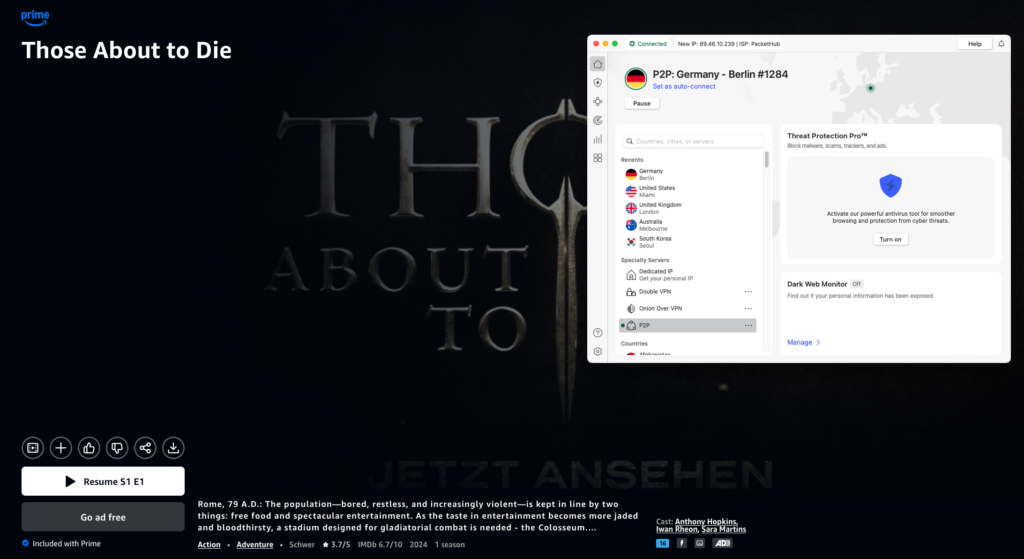
Open the VPN app and log in with your account. Then connect to a VPN server in a different location. This will allow you to bypass the Amazon Prime Video “This video isn’t available” block. For Those About to Die, for example, you need to connect to a server in Germany, the UK, or Canada.
Change your Amazon Prime Video location with NordVPN
Step 4. Open Amazon Prime Video
Once connected to a VPN server, open the Amazon Prime Video app and look for the show. Because you’ve changed your Prime Video location, you should be able to access it now.
Geo-blocks bypassed with NordVPN
With a premium VPN service like NordVPN, you can change your Amazon location to anywhere you like!
Which shows can I only watch by changing my Prime Video location?
Not every Amazon Prime show is available worldwide. I’ve made an overview of some of the best TV shows to watch on Amazon Prime Video and the exclusive regions in whichthey’re available.
Show / Movie
Exclusive Region (Where it is on Prime)
The Office (Australia)
Worldwide (except US)
Those About to Die
Worldwide (except US)
The Continental (John Wick)
Worldwide (except US)
Challengers (Movie)
Canada, Australia, UK
Star Trek: Lower Decks
UK, Europe, Australia
Nine Perfect Strangers
Worldwide (except US)
Cruel Summer
Worldwide (except US)
American Gods
Worldwide (except US)
It’s a Sin
Canada
These shows are only available in specific countries
What if Amazon Prime is not working with a VPN?
There’s a slight chance that Amazon will detect that you’re using a VPN. In that case, I have a few tips and tricks you can try to troubleshoot the issue:
Clear your browser cookies or app data and restart the Amazon Prime Video app.
Use a VPN’s obfuscated servers if they have them.
Change your VPN protocol or try connecting to a different server.
Keep your VPN app updated; this will usually fix any bugs.
Use a different browser than you usually do.
If none of these things work, I recommend reaching out to your VPN’s customer service team. They are usually able to point you to a server that works with Amazon Prime Video.
Conclusion: Stream your favorite Amazon Prime shows with a VPN
Using a VPN for Amazon Prime Video is the simplest way to change your virtual location and unblock your favorite Prime shows and movies from anywhere. A reliable VPN helps you bypass geo-blocks, avoid VPN proxy errors, and stream without interruptions. Since Amazon Prime Video actively blocks VPN traffic, it’s important to choose a provider with strong unblocking capabilities, a big server network, and fast speeds.
Based on my tests, NordVPN is the best VPN for Amazon Prime Video. It delivers lightning-fast speeds and advanced features like NordLynx and SmartDNS, which help you watch Prime Video without having to worry about geo-restrictions.
Best VPNs for Amazon Prime Video: Frequently Asked Questions
What is the best VPN for changing my Amazon Prime Video location?
NordVPN is the best VPN for changing your Amazon Prime Video location. It reliably bypasses geo-restrictions, offers fast streaming speeds, and works with multiple Prime Video libraries worldwide, making it ideal for watching Amazon Prime Video abroad without buffering or proxy errors.
How do I change my location on Amazon Prime?
To change your location on Amazon Prime Video, connect to a VPN server in the country you want to access, clear your app or browser cache, and reopen Prime Video. This changes your IP address, letting you bypass geo-restrictions and watch content from a different regional library.
Does NordVPN work on Amazon Prime?
Yes, NordVPN works with Amazon Prime Video. It reliably bypasses Prime Video geo-restrictions, allowing you to change your location and access different regional libraries while streaming smoothly without frequent proxy or VPN detection errors.
Does Amazon Prime know I'm using a VPN?
Yes, Amazon Prime Video can detect VPN usage if the VPN’s IP address is flagged. However, a premium VPN like NordVPN regularly refreshes IPs and uses advanced technology to reduce detection, making it much harder for Amazon Prime to block your connection.
How do I fix the ‘Amazon Prime Video not available in my location’ error?
To fix the “Amazon Prime Video not available in your location” error, connect to a VPN server in a supported country, clear your browser or app cache, and reopen Prime Video. A premium VPN like NordVPN works best for bypassing Prime Video geo-restrictions.
Does Amazon Prime work with a VPN?
Yes, Amazon Prime Video works with a VPN, but only with high-quality providers. A premium VPN like NordVPN can bypass geo-restrictions, avoid VPN detection, and let you stream different Prime Video libraries from anywhere.
Chris is a tech journalist with many years’ experience covering online privacy and cybersecurity. He’s also a published author and works as a Product Manager for some of the most innovative software development companies.