Are you getting tired of seeing the notification that Sling streaming is not available in your location? To watch Sling TV outside the US, you’re going to need a VPN.
A top VPN service will offer you high-speed servers and strong unblocking capacities to access Sling TV from anywhere. I’ve tested 30+ VPN providers extensively to find the best VPN for Sling TV.
Which VPN is Best for Sling TV – Quick Overview
| VPN for Sling TV | Rating | Best for | Servers in the US | Price | Free trial |
| 1. NordVPN | 9.3 ⭐️⭐️⭐️⭐️⭐️ | Overall best VPN for Sling TV | 3428+ servers in 50 states | $ 3.49/month | ✅ Yes, 3-day free trial for Androids |
| 2. Surfshark | 9.0 ⭐️⭐️⭐️⭐️⭐️ | Best VPN for multiple devices | 600+ servers in 24 cities | $ 2.49/month | ✅ Yes, 7-day free trial |
| 3. Proton VPN | 8.9 ⭐️⭐️⭐️⭐️ | Best VPN for enhanced security | 5900+ servers in 22 cities | $ 2.99/month | ✅ Yes, free version available |
| 4. CyberGhost | 8.8 ⭐️⭐️⭐️⭐️ | Best VPN for streaming-optimized servers | 1550+ servers in 11 cities | $ 2.19/month | ✅ Yes, 24-hours for macOS and Windows, 3-days for Android, and 7-days for iOS |
| 5. Private Internet Access | 8.6⭐⭐⭐⭐ | Best VPN for servers in every US state | 1000+ servers in 50 states | $ 2.19/month | ✅ Yes, 7-day free trial |
Why Do You Need a VPN for Sling TV?
Sling TV is only accessible in the United States. If you’re living abroad or traveling outside the US without a VPN, you’ll likely encounter an error that says: “We’re sorry. Sling TV is only available inside the US. Thank you for your interest.”

If you’re outside the US, you need a reliable VPN to access Sling TV. Simply connect to a US server to get a US IP address and make it look like you’re streaming Sling TV from within the US. With a VPN, you can stream Sling TV from anywhere in the world and enjoy the best shows like South Park, Friends and The Walking Dead.
Sling TV offers 50% off your first month to subscribers. In your first month, you pay only $23/month (€21,72/month and £17,70). Normally you pay $45.99/month (€45,99 and £35,61).
Sling TV VPNs: Detailed Overview
A good Sling TV VPN needs to have servers in the US, excellent unblocking capabilities and fast speeds. The best VPNs for Sling I list below meet all these factors.
1. NordVPN: Best VPN for Sling TV (overall)

With a server network of nearly 2,000 servers in the United States, it’s the best VPN for Sling TV you can find! Since NordVPN has obfuscated servers that mask your VPN traffic and make it look like regular internet traffic, you can bypass any geo-restrictions. This makes it one of the best VPNs for streaming.
I love using this VPN to watch Sling TV outside the US! When testing NordVPN, I was very impressed by its high-speed servers and phenomenal unblocking capacities. It also works great for streaming the Premier League, giving me access to live matches from anywhere. On top of that, NordVPN has some of the best security features on the market right now.
In terms of features, you get a fantastic ad blocker called Threat Protection, which keeps annoying ads at bay when streaming. On top of that, you’re protected against malicious links. Of course, your data is protected by 256-bit AES encryption, and the VPN runs on the most secure protocols.
Thanks to its SmartPlay DNS feature, you can unblock streaming services easily from anywhere! Watch Sling TV outside the US on any of your own devices, including your smart TV or Apple TV.
Pros
- 1,970+ servers in the US, so plenty of choices to access Sling TV
- Unblocks all major streaming sites with ease
- Dedicated IP to avoid CAPTCHAs and Sling TV blocklists
- Threat Protection against malware, trackers, and intrusive ads
Cons
- Login via browser

Discover the benefits of streaming with NordVPN by making use of NordVPN’s free trial. You can test the VPN 30 days for free. After that, NordVPN price starts at $ 3.49/month.
2. Surfshark: Affordable VPN to watch Sling TV outside the US

With Surfshark, you can access Sling TV for less than the price of a cup of coffee per month! This fantastic streaming VPN is affordable, reliable, and very fast, as I know from using Surfshark myself.
One of the biggest benefits of this VPN is that Surfshark offers unlimited simultaneous connections! I could share my account with friends and family and saved even more on costs. Of course, this also allows everyone to enjoy what the Sling TV app has to offer.
Like NordVPN, Surfshark is a true unblocking powerhouse: you can watch Sling TV outside of the US without any issues. Surfshark is also one of the best VPNs to unblock other popular steaming services like Netflix, HBO Max and BBC iPlayer. It also allowed us to stream in 4K without any disruptions or lagging.
Surfshark is a verified zero-logs VPN. This means they have a strict no-logs policy and keep your data safe with the best security features you can imagine: 256-bit encryption, an automatic kill switch, and an ad blocker.
Pros
- One of the fastest VPNs to stream Sling TV
- Stream Sling TV in HD and 4K without buffering
- Use Surfhark on unlimited devices
- Very affordable
- No logs policy
Cons
- No dedicated streaming servers

You can use the Surfshark free trial and test the VPN for 30 days.
3. Proton VPN: VPN for Sling TV with top security

Proton VPN is another excellent Sling TV VPN on this list. This secure and established VPN hits the mark exactly right: it can unblock many streaming services, including Sling TV. If you want to watch Sling TV outside the US, Proton VPN will make it easy.
Proton VPN has military-grade security features and has been around long enough to be truly trustworthy. Proton VPN keeps you anonymous and has an audited no log policy. Moreover, you can use Proton’s stealth protocol, masking your VPN use.
You can choose from over 400 servers in the US to get a US IP address and stream Sling TV. Proton VPN has great speed. When watching Sling TV I didn’t notice any lag. Proton VPN monthly price starts from $ 2.99/month.
Pros
- Established VPN with great unblocking powers
- Stealth Protocol to make it easier to bypass geo-blocks and access Sling TV
- Audited zero log VPN
- Great speeds for streaming Sling TV
Cons
- Offers no dedicated IP's

3. CyberGhost: User-friendly Sling TV VPN

Watching Sling TV outside the US becomes a piece of cake with CyberGhost! This VPN has optimized streaming servers that you can use for the Sling TV app, no matter where you are in the world. Just connect to a US server and unblock every other major streaming service with a single click.
In terms of speeds, I discovered no issues when testing CyberGhost. Even the Sling TV-optimized server maintained very high speeds!
CyberGhost uses plenty of top-notch security features to optimize your privacy online, including a very comprehensive Security Suite package that you can purchase along with your VPN. It uses WireGuard, one of the safest and most secure VPN protocols, and has a built-in kill switch. I could watch Sling TV outside the US without my real IP address leaking through!
What I love most about CyberGhost is its affordability! This VPN is one of the cheapest premium VPNs you can find and offers staggering deals throughout the entire year.
Pros
- Plenty of servers in the United States to choose from: 1,300+
- Works with Sling TV: optimized servers for streaming
- Fast servers to watch Sling TV outside America without lag
Cons
- Speed can vary

Want to see for yourself how this VPN works with the Sling TV app? CyberGhost has a 45-day money-back guarantee that gives you plenty of time to watch Sling TV with a VPN!
4. Private Internet Access (PIA): High-quality VPN with many US servers

Private Internet Access (PIA) has been climbing the ranks! When testing PIA, I was consistently impressed by how well this VPN competes and outperforms other VPNs on many fronts. It’s a fast, secure, and high-performing VPN. I could watch Sling TV overseas without any problems.
You can enjoy PIA on unlimited devices, which is a fantastic perk for streaming! On top of that, this VPN has servers in every single state of the United States. You can even get dedicated IP addresses for 10 US cities, or, as I did, use the streaming-optimized servers to unblock Sling TV.
In terms of features, Private Internet Access upholds a high standard of security. Despite being located in the United States (part of the 5 Eyes Alliance), they’ve got a strict no-logs policy. Included in your plan is PIA MACE, which blocks ads and trackers, as well as a split tunneling feature, which lets you run select apps through your VPN.
No need to worry about costs either! This user-friendly VPN has some of the lowest prices in the business.
Pros
- Servers in each of the 50 US states
- Unblocks all major streaming platforms
- Large server network offering 35000 servers in 91 countries
- Dedicated IP addresses in 10 American cities to watch Sling TV outside the US
Cons
- It can sometimes take a while to connect to a server

How I Chose the Best VPNs for Sling TV
Sling TV is home to some of the best TV channels in the world and offers live sports, lifestyle content, movies, music, news, and more! Unfortunately, not every single virtual private network on the market is suited to unblock Sling TV.
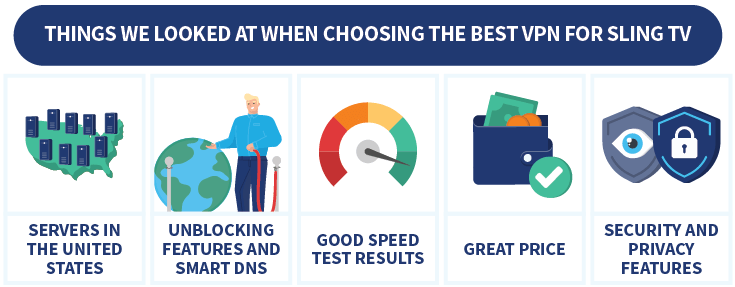
Here are the main factors I paid extra attention to when choosing the best Sling TV VPN:
- Servers in the United States: Sling TV is a US-exclusive service. To unblock this service, you need a VPN with access to a large American server network.
- Unblocking features and Smart DNS: The better a VPN’s unblocking capacities, the easier it becomes to unblock not only Sling TV but other streaming services, too. With SmartPlay (NordVPN), you can get around even the toughest of restrictions.
- Speed test results: It is key that a VPN doesn’t slow down your internet connection too much, or streaming can become a frustrating experience.
- Price: Affordability is an essential factor in my VPN ranking. All the VPNs I recommend for streaming Sling TV offer great value for money.
- Security and privacy features: Last but not least, I always thoroughly test a VPN’s privacy and security tools. A VPN with a kill switch, DNS leak protection, and AES 256-bit encryption actually makes it easier to get around streaming obstacles.
My #1 VPN for Sling TV, NordVPN, is one of the most competitive VPNs in the market right now. It scores very high on each of these fronts! Want to see for yourself? Make use of Nord’s 30-day money-back guarantee to try the VPN risk-free for a month.
Sign Up for Sling TV Outside the US: Get Sling Login
If you don’t live in the United States, it can be a bit more difficult to get a Sling TV login. Luckily, a VPN also makes this process easier if you want to watch Sling TV from anywhere.
- Download and install a VPN. NordVPN is an excellent choice for Sling TV.
- Connect to a U.S. server.
- Go to Sling TV’s website and click “Try us today”.
- Fill in your personal information and payment details.
- Sign into your Sling TV account and start streaming.
Just follow these easy steps to get a Sling TV account with a VPN:
- Get a VPN. With its huge number of US-based servers, NordVPN is an excellent choice for getting a Sling TV subscription!
- Download and install the NordVPN app. It won’t take more than a couple of minutes!

- Connect to a US server. This is key to getting a Sling TV login.

- Head over to Sling TV and click “Try us today”. You can opt for the Sling TV app, too.

- Enter the requested data and connect a payment method. You can also use a Sling TV gift card.
- Sign into your brand-new Sling TV account and get the popcorn out! Streaming Sling TV has never been easier.
Pro Tip:
If you don’t have access to an American payment method, you can use PayPal to sign up for Sling TV!
How to get a Sling TV trial
Currently there is no Sling TV free trial on offer. At this moment it’s not possible to watch Sling TV for free. Sling TV frequently runs promotions. Right now, they are offering discounts on the first month. You can watch Sling TV with 50% off.
Are you outside the US and want to watch Sling TV with a free VPN trial? Free VPNs usually don’t cut it and come with risks:
- Data and speed caps: Free VPNs often come with data and speed caps. This makes streaming very difficult.
- Security risks: Free VPNs often come with security risks. They might infect your device with malware or log your data. Some free VPNs may even sell this data to third parties.
- Limited server network: Free VPNs typically offer a limited server network. This often results in overcrowded servers and lag.
Instead of using a free VPN to watch Sling TV, I recommend using a premium VPN free trial. I recommend NordVPN for streaming Sling TV. You can test this excellent VPN risk-free for a whole month! Check out the NordVPN free trial if you are interested.
What to Watch on Sling TV
Sling TV is an app-based TV service. This means you get access to a huge range of online TV channels, ranging from news to cartoons!

Here are some of my favorite channels that a Sling TV account gives you access to:
- Entertainment: Comedy Central, E!, Hallmark Channel, MTV, National Geographic, Showtime, TLC
- Kids: BabyTV, Boomerang, Cartoon Network, Disney Channel, Nick Jr.
- Lifestyle: Cooking Channel, Discovery Life, Food Network, Great American Living
- Movies: Cinefest, Lifetime, MGM+ Drive-In, Sundance, Cinefest
- News: Al Jazeera English, BBC World News, CNN, France 24 (English)
- Sports: ESPN, NBA TV, Tennis Channel, World Fishing Network
The Sling TV app is one of the best places to watch college basketball, and major sports events, as well as some of the latest TV shows!
All this can be unlocked if you use a VPN app to watch Sling TV. You will be amazed by how much easier accessing Sling TV and any other streaming service becomes. There’s simply too much to watch on Sling TV to miss out.
Conclusion: Unblock Sling TV From Anywhere With a VPN
If you want to have access to your favorite TV channels from anywhere, it’s time to get a Sling TV VPN! I’ve tested dozens of VPNs to give you my best recommendations.
However, NordVPN came out on top of my list of the best VPNs to watch Sling TV outside the US and from anywhere worldwide.
With NordVPN, you can get an American IP address from one of 1,900+ VPN servers and change locations with a single click! On top of that, this VPN has some of the highest speeds in the market right now.
For more information about streaming with a VPN, check out these related articles:
Do you have any questions about streaming Sling TV outside the United States? Or about the best VPN for Sling TV? Check out the FAQ below for some quick answers!
The best VPN for Sling TV is NordVPN. This VPN has 1,900+ servers in the United States alone and lets you unblock Sling TV with a single click.
Sling TV does not offer a free TV trial anymore. Currently you can get 50% off your first month of service when you sign up.
If you want to avoid the notification that Sling TV streaming is not available in your location, you need to use a VPN. By changing your IP address to a US address, you will virtually locate yourself in the United States. This gives you direct access to Sling TV.
Yes, with a VPN you can watch Sling TV outside the US. Simply connect to a server in the US to change your IP address and get access to Sling TV from anywhere in the world.