
Due to licensing agreements, people from the UK can’t stream RTE content. To watch RTE in the UK, use a VPN, such as NordVPN, to go around regional blocks and get access to RTE’s library.

RTE is Ireland’s national broadcaster, offering free news, entertainment, sports, and kids’ programming. It will also stream the UEFA Champions League Final for free – great news for UK fans, since the country won’t stream the final for free. However, due to licensing agreements, RTE Player is only available in Ireland.
Luckily, you can watch RTE in the UK by using a VPN. It can bypass geographical restrictions by changing your virtual location to Ireland, allowing you to stream RTE content from anywhere. All you have to do is get a reliable VPN and connect to a server in Ireland to get a local IP address.
After testing over 26 premium VPN providers, I concluded that NordVPN is the best VPN to unblock RTE from anywhere. Furthermore, Surfshark is the best budget option, while Proton VPN offers safe access to RTE. Continue reading to find out how you can watch RTE Player in the UK.
How to watch RTE in the UK with a VPN
1. Subscribe to a VPN service. My top pick is NordVPN, now 78% off.
2. Download and install the app on your device.
3. Connect to a server in Ireland – Dublin works well.
4. Open RTE Player and start streaming!
Our recommended VPNs for RTE Player
| VPN for RTE Player | Rating | Best for: | Servers in Ireland | Price |
| 1. NordVPN | 9.3⭐️⭐️⭐️⭐️⭐️ | Overall best VPN for RTE | 50+ | $ 3.49/month |
| 2. Surfshark | 9.0⭐️⭐️⭐️⭐️⭐️ | Best for affordable pricing | 54 | $ 2.49/month |
| 3. Proton VPN | 8.9⭐️⭐️⭐️⭐️ | Best for enhanced security and privacy | 161 | $ 2.99/month |
TRY BEFORE YOU BUY: Based on our tests, NordVPN is the best VPN for RTE that you can try for 3 days for free on an Android device or extend the period with a 30-day money-back guarantee.
Can you watch RTE in the UK?
You can watch RTÉ in the UK, but due to broadcasting rights, you’ll need a VPN to bypass geo-restrictions on RTÉ Player. This is because only select international content, like news, is viewable outside Ireland, but full live streams and catch-up shows require an Irish IP address.

To access RTE Player from the UK, you have to use a VPN with servers in Ireland. A VPN will mask your real IP address and reroute your internet traffic through a server in Ireland, granting you access to region-locked content. You simply have to open up your VPN app and select a server in Ireland to access RTE and its content library.
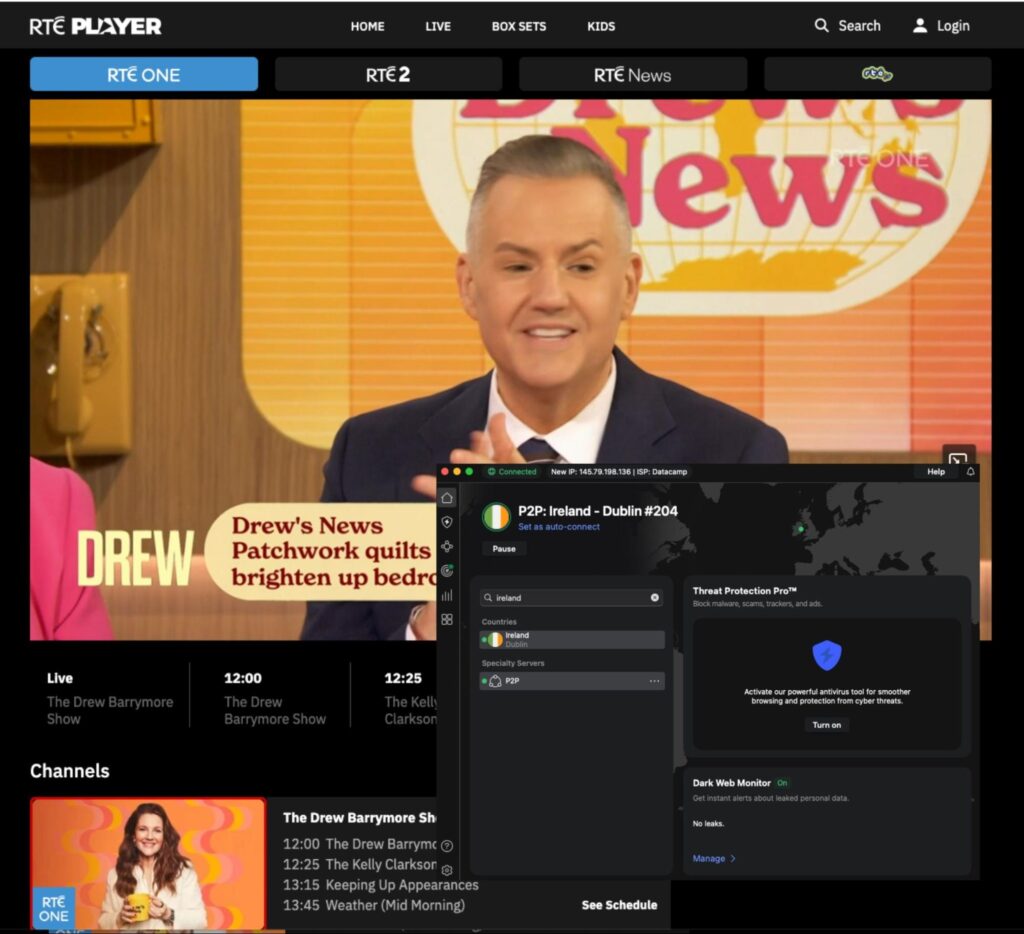
Below, you will find a detailed step-by-step guide on how to set up and use RTE Player VPN on your computer, mobile device, or Smart TV.
RTE Player actively detects and blocks VPN usage to comply with broadcasting rights. If detected, the player may display an error message or refuse to load until the VPN is disabled. For this reason, I recommend NordVPN, which bypasses VPN detection systems and enables seamless streaming from the UK.
How to watch RTE Player in the UK with a VPN: a detailed guide
RTE is unavailable in the UK due to strict broadcasting rights. However, you can use a VPN to change your virtual location to Ireland and still watch its content in the UK. Here’s how you can stream RTE in the UK with a VPN:
Step 1. Get a VPN that works with RTE
The only way to access RTE in the UK is by changing your IP to an Irish one with a reliable VPN.
Based on my tests, NordVPN is the best VPN for RTE Player, as its high-speed Irish servers make it easy to bypass RTE’s strict geo-blocking. Plus, its robust security features ensure that your streaming habits remain private.
Step 2. Download and install the VPN app
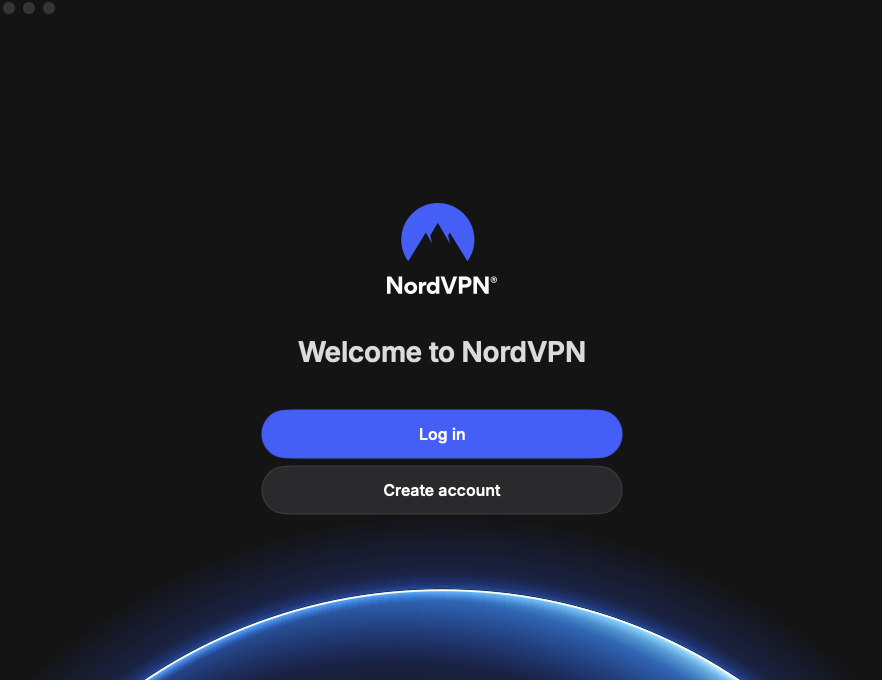
To start using your VPN, download its app onto your device. If you’re on your computer, head to the VPN provider’s official website to download the app. In case you’re on your phone, you can find the VPN app on the Google Play Store or the Apple App Store.
Step 3. Connect to a VPN server in Ireland
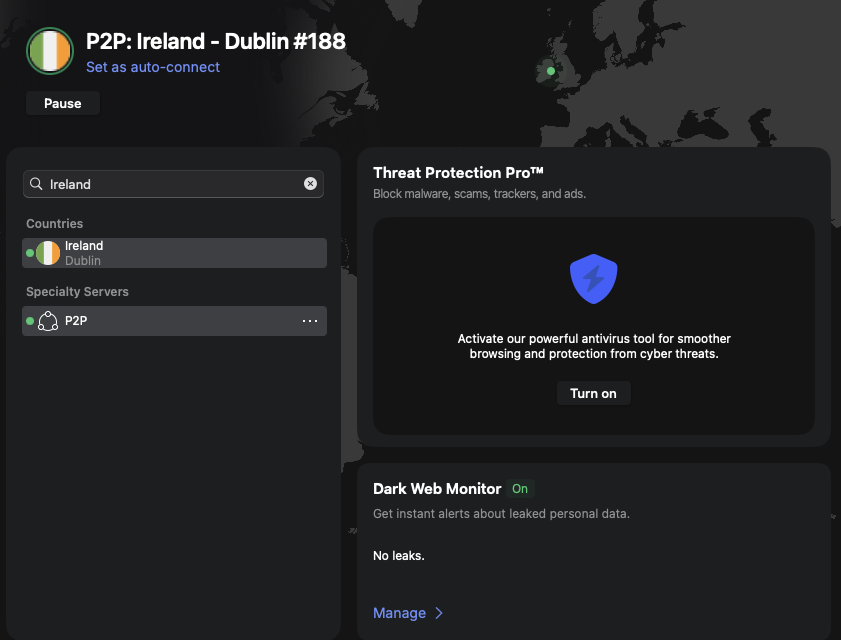
RTE is only legal in Ireland. To watch RTE in the UK, you need to connect to an Irish server to access it with a VPN. NordVPN has 50+ high-speed servers in Ireland, which makes it easy to do so. For me, connecting to NordVPN’s Dublin server granted access to RTE immediately, and I could watch a live stream of RTE One in HD without any slowdown.
Step 4. Watch RTE Player in the UK without restrictions
Once you connect to an Irish server, you will be able to stream RTE content, including the Champions League Final, in the UK without any issues. In case it doesn’t work properly, try reconnecting to a different server or changing the protocol you’re using. That should fix any issues you’re having right away.

Best VPNs for RTE Player
To access RTE Player from abroad, you need a reliable, high-speed VPN with servers in Ireland. After testing 26 VPN providers, NordVPN, Surfshark, and Proton VPN stood out as the best VPNs for streaming RTE Player in the UK due to their ability to go around restrictions and maintain uninterrupted, high-quality streaming.
To find the best VPNs for streaming RTE in the UK, I tested their speed, privacy features, and ability to access RTE from restricted countries. Here’s a better look at the criteria an RTE VPN needed to meet during my evaluation:
- Can the VPN avoid RTE detection? RTE uses an advanced VPN detection system, which can block unreliable VPN usage. To avoid this, I made sure that the VPNs could consistently unblock RTE Player, using fast, reliable servers and strong anti-detection features.
- Does it have enough servers in Ireland? For a VPN to bypass local RTE restrictions, it must have servers in Ireland. Therefore, during my tests, I focused on VPNs that have stable and reliable servers in Ireland.
- Is it fast enough for smooth streaming? Speed is important for buffer-free RTE streaming. That’s why I tested each VPN to measure its download retention, load times, and performance during live RTE streaming and found the fastest ones.
- Does it offer enough security and privacy? Strong encryption, a kill switch, DNS leak protection, and a no-logs policy are non-negotiable features for any VPN. So I checked whether the best RTE Player VPNs include these features and bonus ones like multi-hop routing and obfuscation modes.
- Will a VPN provide value for money? I weighed each VPN’s features against its cost to make sure you aren’t overpaying. Plus, I looked at long-term pricing, trial options, and refund policies to help you find the best deals.
Top 1. NordVPN – best overall VPN to watch RTE in the UK
- Rating: 9.3⭐⭐⭐⭐⭐
- Servers: 50+ servers in Ireland
- Price: $ 3.49/month, now up to 78% off.
NordVPN is the best VPN for RTE Player, thanks to its 50+ servers in Ireland and ultra-fast speeds for buffer-free streaming. After connecting to one of its Dublin servers, it immediately granted me access to the RTE iPlayer’s library. I made sure that the Nordlynx protocol was on, so my internet connection remained lightning-fast at around 800Mbps, letting me watch high-quality content without buffering.
Additionally, its SmartPlay and Smart DNS features allow VPN usage to go undetected by RTE’s anti-VPN systems and bypass local geo-restrictions more easily. It’s activated automatically, so all you have to do is let it perform. This way, you will be able to watch the Champions League on RTE for free.
Security-wise, NordVPN offers robust features, such as 256-bit AES Encryption, a kill switch, DNS Leak Protection, and Threat Protection, all of which protect your browsing activity from ISPs and hackers. On top of that, the Threat Protection tool blocks ads and trackers, which allows for faster, uninterrupted streaming and better protection from malicious sites.
NordVPN, the best overall VPN for RTE Player, starting from $ 3.49/month with a 3-day free trial and a 30-day money-back guarantee. It easily unblocked RTE in the UK with servers in Ireland, provided the fastest speeds, and hid VPN usage with obfuscated servers to reduce detection.
What I like:
- 50+ servers in Ireland
- Robust security features
- Effortlessly bypasses geo blocks
- Provides HD interrupted streaming
What I don’t like:
- Short 3-day free trial
Top 2. Surfshark – best budget VPN for RTE Player
- Rating: 9.0 ⭐⭐⭐⭐⭐
- Servers: 54 servers in Ireland
- Price: $ 2.49/month, now up to 85% off.
Surfshark is a budget-friendly VPN for watching RTE in the UK. With 54 Irish high-speed servers, it bypasses geo restrictions without issues, while keeping stream latency low.
During testing, I connected to the server in Dublin, and it instantly granted me access to RTE Player content. In the meantime, its WireGuard protocol ensured that I could watch my favorite shows in HD with 747Mbps speeds and lag-free.
The NoBorders feature was also silently working in the background so that the VPN could go through geo restrictions and avoid VPN detection systems. It’s enabled automatically whenever Surfshark identifies restrictions on your network.
Similar to NordVPN, Surfshark security features include strong AES-256 encryption, DNS leak protection, a kill switch, and CleanWeb features that ensure your viewing remains private and uninterrupted.
Surfshark is the best budget VPN for RTE Player at just $ 2.49 and has a 7-day free trial, plus a 30-day money-back guarantee, so you can test it out risk-free. It is also great for its unlimited simultaneous devices, allowing you to stream RTE Player on any screen.
What I like:
- 54 servers in Ireland
- Unlimited connections
- Budget-friendly
- Bypasses geo-blocks
What I don’t like:
- Headquarters in the Netherlands
Top 3. Proton VPN – privacy-focused RTE VPN with a free version
- Rating: 8.9 ⭐⭐⭐⭐
- Servers: 161 servers in Ireland
- Price: $ 2.99/month, now up to 70% off.
Proton VPN, with a privacy-first approach, is a premium VPN for accessing RTE Player in the UK. Since Proton VPN is based in Switzerland and follows strict privacy laws, you can be assured that your streaming is absolutely private. Meanwhile, its 161 servers in Ireland let you bypass geo restrictions and stream RTE without any issues, just like I did when connected to one of its servers in Dublin.
It’s unique VPN Accelerator technology also works in the background at all times to boost speed and ensure that you can watch your favorite RTE shows and movies with 759Mbps speeds. When combined with the Stealth protocol, Proton VPN effortlessly avoids VPN detection and provides a smooth viewing experience.
Just like NordVPN and Surfshark, Proton VPN also boasts strong security features, such as strong AES-256 encryption, DNS leak protection, a kill switch, and NetShield, which protect your streaming data and keep it hidden.
To unblock the RTE Player abroad with Proton VPN, you must have a Plus or Unlimited paid subscription, as the Free plan does not have servers in Ireland. Paid plans cost from $ 2.99 and offer a 30-day money-back guarantee.
What I like:
- 161 servers in Ireland
- Privacy-focused
- Robust security features
- Bypasses geo-blocks
What I don’t like:
- Free version lacks Irish servers
Why is RTE Player not working with a VPN?
If RTE Player is not working with your VPN, it’s most likely because the streaming service is actively blocking IP addresses from known VPN servers to comply with license and copyright agreements. Luckily, there are a few quick fixes that might help you get back to your favorite RTE shows and movies.
First, try connecting to a different server in Ireland, as some servers’ IP addresses get blocked by RTE anti-VPN systems while others don’t. My recommended RTE VPNs have several servers per location, so this should go smoothly.
If the issue persists, check if your VPN offers obfuscation options (like Surfshark’s Camouflage mode) and whether they’re turned on. Obfuscation tools disguise VPN traffic as normal internet data, helping you to bypass geo restrictions more easily.
In case you still can’t watch RTE, go to your browser’s settings and clear cookies and trackers. They could be giving away information about your real location and, as a result, block you from the RTE site. One more option is to simply open your browser in incognito mode, which has none of your previous information on it that could give away your real location.
Lastly, check your VPN app for updates. Regularly updating your VPN app provides the latest stealth technology and fresh Irish IP addresses needed to avoid RTE’s blocks. If none of these steps helped, your VPN unfortunately might not be strong enough to bypass geo restrictions, in which case you should consider switching providers.
Is there a free VPN for RTE?
There is no free VPN capable of unblocking RTE from the UK. Most free services don’t offer Irish servers, which is essential for accessing RTÉ’s geo-restricted content. For example, Proton VPN’s free plan has no Irish locations, making it impossible to stream RTÉ from outside Ireland.
Even if some free VPNs claim to work, they often fail due to server overload, weak encryption, slow speeds, and strict data limits. RTÉ also actively blocks many free VPN IPs, so the experience is often inconsistent.
Instead of relying on a free VPN for RTÉ Player, choose a paid VPN like NordVPN, which offers a 3-day free trial and a 30-day money-back guarantee. It’s one of the best options, offering fast streaming speeds, consistent access to RTÉ Player, and reliable security. With dedicated Irish servers and a high success rate against geo-blocks, NordVPN delivers the smoothest RTÉ viewing experience.
Final thoughts
RTE Player is only available in Ireland due to licensing agreements, meaning its content, including the Champions League Final, is out of reach for the UK audience. However, by using a trustworthy VPN, you can bypass geo-blocks and access RTE Player from anywhere.
According to my tests, NordVPN is the best RTE Player VPN, offering 50+ high-speed servers in Ireland, robust security, and effortless bypassing of regional blocks. It also has a 7-day free trial for Android devices and a 30-day money-back guarantee for all plans, allowing you to test the service risk-free.
Related articles:
- Best VPN for the UK
- VPN for Sky Go
- VPN for Channel 5
- VPNs for DAZN
- VPNs for BBC iPlayer
- How to watch ITV in the US
- How to watch Hulu in Mexico
- How to watch the 2026 FIFA World Cup for free
FAQ
By default, you can’t watch RTE Player from outside Ireland. To stream RTE in the UK, you’ll need a reliable VPN, such as NordVPN, that can bypass geo-blocks by changing your virtual location to Ireland and provide a smooth viewing experience.
Yes, as RTE2 is only available in certain parts of Northern Ireland. However, if you live in other parts of the UK or if you don’t get a terrestrial signal in Northern Ireland, you can use a VPN to access RTE2.
Yes, RTE shows the Champions League and its Final. For the first time, it won’t be streamed for free in the UK. Luckily, the UK audience can use a VPN to get access to RTE Player and watch the Final free of charge.
You can use a VPN to get an Irish IP address and watch RTE from the UK. I found NordVPN to be the best for this task, as it bypasses geo-blocks with ease, while delivering HD and buffer-free streaming.
To watch RTE 2 in the UK, you will need a VPN, unless you live in Northern Ireland. Get a reliable streaming VPN with servers in Northern Ireland, and you will be able to stream RTE 2 from anywhere.
You can watch RTE on TV through the RTE Player app on many Smart TVs. However, if you are outside Ireland, you may also need a VPN on your TV or streaming device to use an Irish IP address. Some programs, especially live sports and imported series, can still be restricted because of broadcasting rights.
While most RTE’s content is available in Northern Ireland, some of its programs, movies, and shows may be subject to rights-related blackouts. For full access to RTE in Northern Ireland, watch RTE via Freeview (channel 54), through the RTÉ Player app on smart devices, or use a VPN to connect to an Irish server if needed.
Yes, you can use a VPN to watch RTE, as using a VPN is a lawful way to stream RTE in the UK or anywhere else. However, keep in mind that RTE has anti-VPN systems to comply with licensing agreements, which means you should use a reliable VPN that can avoid them, such as NordVPN – otherwise, you may end up blocked from the site.
Technically, RTE doesn’t allow VPNs, as it tries to block VPN usage to comply with licensing agreements. However, if you use a reliable VPN, like NordVPN, you’ll still be able to avoid VPN detection systems and legally stream RTE from the UK or any other location.
Yes, RTE blocks VPNs to comply with licensing agreements, but they can be avoided by using a reliable VPN, like NordVPN. Its obfuscated servers and SmartPlay feature allow it to go under the anti-VPN systems’ radar and stream RTE without getting blocked from the site.