
Urban VPN review (2026): should you trust this free VPN?

Why trust our review process 
We may earn affiliate commissions for the recommended products. Learn more.
I’ve tested Urban VPN hands-on for over two weeks, and the verdict is clear: I do NOT recommend it. The service raises notable security and privacy concerns, including questionable data handling and potential exposure to malware or leaks. There’s also a real risk of legal liability if other users misuse your IP. In short, trusted alternatives offer stronger protections and peace of mind.
Urban VPN’s 3.0/10 score reflects weak privacy and risky traffic routing. For safer, faster, and fully audited protection, we recommend NordVPN. With verified no‑logs, 8900+ global servers, and independent security audits, it delivers reliable browsing, streaming, and data protection you can trust. Try it risk‑free today with NordVPN’s 30-day money-back guarantee.

Short on time? Quick summary of our Urban VPN review
| VPN | Urban VPN |
| Rating | 3.0 ⭐ |
| Price | Free tier available; Premium plan starts at $2.11/month. |
| Platforms | Windows, macOS, Android, iOS, and browser extensions. |
| Server locations | 652+ servers in 89+ countries. |
| Speed | Highly inconsistent. Slow during peak times, with tests showing more than 70% speed loss on some connections. |
| Security | Uses 256-bit encryption and OpenVPN/IKEv2. Critical flaws: no kill switch, frequent DNS/IPv6 leaks, extension version acts as a proxy, not a full system-wide VPN. |
| Logging policy | Excessive data harvesting, keeps logs, no independent audits, plus data collection/monetization concerns. |
| Streaming support | Unreliable for major platforms, failing with Netflix and other big streaming services. |
| Torrenting | Technically possible, but risky due to P2P sharing of IPs and unclear privacy protections. |
| Customer support | Very limited. No strong, responsive support channel like live chat, and help options are minimal. |
| Best for | Disposable browsing to avoid paying for a VPN. Accessing a non-sensitive geoblocked site once or twice, where you have zero concern for privacy or device security. |
| Not ideal for | Anyone who cares about privacy, security, reliable speeds, streaming, or safe torrenting – I wouldn’t trust it for any serious use. |
Urban VPN app interface
As part of this Urban VPN review, I spent evenings jumping between Urban VPN’s apps on different devices, and the interface felt basic but a bit clunky overall. On Windows, the app is a small, colorful window with a big connect button and a simple country list. It’s easy to click and connect, but the server selection feels limited, and there’s very little feedback on what’s happening in the background. On my MacBook, the layout is almost identical, though I noticed a slightly slower startup and more frequent “failed connection” pop‑ups, which made it feel even less polished than the Windows version.
The Android app looks cleaner, with a one‑tap connect screen and a swipable location list, but I ran into random disconnects that I only noticed when streaming suddenly stopped. On my iPhone, the design is similar to Android, yet connections took longer to establish, and the app occasionally froze on the “connecting” screen, forcing me to restart it.
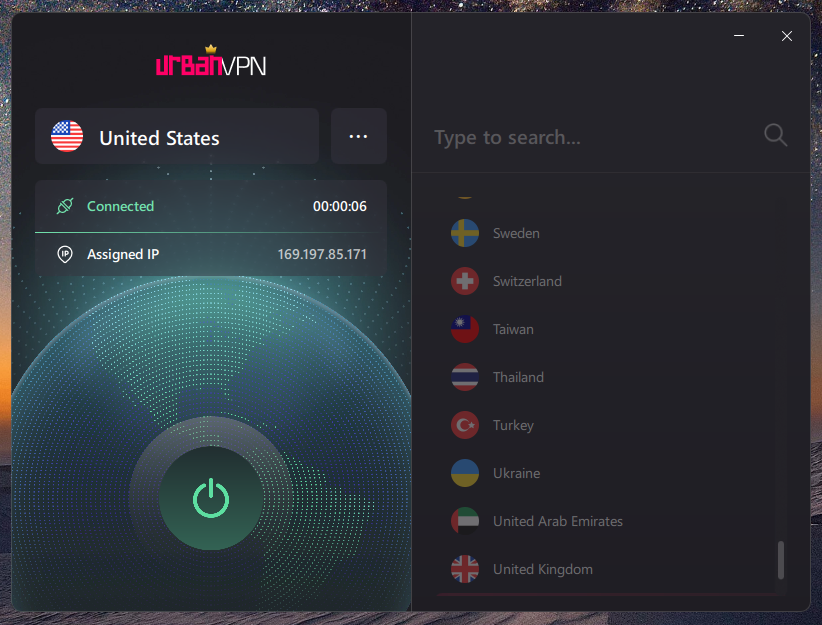
I couldn’t find any native apps for my smart TV or PlayStation, and there’s no straightforward router setup, so using Urban VPN beyond phones and computers is complicated. Coming from smoother experiences with top VPN services like NordVPN or Surfshark, Urban’s interface and device support felt more like a bare‑bones free tool than something I’d rely on every day.
Urban VPN pricing
Urban VPN markets itself as a free VPN, but its pricing story is more complicated than it first appears. For non‑commercial use, you can use Urban VPN for free on major browsers, with the browser extension and desktop apps giving you unlimited bandwidth on the free tier, while Android users get a free VPN connection capped at around 100MB per day, and iOS users only get access through a separate paid Premium subscription.
As with many free VPNs, your data is the real price here. This VPN can collect and monetize a large amount of personally identifiable information, including your browsing activity, device identifiers, and approximate location, and only the paid Premium option actually lets you opt out of that data collection and add your device to the wider P2P network.
| Plan duration | Monthly price | Total price | Money-back guarantee |
| Free plan | $0.00 | $0.00 | ❌ N/A |
| Monthly | $9.56 | $9.56 | ❌ N/A |
| 1 year | $3.33 | $39.99 | ❌ N/A |
| 2 years | $2.11 | $54.86 | ✅ 30 days |
Urban VPN effectively acts like a forever “free trial” on browsers and desktops. However, if you want full mobile access and some privacy controls, you need to pay and rely on the advertised refund window applicable to the 2-year plan only, rather than a traditional, no‑questions‑asked money‑back guarantee.
Free plan features
Urban VPN’s free plan looked generous on paper, but it was frustrating in practice. It gave me access to a list of locations, unlimited bandwidth on desktop, and quick browser extension setup, so I could jump online with one click. On good days, I managed basic browsing and a bit of YouTube in lower resolutions without too much trouble.
However, the problems piled up fast: frequent disconnects, slow and inconsistent speeds, and long “connecting” times made it unreliable for streaming, gaming, or video calls. I also had no meaningful control over security features, no kill switch, and almost no transparency about what was happening with my data. The biggest issue for me is that the free plan feels built more around harvesting information than protecting privacy, so even when it worked, I didn’t feel comfortable using it for anything important.
Is Urban VPN safe to use?
Urban VPN looks “safe enough” at first glance, but the deeper I dug, the more uneasy I felt about relying on it for security. It does secure your traffic with encryption, offers basic leak protection, and supports the OpenVPN protocol, which is a widely used industry standard. The company also claims full IPv6 support, so in theory, your data should stay protected even when you connect over newer IPv6 networks. On paper, that sounds similar to what you get with established VPN providers like NordVPN or Proton VPN.
Once I started looking closer, though, things started getting suspicious quickly. Urban VPN talks about using a “256‑bit encrypted protocol” and “top‑tier VPN encryption”. Yet, it never really tells you which cipher it uses or whether this is truly AES‑256, which most serious VPNs state upfront. I also couldn’t confirm whether any end‑to‑end encryption (E2EE) model is actually applied inside its own ecosystem, beyond a general glossary-style explanation. Add the lack of advanced tools you’d expect nowadays, such as a reliable kill switch, modern protocol choices like WireGuard, or independently audited no-logs policy claims. I personally don’t feel comfortable calling Urban VPN safe, especially for anything more sensitive than casual, low‑risk browsing.
IP and DNS leak test
To review Urban VPN fairly, I put the provider through a series of hands-on IP and DNS leak tests, and the results left me feeling more exposed than protected. Using standard tools like DNSLeakTest, I noticed that while my IPv4 address appeared to change on the surface, my true ISP-assigned DNS addresses frequently peeked through.
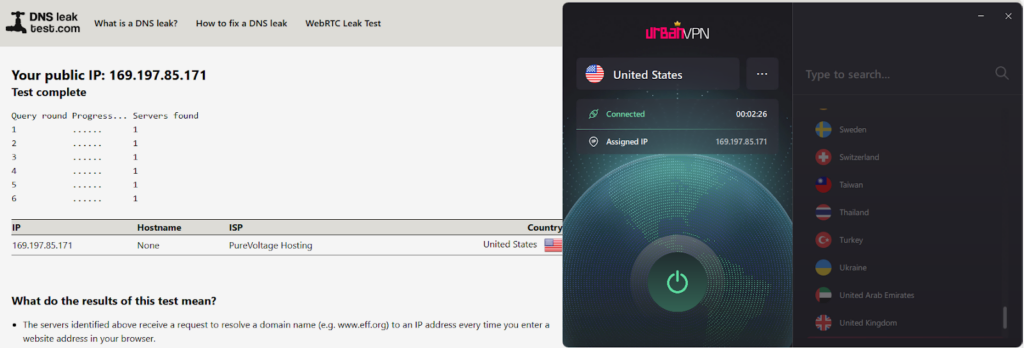
This effectively hands my browsing history back to my provider on a silver platter. The lack of a built-in kill switch is the real deal-breaker for me. The second the connection blipped, which happened often, my real IP address got immediately visible. Even with Urban VPN’s “leak protection” toggled on, the P2P nature of the network makes the connection feel “leaky” by design, as your traffic is bouncing through other users’ potentially compromised setups. For any task where I actually need to stay anonymous, I’ve found this service simply isn’t a reliable safety net.
Urban VPN privacy policy
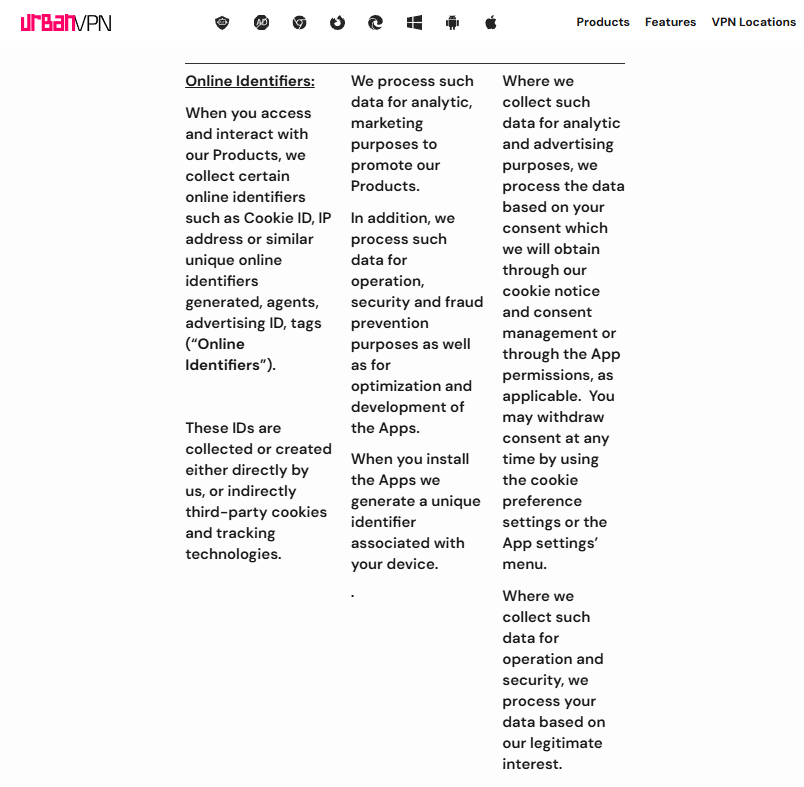
As far as my research and testing go, Urban VPN is not a privacy-friendly VPN, and I would not use it for anything sensitive. Contrary to the VPN’s marketed no-logs claims, Urban VPN clearly does keep logs, as evident from its privacy policy. It collects your IP address, device identifiers, approximate location data, and various technical details about how you use the service. It can also log browsing-related information and interactions with websites while the VPN is active, which goes against what I expect from a trustworthy VPN focused on anonymity.
On top of that, Urban VPN openly reserves the right to share or monetize user data with third parties, which completely undermines the idea of using a VPN to stay private online. As far as I could find, Urban VPN has never undergone an independent security or no-logs audit, unlike reputable providers such as NordVPN or Surfshark. This lack of third‑party verification is another big red flag and a key reason I don’t recommend it for privacy-conscious users.
Urban VPN features
Urban VPN comes with a handful of features, but my testing proved that most of them are very basic or awkward to use. The core is its OpenVPN support, a well-known protocol, and connections are usually established without errors. However, I didn’t see any way to tweak settings or switch to faster, modern options like WireGuard. The service also advertises extras like an ad blocker for its browser extensions, but in reality, this means installing a separate add-on and juggling two different tools.
It did manage to strip out some banner ads and pop-ups, but it missed plenty of in‑page ads and didn’t feel anywhere near as smooth as the built‑in blockers I used before. During everyday browsing, Urban VPN’s anti‑phishing protection in the browser didn’t do much beyond the occasional blocked site. Overall, the feature list looks nice on the website, but the real-world usage left me feeling like I was using a bare‑bones free proxy VPN with a few bolt‑on tools rather than a fully-featured VPN.
Urban VPN server locations list
Urban VPN doesn’t conclusively state how many servers it runs exactly, and I couldn’t find an exact number anywhere in the app. In practice, you mostly see a long list of locations rather than specific servers, which feels more like picking a country than choosing a precise endpoint.
It is easy enough to scroll and connect, but the lack of detail means you never really know how many servers sit behind each location. During my tests, I could usually find popular countries like the US, UK, Germany, and Canada without trouble. That said, some niche regions I wanted just weren’t available, or they failed to connect reliably.
| Region | Urban VPN servers |
| North America | United States, Canada, Mexico. |
| Europe | United Kingdom, Germany, France, Italy, Netherlands, Spain, Sweden, Austria, Belgium, Poland, Switzerland, Norway, Ireland, Greece. |
| Asia & Oceania | Japan, Singapore, India, Hong Kong, Australia, New Zealand, South Korea, Taiwan, Thailand, Vietnam, Philippines. |
| South America | Brazil, Argentina, Chile, Colombia, Peru, Uruguay, Venezuela. |
| Middle East | United Arab Emirates, Turkey, Israel, Saudi Arabia, Qatar, Jordan. |
| Africa | South Africa, Egypt, Algeria, Morocco, Nigeria, Kenya. |
| Central America | Panamá, Costa Rica, Guatemala, Honduras, Nicaragua, Puerto Rico. |
I didn’t see clearly labeled specialty servers (like streaming-optimized, double VPN, or obfuscated options) the way you do with premium providers. Everything is presented as a general-purpose location list, so if any servers are even optimized for specific tasks, the apps don’t make that obvious.
Is Urban VPN good for streaming?
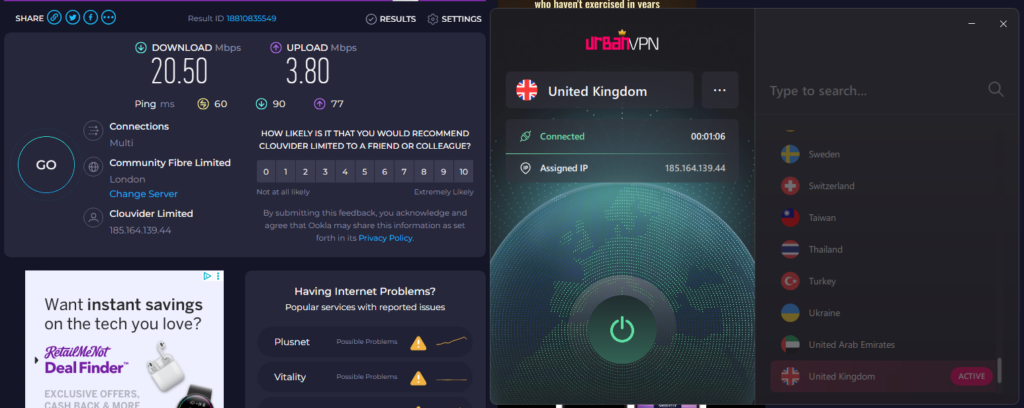
Urban VPN was one of the worst VPNs I’ve tried for streaming. As part of my testing, I sometimes managed to load smaller, less popular regional platforms and a few random live TV sites. Yet, popular services like Netflix, Hulu, Disney+, and Amazon Prime either detected the VPN or loaded so slowly that watching anything in HD was impossible.
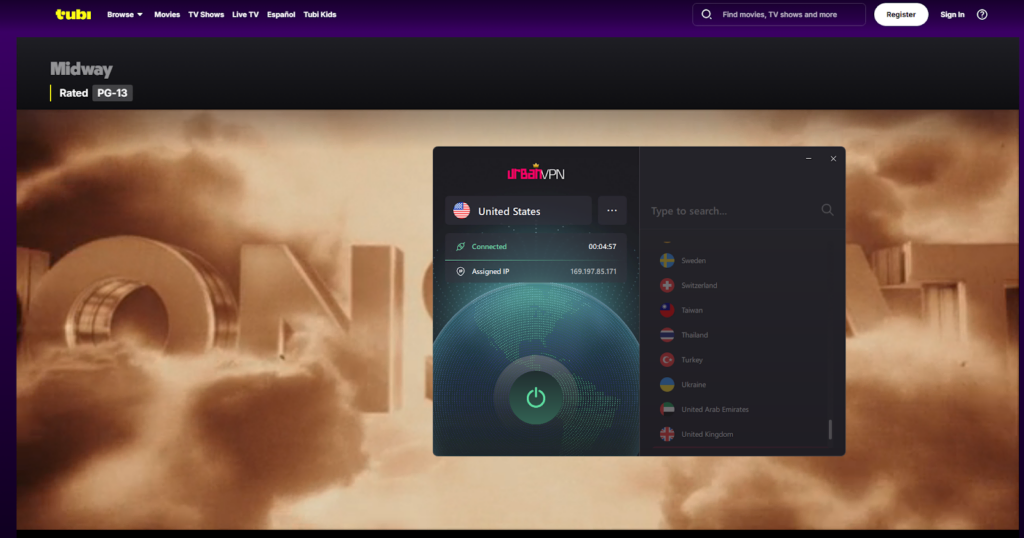
Streams that did start would quickly drop to low resolution or pause for long buffering, especially on long‑distance servers. Even when I connected to nearby locations, speed shifts were wild, so an episode might begin smoothly and then become unwatchable halfway through. Because I saw no clearly labeled streaming‑optimized servers and had to rely on trial and error, I spent more time reconnecting than actually watching. I would not recommend Urban proxy VPN for streaming at all. If unblocking major platforms and maintaining stable HD playback are important to you, this service just doesn’t deliver.
Is Urban VPN good for torrenting?
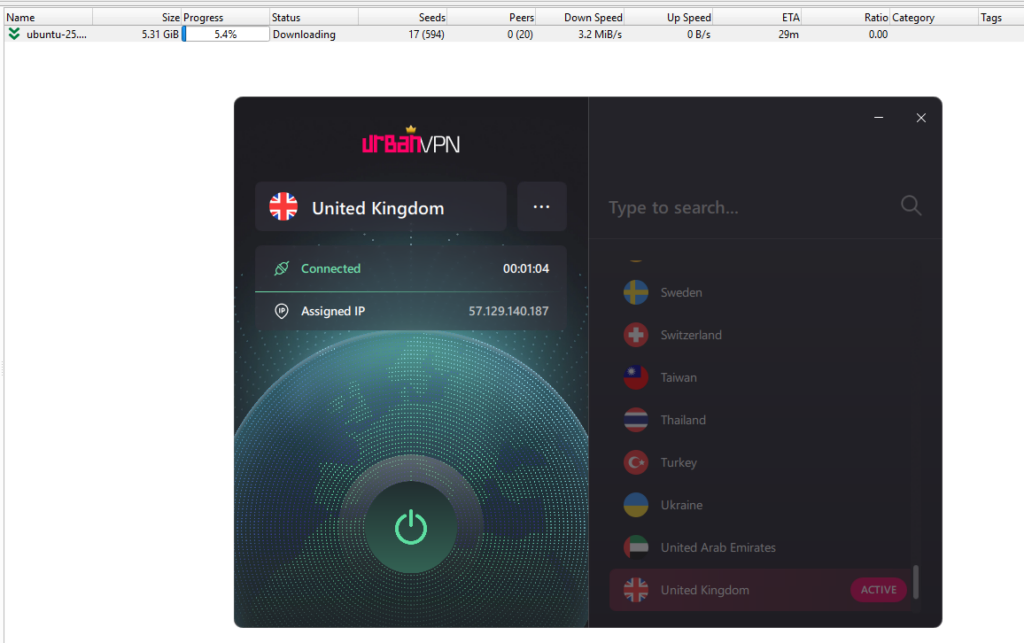
Urban VPN fell flat for torrenting during my two weeks of testing, and I wouldn’t touch it for P2P downloads. Technically, it allowed torrent clients to connect on most servers without immediately blocking ports. So, I managed a few small Linux ISO files from public trackers at modest speeds – nothing over 2-3 MB/s, even on nearest US servers. But the real headaches came next: constant disconnects mid-download, forcing me to restart files repeatedly, and speeds tanking to a crawl during peak hours – often dipping below 500 KB/s on distant locations.
The shared IP pool in its P2P model was the biggest letdown. Other users on the same endpoint could get flagged for abuse, putting my real IP at risk if something went wrong. No kill switch meant leaks during drops exposed my downloads entirely, and I saw no specialized torrent servers or bandwidth prioritization to smooth things out. Compared to how seamless NordVPN, Surfshark, or Proton VPN handle this, Urban proxy VPN seems risky and unreliable. Bottom line: skip it for free torrenting unless you’re fine with interruptions and potential legal risk from shared IPs.
Is Urban VPN good for gaming?
Urban VPN was a frustrating letdown for gaming in my hands-on tests, and I’d steer clear of this provider if low latency and stability matter to you. I fired it up for Valorant and Fortnite on nearby US and European servers, and while ping hovered around 50-70ms locally (decent enough for casual play), it spiked to 200ms+ on distant locations, making fast-paced gaming a laggy, unresponsive experience. Matches started fine, but random disconnects mid-game (twice in one evening) kicked me to the lobby, costing rounds and frustrating teammates.
The P2P nature meant connection quality varied massively, depending on who else was sharing the endpoint. Without dedicated gaming servers or low-ping optimization, I had to cycle through options manually. The lack of a kill switch potentially exposed my real IP during drops, which is a security nightmare in competitive play. Every-day browsing was choppy enough, but for gaming, where every millisecond counts, Urban VPN just couldn’t keep up. Buffering in multiplayer lobbies and stuttering during intense moments killed the fun. When it comes to gaming, I recommend sticking to premium VPN options that actually prioritize stable, low-latency performance.
Urban VPN compared to leading VPN alternatives
| Editor’s Pick | ||||
| VPN |  |  |  |  |
| Score | 9.3 | 9.0 | 8.9 | 3.0 |
| Logs | Zero logs | Zero logs | Zero logs | Zero logs |
| Price | $ 3.49 | $ 2.49 | $ 2.99 | $ 0.00 |
| Money-back guarantee | Money-back guarantee, 30 Days | Money-back guarantee, 30 Days | Money-back guarantee, 30 Days | None Offered |
| Servers | 9000+ | 3000-5000 | 10000+ | 500-1000 |
| Netflix | ||||
| Visit NordVPN | Visit Surfshark | Visit Proton VPN | Visit Urban VPN |
Final verdict: I do not recommend it
After two weeks of thorough testing across devices, speeds, streaming, torrenting, and gaming, my final verdict on Urban VPN is simple: don’t use it. It’s free, sure, but the trade-offs are bad – unstable connections that drop mid-use, speeds too inconsistent for anything beyond basic browsing, and a lack of essential features like a kill switch or audited no-logs privacy. Security feels half-baked with vague encryption details, and the logging practices plus shared IP risks make it a cybersecurity fail. I struggled to unblock Netflix or maintain stable torrents, and gaming ping spikes ruined sessions. Even the simple interface couldn’t save it from overall underperformance.
For casual, no-stakes use – maybe. But if you value reliability, speed, or actual protection, pick a trusted paid option like NordVPN, Surfshark, or Proton VPN instead. Urban VPN promises a lot as a freebie, but it underdelivers where it counts most. I won’t be using it again.
FAQ
Yes, Urban VPN offers a completely free plan. Browser extensions and desktop apps provide unlimited bandwidth at no cost, while Android has a 100MB daily limit, and iOS requires a Premium subscription. From my testing, the “free” comes with major catches like data collection and poor performance. It’s always best to go for Proton VPN’s free version if you’ve decided you want a no-cost VPN that’s reliable. That said, I recommend upgrading to Proton VPN’s paid plan or choosing NordVPN for the best overall performance out there.
On the surface, Urban VPN is a legit service that functions as a basic VPN, but it’s not trustworthy for privacy or security. My two weeks of hands-on use revealed weak encryption details, no independent audits, extensive logging of IPs and browsing data, and shared IP risks that could expose you legally. I’d call it legit but risky – better options exist, like Proton VPN free plan.
Urban VPN is owned by Urban Cyber Security Inc., a US-based company also linked to data broker BiScience. They’re upfront about their global team of experts in IT and security, but the US jurisdiction (part of the Five Eyes alliance) and data monetization practices raise red flags for privacy-focused users.
No, Urban VPN consistently failed to unblock Netflix in my tests across the US and other servers. It either got detected immediately or buffered endlessly at low speeds, making streaming impossible. For reliable Netflix access, you’d need a premium VPN like NordVPN or Surfshark with optimized streaming servers.
Hi!
I live in Australia and have used Urban VPN for about 9 months now. Until recently it has worked reasonably well. I use it only to stream sport programs on Swedish TV since they are normally not available to view outside of Sweden.
About a week ago it suddenly started buffering. I could watch about 10 seconds and it starts buffering for 10-20 seconds. And so it goes, back and forth.
I have tried to pause for a longer time and it gives me about 2 min viewing before it starts buffering again. Drives me crazy!
I also have tried to uninstall and then reinstall the VPN but it made no difference.
How can this happen and what am I supposed to do to fix this? Any idea?
Regards Peter
Hi Peter!
That sounds like a very unpleasant streaming experience. Usually, I'd refer you to the customer service of the VPN, so they can help you out, but unfortunately Urban VPN's customer support is non-existent. On top of that, we personally wouldn't recommend Urban VPN because they sell your data to other parties, which is bad for your online privacy.
If you can't get the bug fixed by reconnecting and trying out different servers, it might be best to switch providers. We've got a list of the best free VPNs. Of those, TunnelBear offers servers in Sweden. However, TunnelBear's free version does allow only a limited amount of data per month, which might not be ideal for streaming. You can try it out to see if you like it, but if you want the full experience, it might be worth looking into a premium VPN for your Swedish TV watching. We'd recommend a relatively cheap option, like Surfshark.
We hope this helps!
I recently accepted the 7 day free trial. Apparently they now do charge a fee. I logged in and used the service for a few days. Now I want to cancel the subscription but cannot log in to do so because they say my e-mail address does not exist. I guess that's one way to keep customers.
How unfortunate that this happened! Are you sure it's Urban VPN's official service you downloaded? That service is completely for free, and there is no place to create an account of fill in your banking details, so it would be impossible for Urban VPN to charge you. We would recommend you checking out the fee you were charged and finding out exactly who it came from and for what reason.
Hi, just activate it again from Saudi Arabia, via South Africa and was working. Now suddenly not working!!!!
Hi Jaco,
Have you tried disconnecting and then reconnecting again? We tried it out just now, and although it took a while for the connection to be established, it did work for us. Seeing as you're in Saudi Arabia, however, we would definitely recommend going for a more trustworthy and secure VPN. If you're able to get a subscription, we'd recommend CyberGhost. They have a relatively cheap service while also offering servers close to Saudi Arabia. You can read more about the best VPNs for Saudi Arabia here. If you'd rather stay in the realm of free services, one of these free VPNs might be able to help you out. We hope this helps!
Thanks for the reply. Cyber Ghost is block to download/install!. Is there away around it?
It might actually help to download and install CyberGhost while you have Urban VPN running (if you can get it to work). We do advise you to also check your local laws on VPN use. It could be that there are regulations in place to stop you from using a VPN, which might be why you're running into this block. Most of all, we want you to stay safe!
Hi, in the About page of their website, they say "Urban VPN is powered by the Urban VPN's community. All our users help each other unblock the internet, by sharing their network resources."
What do they mean by "by sharing their network ressources"? I share my IP address with other folks that can use it to do silly things?
Yes, exactly. Unfortunately, it very much sounds like Urban VPN's system is built around using your IP for other users, in exchange for giving another user's IP to you. This is not secure and can even be dangerous if, as you put it, other people do silly things using your IP address. On top of that, in our tests, our IP address didn't even change when connected with Urban VPN, so we weren't anonymous at all. We'd strongly suggest you use a more reliable VPN provider with a free option, like Proton or Privado, instead!
Hi there, since yesterday Switzerland isn't available to connect to. It's gone on my country-list.
How can i go on to get this country again? Thanks for your help.
Hi Eddie! Switzerland is still a working server location at Urban VPN, so it should appear in your country list without any issues. If this problem still occurs after a quick restart, we suggest you contact Urban VPN's customer support so they can help solve this glitch for you. Good luck!
I am unable to connect to United Kingdom server. Please troubleshoot this issue.
Regards
C.S
Hi C.S! We're sorry to hear you're experiencing these issues. We're not from Urban VPN ourselves, so we unfortunately can't help you with troubleshooting. Since Urban VPN doesn't currently have customer service, I expect it'll be hard to reach them. The only thing we can advise, is reconnecting to the server a couple of times and perhaps restarting your app. If that doesn't solve the problem, you might want to try one of these services to get a better, working UK IP address.