- Our recommended Peacock VPNs in 2026
- Peacock US roaming rules
- How to watch Peacock outside the US with a VPN
- The best VPNs for Peacock: detailed review
- Compare Peacock VPNs
- Is there a free VPN for Peacock TV?
- How to watch Peacock with a VPN
- How to watch Peacock in Europe
- How to watch Peacock in the UK
- How to pay for Peacock TV outside the US
- Peacock not working with a VPN: how to fix it
- What to watch on Peacock?
- Final tips for using Peacock with a VPN
- FAQ
Peacock is available to stream only within the United States. To watch Peacock outside the US, you will need to use a VPN with US servers, excellent geo-bypassing capabilities, and fast connection speeds. Based on my research, NordVPN is the best VPN for Peacock TV, with over 2400 fast servers in the US.
🏷️Limited offer: NordVPN, now 78% off🏷️
Peacock TV is available to stream only in the United States and to Sky and NOW subscribers in the UK, Germany, Austria, Switzerland, Italy, and Ireland. In addition to hundreds of movies, Peacock TV originals, and TV series, Peacock also offers live-streamed sports, including the Winter Olympics and Premier League soccer.
To watch Peacock outside the US, you’ll need a VPN that offers US IP addresses and can consistently bypass the platform’s VPN detection. However, not all VPNs will work for accessing Peacock from abroad, as the platform enforces robust VPN blocks. To find the best working VPNs, I tested 18 services. My research concluded that NordVPN, Surfshark, Proton VPN, IPVanish, and Norton are the best VPNs for Peacock for efficiently bypassing blocks, remaining undetected, and providing smooth streaming. Continue reading to learn my top tips on streaming Peacock TV outside the US with a VPN.

Our recommended Peacock VPNs in 2026
Based on our tests, the cheapest NordVPN plan (Basic) worked best for streaming Peacock TV outside the US. It has over 2400 servers in the US, which are all fast and reliable. The plan comes with a 3-day free trial, so you can try it without committing.
Peacock US roaming rules
Due to distribution rights and copyright laws, Peacock is accessible only in the US (and some of its territories) and Sky and Sky NOW subscribers in the UK, Ireland, Germany, Austria, Switzerland, and Italy. If you try to access the platform outside the US, Peacock will display a message stating, “It looks like you don’t meet the US roaming rules,” and will not allow you to stream its content.
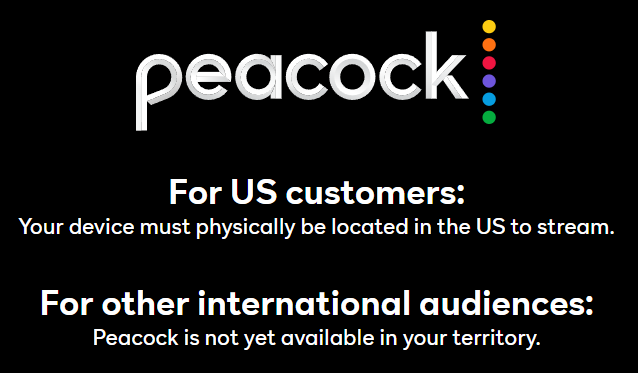
If you want to stream Peacock outside the US, using a VPN is the only reliable solution to bypass the geo-restrictions. With a VPN, you can mask your real location and appear to be accessing Peacock from within the US. This will allow you to access the platform as if you were a local.
However, not all VPNs can bypass Peacock’s VPN detection methods and unlock the platform from abroad. To help you choose a VPN for Peacock, we researched and tested various providers, their streaming capabilities, and speeds. Continue reading to find my top VPNs for accessing Peacock TV outside the US.
How to watch Peacock outside the US with a VPN
1. Subscribe to a reliable streaming VPN with US servers. I recommend NordVPN, now 78% off.
2. Download and install the VPN app on your device.
3. Launch the VPN and connect to a server in the US, such as New York or Los Angeles.
4. Head to Peacock, log in or create an account, and start streaming outside the US!
The best VPNs for Peacock: detailed review
To find the best VPNs for streaming Peacock outside the US, I tested 18 services. I focused the most on features like high-speed servers in the US, their state and city-level locations, geo-unblocking capabilities, streaming compatibility, and whether they managed to stay undetected by Peacock. Additionally, I evaluated the security and privacy features offered by the company and the price-to-performance ratio.
Based on the tests, NordVPN is the overall best VPN for Peacock, the second best is Surfshark with servers in 22 US cities, and Proton VPN takes third place for its free version with US servers. Read on to find out more about all the top 5 VPNs for Peacock:
When looking for the best VPNs that work with Peacock, I put 18 services through rigorous testing and reviewing. My main points of interest were the ability to unblock Peacock, server fleet distribution in Peacock countries, connection speeds, privacy, security, and a good price-to-feature ratio. You can find a more detailed description of my testing below:
- Ability to unblock Peacock (30%). To find out how well the VPNs dealt with unblocking Peacock from outside the US, I first connected to a server in the US and then tried to access the platform. The test yielded results immediately, and I could easily figure out which VPNs unblocked Peacock the quickest.
- Servers in Peacock allowed countries (30%). A VPN needs to have a lot of high-quality servers in the US if you want to use it to access Peacock from abroad. This was an easy part to verify, plus I tested the US servers’ reliability by connecting to them at different times of day.
- Speed (20%). I performed my speed tests using the SpeedTest by Ookla tool and chose only the VPNs with a speed retention rate of no lower than 85%. Such speeds guarantee you’ll be able to stream movies and series on Peacock in high quality without lagging or buffering.
- Privacy & security (10%). Even though VPNs are used to access Peacock from abroad, they still have to ensure your privacy and security while being used. So, I checked that all my chosen VPNs offer robust encryption, secure tunnelling protocols, kill switch functionality, and advanced security features like obfuscation to bypass Peacock’s detection.
- VPN price (10%). A good price-to-feature ratio was more important than simply cheap subscriptions. So, I evaluated the ratio by testing performance, checking additional features, and then comparing them with the price. Ultimately, I chose the services that offer the most or the best quality service for your money.

Top 1. NordVPN – best VPN for watching Peacock TV outside the US
Rating: 9.3 ⭐⭐⭐⭐⭐
US servers: 2,400+ servers in 31 US cities
Current deal: Get 78% off!
NordVPN is the best VPN to watch Peacock outside the US because it offers consistently high connection speeds for smooth streaming, excellent geo-unblocking capabilities, and an easy bypass of Peacock’s VPN detection methods. During my testing, this Peacock VPN showed no IP or DNS leaks, meaning my real IP address and location were well hidden.
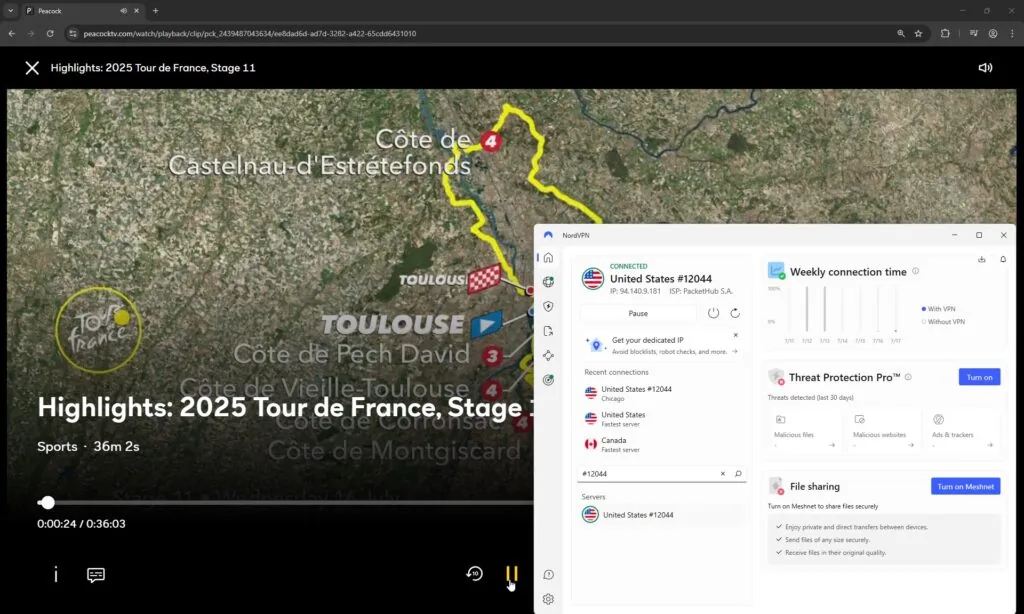
NordVPN has 2,400+ servers in 31 US cities, as well as thousands in the UK, Germany, and Switzerland, where Peacock is also available. Using the servers, I easily unblocked Peacock from outside the US. I enjoyed a smooth streaming experience thanks to NordVPN’s connection speeds of 763Mbps and a 90% initial speed retention rate.
Besides the convenient servers, NordVPN ticks all the boxes required of a truly streaming-friendly VPN. For instance, it offers obfuscated servers and a stealth mode called NordWhisper to bypass any VPN detection methods. It also has Split Tunneling to distribute your network connection as you wish, and there’s even a Smart DNS for devices that do not support VPN apps. Not to mention, it is highly compatible with all smart devices, gaming consoles, Smart TVs, and routers.
NordVPN is my top recommendation for a Peacock VPN, and its subscription is priced at $ 3.49/month, plus one subscription covers up to 10 connections. You can test out the service during the 3-day free trial available via the Google Play Store or purchase it risk-free immediately with the 30-day money-back guarantee.
Things I liked:
- Thousands of servers in Peacock-legal countries
- Fastest connection speeds for smooth streaming
- Excellent at bypassing geo-blocks and VPN detection
Things I didn’t like:
- Short 3-day free trial
Top 2. Surfshark – most affordable Peacock VPN
Rating: 9.0 ⭐⭐⭐⭐⭐
US servers: 600+ servers in 24 US cities
Current deal: Get 85% off!
Surfshark is a budget VPN for Peacock TV. It has over 600 servers in 24 US cities that effectively bypass Peacock’s geo-restrictions. Additionally, Surfshark has intuitive, beginner-friendly apps for every device, which include features such as a Smart DNS and Camouflage mode obfuscation.
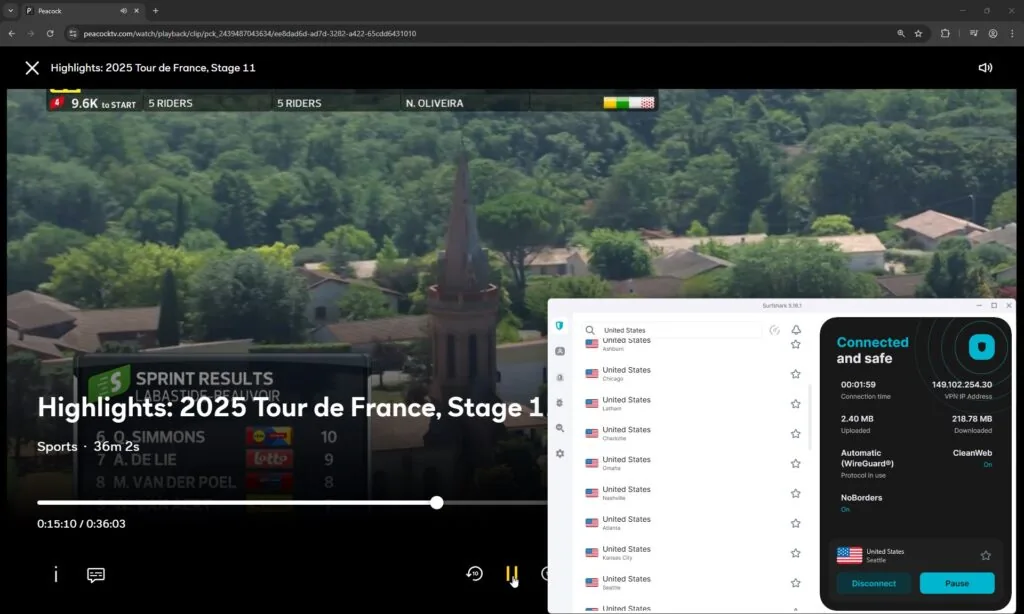
Surfshark has over 600 US servers across 24 states. During my tests, I used Surfshark’s servers in New York, Los Angeles, and Phoenix and accessed Peacock without issues. Additionally, I appreciated the smooth streaming experience, thanks to an average speed of 756 Mbps and an 89% initial speed retention rate. Surfshark also has servers in other Peacock locations, such as Italy, Germany, and Austria.
As for streaming-specific features, Surfshark has streaming-optimized servers in almost all Peacock locations, most in the US. Besides the Smart DNS and Camouflage mode, Surfshark also has Split Tunneling and robust anti-IP & DNS leak measures, perfect for bypassing geo-blocks and VPN detection.
Surfshark is the most affordable way to watch Peacock TV outside the US, with subscriptions starting at only $ 2.49/month and includes a 7-day free trial. Even if you subscribe right away, you’re still covered by a 30-day money-back guarantee – so you can try it completely risk-free.
Things I like:
- Streaming-optimized servers in Peacock locations
- Fast connection speeds for lag-free streaming
- Great at bypassing geo-blocks
Things I didn’t like:
- Some features cost extra
Top 3. Proton VPN – privacy-focused VPN for Peacock with free version
Rating: 8.9 ⭐⭐⭐⭐⭐
US servers: 5,107+ servers in 19 US cities
Current deal: Get 70% off!
Proton VPN is a great VPN to watch Peacock outside the US for anyone primarily concerned about their privacy, but also looking for a reliable and capable Peacock VPN. Thanks to its fast server speeds, excellent streaming capabilities, and strong privacy, it is one of my top choices. Proton VPN operates a massive server fleet, with 5,107+ servers in 19 US cities, as well as in all Peacock countries, such as the US, UK, Italy, Germany, and Switzerland, plus it’s great at bypassing VPN detection methods.
Proton VPN is also the best free VPN for Peacock, offering unlimited data and secure US servers. However, the free version has significantly slower speeds than the paid Proton VPN version and is less capable of bypassing geo-blocks due to a smaller set of advanced features.
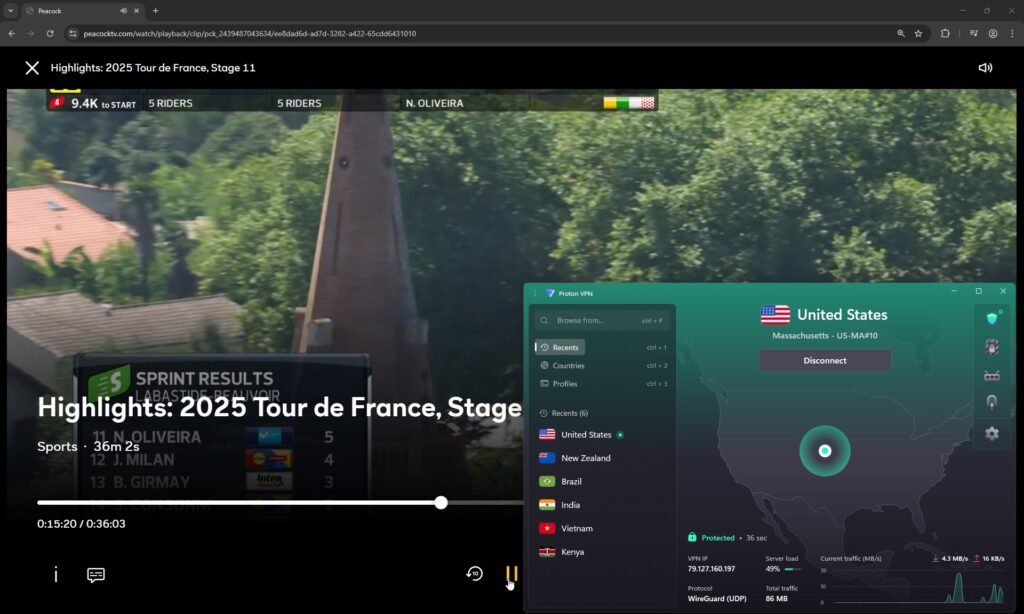
I performed Proton VPN speed tests using WireGuard tunneling protocol, as it is the fastest available. I got an average connection speed of 428Mbps with an 88% initial speed retention rate. Because of that, I’d personally use Proton VPN for streaming Peacock if the initial connection is quite strong and fast, as with slower connections, there may be some buffering. Alternatively, you can use Proton VPN’s VPN Accelerator feature, which can boost faraway connection speeds.
As for streaming-specific features, Proton VPN offers Smart DNS and streaming-optimized servers. For untraceability and Peacock VPN detection bypass – Stealth protocol, Secure Core servers, obfuscation, and Split Tunneling to use VPN connection only with selected apps.
If you want a free VPN for Peacock TV, then Proton VPN is your best choice. However, keep in mind that it is not very fast and may not bypass Peacock’s geo-restrictions on the first attempt. If you want a truly reliable Peacock VPN, choose the premium Proton VPN subscription for $ 2.99/month. If you decide to purchase the premium version, you can use it risk-free for 30 days thanks to the money-back guarantee.
Things I like:
- Strong features to avoid detection
- Offers 5,107 servers in the US to access Peacock
- Privacy-first VPN
Things I didn’t like:
- Slightly slower connection speeds
- A bit more expensive
Top 4. IPVanish – reliable VPN for Peacock TV in Europe
Rating: 8.5 ⭐⭐⭐⭐
US servers: 1,031 servers in 19 US cities
Current deal: Get 85% off!
IPVanish is a beginner-friendly VPN that works with Peacock. The service offers high-quality servers in Peacock countries, including 1,031 servers in 19 US cities and the UK, plus it works well at bypassing VPN detection methods.
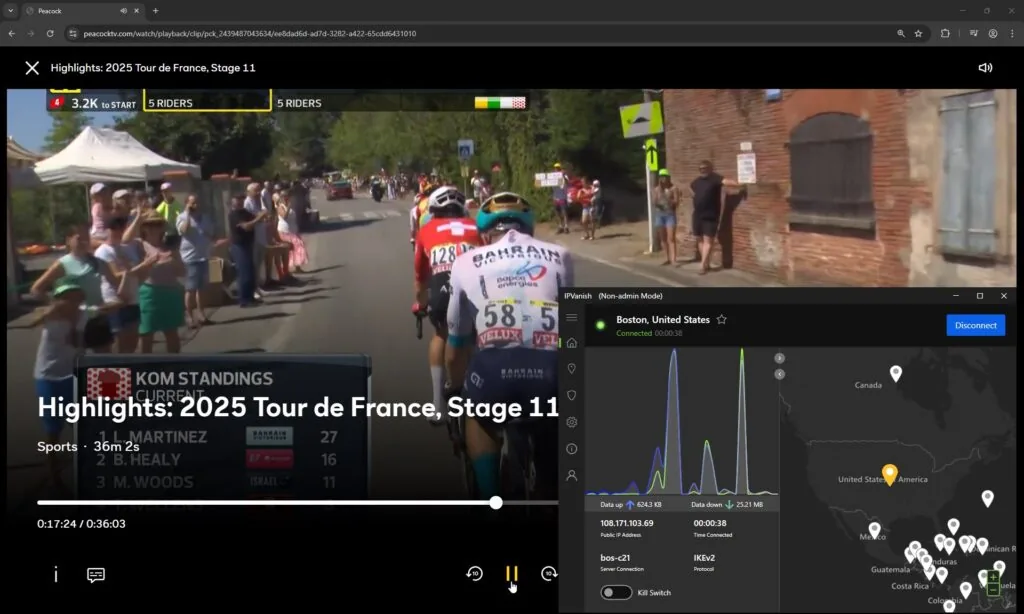
IPVanish does not offer as many advanced features as my top three Peacock VPNs, but it still has OpenVPN Scramble, which you can use for obfuscation, Split Tunneling to route your VPN connection for selected apps, and a kill switch to prevent IP slips. However, I got a very decent average connection speed during my tests, 728Mbps with an 80% initial speed retention rate. I managed to get into the platform and stream quite comfortably with the streaming-optimized servers, but it did require switching the servers several times before I got in.
The price of IPVanish VPN is just $ 2.19/month, making it a budget-friendly Peacock VPN option without compromising features. For 1 and 2-year plans, there’s a 30-day money-back guarantee, and you can get a 7-day free trial for 1-year plans on iOS and Android. I really liked the fact that IPVanish offers unlimited simultaneous connections and is compatible with mobile and desktop devices.
Things I like:
- Fast connection speeds for smooth streaming
- User-friendly apps
- Streaming-optimized servers in Peacock countries
Things I didn’t like:
- Slightly slower than the top 3 Peacock VPNs
- Not many advanced features
Top 5. Norton VPN – a high-speed VPN that works with Peacock
Rating: 7.0 ⭐⭐⭐⭐
US servers: Undisclosed number of servers in 25 US cities
Current deal: Get 54% off!
Norton VPN is a reliable Peacock TV VPN with consistently high-speed connections and good geo-unblocking performance. Additionally, Norton VPN has servers in 25 US cities, making it easy to watch Peacock outside the US.
Out of all the Norton VPN features, I liked the Mimic protocol, which helps bypass geo-blocks and VPN detection methods. I also appreciated the high connection speeds, which averaged at 746Mbps with a 79% initial speed retention rate during my tests. With such speeds and the streaming-optimized servers, I had no problem accessing Peacock and streaming in full HD. However, Norton VPN isn’t as feature-rich as my top VPNs. For instance, it lacks multi-hop, ad & tracker blocker, and server-level customization that you can find with NordVPN and Surfshark. And while it works great with Peacock, it also isn’t cheap with subscriptions starting at $ 3.33/month.
If you decide to pick Norton VPN as your Peacock TV VPN, your subscription will be protected by a very generous 60-day money-back guarantee. However, it typically only offers 5 simultaneous connections with one subscription, so remember that if you were planning to use it on all household devices.
Things I like:
- Consistent connection speeds
- Servers in 25 US cities
- Good at unblocking Peacock TV
Things I didn’t like:
- Lacks advanced features
- Expensive subscriptions
- Only up to 5 simultaneous connections
Compare Peacock VPNs
| VPN for Peacock TV VPN | RVPN rating | Works with Peacock TV? | Servers in the US | Speed | Price | Money-bBack guarantee |
| 1. NordVPN | 9.3 ⭐⭐⭐⭐⭐ | ✅ Yes | 2,400+ servers in 31 US cities | 763Mbps | $ 3.49/month with the 2-year subscription | ✅ Yes, 30 days |
| 2. Surfshark | 9.0 ⭐⭐⭐⭐⭐ | ✅ Yes | 600+ servers in 24 US cities | 756465Mbps | $ 2.49/month with the 2-year subscription | ✅ Yes, 30 days |
| 3. Proton VPN | 8.9 ⭐⭐⭐⭐⭐ | ✅ Yes | 5,107 servers in 19 US cities | 737Mbps | $ 2.99/month with the 2-year subscription | ✅ Yes, 30 days |
| 4. IPVanish | 8.5 ⭐⭐⭐⭐ | ✅ Yes | 1,020 servers in 19 US cities | 728Mbps | $ 2.19/month with the 2-year subscription | ✅ Yes, 30 days |
| 5. Norton VPN | 7.0 ⭐⭐⭐⭐ | ✅ Yes | Undisclosed number of servers in 25 US cities | 746Mbps | $ 3.33/month with the 2-year subscription | ✅ Yes, 60 days |
Is there a free VPN for Peacock TV?
Based on our tests, Proton VPN is the best free VPN for Peacock TV. The service comes with unlimited data and bandwidth, has servers in the US, and is truly secure. However, the servers available in the free Proton VPN version are much slower than those in the paid version and are not as effective at bypassing Peacock’s geo-restrictions.
If you manage to find another free VPN that works with Peacock, remember that you should expect some significant trade-offs with unpaid services:
- ❗Limited server selection. Don’t expect to have as big a choice as with paid plans. Sometimes, free VPNs only have 2-3 locations and up to several hundred servers.
- ❗Slower speeds. No free VPNs, including the Proton VPN free version, offer such fast speeds as premium VPNs. This can be very frustrating if you’re trying to play games or stream.
- ❗Only one device per connection. This means you will have to switch devices manually if needed.
Instead of relying on a free VPN for Peacock, choose NordVPN and Surfshark, which let you test their services for 30 days with a full money-back guarantee. These VPNs guarantee smooth access to Peacock from outside the US, thanks to their many US servers and proven ability to unblock Peacock from anywhere.
How to watch Peacock with a VPN
Peacock is geo-locked and is primarily available in the US and some of its territories. To watch Peacock outside the US, you will need to use a VPN to change your IP address and make it appear as if you’re accessing the service from inside the US. Here’s a detailed breakdown on how to use a VPN to access Peacock from anywhere:
Step 1. Download a VPN that works with Peacock
Not all VPNs can unblock Peacock. To access the platform, you will need a VPN with a wide choice of US servers, obfuscation, and a good field record for bypassing Peacock TV VPN detection methods. After extensive testing, I found that NordVPN is the best VPN for Peacock TV in 2026, thanks to 2,400+ secure servers in the US, the fastest connection speeds, and a guaranteed geo-block bypass.
Black Friday offer! Get 78% OFF NordVPN + 3 months free
Step 2. Connect to a US server
Currently, Peacock is available to stream within the United States and its territories, including American Samoa, Guam, Northern Mariana Islands, Puerto Rico, and the US Virgin Islands.
Because Peacock is a US-based service, you will need to connect to a VPN server in the US. This way, your virtual location will be changed, and you’ll be able to unblock Peacock outside the US.
I had the best experience at unblocking Peacock from outside the US while using NordVPN. I liked that the service has a wide US server choice – 2,400 in 31 US cities – which made it very easy for me to change my virtual location and bypass Peacock’s geo-restrictions. Additionally, NordVPN offers the fastest connection speeds, which means I can live-stream sports or watch movies in full HD. If you’re not in the US and want to access Peacock TV, here are your options regarding countries and access:
| Country | Peacock TV access |
|---|---|
| United States | ✅ Fully available. Use a VPN to access when traveling abroad |
| United Kingdom | ⚠️ Available via Sky/NOW. Use a VPN to access the full US library |
| Germany | ⚠️ Available via Sky/NOW. Use a VPN to access the full US library |
| Italy | ⚠️ Available via Sky/NOW. Use a VPN to access the full US library |
| Switzerland | ⚠️ Available via Sky/NOW. Use a VPN to access the full US library |
| Austria | ⚠️ Available via Sky/NOW. Use a VPN to access the full US library |
| Ireland | ⚠️ Available via Sky/NOW. Use a VPN to access the full US library |
| Canada | ❌ Not available. Use a VPN to access Peacock TV in Canada |
| Australia | ❌ Not available. Use a VPN to access Peacock TV in Australia |
| Mexico | ❌ Not available. Use a VPN to access Peacock TV in Mexico |
| South Africa | ❌ Not available. Use a VPN to access Peacock TV in South Africa |
| India | ❌ Not available. Use a VPN to access Peacock TV in India |
| Japan | ❌ Not available. Use a VPN to access Peacock TV in Japan |
Step 3. Visit peacocktv.com, sign in, and start streaming
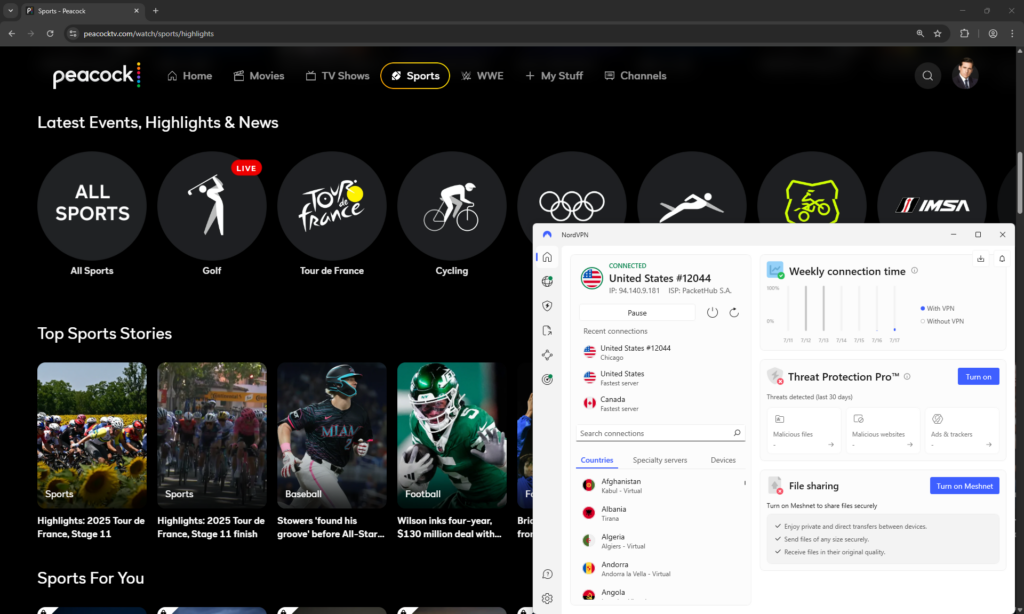
With your VPN connected, head to peacocktv.com and sign in. Now, you should be able to stream your favorite movies and shows on the platform without restrictions or interruptions.
How to watch Peacock in Europe
Europeans can access Peacock through a Sky TV package or a NOW membership in the UK, Ireland, Austria, Switzerland, Germany, and Italy. However, Americans traveling abroad will not be able to stream Peacock internationally without a US IP address.
1. Choose a reliable Peacock VPN. I recommend NordVPN, now 78% off, as it offers 2,400+ servers in 31 US cities.
2. Download the VPN app and install it on your device.
3. Connect to a server in the US, such as in New York or Denver.
4. Head to Peacock, log in, and watch in Europe without restrictions.
How to watch Peacock in the UK
Peacock is available in the UK via Sky and NOW memberships; however, you won’t be able to access the full US Peacock platform, as Sky and NOW don’t offer the full library in the UK.
1. Select a streaming VPN with US servers. My top choice is NordVPN, now 78% off.
2. Download and install the VPN app.
3. Connect to a server in the US; for instance, in Los Angeles or Miami.
4. Head to Peacock, sign in or subscribe, and start streaming in the UK.
How to pay for Peacock TV outside the US
You do not need a US payment method to subscribe to Peacock from abroad. Using a credit card is enough, and it will activate your subscription. Here’s a detailed guide on how to subscribe to Peacock from outside the US:
- Get a reliable VPN that works with Peacock, like NordVPN.
- Connect to a server in the US.
- Head to the Peacock sign-up site.
- Select the “Premium” plan, as it’s the cheapest option
- Enter your details: email, password, and Alaska ZIP code (99501) for the lowest price.
- Once you’re in the payment screen, enter your credit card details, select Alaska as your state, and use the same ZIP code (99501).
- Click “Subscribe” and complete the purchase.
If you’d prefer not to use your credit card, you can use a virtual card, such as the StatesCard, instead. I tested and can verify that this payment method works just as fine for subscribing to Peacock from abroad, but does require a bit more steps than with a regular credit card.
Peacock not working with a VPN: how to fix it
The most common reasons your VPN is not working with Peacock are congested servers, IP or DNS leaks, browser cookies giving away your location, or your VPN is unsuitable for Peacock. Below, you’ll find my tips on how to solve these issues and get Peacock working with a VPN in no time:
- Try a different VPN server. The simplest way to fix Peacock VPN issues is to switch to another server in the same location.
- Check for IP/DNS leaks. Some VPNs might leak your IP/DNS information. You can check if that’s the issue using the ipleak.net tool. If it discovers a leak, you can try a different tunnelling protocol to see if that solves the problem. Alternatively, try using a top-tier premium VPN, as they are less prone to leaks.
- Clear browser cookies and cache. If you’ve neglected to clear your browser cookies and cache for a while, the stored data might be exposing your real IP address even through a VPN connection. Clear the data, reconnect to a VPN, and try reaccessing Peacock.
- Restart your device. If you’ve recently updated your VPN, you may need to restart your device for it to function properly.
- Use a streaming-optimised VPN. Not all VPNs are suitable for streaming, so look for a service with specialty servers, fast connection speeds, and robust geo-block bypassing capabilities. NordVPN and Surfshark are both highly compatible with streaming.
Contact your VPN customer support. If the steps above fail to help you, contact your VPN provider’s customer support. The support will help you solve the issues and recommend the best servers you can use.
What to watch on Peacock?
Peacock is a universal streaming platform with a library full of on-demand movies, popular TV series, live sports, and reality shows. Peacock has it all – from series to binge-watch to live sports events; there’s something for everyone. A robust Peacock TV VPN allows you to access the full library outside the US.
Here’s a snippet of some of the most popular content you can currently find on Peacock:
| Category | Titles / Events |
|---|---|
| Popular Live Events on Peacock TV | Premier League soccer matches Six Nations rugby Sunday Night Football (NFL) U.S. Open (Golf & Tennis) Summer & Winter Olympics coverage |
| Must-Watch Movies on Peacock TV | Wicked Dazed and Confused The Big Lebowski Night of the Living Dead Oppenheimer |
| Hit TV Series Available on Peacock | This Is Us Modern Family Yellowstone Poker Face The Office (U.S.) |
| Popular Reality Shows on Peacock TV | Love Island USA Keeping Up with the Kardashians The Real Housewives (multiple franchises) Below Deck Top Chef |
Final tips for using Peacock with a VPN
Peacock is a US-based streaming platform that offers hundreds of on-demand movies, TV series, Peacock originals, and live sports events, such as the Winter Olympics and Premier League soccer. Unfortunately, you cannot access the Peacock platform if you’re outside the US.
Luckily, to watch Peacock outside the US, you can use a streaming-optimised VPN. With a VPN, you can change your virtual location to the US and access Peacock as if you were actually located there. The best VPN for Peacock is NordVPN. The service easily bypasses Peacock’s geo-restrictions, delivers a smooth streaming experience with the fastest connection speeds, and keeps you undetected no matter what.
You may also like to read:
- Best VPN for Kodi
- Best VPN for Roku
- Best VPN for MLB.TV
- Best VPNs for IPTV
- Best VPNs for Magis TV
- Best Netflix VPNs
- How to watch The Traitors UK
- How to watch Love Island: All Stars for free
FAQ
Peacock’s main streaming platform is officially available only in the US and some of its territories. If you try to access it from outside the US, you’ll be blocked from watching due to geographic restrictions. To watch Peacock outside the US, use a VPN, such as NordVPN, to change your virtual location and access it as if you were in the US.
Peacock is currently available to stream within the United States and some of its territories, including American Samoa, Guam, Northern Mariana Islands, Puerto Rico, and the US Virgin Islands. If you’re currently outside these regions, you can use a VPN to access Peacock. Choose a reliable streaming VPN, such as NordVPN, connect to a server in the US, and access Peacock, bypassing geo-restrictions.
Peacock is available in Ireland, the UK, Germany, Austria, Switzerland, and Italy via Sky and NOW subscriptions. To access Peacock in other European countries, use a VPN. With a VPN, such as NordVPN, you change your virtual location to the US, where the main platform is located, and access Peacock without restrictions.
No, you cannot watch Peacock in Spain, as the platform is unavailable there. To access Peacock in Spain, you will have to use a VPN, such as NordVPN. Once you have the app installed, connect to a server in the US, where Peacock is available, head to the platform, and watch in Spain without restrictions.
Yes, you can watch Peacock in Germany via Sky and NOW subscriptions. However, if you want to access the main US Peacock platform, you will have to use a VPN, such as NordVPN, to change your virtual location. Once you connect to a server in the US, your IP address will reflect it, and you’ll be able to access US Peacock in Germany without limitations.
No, Peacock does not work in Mexico, as the platform is only available within the US. To watch Peacock in Mexico, you will have to use a robust VPN to bypass geo-restrictions. My top choice is NordVPN, as it offers over 2,400 servers in the US, is excellent at bypassing geo-restrictions, and has the fastest connection speeds for smooth streaming.
Yes, Peacock works with a VPN. However, the platform uses robust VPN detection methods, so remember to use only a streaming-compatible VPN with strong geo-unblocking capabilities, such as NordVPN. Otherwise, the platform will detect that you are using a VPN and won’t allow you to stream.
Yes, the Winter Olympics will be available on Peacock. However, Peacock is restricted to US viewers only, so if you’re currently traveling abroad, don’t forget to use a VPN to access the platform. With a VPN, such as NordVPN, you can change your virtual location to the US and access the Winter Olympics content on Peacock without restrictions.