

- Our recommended VPNs for Netflix
- Watch Netflix from any country: How VPNs help bypass restrictions
-
VPNs that work with Netflix in 2025: detailed review
- Top 1. NordVPN – best Netflix VPN for unblocking and fast speeds
- Top 2. Surfshark – affordable VPN for Netflix on all your devices
- Top 3. Proton VPN – freemium VPN for accessing multiple Netflix libraries
- Top 4. CyberGhost – user-friendly VPN with dedicated streaming servers
- Top 5. PIA – reliable VPN that works with Netflix’s US library
- What free VPN works with Netflix
- How I tested VPNs for Netflix unlocking
- Other VPNs I tested that failed to unlock Netflix
- How to use Netflix with a VPN
- Can Netflix detect and block VPN?
- Netflix VPN not working: step-by-step troubleshooting guide
- Recap: how to use a VPN on Netflix
- FAQ
Netflix libraries vary by country due to strict licensing agreements, which means some of your favorite shows might be unavailable in your region. A reliable Netflix VPN helps you bypass these restrictions by changing your virtual location, giving you access to global Netflix content – from the US and UK to Japan, South Korea, and more.
- Subscribe to a robust streaming VPN, like NordVPN.
- Download the VPN app and install it on your device.
- Launch the VPN app and connect to a server in a country corresponding to a Netflix library you want to access.
- Head to Netflix while connected to the VPN and enjoy new Netflix content!
But here’s the catch: Netflix has advanced systems that detect and block many VPNs, often resulting in proxy errors or restricted content access. To avoid this, you need a powerful VPN that consistently bypasses these blocks.
After thorough testing, NordVPN stood out as the best VPN for Netflix, due to its high speed streaming servers, reliable geo-unblocking capabilities, and advanced security features to keep your real IP address always hidden.

Our recommended VPNs for Netflix
Watch Netflix from any country: How VPNs help bypass restrictions
Netflix’s regional library restrictions stem from licensing agreements that differ by country, meaning certain shows and movies are only available in specific regions. Content rights, broadcasting agreements, and local demand shape these deals. As a result, users in different countries get different libraries despite paying similar fees. To get around this, many turn to streaming VPNs, which let them change their IP address and access other countries’ Netflix content.
How Netflix restricts content: Netflix uses IP-based geolocation to detect where you’re accessing the platform from. Your IP address determines which country you’re in, and Netflix adjusts the available library accordingly. For example, Rick & Morty is available on Netflix Australia, but not in Canada – so if you’re accessing Netflix from a Canadian IP, that title simply won’t appear in your catalog. This regional filtering is entirely automated and built into Netflix’s licensing enforcement system.
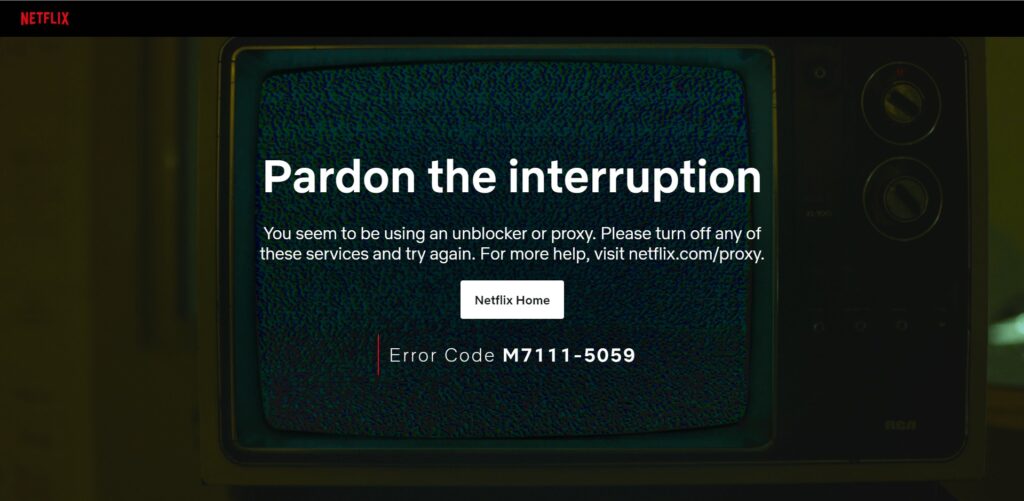
How VPNs help: A virtual private network (VPN) can easily change your IP address to one from the country whose Netflix library you want to access. It hides your real IP, effectively masking your true location and making it appear as if you’re browsing from elsewhere. This makes VPNs a reliable tool for accessing your home country’s Netflix while traveling, or for unlocking international libraries from the comfort of your own home.
Netflix’s Policy on VPNs: VPN use does violate Netflix’s terms and conditions, but it’s not illegal. Netflix tries to fight VPN-based access to libraries by active VPN blocking mechanisms, and if it catches you, it might limit your access to geo-locked content.
Because of the active Netflix VPN detection methods, choosing a truly reliable streaming VPN is very important. Look for features like streaming-optimized servers, wide device compatibility, and a large server network across major Netflix regions. I tested multiple providers across these criteria, and NordVPN consistently proved to be the most reliable option for accessing different Netflix libraries.
VPNs that work with Netflix in 2025: detailed review
To find the best VPNs for Netflix, I put over 20 popular providers through rigorous testing and research. I looked for VPNs with reliable geo-unblocking capabilities, fast connection speeds, and excellent security features. After all of this, NordVPN tops my 2025 Netflix VPN list for unblocking, Surfshark proves to be excellent at cross-platform streaming, while Proton VPN works consistently well at unblocking multiple libraries.
| Best VPN for Netflix | Rating | Works with Netflix? | Netflix libraries unlocked | Servers | Speed | Price | Money-back guarantee |
|---|---|---|---|---|---|---|---|
| 1. NordVPN | 9.3 ⭐⭐⭐⭐⭐ | ✅ Yes | US, Canada, Japan, UK, South Korea, Brazil, and EU countries | 8900 servers in 149+ countries | 466Mbps | $ 3.49/month | ✅ Yes, 30 days |
| 2. Surfshark | 9.0 ⭐⭐⭐⭐⭐ | ✅ Yes | US, Canada, Japan, UK, South Korea, Brazil, and EU countries | 4500 servers in 100+ countries | 465Mbps | $ 2.49/month | ✅ Yes, 30 days |
| 3. Proton VPN | 8.9 ⭐⭐⭐⭐⭐ | ✅ Yes | US, Canada, Japan, UK, South Korea, Brazil, and EU countries | 20700 servers in 149+ countries | 428Mbps | $ 2.99/month | ✅ Yes, 30 days |
| 4. Cyberghost | 8.8 ⭐⭐⭐⭐ | ✅ Yes | US, UK, Japan, EU countries | 9800 servers in 100+ countries | 456Mbps | $ 2.19/month | ✅ Yes, 45 days |
| 5. PIA | 8.6 ⭐⭐⭐⭐ | ✅ Yes | US, UK, Japan, EU countries | 35000 servers in 91+ countries | 317Mbps | $ 2.19/month | ✅ Yes, 30 days |
Top 1. NordVPN – best Netflix VPN for unblocking and fast speeds
- Rating: 9.3 ⭐⭐⭐⭐⭐
- Servers: 8900 servers in 149+ countries
- Speed: 466Mbps
NordVPN is the best overall Netflix VPN due to its constant Netflix unblocking performance and the fastest connection speeds in the industry for smooth streaming. The provider has a huge server fleet with constantly updated IP addresses, which ensures a reliable performance for a great price.
Netflix unblocking capabilities. During my testing, NordVPN performed impeccably by unblocking various Netflix libraries. I tried it with Netflix Japan, US, Canada, Australia, Sweden, Germany, and the Czech Republic, and it got me into each with no issues. I really couldn’t find any faults with NordVPN’s performance, as it got me into any Netflix library I tried on the first go.
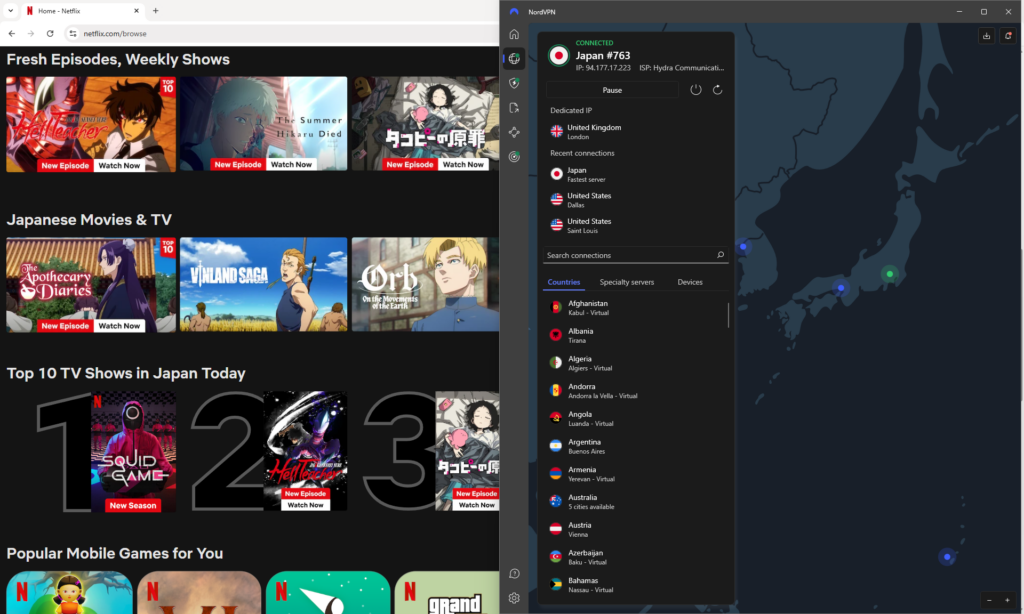
Speed and streaming quality. NordVPN proved very fast during my speed tests, as I got an average connection speed of 466Mbps with a 94% initial speed retention rate. Such speeds meant I could stream anything in 4K without lagging or buffering.
Server network and locations. Overall, NordVPN has around 8900 servers in 149+ countries. This means that the fleet nicely covers all of the most popular Netflix library locations, such as the US, UK, Canada, Australia, and Japan. At the same time, NordVPN has high-quality servers in more niche locations, like Sweden and the Czech Republic, making it an excellent choice for unblocking different libraries.
Device compatibility and simultaneous connections. NordVPN works with all the major OSs, including Linux, and has apps for numerous different devices, such as smartphones, tablets, laptops, gaming consoles, smart TVs, and can be set up on a router. One subscription covers up to 10 simultaneous connections, so you can stream Netflix on plenty of devices at the same time.
Security and privacy features. The most important NordVPN security features that ensure such great performance with Netflix are robust encryption, modern tunneling protocols, and strong IP & DNS leak protection measures. Additionally, NordVPN has obfuscated servers and NordWhisper tunneling protocol, for when you need additional help in bypassing Netflix’s geo-locks. You can also use its Smart DNS for devices that are not compatible with VPNs.
Pricing and value. You can subscribe to NordVPN for $ 3.49/month or test it out first during the 3-day free trial available via the Google Play Store. If you decide to subscribe after it, your purchase will be protected by a 30-day money-back guarantee.
What I liked:
- Very reliable at unblocking different Netflix libraries
- Big server fleet with constantly updated IP addresses
- Fastest connection speeds for smooth streaming
What I didn’t like:
- Only up to 10 simultaneous connections
Top 2. Surfshark – affordable VPN for Netflix on all your devices
- Rating: 9.0 ⭐⭐⭐⭐⭐
- Servers: 4500 servers in 100+ countries
- Speed: 465Mbps
Surfshark is an excellent VPN for Netflix, especially if you’re looking for something powerful yet affordable and want to use your subscription with unlimited devices.
Netflix unblocking capabilities. Surfshark works almost as well as NordVPN at unblocking different Netflix libraries. With it, I had great success accessing the US, UK, South Korea, Japan, Canada, and Germany libraries. I made sure to use the streaming optimized servers, as they are specifically designed to perform the best at geo-unblocking and smooth streaming.
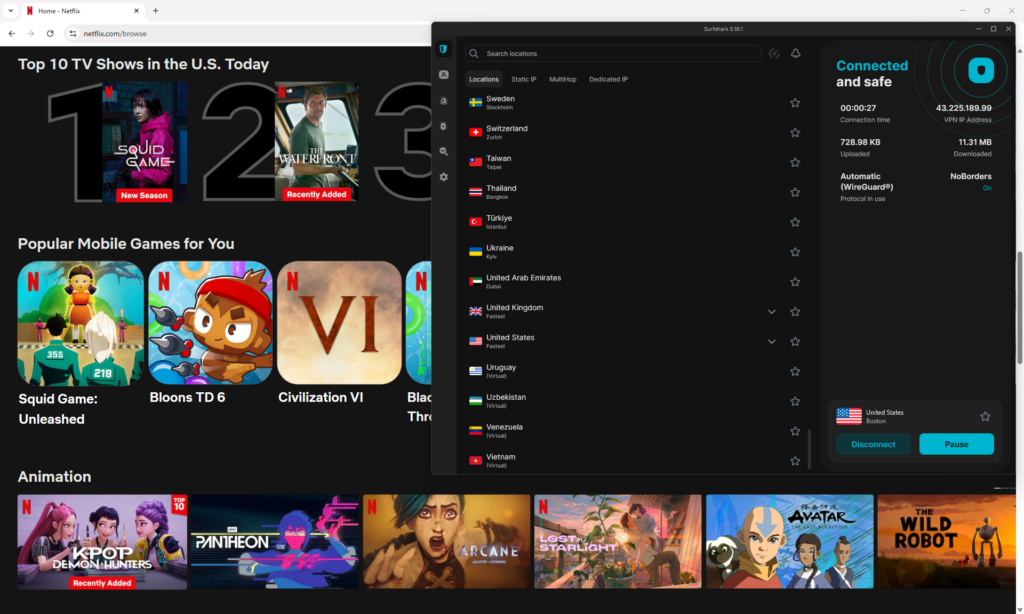
Speed and streaming quality. Thanks to the fast connection speeds, Surfshark allowed me to stream all my movies and shows in 4K. The average connection speed that I got during my tests was a solid 465Mbps with a 93% initial speed retention rate. This was almost as fast as NordVPN, and I did not experience lagging or buffering.
Server network and locations. Surfshark operates a mid-sized fleet of around 4500 servers in 100+ countries. Although it’s a smaller fleet compared to NordVPN and Proton VPN, Surfshark ensures the quality of its service by constantly updating the servers and providing a good coverage of Netflix hotspots, such as the US, UK, Canada, Japan, EU countries, and more.
Device compatibility and simultaneous connections. Surfshark worked great on my Mac and Windows laptops, as well as Android and iOS smartphones. It also has an app for Linux and other devices, such as gaming consoles and smart TVs. Since Surfshark offers unlimited simultaneous connections with all of its subscriptions, it makes for a great family VPN.
Security and privacy features. Surfshark is a mighty VPN with streaming-specific security and privacy features, such as AES-256 encryption, modern tunneling protocols, and reliable IP & DNS leak protection. It also offers a Smart DNS feature for non-VPN compatible devices, while the Nexus network ties all servers to ensure their optimal performance at all times.
Pricing and value. Surfshark is the most affordable VPN on my list, with subscriptions starting at just $ 2.49/month. If you’d like, you can test out the service first during the 7-day free trial or extend the period with the 30-day money-back guarantee.
What I liked:
- Reliable performance unblocking Netflix libraries
- Very affordable subscriptions
- Fast connection speeds for high-quality streaming
What I didn’t like:
- Some features cost extra
Top 3. Proton VPN – freemium VPN for accessing multiple Netflix libraries
- Rating: 8.9 ⭐⭐⭐⭐⭐
- Servers: 20700 servers in 149+ countries
- Speed: 428Mbps
Proton VPN is a great Netflix VPN, especially if you’re looking for a privacy-first service with reliable performance and an extensive server network.
Netflix unblocking capabilities. Proton VPN demonstrated a reliable performance at unblocking different Netflix libraries, such as US Netflix, UK, Germany, and Japan. I always chose the streaming-optimized servers and relied on obfuscation to bypass the “proxy error” message.
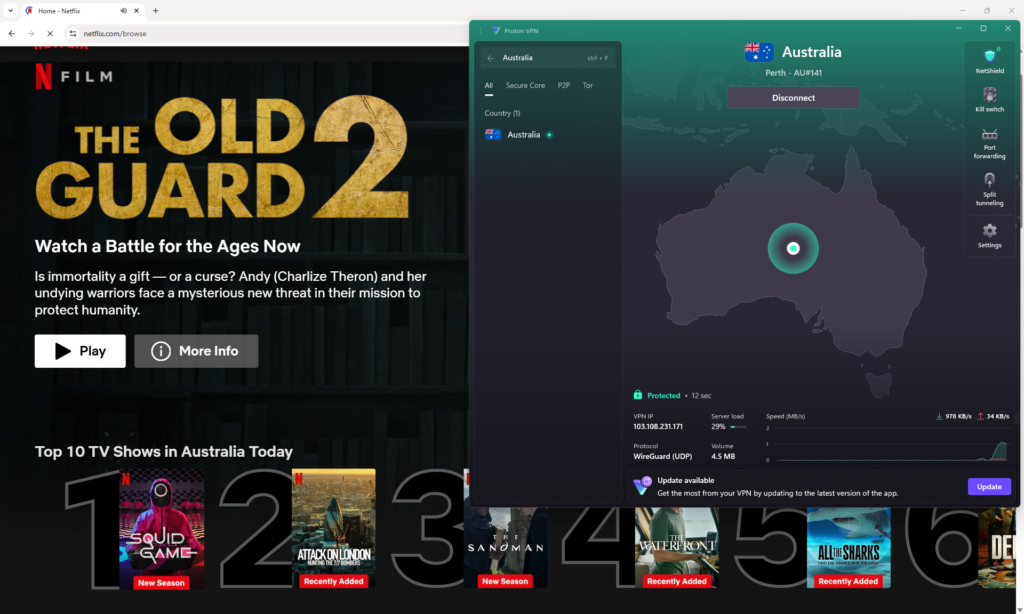
Speed and streaming quality. When I performed my speed tests, I got slightly slower speeds compared to NordVPN and Surfshark, averaging at 428Mbps with an 88% initial speed retention rate. While such speeds are still considered good, I did experience some occasional lag. Luckily, with faraway connections, you can fix this using the VPN Accelerator feature to boost connection speeds.
Server network and locations. Proton VPN operates a massive fleet of 20700 servers in 149+ countries. Naturally, the locations also cover all major Netflix spots, such as the US, UK, Germany, Japan, South Korea, and plenty more. However, all of Proton VPN’s servers are bare-metal only, and some consider them less safe than RAM-only, as used by NordVPN and Surfshark.
Device compatibility and simultaneous connections. Proton VPN has tailor-made apps for smartphones, tablets, laptops, gaming consoles, and smart TVs, and it can be set up on routers. Additionally, it works on all major OSs, such as Windows, Android, iOS, macOS, and Linux. One Proton VPN subscription covers up to 10 simultaneous connections.
Security and privacy features. As it should be with a premium VPN, Proton VPN features’ list includes IP & DNS leak protection, kill switch, fast tunneling protocols like WireGuard, and robust AES-256 encryption. Streaming-specific features include Smart DNS, streaming-optimized servers, obfuscated servers, and the Stealth protocol for bypassing geo-blocks and censorship.
Pricing and value. Proton VPN is a slightly more expensive Netflix VPN with subscriptions starting at $ 2.99/month. The provider does not have a free trial, but offers a free version instead. However, the free version does not reliably unblock Netflix. If you decide to go for a premium, your purchase will be protected by a 30-day money-back guarantee.
What I liked:
- Strong security and privacy features
- Compatible with various devices
- Reliably unblocks Netflix
What I didn’t like:
- Slightly more expensive than average
Top 4. CyberGhost – user-friendly VPN with dedicated streaming servers
- Rating: 8.8 ⭐⭐⭐⭐
- Servers: 9800 servers in 100+ countries
- Speed: 456Mbps
Cyberghost is a good Netflix VPN, offering an easy-to-use interface, up to 7 simultaneous connections, and quite fast connection speeds.
Netflix unblocking capabilities. Cyberghost unblocked the Netflix libraries of Canada, Spain, and Germany quite reliably during my tests, but it struggled with the US and Japan libraries. However, I eventually got into these libraries by switching servers a couple of times and using streaming-optimized servers.
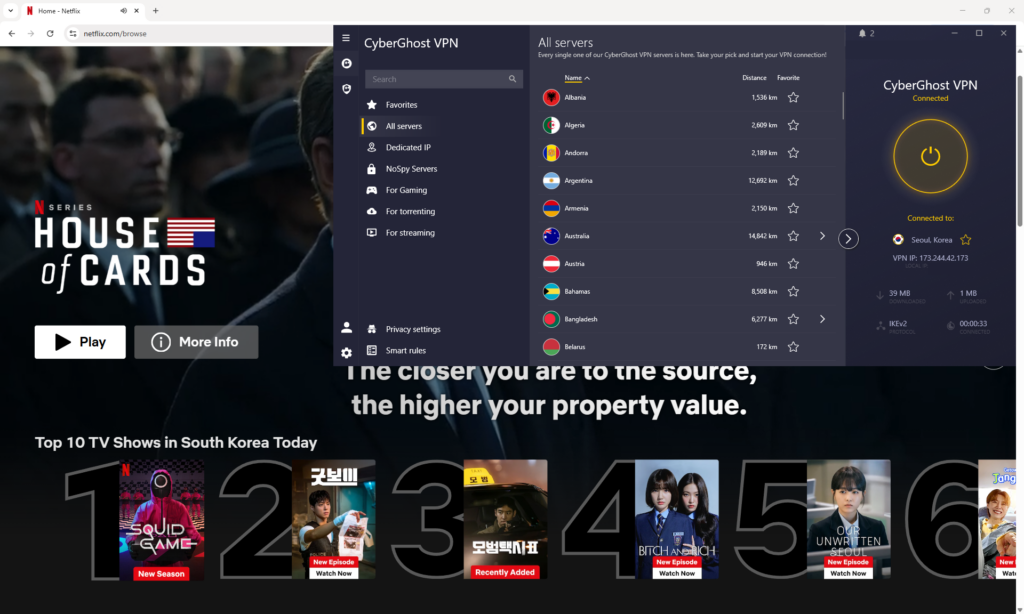
Speed and streaming quality. Cyberghost’s average speeds kept at a comfortable 456Mbps and 91% initial speed retention rate when I performed my tests. This was close to the results I got with my top two Netflix VPNs – NordVPN and Surfshark – and meant I could stream shows and movies at full HD quality.
Server network and locations. Cyberghost’s fleet covers more than 9800 servers in 100 countries, with a good coverage of Netflix popular countries, such as Japan, Canada, the US, the UK, Germany, and EU countries.
Device compatibility and simultaneous connections. One Cyberghost subscription covers up to 7 simultaneous connections, which isn’t as much as with NordVPN, but still pretty decent. You can use the VPN with all sorts of devices, including smart TVs and gaming consoles, and it works with all major OSs, including Linux.
Security and privacy features. Cyberghost does not have obfuscation or stealth protocols, but does cover the ground base nicely with AES-256 encryption, kill switch, IP & DNS leak protection, and secure tunneling protocols. The service has streaming-optimized servers and the NoSpy servers, which can be used when guaranteed privacy is needed.
Pricing and value. Cyberghost is competitively priced with subscriptions starting at $ 2.19/month. You can test out the service during the 7-day free trial or extend the period of unpaid use with a generous 45-day money-back guarantee.
What I liked:
- Good Netflix unblocking performance with most libraries
- Very long money-back guarantee
- Beginner-friendly apps
What I didn’t like:
- Not as reliable at unblocking some Netflix libraries
Top 5. PIA – reliable VPN that works with Netflix’s US library
- Rating: 8.6 ⭐⭐⭐⭐
- Servers: 35000 servers in 91+ countries
- Speed: 317Mbps
PIA is a good VPN for Netflix with a huge server fleet for easy Netflix access and streaming optimized servers, yet slightly slower connection speeds.
Netflix unblocking capabilities. When I did my geo-unblocking tests with PIA, I found that the performance was quite good when I used streaming-optimized servers. Such PIA servers are located in the US, UK, Canada, Australia, Japan, and several EU countries, including Sweden. However, because there are no streaming-optimized servers in the Czech Republic, I was not able to get into this region-specific Netflix library, known to have one of the biggest title collections.
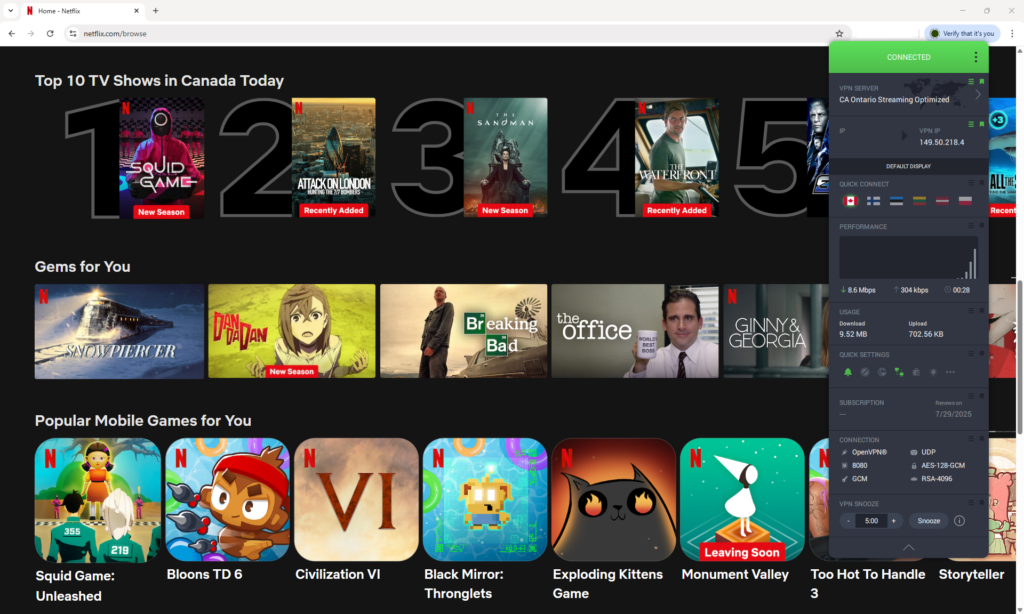
Speed and streaming quality. Unfortunately, PIA did not demonstrate such good connection speeds as the other VPNs on my list. I got an average connection speed of around 371Mbps with a 74% initial speed retention rate. These lower speeds are no issue if you have a fast internet connection, but if it’s already pretty slow, you will experience some lag and buffering when streaming.
Server network and locations. PIA operates a truly massive fleet of 35000 servers in 91+ countries. This is good news for when you need a bunch of different IP addresses, but as I mentioned, I could only get into Netflix libraries with the streaming-optimized servers. This narrows the initial list down to only the most popular Netflix countries.
Device compatibility and simultaneous connections. PIA’s apps are a bit more complicated to use, but the choice is good, covering smartphones, laptops, gaming consoles, and smart TVs. Also, it works with all major OSs, with Linux having its own GUI app. One subscription covers an unlimited number of connections.
Security and privacy features. PIA offers the WireGuard tunneling protocol as an option, and due to its speed, I recommend using it for streaming. Additionally, it keeps your real IP address under wraps with AES-256 encryption and strong IP leak protection. You can also use its Smart DNS feature if you’d like, but remember that connecting to some of PIA’s servers may take a while.
Pricing and value. You can subscribe to PIA for $ 2.19/month, which is a competitive price considering the unlimited simultaneous connections. You can give this VPN a shot during the 7-day free trial or use it for free for longer with the 30-day money-back guarantee.
What I liked:
- Streaming-optimized servers to access Netflix
- Shadowsocks feature to mask VPN traffic
- Huge server fleet
What I didn’t like:
- Some server connections take a while to establish
What free VPN works with Netflix
While no truly “free” VPN works with Netflix consistently, some premium services offer a free trial or a money-back guarantee. Essentially, during that limited time, you will have free access to a premium VPN that will work consistently with Netflix. Free VPNs usually lack the infrastructure and robust IP masking features to unblock Netflix whenever needed.
Here are my top premium VPNs with free trials or guarantees for Netflix:
- NordVPN: Offers a 30-day money-back guarantee, allowing you to test their service risk-free and access various Netflix libraries.
- Surfshark: Provides a 30-day money-back guarantee to stream Netflix from anywhere.
The inconsistent performance of free VPNs with Netflix isn’t the only reason why I recommend choosing premium VPNs with free trials instead:
- Lack of servers: unpaid Netflix VPNs usually have just a few servers in a couple of countries. This means less Netflix library choice and often blacklisted IPs which the platform can easily block.
- Poor streaming performance: free VPNs often have slow speeds and limited bandwidth, making streaming close to impossible.
- Security risks: some free VPNs may log your data or expose you to malware instead of protecting you online.
How I tested VPNs for Netflix unlocking
I did thorough in-house testing and research when looking for the best Netflix VPNs. My tests included ones on speed, performance, and geo-unblocking. I also reviewed each provider’s server fleets, privacy and security features, and checked device compatibility. Below, you will find a more detailed look at how I tested VPNs for Netflix:
- Servers (30%). A Netflix VPN needs to have servers in the most popular Netflix countries, such as the US, Canada, Japan, and EU countries. Server fleet size is also important – the more IP addresses there are, the less chance of Netflix detecting VPN use. After my reviews, I found that NordVPN and Proton VPN had the highest-quality servers in Netflix countries.
- Geo‑block bypass (30%). I conducted my Netflix geo-unblocking tests by connecting to different servers in different countries and checking how well the VPN would access the local Netflix library. I repeated this with every VPN and found out that NordVPN and Surfshark were the most consistent at unblocking Netflix.
- Speed and performance (20%). I measured each VPN’s download/upload speeds and latency using the Speedtest by Ookla tool. Since my baseline was always 500Mbps, it was easy for me to count the initial speed retention rate. Ultimately, I aimed to select only the VPNs with an 80% or higher retention rate to ensure smooth streaming. After the tests, the two fastest VPNs for Netflix are NordVPN and Surfshark.
- Privacy and security (10%). The two aspects are also essential for a Netflix VPN, as without such features as AES-256 encryption, modern tunneling protocols, and IP & DNS leak protection, it would be impossible to mask your real IP address and bypass Netflix detection mechanisms.
- Device compatibility (10%). Lastly, I checked how compatible each VPN is with different devices and selected those with apps for laptops, tablets, smartphones, Smart TVs, gaming consoles, and router setup for the most convenient use.
Other VPNs I tested that failed to unlock Netflix
When testing VPNs to unlock Netflix, I also found several services that showed inconsistent performance or failed to unblock Netflix completely. For example, TunnelBear and Hola VPN could not bypass Netflix’s geo-blocks. The platform immediately detected my VPN use, blocked access, and showed me the familiar “proxy error” message. Betternet and Hide.me also failed to load region-specific libraries, even with streaming-optimized servers. What’s more, some services, like Avira Phantom VPN, did manage to unblock several Netflix libraries but offered such slow speeds and buffering issues that watching anything was simply impossible.
I also checked quite a few free VPNs, and the results were mostly disappointing. Most lacked the infrastructure or resources to battle Netflix’s VPN detection systems. Additionally, most of them had limited server options, crippling data caps, or poor encryption, making them unreliable and insecure for streaming.
Among lesser-known paid VPNs, I mostly encountered inconsistent performance, crashing apps, and outdated server fleets incapable of bypassing Netflix’s geo-blocks. That’s why I recommend choosing a premium VPN if you want to access Netflix from anywhere and stream it consistently without interruptions. My top Netflix VPN choice is always NordVPN, as it is the only service with such a good track record of Netflix unblocking and smooth streaming.
How to use Netflix with a VPN
Using Netflix with a VPN is very straightforward and only requires a couple of steps. The process involves downloading an app, installing the VPN, and connecting to a server in your preferred Netflix library country. Below, you will find a detailed step-by-step guide on how to use Netflix with a VPN:
Step 1: Choose a reliable VPN that works with Netflix
If you want to access foreign Netflix libraries and stream smoothly, you need to select a robust streaming VPN with a wide server fleet, fast connection speeds, and great geo-unblocking capabilities. My top tried-and-tested choice for Netflix is NordVPN, as it matches these high standards better than any other VPN I have tried.
Step 2: Download and install the VPN app
Once you select your Netflix VPN provider, head to their website, choose a plan, create an account, and download the app. If you’d rather stream on your smartphone, you can get apps from the Google Play Store for Android or the Apple App Store for iOS. Once the app is on your device, install it by following the on-screen instructions.
Step 3: Connect to a server in the country whose Netflix library you want to access
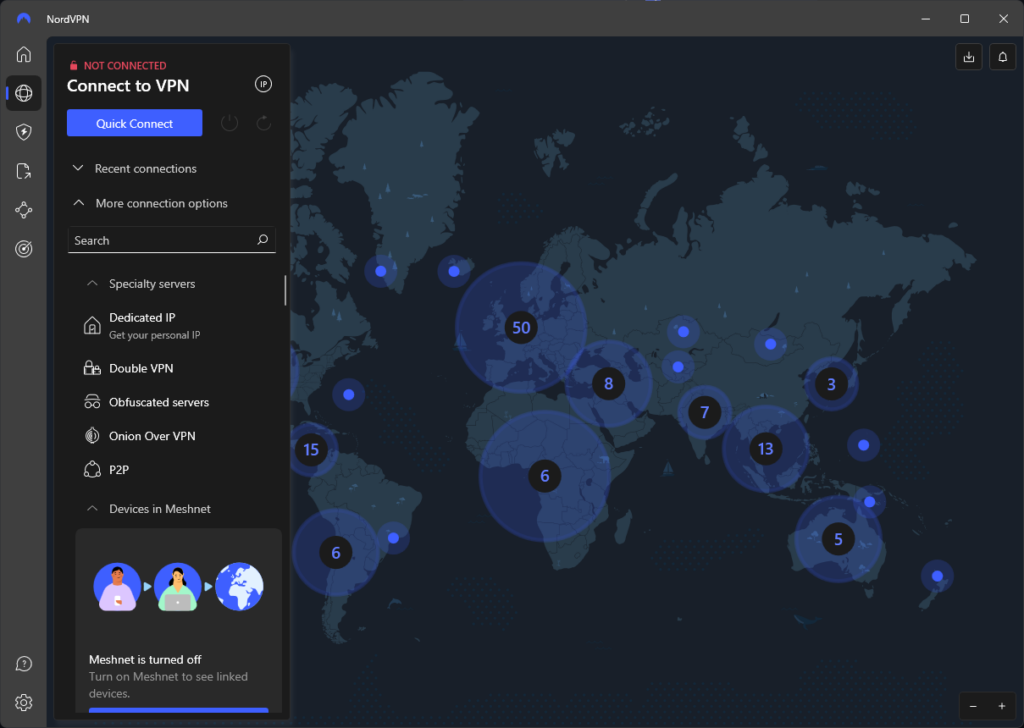
Launch the VPN app and connect to a server in a country where you want to access the Netflix library. If available, choose streaming-optimized servers as they usually have higher connection speeds and are better for bypassing geo-restrictions.
Step 4: Log in to your Netflix account
Head to Netflix and log in with your account. Your existing Netflix account can be used in any other country globally, and you do not have to create a new account when accessing different libraries. Once you’ve logged in, Netflix will automatically adjust its library according to the country of your chosen VPN server.
Step 5: Start streaming your favorite shows and movies
That’s it – now you can stream your favorite shows and movies as if you were in the Netflix library country where they are available! Connect to a corresponding VPN server before heading to Netflix to access different countries’ libraries.
Can Netflix detect and block VPN?
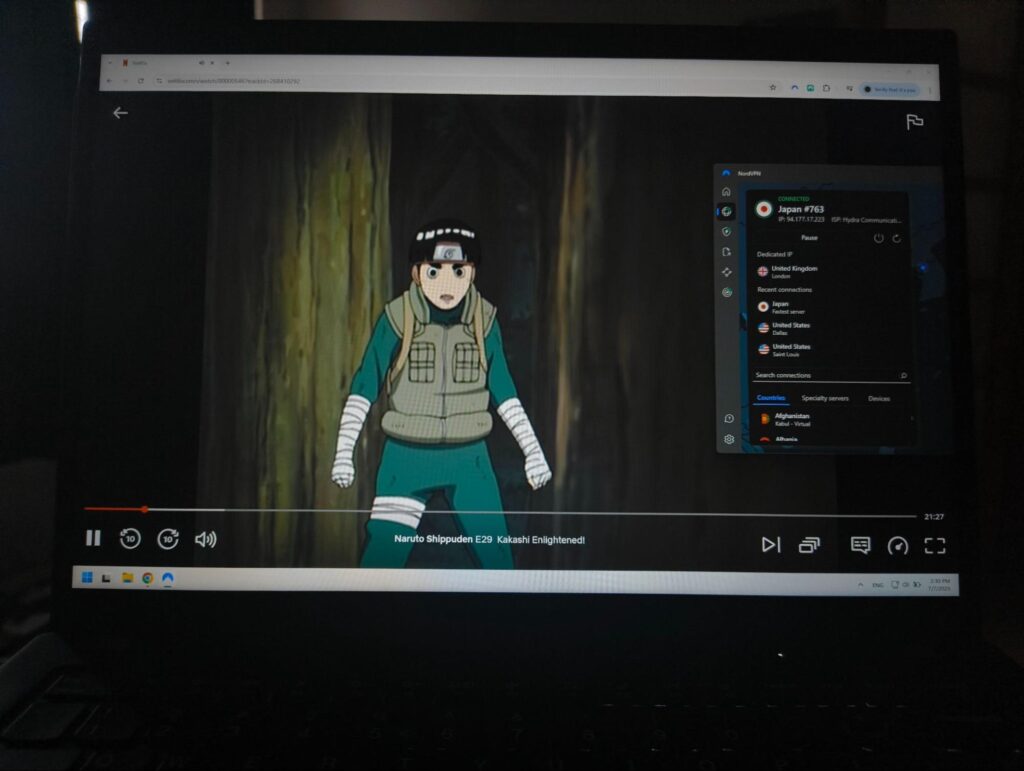
Yes, Netflix can detect and block many VPNs. The platform uses IP detection and traffic monitoring techniques to identify VPN access. The detection methods include identifying shared or datacenter IPs and flagging suspicious traffic patterns. If Netflix detects VPN use, it may display the “proxy error” message.
Due to various regional licensing restrictions, Netflix uses VPN detection methods and controls access to different country libraries. Such legal matters are the reason behind Netflix’s geo-blocking and VPN targeting.
However, even with strict detection methods, some VPNs still work with Netflix. Such VPNs regularly update their IPs and use advanced obfuscation to bypass Netflix’s filters.
If you’re looking for a VPN capable of bypassing Netflix’s geo-blocks and detection methods, here are the features you should be looking for:
- Frequently refreshed IPs. Constantly updated IP addresses are less likely to be entered into shared or datacenter IP lists.
- Obfuscated servers. Such servers make VPN traffic appear as regular HTTP traffic, effectively masking VPN use.
- Proven success accessing Netflix. There are several VPNs with a proven track record of consistently unblocking Netflix, such as NordVPN and Surfshark.
Netflix VPN not working: step-by-step troubleshooting guide
If your Netflix VPN isn’t working, it’s likely because the platform detected and blocked the VPN server’s IP address. This happens because Netflix actively tries to prevent users from bypassing regional content restrictions through VPNs. Other potential causes include outdated VPN software, incorrect VPN settings, or poor internet connectivity. Here are the steps you can take to fix Netflix VPN not working:
- Change servers. Switch to a different server in the same location.
- Use obfuscation. Try connecting to an obfuscated server or using obfuscation tunneling protocol.
- Restart your VPN app. Shut the app completely and reopen it to refresh the connection.
- Check your network connection. Make sure your internet connection is functioning properly.
- Update the VPN app. Install the latest updates if there are any available.
- Disable any other apps. Disable your antivirus software, as it may be blocking your VPN.
- Contact the customer support team. If nothing else works, contact your VPN provider’s customer support specialists, and they should solve the issue.
If you keep running into issues with your current VPN service, it might be time to upgrade to a premium service. I recommend using NordVPN, as it has proven to work consistently well with Netflix during my tests and personal experience.
Recap: how to use a VPN on Netflix
Due to regional licensing and broadcasting rights, Netflix keeps different libraries for different countries. The platform uses robust VPN detection methods to enforce these geo-restrictions, such as flagging suspicious network traffic patterns or identifying known VPN IPs. However, some VPNs are capable of bypassing Netflix’s geo-blocks and VPN detection methods, which are services with regularly updated IP addresses and obfuscated servers.
After thorough tests, I found that NordVPN is the best VPN for Netflix. The service constantly updates its server IPs, which makes it harder for Netflix to identify VPN use. It also offers obfuscated servers to mask VPN traffic as regular HTTP traffic. Plus, the service is great at overall geo-unblocking, while the fast connection speeds ensure seamless streaming.
You may also like to read:
- How to watch Hulu from anywhere
- Best VPN for HBO Max
- Best VPNs for Amazon Prime Video
- Best Sky Go VPNs
- VPN for Magis TV
- Best Paramount+ VPNs
- VPN for Peacock
FAQ
Yes, you can use a VPN with Netflix on your device. However, Netflix does not allow VPN use to access geo-restricted content, so you have to use a robust VPN with regularly refreshed IP addresses and obfuscation for it to work. The VPN that worked with Netflix consistently for me is NordVPN, thanks to its regularly updated server list, obfuscation, robust security features, and fast connection speeds.
Yes, the Netflix VPN trick still works, but you have to use a reliable streaming VPN to bypass the platform’s VPN detection methods. Only a robust VPN with constantly updated IP addresses and obfuscation can unblock Netflix libraries without detection. My number one choice for this task is NordVPN, as it performed consistently great with Netflix during my tests.
NordVPN is a VPN that works with Netflix. The service has obfuscated servers to mask VPN use and regularly updates its server fleet to avoid IP address detection. Additionally, NordVPN offers the fastest connection speeds in the industry for smooth streaming, while its geo-unblocking capabilities have proven to be undefeated.
Using a VPN to spoof your location and access regional content violates Netflix’s (and most streaming platforms’) terms of service. However, a point in Netflix’s terms and conditions states that watching Netflix while using a VPN isn’t allowed on an ad-supported plan, which technically makes it okay to use a VPN with a paid, non-ad-supported plan.
Netflix typically doesn’t ban users from using VPNs, although it may limit the content you can access if it detects VPN usage. What Netflix usually does is display the “proxy error” message, but does not reprimand the users in any other way. If you’d like to avoid this error message and enjoy foreign Netflix libraries without interruptions, use a reliable streaming VPN that works with Netflix, such as NordVPN.
According to Reddit, Sweden and the Czech Republic currently have the largest libraries, with around 5500 titles included. To access these libraries, you will need to use a reliable VPN, like NordVPN, download and install the app, and connect to a server in the Czech Republic or Sweden to bypass the geo-restrictions.




Thanks for your reviews, keep the good work going on! A question: what do you recommend for other streaming platforms as Disney+ or Amazon Prime? Which VPN would be the best for these?
We have not tested any VPNs for Amazon Prime yet, but we did look at VPNs for Disney Plus. The best one seems to be Surfshark.
Thanks for sharing a great info for the travelers in most cases. Like I use both surfshark and Purevpn, you haven't mentioned about it but both are great and works best for me. As it is obvious that most of the regions shows and channels require the same IP every time you access it so in that case dedicated IPs works best. Like I use Purevpn UK dedicated IP whenever I want to watch UK Netflix and Bt sports outside UK. But for the casual surfing I use surfshark. It also depends upon the uses of the person that in what sense you are using it. But in my Case watching UK Netflix Shows and Channels works best with UK Dedicated IP.
Surfshark and PureVPN both seem to work pretty well. The problem we had with PureVPN is that a year or two ago they were found to have shared certain information with the FBI. Information that was supposedly not logged. We are therefore still a bit skeptical about PureVPN's logging-policy. However, we're very happy you've found a combination of VPN's that suits your needs! Thanks for sharing.
I love NordVPN. I tried Private Internet Access before but their online portal is no help when trying to redownload the product. Nord has been super helpful and support has been amazing