- Our recommended free VPNs for Windows 11
- Paid vs free VPNs for Windows 11 – What’s the difference?
- The Best Free VPNs for Windows 11 – in Detail
- Best free trial VPNs for Windows 11
- Free and paid Windows 11 VPNs Compared
- Why free VPNs can be unsafe
- How to download a free VPN for Windows 11 safely
- Recap: Best Free VPNs for Windows 11
| Free VPN for Windows 11 | VPN rating | USP | Free server locations | Unlimited data | Website |
|---|---|---|---|---|---|
| 1. Proton VPN | 8.9⭐️⭐️⭐️⭐️ | Best free Windows VPN | 5 | ✔ Yes | Proton VPN |
| 2. PrivadoVPN | 7.8⭐️⭐️⭐️⭐️ | Good free streaming VPN | 13 | ✖ No (10GB limit) | PrivadoVPN |
Using a VPN is one of the best ways to protect your privacy and keep you safe on Windows 11. A VPN encrypts your internet traffic and masks your IP address. This way, prying eyes cannot track your internet activity.
A VPN can also protect you from cyberattacks on Windows systems. There are numerous free VPNs for Windows 11 that promise speed and safety. However, not all of them are equally secure and reliable. Most of them have extreme limitations, such as data caps, slow speeds, narrow server lists, or privacy leaks. To find the best Windows 11 VPNs, the VPNOverview research team and I tested dozens of providers based on security, performance, and usability.
That’s why, instead of using a completely free VPN on Windows 11, I recommend trying NordVPN with its 30-day money-back guarantee. It offers blazing-fast speeds, over 8900+ secure servers, and advanced privacy features like Double VPN, Threat Protection, and a strict no-logs policy – things most free VPNs simply can’t match.

However, if you are looking for a truly free Windows 11 VPN, keep reading the article.
Our recommended free VPNs for Windows 11
⚠️ Note: Every free VPN for Windows 11 has limitations. For example, Proton VPN’s free plan only includes servers in 5 countries (US, Netherlands, Japan, Romania, and Poland), supports just 1 simultaneous device connection, and doesn’t support torrenting. PrivadoVPN limits you to 10 GB of data per month, access to just 12 server locations, and lacks consistent support for streaming platforms.
Because of these restrictions, they are more suitable for light or occasional use, not for streaming, torrenting, or full-time protection.
Paid vs free VPNs for Windows 11 – What’s the difference?
Paid VPN services gain revenue through subscriptions, affiliate links, and outside investment. Thus, they can hire specialists and maintain the best service performance. On the contrary, free services don’t get paid for their service, so they rely on ads, and sometimes sell their users’ data to third parties. In the worst-case scenario, an unreliable free Windows 11 VPN can infect your device with malware or adware.
If you need a VPN with unlimited bandwidth, fast speeds, and full privacy protection, I recommend trying NordVPN or Surfshark. Their risk-free 30-day money-back guarantees are a reliable alternative to a free VPN, however, for a limited time.
This is our top 3 premium VPNs with free trials:
- NordVPN: Best free-trial VPN for Windows 11
- Surfshark: cheapest Windows 11 VPN
- CyberGhost: Windows VPN with the longest risk-free trial
If you do want to use a free VPN for Windows 11 then I recommend using a free VPN with a premium plan like Proton Free. These freemium VPNs come with limitations but are safe to use. In addition, they maintain decent performance and essential security.
If you don’t want any limits and don’t want to pay for a VPN service, you’re better off taking advantage of a VPN free trial or money-back guarantee.
The Best Free VPNs for Windows 11 – in Detail
If you are looking for a completely free VPN for Windows 11, you can check out my top 2 below. These VPNs are 100% free. We have extensively tested these free VPNs. Below you can find the results.
Recent update – January 2026:
In my latest tests of free VPNs for Windows 11, I focused on speed and streaming performance. I found that Proton VPN now reliably unblocks Netflix libraries in the US and Netherlands, showing clear improvement. PrivadoVPN still works, but is slower and can lag occasionally during streaming.
Top 1. Proton VPN – Best free VPN for Windows 11 overall
| Rating: | 8.9⭐⭐⭐⭐ |
| Compatible with Windows 11: | ✅Yes |
| Free server locations: | Netherlands, Japan, Romania, Poland, and the United States |
| Free data: | Unlimited data and bandwidth |
ProtonVPN is the best free VPN for Windows 11. This VPN offers unlimited data and lets you browse the internet as long as you like.
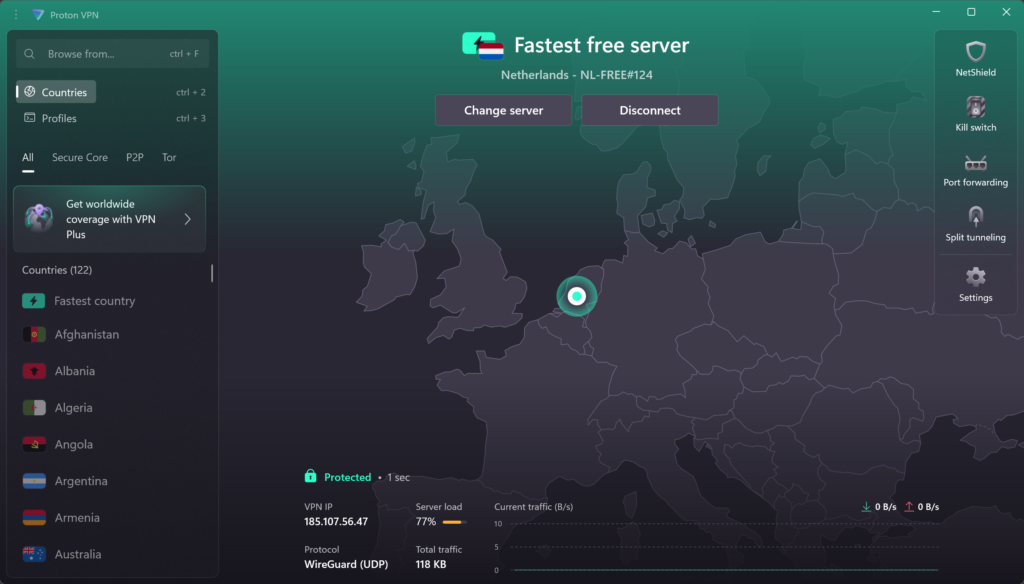
This VPN offers strong AES 245-bit encryption and has secure VPN protocols like OpenVPN and WireGuard to keep you safe online. It also provides a strong kill switch and IP and DNS leak protection, so you will not be exposed online.
Proton VPN doesn’t keep logs and keeps you safe and anonymous online. This is certainly not the case with all free VPNs.
Unfortunately, Proton’s server network is limited. It offers servers only in the Netherlands, Japan, Poland, Romania, and the US. Moreover, Proton VPN Free doesn’t let you choose your server locations. You will get connected to the best server automatically. After a while, you can switch to another automatically selected server, but switching has a cooldown. However, if a specific location is not essential, all Proton VPN servers are fast and maintain a good connection. I didn’t face any lag, throttled speeds, or poor performance during my tests. On top of that, Proton VPN’s free version successfully bypassed geo-restrictions and unblocked Netflix libraries from the Netherlands and the US. However, if you decide to get a premium version, Proton VPN pricing starts at $ 2.99/month.
What I like
- Works perfectly on Windows 11 and earlier versions
- Zero-logs policy
- No adds
- No speed limits
- Offers secure VPN protocols
What I don't like
- Limited server network
- Not the fastest VPN
Read our extensive ProtonVPN review to learn more about this free VPN for Windows 11.
Top 2. PrivadoVPN – Best free streaming VPN for Windows
| Rating: | 7.8⭐⭐⭐ |
| Compatible with Windows 11: | ✅Yes |
| Free server locations: | The US, the UK, Canada, France, Germany, Argentina, Brazil, Mexico, the Netherlands, Switzerland |
| Free data: | 10GB per month |
PrivadoVPN is another free VPN for Windows 11 that keeps your PC secure. PrivadoVPN has a strict no-log policy and doesn’t track your online activities.
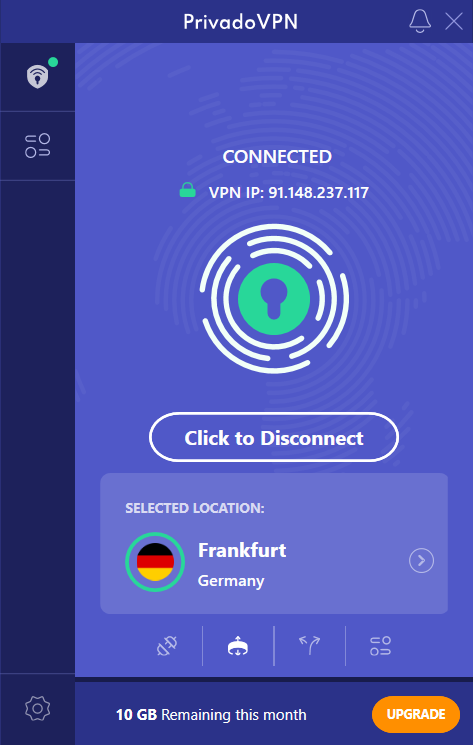
For a Free VPN, PrivadoVPN performs well and offers features you wouldn’t expect from a free service. PrivadoVPN has the best 256-bit encryption and an automatic kill switch to keep you safe online no matter what.
PrivadoVPN offers 10 GB of data for free every month. For a free Windows 11 VPN that is very generous. Just note that once your data allowance is used up, connection speeds will be capped at 1 Mbps.
PrivadoVPN has 13 server locations in 10 countries available for free users. It is more than you can get with a Proton VPN free version. However, I found PrivadoVPN servers slightly slow and laggy from time to time. Nevertheless, it is one of the best free VPNs for streaming and one of the best free Netflix VPNs.
What I like
- Compatible with Windows 11
- No-logs policy
- Secure VPN for torrenting
What I don't like
- 10 GB monthly data limit
- Not suitable for extensive streaming sessions
Read our detailed PrivadoVPN review.
Best free trial VPNs for Windows 11
From my experience, I can say that the best VPNs for Windows 11 are Premium VPNs. It is well worth it to pay a small price and not suffer from the restrictions that come with free VPNs.
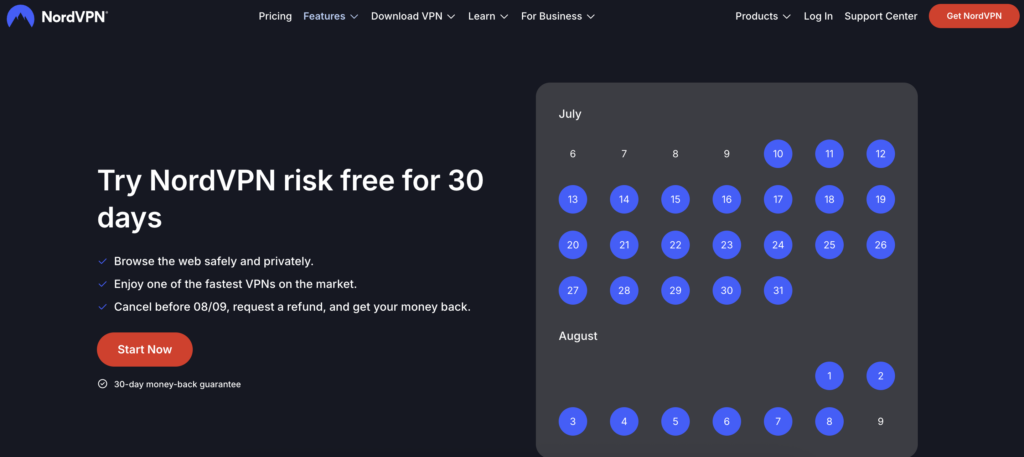
Most premium VPNs like NordVPN offer a money-back guarantee that you can use without risking a penny. My experience with the NordVPN free trial is very good. I tested Nord for 30 days and canceled the subscription within this period. I got our money back without any problems.
1. NordVPN – Try a secure VPN for Windows 11 free for 30 days
| Rating: | 9.3⭐⭐⭐⭐⭐ |
| Compatible with Windows 11: | ✅Yes |
| Server locations: | 8900 servers in 149 countries |
| Free trial: | ✅Yes, risk-free 30-day money-back guarantee |
My top VPN for Windows 11 is NordVPN. Of all the VPNs I have tested, NordVPN has outperformed them all in terms of privacy, speed, and security. This premium, top-rated VPN is also easy to set up on Windows 11.
NordVPN has a large server network, consisting of 8900+ servers in 149 countries, outstanding security features, and the best streaming and torrenting capabilities. With it, I was able to select whichever server I wanted without any cooldowns like with a free Proton VPN version. In addition, all servers were lightning-fast, allowing me to bypass various geo-restrictions and unblock streaming platforms, such as Hulu, Disney+, and Netflix. NordVPN gave me much more flexibility over my actions, and it was perfectly compatible with Windows 11. Additional features, like obfuscated servers, Meshnet, and an ad blocker, were a nice touch that is lacking in free VPNs.
NordVPN has one of the fastest VPN apps for Windows 11. I didn’t experience any slowdowns or connection drops while using it. Streaming, browsing, and downloading worked effortlessly, even on high-demand platforms.
The cheapest NordVPN subscription starts at $ 3.49/month. But, as I said, you can use the 30-day money-back guarantee to try this premium Windows 11 VPN for free.
Read our NordVPN review for more information.
2. Surfshark – Try fast Windows 11 VPN for free
| Rating: | 9.0⭐⭐⭐⭐⭐ |
| Compatible with Windows 11: | ✅Yes |
| Server locations: | 4500 servers in 100 countries |
| Free trial: | ✅Yes, 30-day money-back guarantee |
Surfshark is known for its fast connection speeds. Surfshark lets us stream and game without experiencing lag.
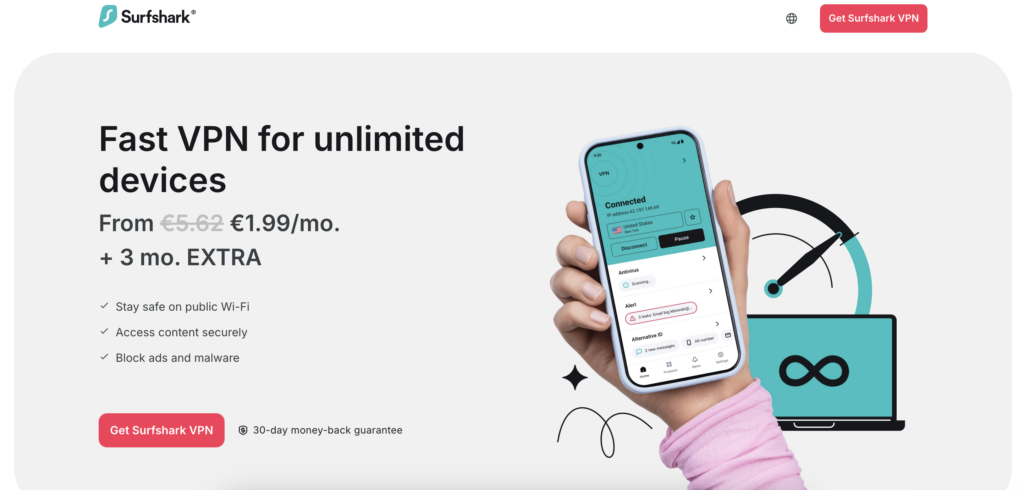
You can use the 30-day money-back guarantee to use this premium Windows 11 VPN for free. Then, you will get access to 4500 servers in 100 countries. They helped me to bypass geographical restrictions and other censorship. While the service fleet is smaller than NordVPN’s, it is still bigger than what free VPNs can offer. In addition, the speeds were stable and fast, allowing me to stream, game, and torrent without any lag. The interface is nice and user-friendly; I had no trouble finding all the features. With a risk-free trial, you can enjoy safe browsing on Windows without paying a penny.
Surfshark is a very cheap Windows 11 VPN, with pricing starting at $ 2.49/month. It offers the best encryption and unlimited connections. Additionally, I found Surfshark extremely easy to use.
Check out our extensive Surfshark review for more information. Use the Surfshark free trial to protect your Windows device without any costs.
3. CyberGhost – Longest free trial period for Windows 11
| Rating: | 8.8⭐⭐⭐⭐ |
| Compatible with Windows 11: | ✅Yes |
| Server locations: | 9800 servers in 100 countries |
| Free trial: | ✅Yes, 45-day money-back guarantee and 24-hour free trial |
CyberGhost has the longest free trial period for Windows 11. You test CyberGhost for as much as 45 days for free during the trial period.

CyberGhosts dedicated streaming servers are optimized for specific streaming services. This makes it easy to access Netflix, Hulu, and other streaming platforms. In addition, CyberGhost has one of the biggest server networks – 9800 servers in 100 countries. That is more than enough to avoid limited or blacklisted servers that you can encounter with free Windows 11 VPNs.
CyberGhost is also extremely secure, offering military-grade encryption, a kill switch, and DNS and IP leak protection. You can rest assured that your personal information remains secure and won’t be sold to third parties.
CyberGhost is very affordable (from $ 2.19/month), but if you want to use this VPN for free, you can use their 45-day money-back -guarantee. Luckily, CyberGhost also has a 24-hour free trial for Windows devices.
Use the CyberGhost free trial to test this VPN for 45 days. Check out our detailed CyberGhost review for more information.
Free and paid Windows 11 VPNs Compared
Below you will find a comparison table of the best free VPNs for Windows 11:
| VPN for Windows 11 | VPN rating | Free VPN? | Servers | Data limit | Speed | Streaming support |
| 1. Free Proton VPN | 8.9⭐️⭐️⭐️ | ✅Yes | 2300+ servers in 5 countries | ✅ No | 416Mbps | ✅ Yes |
| 2. Free PrivadoVPN | 7.8⭐️⭐️⭐️ | ✅Yes | Servers in 10 countries | ❌ Yes, 10GB/month | 380Mbps | ✅ Yes |
| 3. NordVPN | 9.3⭐️⭐️⭐️ | ❌ No (30-day money back guarantee) | 8900 servers in 149 countries | ✅ No | 468Mbps | ✅ Yes |
| 4. Surfshark | 9.0⭐️⭐️⭐️ | ❌ No (30-day money back guarantee, and 24 hour free trial) | 4500 servers in 100 countries | ✅ No | 466Mbps | ✅ Yes |
| 5. CyberGhost | 8.8⭐️⭐️⭐️ | ❌ No (30-day money-back guarantee, and 24-hour free trial) | 9800 servers in 100 countries | ✅ No | 430Mbps | ✅ Yes |
Why free VPNs can be unsafe
Completely free VPNs often come with risks like:
- Data logging: a lot of free VPNs log your data and share it with third parties.
- Malware: some free VPNs contain malware.
- Data breaches: free VPNs are usually not up-to-date and are vulnerable to data breaches.
Avoid risks with low-quality free VPNs and try NordVPN free trial instead. NordVPN is secure, fast and has a large server network.
Use the 30-day money-back-guarantee to try this fastest Windows 11 VPN for free!
How to download a free VPN for Windows 11 safely
The fastest way to install a free VPN for Windows 11 is by using the Windows app provided by the VPN provider. In the example below, I used ProtonVPN, my #1 best free VPN for Windows.
Follow the easy steps below to download a free VPN for Windows 11.
- Pick a secure VPN provider for Windows, such as ProtonVPN, our best free VPN for Windows 11.
- Download the VPN software from the official website. Click Download > VPN for Windows on Proton VPN’s site and save the installation file to your computer.

- Install the VPN software on your Windows 11 PC.
- Create a free account. After installation, a login screen will pop up. Click “Create account“. Then, instead of selecting a plan, click “Sign up for free” and create an account on the website. Click “Start using Proton VPN“
- Log in to your VPN account and click “Sign in“.

- Connect to a server and secure your traffic on Windows.
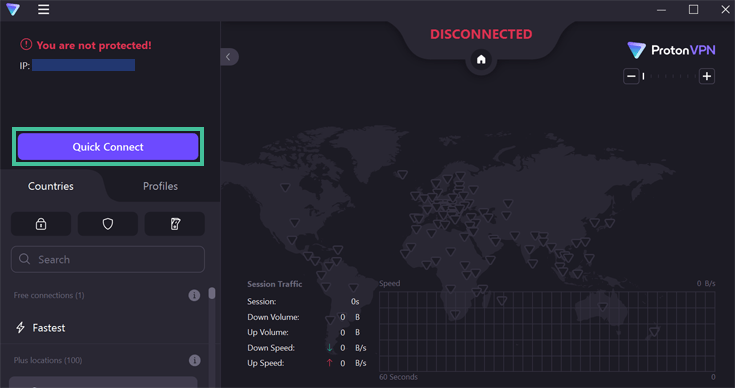
For more information read our article on how to install a VPN for Windows 11.
Recap: Best Free VPNs for Windows 11
A VPN for Windows 11 is essential for everyday activities, such as browsing, streaming, and gaming. However, not all free VPNs are suitable for this task or lack mandatory security features. Luckily, there are free VPNs for Windows that work perfectly.
The best free VPN for Windows 11 is Proton VPN. While its server selection is limited, all of them are highly secure and fast. With it, you can unblock some streaming-services, game, or browse without any worries. Proton VPN is also very user-friendly.
If you wish to have a Windows 11 VPN without limitations, I recommend opting for premium VPNs and their risk-free trials. Most reputable VPNs have a 30-day money-back guarantee, which allows you to enjoy premium service completely free for a month. My recommendation for the best premium Windows 11 VPN is NordVPN due to its extensive server fleet, excellent security features, unlimited data, and speed.
Do you want to know more about the best free VPNs for other devices and needs? Check out the articles below:
Do you want more information on the best free VPNs for Windows? Check out our frequently asked questions below.
Yes, Windows 11 includes a built-in VPN feature, but it doesn’t come with a free VPN service. Instead, it allows you to manually connect to a VPN by entering details from a third-party provider. You’ll still need to subscribe to a VPN service or use a free one like Proton VPN to configure and use the built-in VPN client.
Yes, Proton VPN is 100% free VPNs available for Windows 11 with no data limits. It offers strong security, fast speeds, and an user-friendly app. Unlike many free VPNs, Proton VPN doesn’t show ads or sell your data, making it a trustworthy choice for privacy-conscious users who want a reliable, no-cost VPN solution on Windows 11.
The best free VPN for Windows 11 is Proton VPN. It offers unlimited data, strong encryption, and servers in five countries. It also follows a no-logs policy, so your data is secure. It is suitable for casual use, streaming, and staying secure online.
Yes, Proton VPN is an unlimited free VPN for Windows 11 PC. It offers unlimited data, strong encryption, and doesn’t throttle speeds. It is one of the most secure free VPNs on the market. The only limitation is server selection, but besides that, it is a great option for Windows 11.