
- Our recommended top VPNs for Roblox
- Why should I use a VPN for Roblox?
- Does a VPN help with ping in Roblox?
- Best VPNs for Roblox compared
- Best VPNs for Roblox – detailed review
- How to change region in Roblox with a VPN
- How to unblock Roblox at school
- Can I use a free VPN for Roblox?
- How I tested and selected the best VPNs to play Roblox
- Best VPN locations for Roblox
- Final tips for using a VPN for Roblox
- FAQ
Roblox fans may encounter issues while playing the game, such as local restrictions, school network blocks, high latency, or other errors, including “Error Code 279.” However, most of these issues can be easily solved with the best VPN for Roblox, such as NordVPN, which helps you bypass geo-restrictions, lower latency, and reduce the chances of encountering Roblox errors.
Roblox is likely the most popular game at present, with approximately 300 million monthly active users. However, its incredible popularity also comes with frustrations for some gamers, such as country-wide bans, school network blocks, or the dreaded “Error Code 279,” which indicates a failed attempt to connect to the game’s servers.
Luckily, Roblox users from all over the world can solve most issues by using a VPN (virtual private network). The technology allows you to bypass local restrictions, works against internet service provider bandwidth throttling, and secures your gaming via server connections and robust encryption. Additionally, a reliable gaming VPN can also lower latency for smoother gameplay. To find the best Roblox VPNs, I tested over 40 providers. Ultimately, I found the top 5 VPNs for Roblox that offered the lowest latency and best unblocking capabilities for 2026.

Our recommended top VPNs for Roblox
The best VPNs for Roblox easily bypass local geo-restrictions and ISP bandwidth throttling, reduce the likelihood of encountering Roblox errors, and ensure a lower latency, all while you play safely. After testing 40 VPNs, I found the top 5 Roblox VPNs:
-
1.NordVPN: the best overall VPN for Roblox with the fastest connection speeds, a worldwide fleet of secure servers, and a multitude of features for smoother and safer Roblox gameplay.
-
2.Surfshark: an inexpensive Roblox VPN with fast connection speeds, unlimited device connections, and servers in Roblox-available countries.
-
3.Proton VPN: a privacy-oriented VPN for Roblox with a massive global server fleet, consistent connection speeds, and a verified no-logs policy for your privacy.
-
4.TotalVPN: the cheapest Roblox VPN with a solid server fleet, robust basic security features, and beginner-friendly apps.
-
5.Norton VPN: a solid VPN for Roblox with a stealth protocol for bypassing geo-locks and a smooth integration with other Norton products, such as the well-trusted Norton Antivirus.
Want to try it before paying? NordVPN is the best VPN for Roblox players looking for better security and connection stability, and Android users can start a 3-day free trial via the Google Play Store to try it and decide if it fits your needs.
Why should I use a VPN for Roblox?
Using a VPN can help Roblox players with smoother, safer, and more flexible access to the game. Although Roblox is available worldwide, specific networks, your physical location, or security issues can interfere with gameplay. Because a VPN works by routing your network traffic through a different, secure server, it supplies you with a new IP address while also encrypting your traffic, which helps avoid common Roblox access issues. Below, you’ll find a more detailed look at why you should use a VPN for Roblox:
- Bypass network blocks. Although schools and workplaces often block the game, a VPN can help you restore Roblox access by encrypting your traffic and making your activities invisible.

- Avoid country-level geo-restrictions. Some regions limit or block access to Roblox completely, but using a VPN to change your virtual location bypasses such restrictions.
- Prevent DDoS attacks. A VPN masks your real IP address, protecting you during competitive play.
- Reduce ping. Connecting to gaming-optimized VPN servers can improve the game’s overall performance.
Does a VPN help with ping in Roblox?
Yes, a VPN can help with ping in Roblox. Ping, also known as latency, is the time it takes for data to travel between your device and the Roblox server. Lower ping means smoother, more responsive gameplay. If you experience a high ping, it may be due to ISP throttling gaming traffic or using inefficient routing. If that’s the case, a VPN can help reduce ping through a server connection, which will supply you with a shorter, more stable network path.
However, a VPN won’t help reduce ping if your initial network connection speed is slow, overloaded, or unstable. Another important consideration when using a VPN to reduce ping is to select a VPN server physically closest to you, as the distance between you and the server directly affects latency.
Best VPNs for Roblox compared
| VPN for Roblox | Rating | Servers | Operating systems | Speed | Free trial | Price |
| 1. NordVPN | 9.3 ⭐⭐⭐⭐⭐ | 8900 servers in 149 countries | Windows, Android, macOS, iOS, Linux, Android TV, tvOS, and routers | 756Mbps | 3-day free trial + 30-day money-back guarantee | $ 3.49/month |
| 2. Surfshark | 9.0 ⭐⭐⭐⭐⭐ | 4500 servers in 100 countries | Windows, Android, macOS, iOS, Linux, ChromeOS, Fire TV, Apple TV, and routers | 755Mbps | 7-day free trial + 30-day money-back guarantee | $ 2.49/month |
| 3. Proton VPN | 8.9 ⭐⭐⭐⭐⭐ | 20700 servers in 149 countries | Windows, Android, macOS, iOS, Linux, ChromeOS, tvOS, and routers | 737Mbps | Free version + 30-day money-back guarantee | $ 2.99/month |
| 4. TotalVPN | 7.0 ⭐⭐⭐⭐ | 1800 servers in 90+ countries | Windows, Android, macOS, iOS, | 632Mbps | 7-day free trial + 30-day money-back guarantee | $ 1.59/month |
| 5. Norton VPN | 7.0 ⭐⭐⭐⭐ | 2000 servers in 65 countries | Windows, Android, macOS, iOS, | 726Mbps | 30-day free trial + 60-day money-back guarantee | $ 3.33/month |
Best VPNs for Roblox – detailed review
Before compiling my best VPNs for Roblox list, I tested 40 different services. With each VPN, I tested its connection speeds and consistency, as well as its capabilities for bypassing geo-blocks, and evaluated its security and privacy features. Additionally, I evaluated how well each VPN can help reduce ping and provide a smooth Roblox gameplay. Ultimately, NordVPN, Surfshark, Proton VPN, TotalVPN, and Norton VPN stood out as the best VPNs for Roblox; you can read my detailed reviews below.
1. NordVPN – overall best VPN for Roblox
- Rating: 9.3 ⭐⭐⭐⭐⭐
- Servers: 8900 servers in 149 countries
- Price: $ 3.49/month
- Current deal: Get 75% OFF
NordVPN is the best overall VPN for Roblox, thanks to its fastest connection speeds and a global fleet of secure servers. Additionally, NordVPN excels at bypassing local Roblox geo-restrictions, allowing access to the game in almost any location.
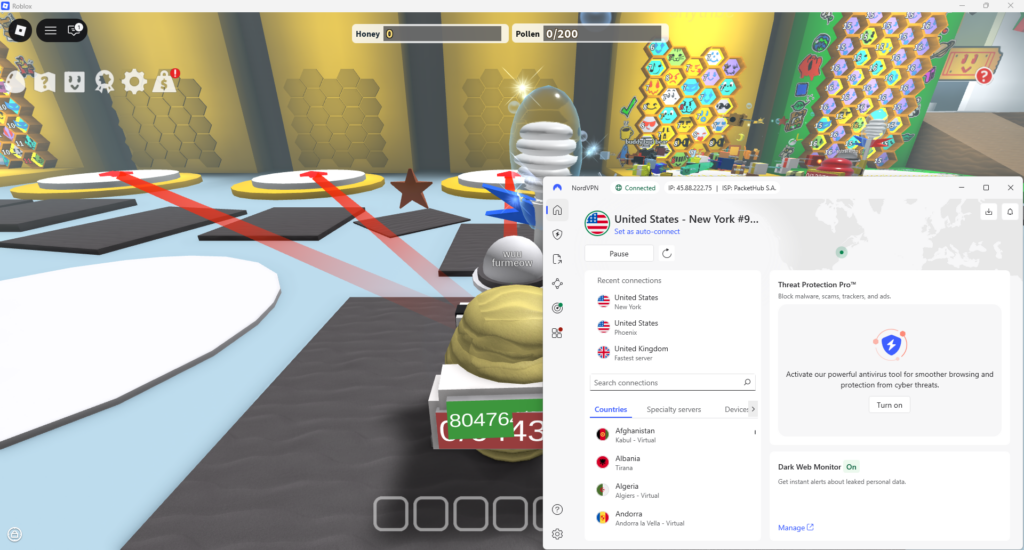
During my NordVPN speed tests, I achieved an incredibly high average connection speed of 756 Mbps with an over 80% initial speed retention rate. Additionally, I got an impressively low ping, especially with servers in Sweden, Germany, France, and the UK, where it varied between 18 and 37ms. Needless to say, such speeds and low ping meant my Roblox gameplay was extremely smooth.
As for NordVPN features I found particularly useful for Roblox, the list includes gaming-optimized servers, NordWhisper stealth protocol, robust encryption, the speedy NordLynx tunneling protocol, and Threat Protection ad blocker. The optimized servers ensure the lowest possible ping, while the stealth protocol and strong encryption facilitate easy bypass of geo-restrictions. Notably, NordVPN has also successfully completed an independent penetration test conducted by VerSprite, which is a strong testament to its airtight security.
If you’re stuck with restrictions, you can also use NordVPN’s Obfuscated servers. Meanwhile, the NordLynx tunneling protocol consistently delivers high connection speeds, and Threat Protection Pro blocks all potentially malicious pop-ups and websites that could interrupt Roblox gameplay. Lastly, I also used the Split Tunneling feature to route only my Roblox traffic through a VPN connection, which further increased the connection speeds.
For true gaming convenience, NordVPN is compatible with Windows, Android, macOS, iOS, Linux, Android TV, tvOS, and various devices, including laptops, smartphones, tablets, gaming consoles, routers, and more. One NordVPN subscription can be used simultaneously with up to 10 devices.
I recommend NordVPN as the overall best VPN for Roblox – any gamer will find the VPN’s unparalleled connection speeds, optimized servers, and a global fleet close to ideal. You can subscribe to NordVPN for $ 3.49/month or try it first during the 3-day free trial available for Android devices. Alternatively, you can extend the free testing period with a 30-day money-back guarantee available to all customers.
NordVPN pros:
- The fastest connection speeds for smooth gameplay
- Easily unblocks Roblox in restricted locations
- Highly compatible with online gaming
NordVPN cons:
- Only up to 10 simultaneous connections
2. Surfshark – reliable Roblox VPN with unlimited devices
- Rating: 9.0 ⭐⭐⭐⭐⭐
- Servers: 4500 servers in 100 countries
- Price: $ 2.49/month
- Current deal: Get 85% OFF
Surfshark is an excellent VPN for Roblox, offering affordable subscriptions, fast speeds, and unlimited device connections. Additionally, it provides gaming-optimized servers for an enhanced Roblox experience.
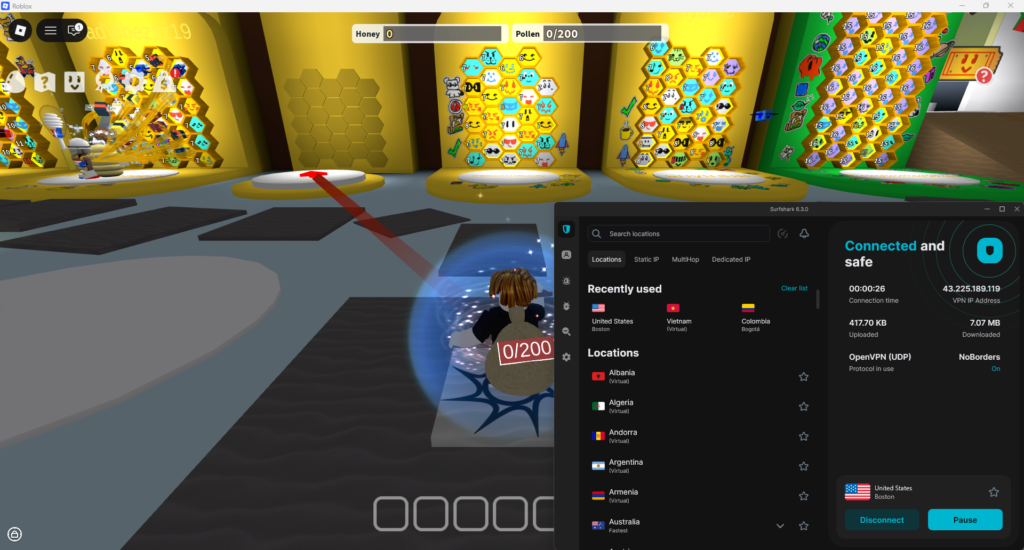
I repeated my speed tests with Surfshark and was impressed with the average connection speed of 755Mbps, the 80% initial speed retention rate, and the ping of 18-46ms on average. However, I must stress that Surfshark operates a significantly smaller fleet of about 4500 servers in 100 countries, so if you’re picky about server choices, this might be a caveat for you.
Surfshark offers numerous features I found helpful when accessing and playing Roblox. For example, Surfshark employs robust IP/DNS/WebRTC leak protection measures, ensuring your data remains secure while you play. This protection prevents DDoS attacks and keeps you from being geo-restricted in unavailable regions. Surfshark also recently passed an independent security audit conducted by SecuRing, which found no critical vulnerabilities or high-risk issues affecting user security. Additionally, Surfshark uses a speedy WireGuard tunneling protocol, which is perfect for online gaming. Besides other useful features, you’ll also find Split Tunneling, the CleanWeb ad blocker, and the NoBorders mode, specifically designed to bypass internet restrictions and censorship.
You can use Surfshark with various operating systems, including Windows, Android, macOS, iOS, Linux, ChromeOS, Fire TV, and Apple TV, as well as different devices such as gaming consoles, laptops, PCs, smartphones, routers, and more. I appreciated the fact that Surfshark offers unlimited device connections with a single account, making it the perfect VPN for sharing.
Surfshark might be the best choice for you if you’re looking for a powerful yet affordable VPN with excellent Roblox compatibility and don’t mind a smaller server fleet. Surfshark subscriptions start at $ 2.49/month and come with a 7-day free trial and a 30-day money-back guarantee.
Surfshark pros:
- Affordable subscriptions with unlimited device connections
- Consistently high connection speeds with low ping
- Reliable unblocks Roblox
Surfshark con:
- Smaller server fleet compared to NordVPN
3. Proton VPN – best free VPN for Roblox
- Rating: 8.9 ⭐⭐⭐⭐⭐
- Servers: 20700 servers in 149 countries
- Price: $ 2.99/month
- Current deal: Get 70% OFF
Proton VPN is the best Roblox VPN for those looking for a completely free service. Proton VPN offers an unpaid version with unlimited data and bandwidth, and ten server countries. However, the premium version unlocks a much bigger server fleet, faster connection speeds, and more advanced features.
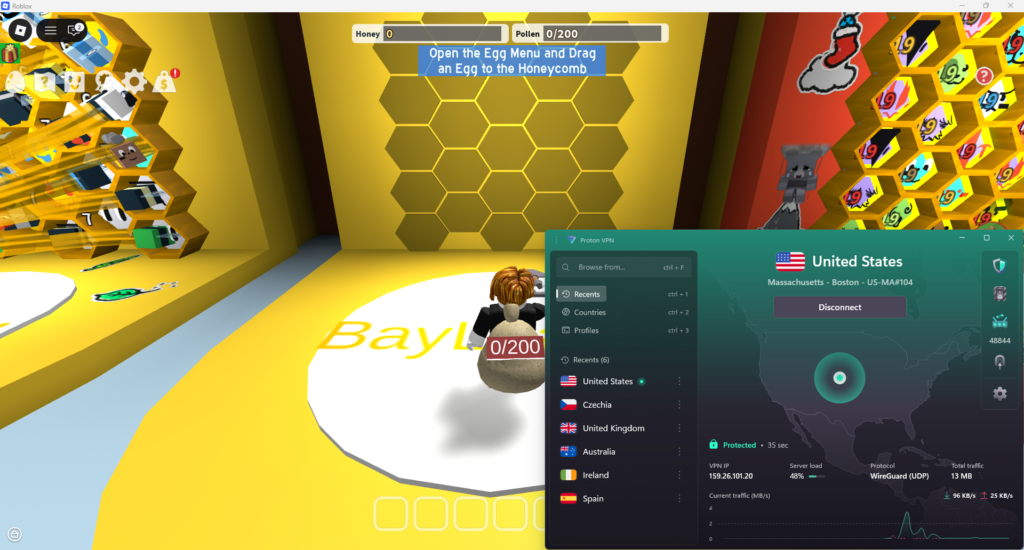
I tested Proton VPN speeds using its premium servers, of which Proton VPN has 20700 in 149 countries. Ultimately, I got an average connection speed of 737Mbps, an initial speed retention rate of 78%, and ping jumping around from 18 to 53ms. These results are close to my top two Roblox VPN choices – NordVPN and Surfshark – but remember that with the free Proton VPN version, you will get a bit lower averages.
Proton VPN is a powerhouse in terms of privacy, with yearly no-logs policy audits, AES-256 encryption, and modern tunneling protocols. That said, it’s also excellent for online gaming. I appreciated the VPN Accelerator feature, which can boost connection speeds up to four times on faraway connections. Additionally, Proton VPN also offers Split Tunneling and WireGuard tunneling protocol, both of which are handy for more stable connections. The service is also great for bypassing geo-restrictions, making Roblox access smooth and straightforward in restrictive environments.
You can use Proton VPN with various operating systems, including Windows, Android, macOS, iOS, Linux, ChromeOS, tvOS, and routers. The same goes for devices, as Proton VPN is compatible with laptops, smartphones, tablets, smart TVs, and gaming consoles, to name a few. With one premium account, you can cover up to 10 devices, while the free version can be used with only one.
I recommend Proton VPN for Roblox gamers who are first and foremost concerned about their privacy, but also want a gaming-compatible service with a huge server fleet. Subscriptions start at $ 2.99/month, and you can always upgrade from free to premium safely, thanks to the 30-day money-back guarantee.
Proton VPN pros:
- Has a completely free version with unlimited data
- Privacy-oriented VPN wth strong features
- Massive server fleet for easy Roblox region change
Proton VPN con:
- Slower connection speeds with the free version
4. TotalVPN – easy-to-use Roblox VPN for beginners
- Rating: 7.0 ⭐⭐⭐⭐
- Servers: 1800 servers in 90+ countries
- Price: $ 1.59/month
- Current deal: Get 80%/month OFF
TotalVPN is a good VPN for Roblox, especially for first-time VPN users who are looking for a simplified service with user-friendly apps. Additionally, TotalVPN offers highly budget-friendly subscriptions and integrates well with other Total products, such as the Total Antivirus.
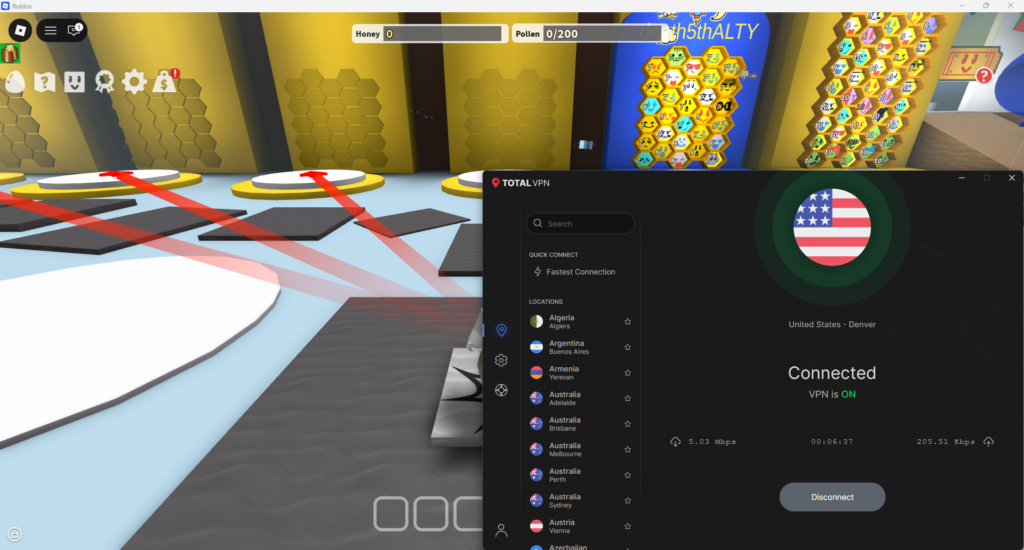
Same as with other providers, I also tested TotalVPN’s connection speeds. I used several of its 1800 servers in 90+ countries, and got a bit disappointing results. For example, the average connection speeds hovered at around 636Mbps with a 67% initial speed retention rate, and ping shifted from 18ms to over 100ms depending on the server I used. So, it seems that with affordability, you might be sacrificing speed with TotalVPN.
As for TotalVPN features, it covers the ground bases nicely with AES-256 encryption, OpenVPN tunneling protocol, and IP/DNS/WebRTC leak protection measures. However, as for advanced features, TotalVPN does not offer obfuscation or stealth mode, relying on encryption as its sole mode of bypassing geo-restrictions. That said, it still offers Split Tunneling, a Kill Switch to terminate the connection if VPN interruption should happen, and one of the best ad & tracker blockers I’ve tried, called Total AdBlocker.
Another tradeoff for affordability and ease of use is TotalVPN’s compatibility with operating systems, as it only works with Windows, Android, macOS, and iOS, and covers only the most popular devices, such as laptops, PCs, smartphones, and tablets. Lastly, one subscription covers up to 5 devices with standard plans, but you can expand the coverage with additional payments.
TotalVPN would be the best choice for Roblox players who want a no-fuss VPN with very easy-to-use apps and highly affordable subscriptions. You can purchase this VPN for only $ 1.59/month after trying it out during the 7-day free trial. If you find it a good fit, your purchase will be protected with a 30-day money-back guarantee.
TotalVPN pros:
- Highly affordable subscriptions
- Beginner-friendly apps
- Works for unblocking Roblox in unavailable locations
TotalVPN cons:
- Slower connection speeds
- Not as many advanced features
5. Norton VPN – secure Roblox VPN bundled with an antivirus
- Rating: 7.0 ⭐⭐⭐⭐
- Servers: 2000 servers in 65 countries
- Price: $ 3.33/month
- Current deal: Get 54% OFF
Norton VPN might be an ideal choice for Roblox players who are looking for a VPN that integrates well with an antivirus software – Norton Antivirus. You can purchase a bundle package covering all your cybersecurity needs or get the Norton VPN as a standalone product.
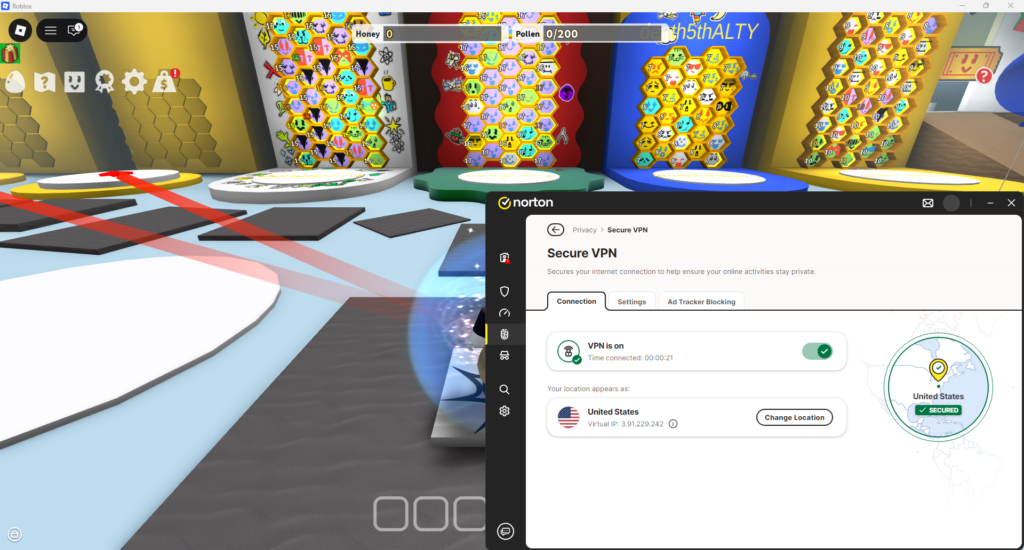
As for Norton VPN connection speeds, I was pleasantly surprised. I got an average connection speed of 764Mbps with an initial speed retention rate of 79% and a ping of around 30-40ms. Although it’s not as fast as NordVPN or Surfshark, it’s not too far from them, either. As for the server fleet, it’s a smaller one of 2000 servers in 65 countries, but covers all Roblox locations nicely.
Norton VPN is also a bit richer in features than TotalVPN, while not neglecting the basics with AES-256 encryption and a Kill Switch. As for gaming-specific features, I mostly used the Split Tunneling and the ad blocker for a smoother gameplay experience. As for bypassing geo-restrictions, I found the IP Rotator and the Mimic protocol very useful, as the periodically changing IP address and the obfuscation-like protocol made it easy to stay undetected. Lastly, for even more privacy while gaming, you can use the Double Hop feature, which routes your traffic through two, instead of just one, servers.
However, Norton VPN only works with the most popular operating systems, such as Windows, Android, macOS, and iOS, and fewer devices than my top-choice VPNs, mostly sticking to smartphones, tablets, and laptops. Depending on the bundle or the subscription you choose, Norton VPN covers 1, 5, or up to 10 devices with one account.
I’d suggest Norton VPN as the primary Roblox VPN choice for fans who want an efficient VPN that can be bundled with Norton Antivirus for a well-rounded, secure gaming approach. Subscriptions start at around $ 3.33/month, and the provider offers a very generous 30-day free trial and an even more generous 60-day money-back guarantee.
Norton VPN pros:
- Integrates with Norton Antivirus for a well-rounded, secure gaming approach
- Unblock Roblox in restrictive environments
- Robust security and privacy features
Norton VPN cons:
- A bit more expensive subscriptions
- Fewer OS and device compatibility options
How to change region in Roblox with a VPN
Using a gaming VPN is by far the easiest way to change your region in Roblox, requiring only a few additional steps to your usual gaming experience. Here’s how to change your region in Roblox with a VPN:
- Select a reliable online gaming VPN. I recommend NordVPN, as it offers the fastest connection speeds and a large global fleet.
- Download and install the VPN app on your device.
- Launch the VPN and connect to a server in your chosen location.
- Restart Roblox and enjoy access from a different region!
How to unblock Roblox at school
At schools, Roblox may be blocked due to local network filters, firewall restrictions, bandwidth limits, Roblox age verification requests, or policies aimed at reducing distractions during class time. Additionally, Roblox restrictions can happen because of regional restrictions or shared network IP blocks. Luckily, a reliable gaming VPN can help unblock Roblox even in restrictive environments. Below, you’ll find short guides on how to unblock Roblox on personal PCs and mobile devices, and school computers.
On your personal PC or mobile
If you’re using your own laptop, smartphone, or tablet on school Wi-Fi networks, access to Roblox will likely be restricted at the network level. A robust school VPN can help you bypass such restrictions by encrypting your traffic and routing it through a server of your choice.
To unblock Roblox on your personal PC or mobile, install a gaming-compatible VPN, such as NordVPN, sign in, and connect to a nearby server for the fastest connection speeds and lowest latency. Then, with the VPN connected, launch Roblox and start playing.
On a school computer
Unfortunately, school-owned computers are usually locked down with strict permissions, which may prevent downloading and installing a VPN service if it’s against the school’s policy. However, in some cases, browser-based VPN extensions or web VPNs may still work.
That said, if you’re able to download and install a VPN service on a school computer, launch it and look for Specialty servers. On the list, you should see Obfuscated servers – connect to one of them, and your VPN network traffic will be masked. Open Roblox and start playing. Alternatively, you can try the same steps, but using a VPN browser extension, which you can download directly from your chosen provider’s official website.
Remember to use only a tried-and-tested VPN with robust security features, such as NordVPN, when trying to access Roblox in highly restricted areas.
Disclaimer
This information is provided for educational purposes only. At VPNOverview, we do not encourage bypassing school rules, policies, or network restrictions. Always follow your school’s acceptable use guidelines and local regulations.
Can I use a free VPN for Roblox?
Yes, technically, you can use a free VPN for Roblox, but I do not recommend it. Here’s why: free VPNs often come with crippling daily data and bandwidth caps, making gaming virtually impossible. Additionally, free VPNs often have only a few servers in a couple of locations. Such servers can easily get blacklisted, which can significantly lower the chance of bypassing geo-restrictions. Lastly, some free VPNs are known to collect and sell user data, making them generally unsafe to use.
Instead of risking it with a free VPN, I recommend using a premium VPN and taking advantage of its free trial and money-back guarantee. For example, my top VPNs for Roblox – NordVPN and Surfshark – offer free trials and 30-day money-back guarantees, during which you can use full server fleets and all features of these excellent VPNs. Alternatively, if you need to use a completely free service, I advise choosing the Proton VPN free version. Although it’s slower and offers fewer servers, it comes with no data caps and is safe to use.
How I tested and selected the best VPNs to play Roblox
I tested 40 different VPN services to find out which ones work well with Roblox and provide the best overall gaming experience. During testing, I focused on reliable access, performance, and ease of use. Below are the key factors I paid the most attention to when testing and choosing VPNs for Roblox:
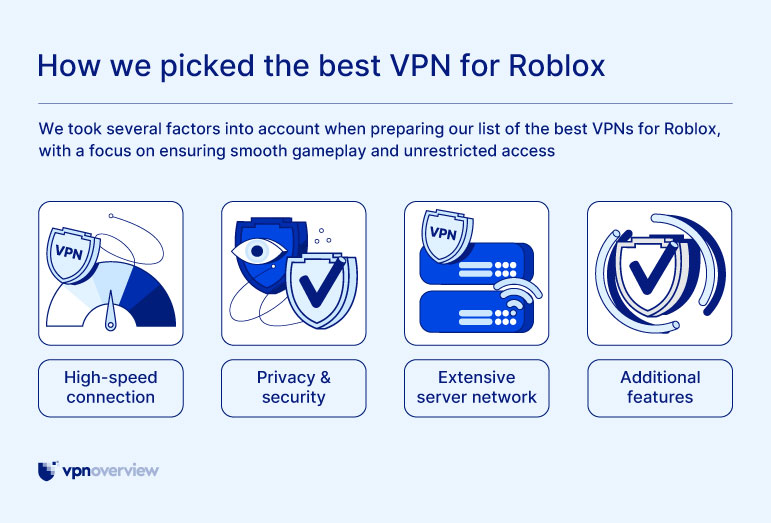
- Latency (30%). Low latency is essential for smooth Roblox gameplay, especially in competitive experiences. I closely monitored ping while playing Roblox on different servers. Keep in mind that connecting to distant VPN servers can increase latency.
- Server network (25%). VPNs with many server locations make it easier to connect to regions where Roblox is accessible or performs better.
- Performance and stability (25%). I prioritized VPNs that deliver consistent speeds and stable connections to avoid disconnects, lag spikes, or loading issues during gameplay.
- Device compatibility (10%). Roblox is available on Windows, macOS, mobile devices, and consoles, so I made sure the VPNs support the most common platforms players use.
- Cost (10%): Affordable VPNs that still offer strong performance and reliability ranked higher in my selection.
Best VPN locations for Roblox
The best VPN location for Roblox is usually the one closest to your physical location. Shorter physical distance means data travels faster, which helps minimize ping, reduce lag, and improve overall stability of the connection. Connecting to faraway countries may unlock access, but it can noticeably increase latency.
Below, I’ve compiled a table of the best VPN locations for Roblox based on your actual location:
| Your location | Best Roblox VPN location to choose |
| The US | The US (same or nearby state) |
| Canada | Canada or Northern US states |
| The UK | The UK or Ireland |
| Western Europe | Germany, the Netherlands, France |
| Eastern Europe | Germany, Poland, Lithuania |
| East Asia | Japan, South Korea |
| Southeast Asia | Singapore |
| Australia and New Zealand | Australia, New Zealand |
| South America | Brazil |
Pro tip
For the best Roblox experience, always connect to a VPN server closest to your physical location. If performance drops, switch to another nearby server rather than a distant one.
Final tips for using a VPN for Roblox
Roblox may be blocked due to location or regional restrictions, network settings, bandwidth caps, or similar issues. Luckily, using a VPN for Roblox can unblock the game in restrictive environments, lower ping, and bypass ISP-level bandwidth throttling for an overall smoother gaming experience.
Based on my testing, NordVPN is the best overall VPN for Roblox, as it offers the fastest connection speeds, the lowest ping, and a huge global server fleet for easy region change. Additionally, NordVPN is unparalleled at bypassing geo-restrictions. For the best Roblox experience, remember to always use a VPN server closest to your physical location, as it ensures the fastest connection speeds and the lowest latency.
Related articles:
Top 5 inappropriate Roblox games parents should know about
FAQ
The best VPN for Roblox is NordVPN. The service offers the fastest connection speeds in the industry, the lowest ping, and a huge global server fleet to ensure easy access to the game. Additionally, NordVPN is excellent at unblocking Roblox in unavailable regions or restrictive environments.
Currently, Roblox is banned in Algeria, China, Iraq, North Korea, Oman, Palestine, Qatar, Russia, and Turkey. Additionally, some countries use partial bans or in-game restrictions, and the list includes the Netherlands, Belgium, Jordan, Kuwait, and the United Arab Emirates. To access Roblox in banned countries or bypass local restrictions, you can use a VPN, such as NordVPN. A VPN can change your virtual location to a Roblox-available country and encrypt your traffic for privacy. This way, you’ll be able to bypass Roblox geo-restrictions and access the game as if from another location.
You can use a reliable VPN to play Roblox when it is banned in your country. Here’s how: choose a robust VPN, such as NordVPN, then download and install its app. Launch the VPN and connect to a server in a country where Roblox is available. For more privacy, choose an obfuscated server. Then, head to Roblox and play the game without restrictions.
Yes, it is legal to use a VPN for Roblox in most Western countries, such as the US, the UK, the Netherlands, Belgium, and so on. However, using a VPN to play Roblox in countries that prohibit VPN use, such as Russia and China, may result in run-ins with the local law. Additionally, using a VPN may violate Roblox’s Terms of Service, but that is not a criminal offense.
Yes, on very rare occasions, using a VPN with Roblox may result in a complete account ban. However, this is reserved only for cases when VPNs are used to cheat or break the TOS. Using a VPN may also result in temporary account suspensions. However, you can lower such risks by using a well-trusted VPN, such as NordVPN, which offers strong security features to ensure your VPN use is undetected.
Yes, a VPN can bypass local Roblox bans and geo-restrictions. For the best experience, choose a reliable gaming VPN, such as NordVPN, with fast connection speeds, advanced security features, and excellent geo-restrictions bypass capabilities. Once you have the VPN app installed, connect to a server in a country where Roblox is available. Then, launch the game and enjoy.
The easiest way to unblock Roblox at school is to use a VPN and your personal laptop or smartphone. Download and install a reliable VPN, such as NordVPN. Then, launch the app and connect to a server close to your physical location. This will grant the fastest connection speeds and the lowest ping. Now, launch Roblox – you should be able to access the game without restrictions.
Yes, you can use a VPN on Roblox mobile. However, remember that a VPN only changes your IP address but does not mask your GPS location. If you need a VPN with a GPS spoofer, I recommend using Surfshark. Get the app, install it, and launch it. Then, toggle on the GPS Spoofing feature in the settings and connect to a server in your chosen location. Now, open Roblox mobile and start playing.
Yes, a VPN can help with ping on Roblox. A VPN, such as NordVPN, can connect you to a faster, more direct server route, which will reduce latency. Remember to always use a server that’s physically close to you, as faraway connections may have a reverse effect and increase ping.