- Our recommended Warzone VPNs
- Why use a VPN for Call of Duty: Warzone?
- Best VPNs for Warzone: a detailed overview
- Best VPNs for Warzone: comparison
- Is there a 100% free Warzone VPN?
- How I picked the best VPNs for Warzone
- How to use a VPN for Warzone
- How to use a VPN for Call of Duty Warzone on consoles
- Best VPN location for Warzone bot lobbies
- Is NoLag a good VPN for Warzone?
- Warzone VPNs to avoid
- Conclusion: the best Warzone VPNs
- FAQ
NordVPN is the best Warzone VPN as it has thousands of secure servers all over the globe, offers the fastest connection speeds in the industry for gaming without lag, and makes accessing Warzone bot lobbies very easy.
Using a Warzone VPN can make a huge difference in matches. For instance, a VPN can get you into easier bot lobbies in Warzone by spoofing your location to regions with lower user activity during off-peak hours. Additionally, a good Warzone VPN can help reduce lag, protect you against DDoS attacks, and bypass internet service provider (ISP) throttling.
While there’s no single best VPN location for Warzone bot lobbies, my tests showed that South Africa, Egypt, Kenya, and Singapore are among the best bot lobby locations. Continue reading this guide and learn which VPNs are the best for Warzone and how to use them to access bot lobbies.

Our recommended Warzone VPNs
Why use a VPN for Call of Duty: Warzone?
Using a VPN for Call of Duty: Warzone can give you several advantages. For one, with a VPN, you can connect to a server in a region where the average player skill level is lower, making matches easier. Alternatively, if you connect to a VPN server in a region with fewer active players, you can get into Warzone AI-bot filled lobbies, which are overall the easiest to play. Beyond this, a VPN can improve your connection and ping by routing network traffic through faster or less congested servers. The technology can also help bypass ISP bandwidth throttling and safeguard you from DDoS attacks by encrypting your traffic and hiding your real IP address.
Overall, using a VPN for Call of Duty: Warzone can give you both technical and competitive benefits for smoother, safer gameplay.
Can you use a VPN in Warzone?
Activision’s terms of use do not prohibit the use of VPNs, so using one is generally safe. In fact, the game’s anti-cheating system, Ricochet, is not designed to detect or prevent VPN use, so playing with a VPN on is not considered cheating. So, if you use a VPN to reduce ping, avoid ISP throttling, secure yourself against DDoS attacks, or even manage matchmaking, you are free to do so.
Best VPNs for Warzone: a detailed overview
I compiled the list by testing and comparing different VPN service providers. My key criteria included a wide selection of servers, especially in countries with fewer active Warzone players. I also appreciated lightning-fast speeds and low ping. Plus, I looked into security and privacy features, as a great VPN should also be safe. After thorough testing, NordVPN, Surfshark, Proton VPN, TotalVPN, and Norton VPN stood out as the best VPNs for Warzone – you can read my detailed reviews below.
Top 1. NordVPN – the best Warzone VPN overall
- Rating: 9.3 ⭐⭐⭐⭐⭐
- Ping: Very low ping (5-10ms) on nearby servers
- Servers: 8900 servers in 149+ countries
NordVPN is the best VPN for Warzone due to its extensive server fleet, lightning-fast speeds, and gaming compatibility. It’s one of the best gaming VPNs right now and performs exceptionally well with Warzone.
When I tested NordVPN’s speeds during a Warzone gaming session, I maintained 90 to 99% of my original connection speed after connecting to nearby servers. The distant servers performed great as well. With NordVPN, my Warzone gaming quality and experience didn’t differ with nearby or faraway servers.

With 8900 servers in 149+ countries, you won’t have any trouble finding Warzone bot lobbies. For example, I easily got into Warzone bot lobbies using Nord’s Egypt, Vietnam, and Singapore servers, so it shouldn’t be an issue for you either. Overall, I found that the server choice, the great speeds, and the support for fast VPN protocols, like their proprietary NordLynx, all make NordVPN the best choice among the competitors.
Not to mention, NordVPN has an amazing security suite. If you’re streaming Call of Duty Warzone 2, you won’t have to worry about DDoS attacks with NordVPN. Additionally, NordVPN works with all major OSs, including Linux, and offers apps for gaming consoles and plenty more devices. If you like, you can also set up NordVPN directly on your router to cover all your devices at once.
NordVPN is the best overall Warzone VPN that offers a 3-day free trial and a 30-day money-back guarantee for risk-free subscriptions. If you’d like to play COD with this premium VPN, you can get a NordVPN subscription for as low as $ 3.49/month. Learn more in our NordVPN review.
Top 2. Surfshark – affordable and fast VPN for Warzone
- Rating: 9.0 ⭐⭐⭐⭐⭐
- Ping: Low ping (7-14ms)
- Servers: 4500 servers in 100+ countries
If you’re looking for the best VPN for Warzone at an affordable price, you can’t go wrong with Surfshark. It’s cheap, and it comes with a slew of excellent features, such as split tunneling, a kill switch, and DNS leak protection, all of which will help keep you anonymous online.
Surfshark operates a mid-sized fleet of 4500 servers in 100 countries. Although the fleet is not as big compared to NordVPN, it still covers most Warzone bot lobby locations. For instance, I used Surfshark’s Egypt, Turkey, and South Africa servers and got into bot lobbies with each try.
I tested its connection speed on dozens of servers while playing Warzone and its most recent version, Warzone 2, and the results were really good. I only had 7-14 ms of ping on nearby servers, but distant servers also performed reliably.
Even on faraway servers, I maintained speeds of over 70 Mbps (my base speed was 100 Mbps). You only need about 35-50 Mbps to play games online without a hitch, so Surfshark is an excellent VPN for Warzone.
Surfshark is also a good pick for streamers. It can protect you against DDoS attacks and other online dangers with robust AES-256 encryption, a reliable kill switch, and obfuscated servers for extra privacy. You can use Surfshark with all major OSs and install its apps on gaming consoles, laptops, PCs, and plenty more devices.
Surfshark is an excellent Warzone VPN with a 7-day free trial and a 30-day money-back guarantee. You can get a Surfshark subscription for just $ 2.49/ month, which is a great price considering unlimited connections.
Interested in learning more about this VPN? Check out our full Surfshark review. You can also get a student discount for Surfshark and other top VPNs for students.
Top 3. Proton VPN – a safe VPN offering servers for Warzone bot lobbies
- Rating: 8.9 ⭐⭐⭐⭐
- Ping: Minimal impact on latency (5-11ms)
- Servers: 20700 servers across 149+ countries
Proton is a great VPN for Warzone due to its reliable servers in less active Warzone countries, blazing-fast speeds, low ping, and robust security features.
It also has a huge VPN server network covering 20700 servers across 149+ countries and military-grade encryption to keep you safe online. To get into Warzone’s bot lobbies, I used Proton VPN’s Turkey, Taiwan, and Egypt servers, and found it very easy to access the easier matches.
Proton VPN performed really well in my speed tests with Warzone as well. I got the average connection speed of 770Mbps with an 81% initial speed retention rate, and a barely increased ping. Overall, I liked the results and could play Warzone without any noticeable interruptions while using Proton VPN.
Proton VPN offers robust security features, such as strong encryption, IP/DNS/WebRTC leak protection, and a kill switch. It also works with a lot of devices, such as gaming consoles, and can also be configured on a router.
Proton VPN is a secure VPN for Warzone, with a free version and a 30-day money-back guarantee. The Proton VPN subscriptions are a bit steeper, starting at around $ 2.99/month.
Top 4. TotalVPN – cheapest Warzone VPN with antivirus
- Rating: 7.0 ⭐⭐⭐⭐
- Ping: Low ping (30-50ms)
- Servers: thousands of servers in 90++ countries
TotalVPN is a reliable Warzone VPN offering affordable subscriptions, servers in popular lobby locations, and above-average connection speeds. Additionally, TotalVPN integrates beautifully into the Total Antivirus suite if you’re looking for a more well-rounded approach to your device’s security.
TotalVPN operates a mid-sized fleet of thousands of servers in 90+ countries. After the recent fleet expansion, TotalVPN now has servers in some of the Warzone bot lobby locations, such as Brazil, Taiwan, Turkey, Singapore, Argentina, and South Africa. I tried accessing Warzone bot lobbies with several of these servers and found it to be pretty smooth and easy.
During my speed tests, TotalVPN delivered quite good results, achieving an average connection speed of around 712 Mbps, retaining about 75% of the initial speed, with a ping ranging from 30 ms to 50 ms. This is pretty impressive, knowing that TotalVPN only offers the OpenVPN tunneling protocol for most devices.
It does not offer a lot of advanced security features and does not include things like obfuscation or split tunneling. However, besides strong basics, like AES-256 encryption and a kill switch, TotalVPN offers a very reliable ad blocker to make your gaming experience overall smoother. TotalVPN works with Windows, macOS, Android, and iOS, but, unfortunately, it is not compatible with gaming consoles or routers, and you can only use it with PCs, laptops, and mobile devices.
TotalVPN is a reliable and inexpensive Warzone VPN with a 30-day money-back guarantee for risk-free purchases. If you’d like, you can subscribe to it for just $ 1.59/month.
Top 5. Norton VPN – secure VPN for COD: Warzone bot lobbies
- Rating: 7.0 ⭐⭐⭐⭐
- Ping: under 80ms
- Servers: 2000 servers in 65 countries
Norton is a reliable Warzone VPN with above-average connection speeds, very user-friendly apps, and servers in Call of Duty bot lobby locations. Additionally, it offers modern tunneling protocols that can be used in accordance with your online activities.
Norton VPN operates a good-sized fleet of 2000 servers in 65 countries. This spread also covers some of the best Warzone bot lobby locations, such as Brazil, Singapore, South Africa, and Mexico. I had the best success using Norton VPN’s Mexico server to get into bot lobbies, as this particular connection also gave me the fastest speeds.
Norton VPN isn’t as fast as the other Warzone VPNs on my list, showing an average connection speed of 680Mbps with a 72% initial speed retention rate during my tests. However, the ping stayed comfortably under 80ms, which allowed me to play Warzone without any major interruptions.
Windows and Android users can take advantage of Norton VPN’s split tunneling feature, while all users can ensure their security with robust AES-256 encryption, IP/DNS/WebRTC leak protection features, and use the proprietary Mimic protocol for obfuscation. Norton works with all major OSs, including Linux; however, it does not have native apps for routers and gaming consoles, and requires manual setup.
Norton VPN is a user-friendly, robust VPN for Warzone with a 30-day free trial and a 60-day money-back guarantee. If you find it a good fit for you, you can subscribe for just around $ 3.33/month.
Best VPNs for Warzone: comparison
| Best Warzone VPN | Rating | Works with Warzone? | Servers | Speed | Simultaneous connections | Price |
|---|---|---|---|---|---|---|
| 1. NordVPN | 9.3 ⭐⭐⭐⭐⭐ | ✅ Yes | 8900 servers in 149+ countries | 780Mbps | Up to 10 | $ 3.49/month |
| 2. Surfshark | 9.0 ⭐⭐⭐⭐⭐ | ✅ Yes | 4500 servers in 100+ countries | 779Mbps | Unlimited | $ 2.49/month |
| 3. Proton VPN | 8.9 ⭐⭐⭐⭐⭐ | ✅ Yes | 20700 servers in 149+ countries | 770Mbps | Up to 10 | $ 2.99/month |
| 4. TotalVPN | 7.0 ⭐⭐⭐⭐ | ✅ Yes | Thousands of servers in 90+ countries | 712Mbps | Up to 10 | $ 1.59/month |
| 5. Norton VPN | 7.0 ⭐⭐⭐⭐ | ✅ Yes | 2000 servers in 65 countries | 680Mbps | Up to 10 | $ 3.33/month |
Is there a 100% free Warzone VPN?
There is no truly free Warzone VPN, as unpaid services are generally unfit for low-latency online gaming and almost never offer the features necessary for this purpose. However, if you still need a free VPN, you can try the Proton VPN free version, as it is at least secure and reliable, and does not limit bandwidth. That said, it only offers servers in 5 locations – the US, the Netherlands, Japan, Poland, and Romania – and does not cover Warzone bot lobby locations. Also, you won’t be able to use the Proton VPN premium features with it, such as Secure Core servers, tunneling protocol choices, or obfuscation.
Instead of relying on a free VPN for playing Warzone, I recommend choosing NordVPN or Surfshark and taking advantage of their 30-day money-back guarantees and free trials. During this time of unpaid use, you will be able to access all premium VPN features, including servers in Warzone bot lobby locations, split tunneling, and obfuscation.
How I picked the best VPNs for Warzone

Call of Duty Warzone is a competitive online FPS. So, right off the bat, speed is the most important thing when looking for a VPN. Playing Warzone is no fun if you’re lagging and can’t react in time to enemy movements.
But that’s not the only thing I looked at in our research and tests. Here are the key factors I considered for our best VPN for Warzone list apart from speed:
- Server network: If you’re looking for a Call of Duty Warzone VPN, you most likely want a quick fix to get into bot lobbies. So, I only chose VPNs that have a large server network. This way, no matter where you live, you can find a nearby server and avoid skill-based matchmaking.
- DDoS protection: If you engage with communities on Discord or Reddit, dozens of third parties see your IP address. This exposure is one of the reasons that gaming streamers get DDoSed or even doxxed. I only picked VPNs that offer DDoS protection and other security-enhancing features.
- Price and service: Good VPNs stand out with more than just security features. For this list, I only picked VPNs that offer excellent value for money and provide a money-back guarantee.
Of course, the VPNs on my list also work well for other Call of Duty games, like Modern Warfare 3.
How to use a VPN for Warzone
Using a VPN in Warzone differs slightly across devices, like PCs, consoles, and mobile devices, due to platform-specific network settings. The steps below are suitable for PC, laptop, and mobile device users, but I’ll also share the steps on how to use Warzone VPNs on consoles later on.
Step 1. Get a reliable gaming VPN
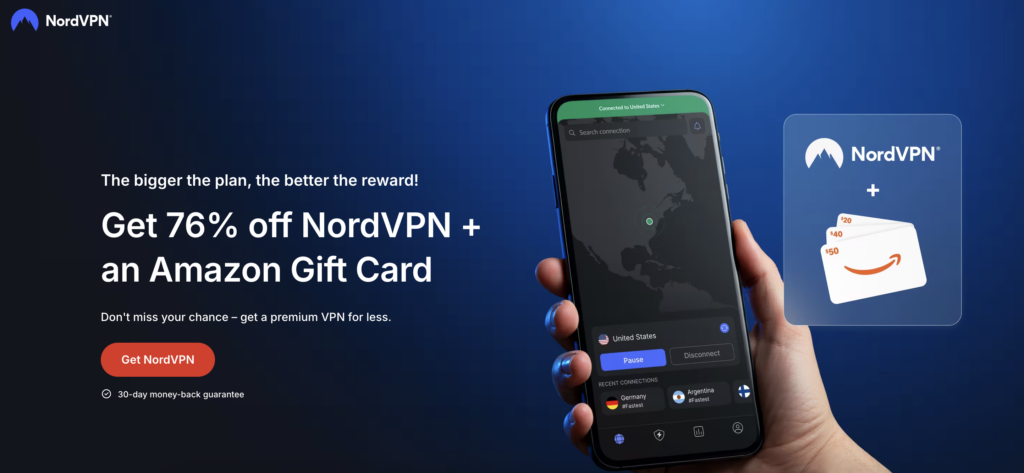
Choose a VPN with plenty of servers so it would be easy to connect to countries with a lot of bot lobbies. My tests showed that NordVPN is the best Warzone VPN overall, due to fast connection speeds, secure servers in Warzone bot lobby locations, and robust features to ensure your security during gameplay
Step 2. Download the VPN app on your device
After selecting and purchasing a subscription plan, download the VPN on your device. Click on the .exe file and follow the on-screen instructions for the installation process.
Step 3. Connect to a server in a low-population region
On the map, select a country you wish to connect to. For easier bot lobbies, select countries with fewer active Warzone players. Some of the best VPN locations for Warzone currently include Turkey, South Africa, Egypt, Kenya, Hawaii in the US, Mexico, Brazil, and Argentina. Below, you’ll find a map with all the best Warzone bot lobby locations:

Step 4. Adjust your Steam download region
Before you start playing Warzone in a bot lobby region, you might need to adjust your Steam download region. Luckily, it’s very simple to do:
- Open Steam on your PC or laptop.
- Click Steam in the top-left corner and select Settings (or Preferences on macOS).
- Go to the Downloads section.
- Open the drop-down list under the Download Region.
- Choose the region you want to switch to – make sure it corresponds to the server location you want to use.
- Click OK to save the changes and restart Steam for the change to take effect.
Step 5. Launch the game
Now, with the download region adjusted in Steam and your VPN connected and secure, launch Call of Duty: Warzone and start playing. If you haven’t gotten into a bot lobby on the first try, no need to worry – try launching the game again or changing your server location; eventually, you will access an easy-to-play bot lobby.
How to use a VPN for Call of Duty Warzone on consoles
Installation on consoles is a bit more complicated. In fact, unless your PS or Xbox is jailbroken, you won’t be able to install a VPN application on it.
Instead, you’ll need to either install the VPN on your router (the hard way) or turn another device into a router (the easy way). Here’s how to turn your PC into a virtual router:
- Connect your PC to the internet via a LAN cable.
- Connect to the VPN service of your choice. I recommend NordVPN.
- Open Command Prompt. Type “cmd” in the search bar to pull it up quickly.
- Copy this line: netsh wlan set hostednetwork mode=allow ssid=XXXXX key=YYYY.
- Change the “XXXXX” to a network name and the YYYY to a password.
- Paste this into “Command Prompt“ and hit enter. Your new connection is now set up.
- In the “Command Prompt,” type “netsh wlan start hostednetwork” and press “Enter.”
- Connect your console to the new network.
Best VPN location for Warzone bot lobbies
The best VPN location for bot lobbies in Warzone is countries with a low population of players, such as Hawaii in the US, India, Egypt, Turkey, and Kenya. These locations for Warzone bot lobbies are especially effective if you connect to them during off-peak hours to find lobbies with fewer and less skilled players.
Below, you’ll find my list of the best VPN locations for Warzone bot lobbies by region:
- Central/North Africa: Kenya, Nigeria, Ghana, and Egypt are good choices due to lower player populations and less competitive lobbies.
- Asia: India, Taiwan, Vietnam, and Singapore are good options as they have different playing hours compared to Western hubs, while also keeping a relatively low player population.
- South America: An Early morning session in Brazil or Argentina can result in easier bot lobbies.
- Other regions: Hawaii and the Central Pacific regions mostly have quite low player populations with fewer skilled players, increasing the chance of landing in a bot lobby or an easier match.
To find the best VPN location for Warzone for bot lobbies that work for you, you will have to test several locations yourself. My advice is to connect to a region that is in its early morning hours, around 1 AM to 4 AM local time, as at that time, there will be fewer local players online. However, bear in mind that connecting to a distant server can get you into bot lobbies, but it might also increase your ping and negatively impact your gameplay. So, make sure to use only a gaming-optimized VPN with fast servers and try to find a Warzone bot lobby location that’s physically closest to you.
How to get bot lobbies in Warzone with a VPN
1. Subscribe to a gaming-optimized Warzone VPN. I recommend NordVPN, now 78% off, as it worked the best during my testing.
2. Download and install the VPN app on your gaming device.
3. Launch the VPN and connect to a server in a location known for Warzone bot lobbies, like Egypt, Turkey, or Argentina.
4. Launch Call of Duty: Warzone and start playing!
Is NoLag a good VPN for Warzone?
NoLag is a popular VPN for Warzone. It’s specifically designed to help you find bot lobbies, and it’s pretty easy to use. But you’d be selling yourself short if you spent your money on NoLag.
First, because it’s really expensive. NoLag VPN will set you back $4.90 per month for an annual subscription. NordVPN is only $ 3.39, and it’s much faster than NoLag. In fact, NordVPN is the fastest VPN I have tested.
Not to mention, NordVPN has a ton more features, like advanced encryption, an ad blocker, and protection against malware. Plus, if you get it with our link, you can get 78% off on long-term subscriptions.
Warzone VPNs to avoid
While researching and testing the best VPN for Warzone, I found a few VPN apps that I don’t recommend. Not all of these are outright bad, but they just don’t work well with Call of Duty Warzone.
In the table below, you can see some of the VPN providers I recommend steering clear of if you want to play Warzone with a VPN.
| VPN provider | Why you should avoid it |
|---|---|
| BeetVPN | Slow connection speeds and logs data |
| NoLagVPN | Collects user data and sells it to third parties, and has been known to infect devices with malware |
| Betternet VPN | Has unreliable speeds and gathers a considerable amount of user data |
| Hola VPN | Logs online activity and doesn’t encrypt your connection |
| Trust.Zone | Promises several VPN protocols, but only offers one |
A free VPN can be attractive if you don’t want to spend any money on VPNs. But a free VPN won’t do much to help you play Warzone. Free VPNs have very few servers, so they can’t maintain reliable speeds.
You’ll just struggle with ping for a few minutes before giving up. Even a fast internet connection isn’t enough to overcome this, so regardless of your internet service provider, you’ll have a hard time with free VPNs.
Plus, you don’t get any useful features like DNS leak protection, gaming-optimized servers, or your choice of server location.
Conclusion: the best Warzone VPNs
Call of Duty: Warzone gameplays can be very intense, as the game uses skill-based matchmaking, which constantly pairs you with similar- or higher-skilled players. If you constantly end up in such matches, the tough competition makes it harder to improve or progress within the game. Luckily, you can use a VPN to change your Warzone location and find easier, bot-filled matches, also called bot lobbies. Simply connect to a server in a location known for Warzone bot lobbies with your VPN, and enjoy easier Call of Duty gameplay.
After testing over 20 VPNs, I found that NordVPN is the best Warzone VPN overall. The service offers the fastest connection speeds in the industry, keeps a low ping, and covers Warzone bot lobby locations with secure servers.
If you want to make the most out of your games, don’t forget to also check out:
- How to Lower Ping for Better Multiplayer Gaming
- Call of Duty: Modern Warfare 4 VPN and how to get bot lobbies
- The Best VPNs for PlayStation
- The Best VPNs for Minecraft
- The Best VPNs for Xbox
FAQ
Here are some frequently asked questions to help clear any doubts you might have.
Yes, a VPN can get you into easier lobbies in Warzone. First, choose a gaming-optimized VPN, like NordVPN, with a good global server coverage. Then, once you have the app, connect to a server in a location known for Warzone bot lobbies, such as Turkey, Egypt, Hawaii in the US, Brazil, or Kenya. After the connection is established, launch Call of Duty: Warzone and enjoy easier gameplay.
The best VPN location for Warzone is one that has a low player population with not a lot of skilled gamers. For instance, current Warzone bot lobby locations include Argentina, Brazil, Egypt, Turkey, Hawaii in the US, Mexico, Kenya, and Ghana. To access these Warzone bot lobbies, get a reliable gaming VPN, like NordVPN, launch the app, and connect to a server in one of these locations. Then, launch the game and enjoy.
No, Warzone’s anti-cheat system, Ricochet, is not used to detect or penalize players for using VPNs, so you are safe to use it to secure your gameplay or change your virtual location. However, for a smooth experience, it is still very important to choose a robust Warzone VPN, like NordVPN, that will keep up with the demands of online gaming without slowing you down.
No, using a VPN will not get you banned from Warzone. Many players use it to improve speed or reduce lag. There is no mention in Actvisitation’s Terms of Service about using a VPN as well. However, frequently switching locations and avoiding SBMM can raise some suspicions and result in a “shadow ban”. Always use a reputable VPN to avoid such issues.
To use a VPN with Warzone, choose a reliable VPN provider, like NordVPN Install it on your PC or other device, and connect to a server in a desired region. Launch Warzone after the VPN is connected. For the best speed and low ping, choose the closest server that you need.