
- Our recommended Twitter VPNs in 2026
- Why do you need a VPN for Twitter
-
Best VPNs for Twitter (X): detailed list
- Top 1. NordVPN – best VPN for Twitter to bypass age verification and restrictions
- Top 2. Surfshark – affordable Twitter VPN for privacy protection
- Top 3. Proton VPN – secure VPN for Twitter users focused on privacy
- Top 4. IPVanish – fast and reliable VPN for Twitter (X) access
- Top 5. ExpressVPN – user-friendly VPN for Twitter to protect your identity
- Compare the top 5 Twitter VPNs
- How I tested VPNs for Twitter
- Are there any free VPNs for Twitter?
- Final tips for using a VPN on Twitter
- FAQ
As of July 2025, Twitter (now X) has started applying strict age verification processes in several countries, including the UK and parts of the EU. Users trying to access sensitive content or certain features now have to submit a government-issued ID or go through third-party age verification services. Like many users, I found this intrusive, but luckily, there’s a way around it.
A reliable VPN for Twitter can hide your IP address, making it look like you’re accessing the platform from a different country where these age checks aren’t enforced. It also encrypts your connection, helping you bypass age-gating without revealing personal data. However, age verification requirements aren’t the only reason people turn to a Twitter VPN.
In countries like China, Iran, North Korea, and Turkmenistan, the platform is blocked entirely. With a powerful VPN, you can regain access to X, no matter where you’re actually located. After weeks of running hands-on tests, I found that NordVPN, Surfshark, Proton VPN, IPVanish, and ExpressVPN are the best VPNs for Twitter in 2026, excelling in speed, security, and unrestricted access to the platform.
Note:
In Australia, new rules are now being enforced as part of the social media minimum age legislation. Users under 16 are blocked from accessing certain features, while those over 16 may be asked to verify their age using government-issued ID or approved third-party verification services. VPNs can help users bypass these checks by connecting from countries where age verification isn’t required.
Our recommended Twitter VPNs in 2026
-
1.NordVPN: best VPN for Twitter with strong privacy and speed
-
2.Surfshark: affordable Twitter VPN to bypass age verification
-
3.Proton VPN: privacy-focused VPN for Twitter users
-
4.IPVanish: fast VPN for secure Twitter access and unblocking
-
5.ExpressVPN: trusted VPN for Twitter with excellent privacy
Test it first: NordVPN is the overall best VPN for Twitter, and Android users can start a 3-day free trial through the Google Play Store. It’s an easy way to check performance and reliability before purchasing.
Why do you need a VPN for Twitter
There are more reasons to use a VPN for Twitter (X) than you might think. For me, it started with avoiding the new age verification prompts, but I then realized how many other advantages came with using a VPN. If you’re worried about censorship, privacy, or simply want access to Twitter without geo-restrictions, a good VPN gives you more control over where and how you can use the platform.
- Bypass age verification. As of July 2025, users in the UK, parts of the EU, and Australia must submit government-issued ID or go through third-party tools to access sensitive content on X. By connecting through a country where these checks aren’t enforced, a VPN lets you skip the process entirely and maintain your anonymity.
Connect to a VPN server in a country that doesn’t require age checks, such as the US or Canada, and relaunch the platform. You should then be able to access previously restricted content without ID verification.
- Unblock Twitter in restricted regions. In places like China, Iran, and North Korea, Twitter is completely blocked. A reliable VPN gives you access by changing your virtual location.
Choose a server in a location where Twitter is accessible. Once connected, you’ll be able to log in and use the platform without restrictions.
- Protect your privacy. A VPN hides your IP address and encrypts your internet traffic, preventing X, your ISP, data brokers, or government agencies from tracking your online activity.
Best VPNs for Twitter (X): detailed list
Not every VPN is a fit for Twitter. You’ll need a service that’s fast, stable, and reliable at bypassing restrictions and geo-blocks without leaking your data. I looked for VPNs with strong encryption, a no-logs policy, and servers in regions where X works without age checks. Based on my tests, these are the best VPNs for Twitter in 2026: NordVPN, Surfshark, Proton VPN, IPVanish, and ExpressVPN.
Top 1. NordVPN – best VPN for Twitter to bypass age verification and restrictions
- Rating: 9.3⭐⭐⭐⭐⭐
- Servers: 8900 servers in 149+ countries
- Price: $ 3.49/month + 3-day free trial and 30-day money-back guarantee
After my testing, NordVPN emerged as the top choice for Twitter (X) in 2026, especially if you’re trying to bypass strict age verification in the UK or access the platform from a country where the platform is blocked. NordVPN combines speed, security, and a huge global server network, which makes it ideal for unlocking Twitter from anywhere and without handing over your ID.
With over 8900 servers in 149+ countries, I had no problem finding locations where Twitter isn’t restricted or where age verification isn’t required. I connected to servers as far as the US, Canada, and Japan, and they all worked perfectly. As a result, I easily avoided the ID prompts when trying to access sensitive content as part of my testing. While in the UK, I switched to a server in Ireland, cleared my cookies, and reopened the app. No age prompt was there, and everything loaded smoothly.
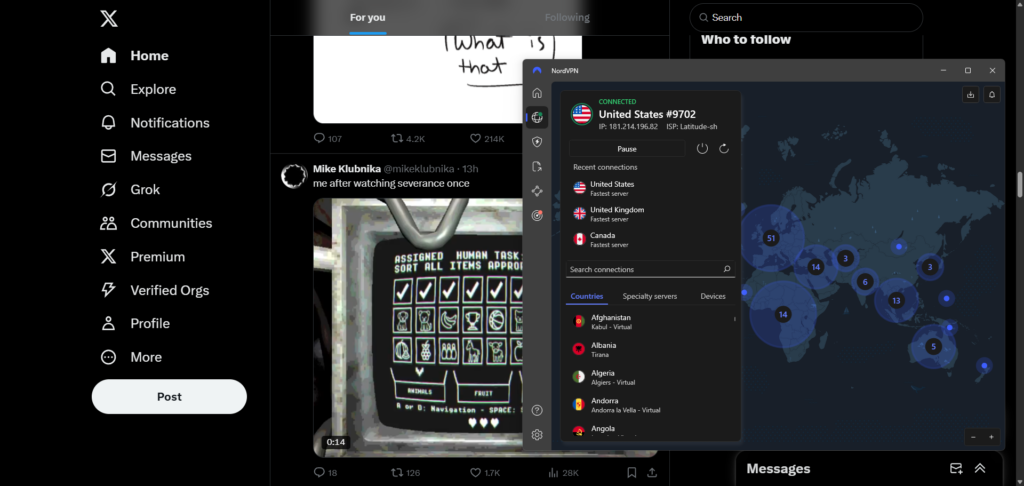
To make things safer, I recommend turning on NordVPN Obfuscated Servers in the settings, especially if you’re in a country that blocks Twitter completely, like China, Iran, or North Korea. This hides the fact you’re using a VPN at all, which is important in countries with more aggressive censorship and control. Also, enabling NordLynx, their in-house WireGuard-based protocol, gave me faster speeds and smoother video playback on X.
As for the security, NordVPN has a strict no-logs policy, AES-256 encryption, kill switch,and DNS leak protection, all crucial for staying anonymous. NordVPN is priced at $ 3.49/month if you go for a longer-term subscription. And if you’re in doubt, NordVPN offers a 30-day money-back guarantee, so you can test it for Twitter without risking it.
What I like
- Obfuscated servers
- Global server network
- Strong bypassing capabilities
What I don’t like
- Free trial only 3 days
Top 2. Surfshark – affordable Twitter VPN for privacy protection
- Rating: 9.0⭐⭐⭐⭐⭐
- Servers: 4500 servers in 100+ countries
- Price: $ 2.49/month + 7-day free trial and 30-day money-back guarantee
After spending a few weeks testing, I found Surfshark to be the best cost-effective VPN for Twitter in 2026. If your priority is privacy and skipping the new age verification checks, it does the perfect job. This VPN is lightweight, fast, and packed with strong privacy tools that help keep you anonymous while using X.
Surfshark has 4500 servers across 100 countries, giving you plenty of options to connect through regions where Twitter isn’t blocked or where ID checks don’t apply. I tested servers in the US, Netherlands, and Singapore just to try different regions, and all of them let me access any content on X without any age-checking. While testing Surfshark from the UK, I switched to a Dutch server, cleared cookies, and launched X in a fresh browser session. Everything worked without fail – no ID request popped up.
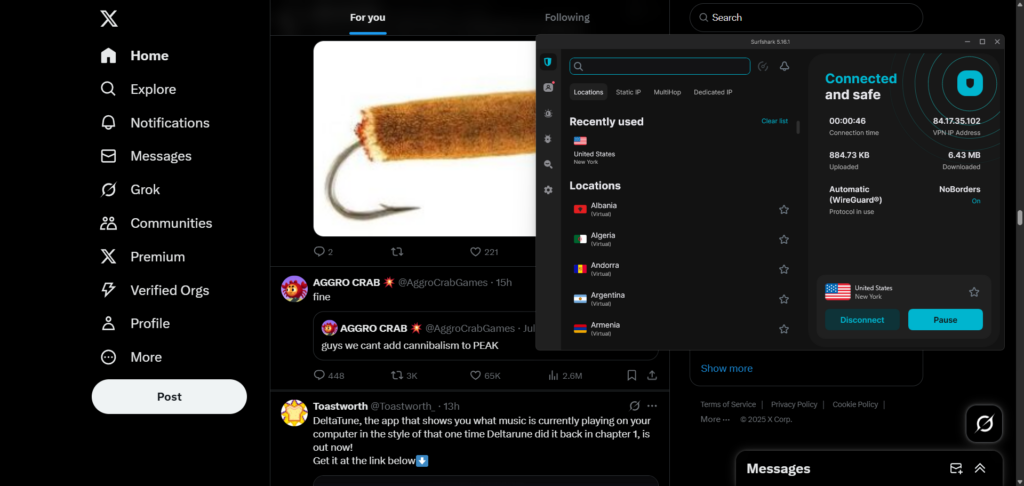
To improve your connection and anonymity, I suggest enabling Surfshark Camouflage Mode, which makes your VPN traffic look like regular internet usage. It’s especially useful if you’re somewhere like China, the UAE, or Egypt, where X access is limited. You can also activate WireGuard for the best speeds and zero to no buffering when scrolling or watching media on Twitter.
Surfshark also follows a strict no-logs policy, offers AES-256 encryption, a kill switch, and MultiHop servers for extra protection. Another perk is that there’s no device limit when you’re subscribed. For me, Surfshark has proven to be the Twitter VPN with the best value for money. Surfshark’s plans start as low as $ 2.49/month and include a 30-day money-back guarantee in case you change your mind.
What I like
- Camouflage Mode
- Unlimited device support
- Great value for money
What I don’t like
- Certain features cost extra
Top 3. Proton VPN – secure VPN for Twitter users focused on privacy
- Rating: 8.9⭐⭐⭐⭐
- Servers: 20700 servers in 149+ countries
- Price: $ 2.99/month + free version and 30-day money-back guarantee
If your main concern is protecting your identity and avoiding unnecessary data sharing on Twitter (X), Proton VPN is the service I’d strongly recommend. When I tested it, it stood out for its strict security standards and transparency. Proton VPN is developed by the same progressive team behind Proton Mail and backed by Swiss laws known for their stance on privacy. It’s a strong choice if you’re trying to bypass age verification without compromising privacy.
While Proton VPN’s free version is reliable but limited in servers, the VPN’s premium plan offers 20700 servers in over 149 countries – an impressive global network. As there was no shortage of locations on the premium plan, I tried Canada, Sweden, and Switzerland, and connected to Twitter without triggering any ID checks. When I tested the VPN from within the UK, I chose to stick with a Swedish server, cleared my browsing data, and reopened X. There was no age wall, no interruptions – just smooth access to all kinds of posts, including NSFW and sensitive content.
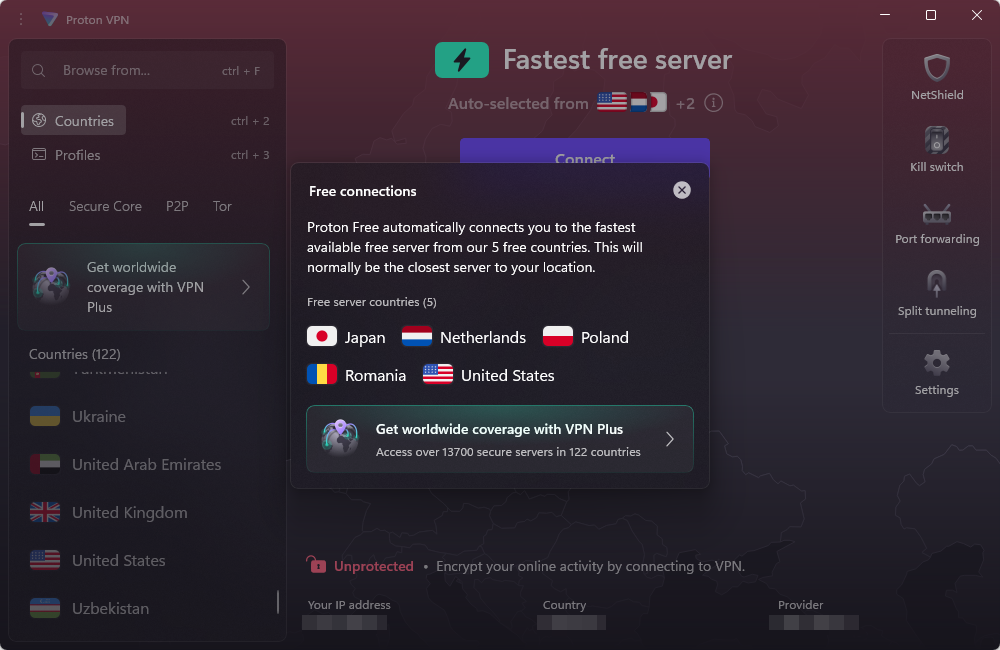
For Twitter access in censored countries like Russia, Turkey, or Indonesia, I recommend enabling Secure Core. It’s a double-hop system that routes traffic through privacy-friendly countries before reaching your target location. You can also switch to WireGuard or Stealth protocol for faster speeds and stealthier connections, especially helpful in regions with tight internet controls.
Proton VPN has a strict no-logs policy, AES-256 encryption, a kill switch, and built-in ad and tracker blocking. While Proton VPN has a good-quality free version, I used the Plus plan, which unlocks full servers, better speeds, and streaming access. For advanced Twitter users focused on privacy, a Proton VPN subscription is a solid investment of $ 2.99/month, and the 30-day money-back guarantee makes it risk-free to try.
For updated pricing and potential additional savings, check Proton VPN deals page.
What I like
- Stealth protocol obfuscation
- Swiss privacy focus
- Massive server fleet
What I don’t like
- More expensive
Top 4. IPVanish – fast and reliable VPN for Twitter (X) access
- Rating: 8.5⭐⭐⭐⭐
- Servers: 3400 servers in 113+ countries
- Price: $ 2.39/month and a 30-day money-back guarantee
If you want a Twitter VPN that delivers speed while keeping things simple, IPVanish is the VPN I found very consistent during testing. It’s also useful if you’re dealing with throttled connections or just want to access X quickly and without roadblocks, whether that’s age verification or full-on government censorship of certain countries.
IPVanish runs over 3400 servers across more than 113 locations, and the performance is impressively stable. I tested it by connecting to servers in different regions, including locations like the US, Spain, and South Korea, and was able to bypass Twitter’s age check effortlessly. From the UK, I switched to a server in Germany, cleared cookies, and reopened the site as usual. No age verification prompts appeared, and all sensitive content was fully accessible.
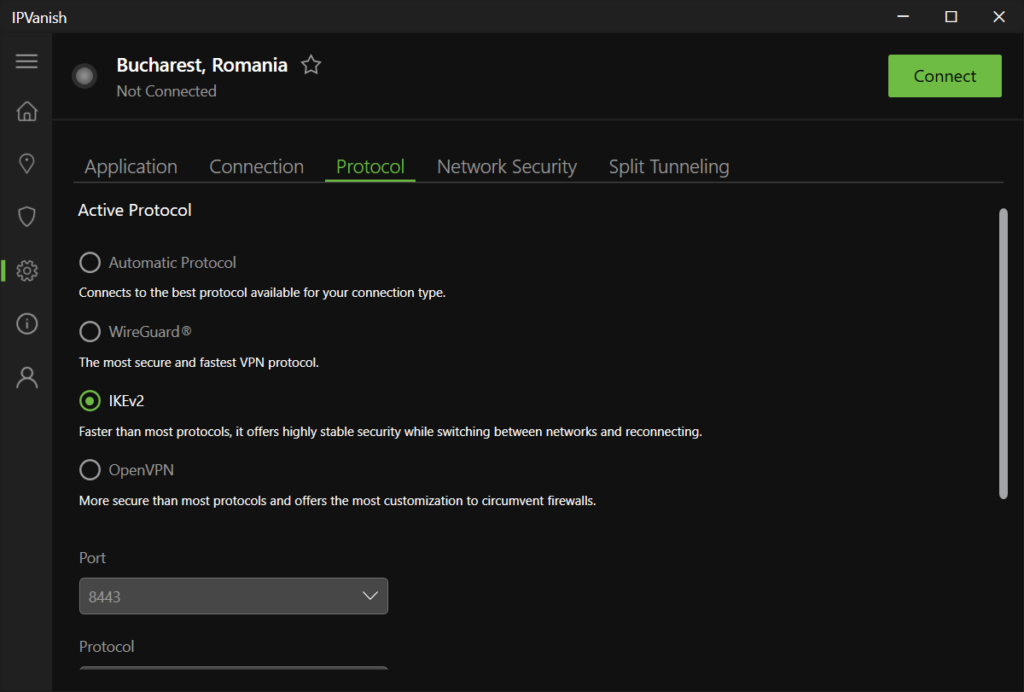
One thing I really appreciated about IPVanish was the Scramble feature (available with OpenVPN), which helps hide your VPN traffic. This can come in handy in countries like China, Turkey, or Belarus, where Twitter is restricted or heavily monitored. You can also switch to WireGuard to improve speed, as I noticed pages and videos on X loading faster after the protocol change.
IPVanish follows a no-logs policy, uses AES-256 encryption, and includes a kill switch for extra protection. You also get unlimited simultaneous connections, like with Surfshark, which is always great if you’re active on multiple devices or live in a larger household.
IPVanish VPN pricing is competitive, with plans starting at $ 2.39/month, all backed by a 30-day money-back guarantee and a 7-day free trial for risk-free tryouts.
What I like
- Fast and reliable servers
- Free antivirus included
- Torrenting-friendly
What I don’t like
- No anonymous payments
Top 5. ExpressVPN – user-friendly VPN for Twitter to protect your identity
- Rating: 8.5⭐⭐⭐⭐
- Servers: 3.000+ servers in 113+ countries
- Price: $ 2.99/month
If you’re new to VPNs or just want something that works simply yet flawlessly, ExpressVPN is easily one of the most intuitive options I tested for Twitter (X) in 2026. It’s fast, highly secure, and beginner-friendly. It has also proven to be excellent if your goal is to protect your identity while avoiding age checks or accessing X from regions where it’s blocked.
ExpressVPN operates 3000+ servers in 113 countries, and the app makes it incredibly simple to switch between them. I connected to servers in Canada, France, Belgium, and the US, and was able to instantly access all content on X without any age verification process. From the UK, I used a French server in Paris, cleared cookies, and opened Twitter in a fresh browser session – the usual procedure. As a result, I had no ID request, and everything loaded quickly.

Again, for countries with stricter censorship, like China, the UAE, or Iran, I recommend enabling ExpressVPN Stealth Servers (available automatically via the Lightway protocol). Lightway also gave me noticeably faster speeds during my testing, especially on mobile.
ExpressVPN includes AES-256 encryption, a kill switch, split tunneling, and a verified no-logs policy. It’s also independently audited, which gives extra peace of mind when using X in sensitive environments. While it’s more expensive than VPNs like Surfshark, ExpressVPN’s quality matches the $ 2.99/month price. Plus, your ExpressVPN purchases are protected by a 30-day money-back guarantee.
What I like
- Competitive performance
- User-friendly apps
- Verified no-logs policy
What I don’t like
- Smaller server network than some competitors
Compare the top 5 Twitter VPNs
| Best VPN for Twitter | Rating | Unblocks Twitter in restricted countries? | Bypasses age verification? | Servers | Free trial | Monthly price |
|---|---|---|---|---|---|---|
| 1. NordVPN | 9.3⭐⭐⭐⭐⭐ | ✅ Yes | ✅ Yes | 8900 across 149+ countries | ✅ 3-day free trial on Android | From $ 3.49/month |
| 2. Surfshark | 9.0⭐⭐⭐⭐⭐ | ✅ Yes | ✅ Yes | 4500 across 100+ countries | ✅ 7-day free trial | From $ 2.49 /month |
| 3. Proton VPN | 8.9⭐⭐⭐⭐ | ✅ Yes | ✅ Yes | 20700 across 149+ countries | ✅ Free version | From $ 2.99/month |
| 4. IPVanish | 8.5⭐⭐⭐⭐ | ✅ Yes | ✅ Yes | 3400 across 113+ countries | ✅ 7-day free trial | From $ 2.39/month |
| 5. ExpressVPN | 8.5⭐⭐⭐⭐ | ✅ Yes | ✅ Yes | 3,000 across 113+ countries | ✅ 30-day money-back guarantee | From $ 2.99/month |
How I tested VPNs for Twitter
To shortlist the best VPNs for Twitter (X), I ran hands-on tests with numerous providers, focusing on features that really matter for accessing the platform freely and privately. My top priority was whether the VPN could consistently bypass the new UK age verification blocks, worth 40% of the final score. Since local users now face ID or phone requirements just to view content, I tested accessibility by connecting to Twitter through regional and global servers. The idea was to check if I could browse fast and freely without being prompted to submit my ID.
Next, I evaluated speed and reliability (30%), using speed tests with tools like Ookla’s Speedtest and loading different types of media on X, including videos, threads, and Spaces, and see if a VPN would crash or get slowed down. Privacy and no-logs policies made up another 20%, where I reviewed audits, encryption standards, and past incidents. Finally, I looked at ease of use, compatibility, and customer support (10%), since beginners and casual users often need a simple setup and quick help. NordVPN stood out in every category, especially in bypassing restrictions fast and its security package, which is why I recommend it as the best Twitter VPN in 2026.
Are there any free VPNs for Twitter?
Yes, there are free VPNs that can access Twitter. The downside is that they come with limitations like capped data, slow speeds, and not many servers to choose from. But if you’re determined to stick with a free option, Proton VPN is the free VPN choice for Twitter. It offers unlimited data on its free plan and doesn’t bombard you with ads, both of which are rare.
It can unblock Twitter in a number of restricted countries, and in my tests, it worked decently for browsing. However, it doesn’t always reliably bypass tougher blocks like the UK’s new age verification. Also, its limited free servers sometimes get overcrowded, slowing things down significantly. Again, Proton VPN is a solid free pick, but it’s not ideal if you want consistent access to Twitter and beyond. Personally, I always recommend going with NordVPN or Surfshark instead. Each has a 30-day money-back guarantee, so you can use the VPNs risk-free, with full access and better performance.
Final tips for using a VPN on Twitter
Using a VPN is the easiest way to access Twitter without restrictions, whether you’re trying to bypass the UK’s new age verification or unblock the platform in a country where it’s heavily censored. For the UK, make sure your VPN has strong servers just outside the country, like Germany or the Netherlands. Not only will this help you avoid ID or age verification prompts, but give you faster speeds due to closer proximity.
If you’re in a region where Twitter is banned altogether, choose a VPN with an obfuscation feature to avoid VPN detection, and connect to a server in a free country. Always check for a strict no-logs policy and strong encryption to keep your activity private at all times. Finally, test your VPN regularly because some restrictions and detection systems advance over time. While free options exist, I strongly recommend using a premium VPN like NordVPN for reliable access, best speeds, and strong protection. With the right VPN, you can use Twitter exactly how it was meant to be used – freely and securely.
You may also want to read:
- Bypass online censorship
- How to bypass Tinder age verification
- How to bypass Reddit age verification
- How to watch porn without age verification
- Best VPN according to Reddit users
- How to bypass Mississippi age verification with a VPN
FAQ
The best VPN for Twitter depends on your needs, but NordVPN is the top overall choice for speed, privacy, and reliability. Here are some of the top Twitter VPN options:
- NordVPN – Best all-around VPN for Twitter access and bypassing restrictions
- Surfshark – Great value for users seeking the best value for money
- Proton VPN – Best freemium VPN option with Swiss privacy
- IPVanish – Strong focus on privacy and advanced security features
- ExpressVPN – Premium performance with excellent speed and reliability
To use Twitter in Pakistan when it’s blocked, you’ll need a powerful VPN. First, download a trusted VPN like NordVPN. Then, connect to a server in a country where Twitter is accessible, like the US or the Netherlands. Once connected, open Twitter as usual, and your new VPN connection will bypass local restrictions.
Yes, NordVPN works excellently for Twitter. It easily bypasses geo-blocks, including in countries where Twitter is restricted or banned. It also helps users in the UK avoid ID checks by connecting through other countries. With fast speeds and strong privacy, it’s one of the best VPNs for using Twitter privately, no matter where you are.
A VPN can hide your IP address and encrypt your internet traffic, making it challenging for networks or governments to track you online. However, it doesn’t completely hide your identity, as Twitter can still see your account activity, and your actions are still linked to your logged-in profile
Yes, sometimes Twitter can detect if you’re using a VPN, especially if the VPN server’s IP address has been previously flagged or blacklisted. Detection can also happen if your VPN leaks your true IP address. However, top VPNs like NordVPN and Surfshark use obfuscated servers and strong leak protection to avoid detection, guaranteeing connection privacy.
Using a VPN on Twitter alone won’t get you banned. Twitter’s policies don’t forbid VPN use, but if your activity violates their rules, like spamming or harassment, you could be banned. Just use your VPN responsibly, and you should be able to continue using Twitter safely without issues.