- Top 5 best multi-device VPNs in 2026
- Can I use a VPN on multiple devices?
- Best VPNs for multiple devices: detailed overview
- Best free VPN for multiple devices
- Multi-device VPNs: compared
- How I tested and selected the best VPNs for multiple devices
- Final thoughts on using a VPN on multiple devices
- FAQ
Most VPN providers let their users use one account on multiple devices at the same time. However, the exact number of simultaneous connections can vary: some VPNs limit it to 5-10, while others – like Surfshark – offer unlimited device support. On top of that, many providers let you install the VPN on your router, so you can cover all devices on your home network with one setup.
With this information in mind, it is important to check how many connections a VPN supports before purchasing, especially if you plan to use it across multiple devices or share it with your family members.
After testing 20+ VPNs, NordVPN and Surfshark stood out as the best VPNs for multiple devices. NordVPN offers excellent speed and security across up to 10 devices, while Surfshark gives you unlimited connections without sacrificing performance.

That said, keep reading to see which VPNs made the cut and which one is right for your setup.
Top 5 best multi-device VPNs in 2026
If you want to share a VPN subscription with friends and family, I’ve got the perfect recommendations for you. Each of these VPN services is tested on multiple devices and operating systems.
Looking for more information before committing to a VPN provider? Take a look at my detailed reviews below to learn about each VPN provider’s unique features!
Can I use a VPN on multiple devices?
You can typically use a single VPN account on multiple devices at the same time. This means that you can cover your entire household with VPN protection without needing separate subscriptions for each person or device. However, there are a few things to keep in mind:
- Most VPNs limit the number of simultaneous connections: Typically, VPN providers let you connect between 5 and 10 devices at once. For example, both NordVPN and Proton VPN (paid plans) support up to 10, while some free VPNs – like Proton VPN’s free plan – only allow one connection. If you’re after flexibility, VPNs like Surfshark and Private Internet Access stand out by offering unlimited simultaneous device support under one account.
- You need to install the VPN app on every single device: In order to use one VPN on multiple devices, you have to install the appropriate app on each one, whether it’s a smartphone, tablet, smart TV, or desktop device. One way to simplify this is to install the VPN directly on your router. By doing so, you protect every device connected to your home network without needing separate installations.
- You can share your VPN connection with other devices: If a device doesn’t support VPN apps (like some smart TVs or gaming consoles), you can share a VPN-enabled connection from another device, such as a Windows PC. This lets you route traffic through the VPN without installing it directly on the unsupported device. Just keep in mind that setup varies depending on your OS and VPN provider.
Best VPNs for multiple devices: detailed overview
To find the best VPNs for multiple device use, I tested 20+ VPNs across different platforms, focusing on simultaneous connections, speed, device compatibility, privacy features, and streaming performance. Each VPN listed below meets the core criteria for multi-device use. So, whether you’re planning to share it with family or to protect your entire setup solo, here’s what stood out with each provider:
Top 1. NordVPN: Best multi-device VPN in 2026
- Rating: 9.3⭐⭐⭐⭐⭐
- Simultaneous connections: 10
- Supported devices: Windows, macOS, Linux, Chromebook, iOS, Android, Kindle Fire, Oculus Quest, Apple Vision Pro, Android TV, Amazon Fire TV, Apple TV, Samsung Smart TV, LG Smart TV, Roku, PlayStation, Xbox
- Price: From $ 3.49/month + 3-day free trial
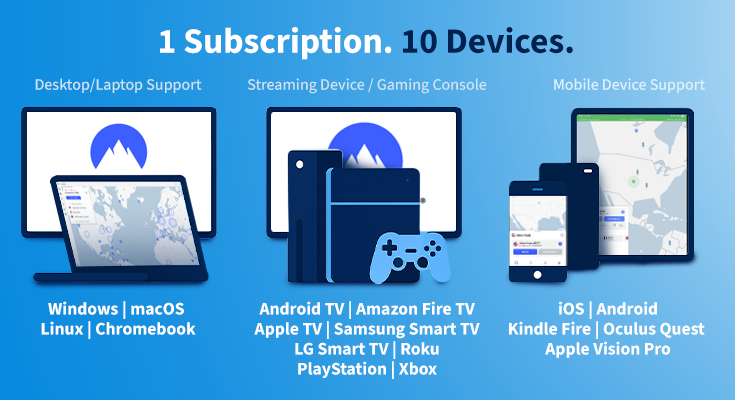
How many devices does NordVPN cover?
NordVPN allows up to 10 simultaneous connections per account. So while you can install its app on as many devices as you want, only 10 can be actively connected at the same time.
It supports all major platforms, including Windows, macOS, Android, iOS, Linux, Amazon Fire TV, Android TV, and Apple TV, with native apps for each. NordVPN also has dedicated apps for niche devices like Apple Vision Pro and Oculus Quest, which is rare among VPN providers. For unsupported devices – like smart TVs or gaming consoles – you can install NordVPN on your router. This protects every device on your network while using only one of your 10 slots.
In my tests, the setup was quick across all platforms. The apps were user-friendly and consistent in design, and Meshnet feature let me link my devices into a private LAN-style network for added flexibility. Plus, you can easily share your NordVPN account with family or housemates, as long as you stay within the 10-connection limit.
Why we chose it
NordVPN is the best VPN for multiple devices because it strikes the perfect balance between speed, security, and usability. With support for up to 10 devices, it’s an ideal VPN for families or multi-device users. Even with several devices connected simultaneously, speeds remained fast thanks to its NordLynx protocol.
NordVPN has 8900+ servers in 149+ countries, making it ideal for streaming, gaming, and torrenting. In my tests, it easily unblocked Netflix, Hulu, BBC iPlayer, and Disney+, and torrenting worked smoothly on its P2P servers.
In terms of security and privacy, NordVPN uses AES-256 encryption, has a strict no-logs policy, and also comes with Threat Protection, which blocks malware, trackers, and intrusive ads. There’s also the Double VPN feature, which routes your traffic through two servers instead of one for extra privacy. All of this was easily accessible directly in the apps.
NordVPN’s pricing starts at $ 3.49/month with a 2-year plan, and there’s a 30-day money-back guarantee. There’s also a 3-day free trial on Android, making it easy to test before committing.
Pros
- Connect up to 10 devices at once with a single account
- Bypasses geo-blocks on platforms like Netflix, Disney+, and more
- Meshnet feature lets you create secure LAN-style networks
- Threat Protection blocks trackers, ads, and malware
- Optimized P2P servers for safe and fast torrenting
Cons
- Browser-based login
Top 2. Surfshark: Best VPN with unlimited devices
- Rating: 9.0⭐⭐⭐⭐⭐
- Simultaneous connections: Unlimited
- Supported devices: Windows, macOS, Linux, Chromebook, iOS, Android, Kindle Fire, Oculus Quest, Apple Vision Pro, Android TV, Amazon Fire TV, Apple TV, Samsung Smart TV, LG Smart TV, Roku, PlayStation, Xbox
- Price: From $ 2.49/month + 7-day free trial on Android and iOS

How many devices does Surfshark cover?
Surfshark allows unlimited simultaneous connections with a single account, making it the most flexible VPN on this list for multi-device use. You can install and use it on as many devices as you like – perfect for large households or users with lots of tech.
Surfshark supports all major platforms, including Windows, macOS, Android, iOS, Linux, Fire TV, Android TV, and Apple TV. Like NordVPN, it also offers dedicated apps for Apple Vision Pro and Oculus devices. For those who want to protect their entire home network, Surfshark supports router installation too.
Personally, Surfshark is my favorite VPN for streaming. It’s very easy to connect to a VPN server in the United States and unblock Netflix USA or watch free movies and shows on ITVX and BBC iPlayer. If you’ve got gamers in your friend group, Surfshark works perfectly for games like Fortnite and Minecraft.
During my tests, setup across multiple platforms was fast and consistent. Surfshark’s apps are lightweight and very user-friendly, with nearly identical intuitive interfaces across platforms. Whether I was on my laptop, phone, or TV, the experience felt seamless.
With unlimited device support and easy sharing, Surfshark is a go-to pick if you want one VPN subscription to cover everything.
Why we chose it
Surfshark is the best VPN for multiple devices if you want unlimited connections without sacrificing performance. It’s ideal for large families or anyone sharing a VPN account across multiple platforms.
Thanks to its 4500+ servers in 100+ countries and the WireGuard protocol, Surfshark maintained fast, stable connections across all my tested devices. Torrenting, streaming, and even gaming were smooth, even when multiple devices were connected at once. It also easily unblocked Netflix, BBC iPlayer, Hulu, and other streaming services.
On the security front, Surfshark includes AES-256 encryption, a no-logs policy, a kill switch, and CleanWeb (ad/tracker blocker). It also has features like MultiHop to route your connection through multiple servers, and IP rotation for extra privacy.
Surfshark is also one of the cheaper VPNs for multiple devices, with prices starting just at $ 2.49/month on long-term plans. It includes a 30-day money-back guarantee and a 7-day free trial on mobile devices.
Pros
- Unlimited devices on one account: ideal for multi-device users and families
- Great value for money with low long-term pricing
- CleanWeb blocks ads, trackers, and malware
- Works on all major platforms, including Apple Vision Pro & Oculus
- Maintains fast speeds across multiple devices while streaming and gaming
Cons
- CleanWeb blocks ads, trackers, and malware
Top 3. Proton VPN: Best family VPN with a free version
- Rating: 8.9⭐⭐⭐⭐
- Simultaneous connections: 10
- Supported devices: Windows, macOS, Linux, Chromebook, iOS, Android, Kindle Fire, Android TV, Amazon Fire TV, Apple TV, Samsung Smart TV, LG Smart TV, Roku, PlayStation, Xbox
- Price: From $ 2.99/month + free version
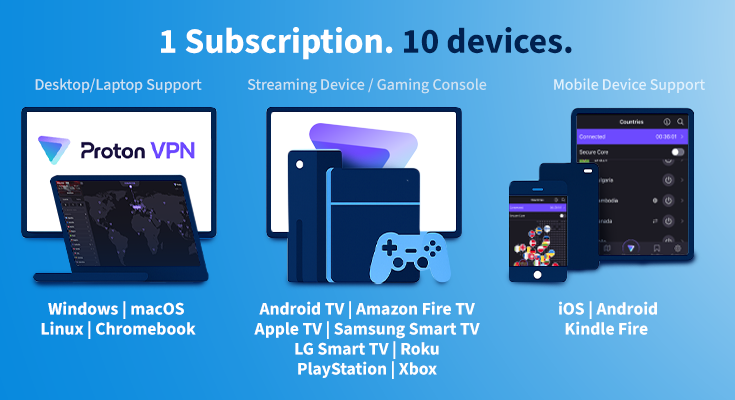
How many devices does Proton VPN cover?
Proton VPN allows up to 10 simultaneous connections, making it a solid VPN for multiple devices – especially for privacy-conscious families or users. You can install Proton VPN on all major platforms, including Windows, macOS, iOS, Android, and Linux, with easy-to-use native apps. While there’s no native router app, Proton supports manual configuration on select routers, letting you extend the protection to devices like gaming consoles or smart TVs.
During my tests, Proton VPN worked smoothly: installation was quick, the interface was consistent across desktop and mobile, and performance stayed solid even when several devices were connected at once.
Why we chose it
Proton VPN stands out as one of the best VPNs for multiple devices, due to its combined privacy features and reliable performance across up to 10 devices. It’s built by the same team behind ProtonMail, and it clearly prioritizes security and user data protection.
With 20700+ servers in 149+ countries, Proton VPN handled streaming, browsing, and torrenting without issues during testing. I was also able to access various libraries of Netflix, Disney+, and other region-locked content across multiple devices with no lag or buffering.
When it comes to security, Proton VPN includes AES-256 encryption, a strict no-logs policy, and features like NetShield ad blocker, DNS leak protection, and Tor over VPN. These tools add multiple layers of security without complicating the overall experience.
While Proton VPN has a completely free version, it only allows 1 connection and access to limited servers. So for full functionality, the paid plan starts at around $ 2.99/month (now 75% off), and there’s a 30-day refund period to try it risk-free.
Pros
- 10 simultaneous device connections per account
- Strong no-logs policy and Swiss jurisdiction
- Free plan available (limited servers + 1 device)
- Unblock streaming content from around the world
- Free plan available
Cons
- More expensive than VPNs like Surfshark and PIA
- Free version doesn’t support streaming or torrenting
Top 4. Private Internet Access: great VPN for all devices
- Rating: 8.6⭐⭐⭐⭐
- Simultaneous connections: Unlimited
- Supported devices: Windows, macOS, Linux, iOS, Android, Kindle Fire, Android TV, Amazon Fire TV, Samsung Smart TV, LG Smart TV, Roku, PlayStation, Xbox
- Price: From $ 2.19/month + 7-day free trial on mobile
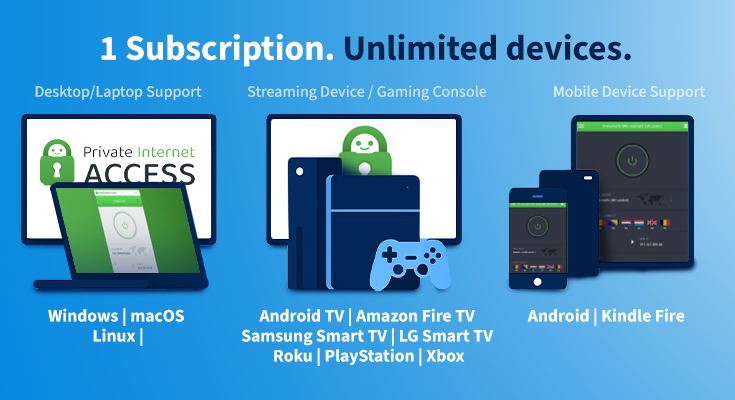
How many devices does Private Internet Access cover?
Private Internet Access (PIA) covers an unlimited number of devices, making it a great VPN option for families, shared households, or users with lots of devices. Hence, you can install it on as many devices as you want without worrying about connection limits.
Like other VPNs on this list, PIA offers native apps for all major operating systems, including Windows, macOS, Linux, Android, and iOS. It also works with a wide range of router types, letting you cover your entire home network with just one setup.
During my testing, installation was quick across devices, and the apps were lightweight and easy to navigate. While the desktop version felt a bit clunkier than the mobile app, it was still functional and customizable with plenty of user control.
Why we chose it
Thanks to its unlimited device support, strong security, and highly configurable apps, PIA is one of the best VPNs for multi-device users. While the desktop client isn’t the most polished, PIA makes up for it with performance and wide customizability.
With over 35000 servers in 91+ locations globally, speeds stayed solid during my tests, even when streaming or torrenting on several devices at once. It had no trouble unblocking Netflix and HBO Max, though Disney+ and BBC iPlayer sometimes needed a few extra tries.
On the security side, PIA offers AES-256 encryption, a kill switch, and PIA MACE to block ads, trackers, and malware. Even though PIA is based in the US (a 5 Eyes country), it has a verified no-logs policy to protect your privacy.
You can get PIA for just $ 2.19/month on long-term plans, and you can test it out risk-free during the 30-day refund window. You can also test it on mobile with a 7-day free trial.
Pros
- Unlimited simultaneous device connections
- Court-testes no-logs policy
- Very affordable and cheap VPN
- Works with routers, including advanced firmware
- Offers decent speeds for day-to-day activity
Cons
- Performance can vary per server
- Located in the United States (5 Eyes)
Top 5. CyberGhost: user-friendly VPN for family
- Rating: 8.6⭐️⭐️⭐️⭐️
- Simultaneous connections: 7
- Supported devices: Windows, macOS, Linux, Chromebook, iOS, Android, Kindle Fire, Android TV, Amazon Fire TV, Apple TV, Samsung Smart TV, LG Smart TV, Roku, PlayStation, Xbox
- Price: From $ 2.19/month + free trials on Windows, macOS, iOS, and Android
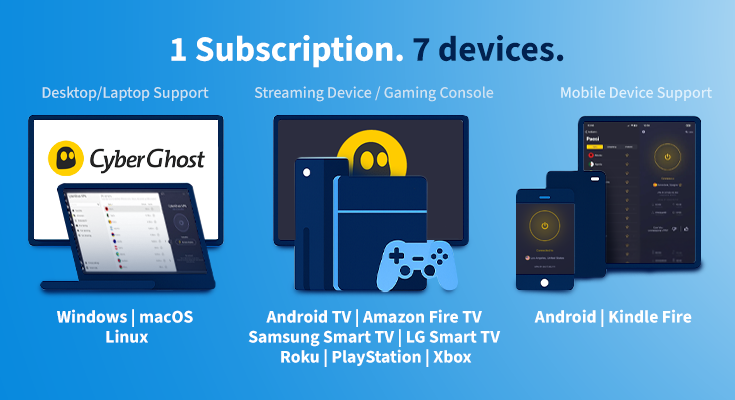
How many devices does CyberGhost VPN cover?
CyberGhost allows up to 7 simultaneous device connections per account. That means you can protect your phone, laptop, TV, and still have slots left for your partner or kids – making CyberGhost ideal for small households or solo users.
CyberGhost’s supported devices barely differ from Private Internet Access’: it can be installed on Windows, macOS, iOS, Android, Linux, Amazon Fire TV, Android TV, and more. Plus, for those looking for VPNs to set up on their routers, CyberGhost won’t disappoint and let you secure smart TVs, game consoles, or any other device connected to your Wi-Fi. In my experience, setup across platforms was quick, and the apps were very beginner-friendly. The menus were clear, and helpful automation via its Smart Rules feature simplified the provider further.
Why we chose it
CyberGhost is one of the best VPNs for multiple devices if you’re after a beginner-friendly experience with powerful streaming access. With 7 simultaneous connections, it covers most personal and family needs without hassle.
While it offers fewer device connections than Surfshark’s unlimited support, CyberGhost still delivers strong multi-device performance for small households. During testing, CyberGhost’s dedicated streaming servers made a big difference. I unblocked platforms like Netflix, BBC iPlayer, Hulu, to name a few, and even with multiple devices streaming at once, playback was smooth. Its Smart Rules let me automate connections, like launching the VPN automatically when opening a streaming app.
CyberGhost has a large server network of over 9800 servers in 100+ countries, and speeds stayed stable even with all device slots filled. For security, it offers AES-256 encryption, an ad and malware blocker, a kill switch, and a strict no-logs policy.
You can grab CyberGhost today for just $ 2.19/month and test it out risk-free thanks to its generous refund policy of 45 days. Plus, it offers three free tier options: 24 hours on desktop, 3 days on Android, and 7 days on iOS.
Pros
- 7 simultaneous device connections per account
- Optimized servers for streaming and torrenting
- High speeds for gaming, torrenting, and streaming
- Beginner-friendly apps with Smart Rules automation
- Effective adblocker and content filter (parental controls)
Cons
- Fewer device connections than NordVPN, Surfshark, or Proton VPN
- Streaming some platforms may require switching servers
Best free VPN for multiple devices
If you’re looking for the best free VPN for multiple devices, Proton VPN is a strong option. Its free plan has no data limits and follows a strict privacy policy, which is rare among free VPNs. That means you can stream, browse, and enjoy top-tier protection without worrying about hitting a data cap. Proton VPN also offers apps for all major platforms, including Windows, macOS, Android, iOS, and Linux, so you can install it on all your devices.
However, Proton VPN’s free plan has a catch: it only allows one active connection at a time. So while you can log in on multiple devices, you can only use the VPN on one. For example, if it’s active on your phone, it won’t work on your laptop simultaneously, and vice versa.
On the other hand, while other free VPNs like TunnelBear and Windscribe do allow multiple connections, they come with strict data caps. If we look closer at these two examples, we can see that TunnelBear limits users to 2GB/month, while Windscribe offers 10GB/month (or just 2GB without email signup).
That’s why Proton VPN’s no-data-limit plan stands out, but it’s not perfect for multi-device use unless you upgrade. The premium version of Proton VPN removes all restrictions, allowing you to connect up to 10 devices at once, access faster servers, and more countries to choose from.

Multi-device VPNs: compared
If you want to compare the VPNs side by side, here’s how certain features differ, depending on the provider of your choice.
| VPN for multiple devices | Rating: | Simultaneous connections: | Supported devices: | Price: | Free-trial |
| 1. NordVPN | 9.3⭐⭐⭐⭐⭐ | 10 | Windows, macOS, Linux, Chromebook, iOS, Android, Kindle Fire, Oculus Quest, Apple Vision Pro, Android TV, Amazon Fire TV, Apple TV, Samsung Smart TV, LG Smart TV, Roku, PlayStation, Xbox | From $ 3.49/month | ✅ Yes, 3-day free trial on Android |
| 2. Surfshark | 9.0⭐⭐⭐⭐⭐ | Unlimited | Windows, macOS, Linux, Chromebook, iOS, Android, Kindle Fire, Oculus Quest, Apple Vision Pro, Android TV, Amazon Fire TV, Apple TV, Samsung Smart TV, LG Smart TV, Roku, PlayStation, Xbox | From $ 2.49/month | ✅ Yes, 7-day free trial on Android and iOS |
| 3. Proton VPN | 8.9⭐⭐⭐⭐ | 10 | Windows, macOS, Linux, Chromebook, iOS, Android, Kindle Fire, Android TV, Amazon Fire TV, Apple TV, Samsung Smart TV, LG Smart TV, Roku, PlayStation, Xbox | From $ 2.99/month | ✅ Free version |
| 4. PIA VPN | 8.6⭐⭐⭐⭐ | Unlimited | Windows, macOS, Linux, iOS, Android, Kindle Fire, Android TV, Amazon Fire TV, Samsung Smart TV, LG Smart TV, Roku, PlayStation, Xbox | From $ 2.19/month | ✅ Yes, 7-day free trial on Android and iOS |
| 5. CyberGhost | 8.8⭐⭐⭐⭐ | 7 | Windows, macOS, Linux, iOS, Android, Kindle Fire, Android TV, Amazon Fire TV, Samsung Smart TV, LG Smart TV, Roku, PlayStation, Xbox | From $ 2.19/month | ✅ Yes, 24-hour free trial on Windows and macOS, 3-day trial for Android, and 7-day free trial for iOS |
How I tested and selected the best VPNs for multiple devices
Over the years, our team of experts has tested 60+ VPNs on all sorts of devices and operating systems. For the purpose of this article, I’ve run the majority of tests on a Lenovo Yoga Slim 7 Pro laptop (Windows 11), a Samsung Galaxy A35 (Android), and an iPhone 11 (iOS).
That said, when selecting the best VPNs for multiple devices, I’ve used the following breakdown:
- Number of simultaneous connections and cross-platform compatibility (30%): I prioritized VPNs that support multiple simultaneous connections, ideally 8 or more. I also focused on device compatibility, making sure each VPN works seamlessly with major platforms like iOS, Android, macOS, Windows, and routers. This ensures you can stay protected across your entire device network without hitting connection limits.

- Top use cases (25%): When sharing a VPN account, it’s important that every group member can use it for personal preferences. I tested each VPN for key use cases like streaming, gaming, and torrenting. Moreover, I assessed whether they include parental controls or child-safety features.
- Security and privacy features (25%): To protect everyone’s personal data, a VPN for multiple devices needs to have robust security features and a strict no-logs policy. I assessed each VPN’s encryption, DNS leak protection, and built-in tools like malware or ad blockers.
- Speed (20%): A slow VPN is useless, especially when multiple people are connected at once. I tested each VPN’s download and upload speeds, ping, and overall impact on browsing and streaming to ensure smooth performance across devices.
Final thoughts on using a VPN on multiple devices
The best VPN for multiple devices should offer strong security, fast speeds, and support for at least 7-10 simultaneous connections. After testing 20+ providers, NordVPN is the best VPN for multiple device users. With fast, stable performance across platforms, top-tier security features, and up to 10 device connections, it is an ideal VPN for families, roommates, or just power users. So whether you’re streaming, gaming, or working remotely, NordVPN keeps all your devices protected with just one account.
Black Friday offer! Get 78% OFF NordVPN + 3 months free
Here are some other best VPN articles that you might find helpful:
FAQ
Do you have any questions about using a VPN on multiple devices at once? Have a look at our FAQ below!
Yes, you can share your VPN account with your family. VPNs like NordVPN let you connect up to 10 devices at once, so you can protect everyone’s devices, making it a great option for households.
Yes, NordVPN can be used on multiple devices at the same time. With just one account, you can connect up to 10 different devices to its servers. NordVPN supports all major operating systems and even offers router support to cover every device on your network.
No, you don’t need a separate VPN for each device. Most premium VPN providers let you connect multiple devices with a single account. For example, NordVPN supports up to 10 simultaneous connections, so you can protect your phone, laptop, smart TV, and more without extra subscriptions.
NordVPN is the best VPN for all devices. It supports Windows, macOS, iOS, Android, Linux, smart TVs, and routers. It also works on more niche devices, like Apple Vision Pro, and Oculus Quest. With up to 10 simultaneous connections, top-tier speed, security, and streaming support, it’s ideal for protecting your entire setup with just one account.
Both NordVPN and Surfshark offer excellent VPN family plans. NordVPN supports up to 10 simultaneous connections, while Surfshark allows unlimited devices on one account. Both work on all major platforms, deliver fast speeds, and offer strong security – ideal for large households or sharing with extended family.
Surfshark and Private Internet Access (PIA) allow unlimited devices. That means you can protect every phone, tablet, computer, or smart TV in your home without worrying about connection limits or paying for extra slots.