- Our recommended Kodi VPNs for 2025
- How to add a VPN to Kodi?
-
Best VPNs for Kodi: a detailed overview
- Top 1. NordVPN – Best Kodi VPN for fast speeds and privacy
- Top 2. Surfshark – Easy-to-use VPN for Kodi with unlimited devices
- Top 3. Proton VPN – Secure free VPN for Kodi with no data limits
- Top 4. PIA – Customizable VPN for Kodi with a vast server network
- Top 5. CyberGhost – User-friendly VPN for Kodi with streaming-optimized servers
- Compare best Kodi VPNs
- How I tested VPNs on Kodi
- How to install a VPN on Kodi: step-by-step instructions
- How to set up a VPN on a router for Kodi?
- How to use Sky Go with a VPN on any device
- Do you need a VPN for Kodi?
- Final tips for choosing the best VPN for Kodi
- FAQ
- To use a VPN with Kodi, first install a VPN on the same device you are using for Kodi, such as your Firestick, Android TV, Windows PC, or Mac. Since Kodi doesn’t support native VPN apps, you will have to use a system-level VPN. If your device doesn’t support VPNs either, you’ll have to install your VPN on your router.
- NordVPN is the best VPN for Kodi that I’ve tested. It offers simple installation, even for routers, lightning-fast speeds, and strong privacy features, all of which add up to lag-free streaming on Kodi add-ons.
- I recommend avoiding free VPNs for Kodi, as they frequently hamstring you with data limitations, poor speeds, and personal data harvesting.

Right now, you can get a 3-day free trial of NordVPN and a 30-day money-back guarantee for over a month of risk-free testing with your Kodi app.
Many of the most popular Kodi add-ons are restricted to certain regions or contain copyrighted, illegal content. That’s why most Kodi users get a reliable VPN for Kodi that lets you change your IP address and bypass these geo-blocks while hiding your identity from your internet service provider (ISP) and other third parties. However, Kodi does not have a built-in VPN feature. To use a VPN with Kodi, you’ll have to install separate VPN software on the device you use for Kodi.
My team and I subscribed to and installed 15 different VPNs to test them on the latest version of Kodi, 20.2 Nexus, and discovered that there are many unreliable VPNs that simply do not work with Kodi. However, this also allowed us to collate and recommend the best streaming VPNs for Kodi in 2025. For the purposes of testing, we also installed and tested popular Kodi add-ons like Seren and The Crew and assessed how they performed while connected to each of these Kodi VPNs.
Our recommended Kodi VPNs for 2025
How to add a VPN to Kodi?
To add a VPN to Kodi, you need to install and connect to a VPN service using the same device on which Kodi is installed. Either install a VPN app directly on the device or configure a VPN on your home router. Once you connect to the VPN, all your Kodi traffic will be routed via your VPN connection, improving your privacy and anonymity and unblocking region-locked apps. Here’s how to add a VPN to Kodi:
- Choose a reliable VPN like NordVPN for fast streaming speeds in HD and 4K.
- Install the VPN application on your Kodi device or on your router, if required.
- Open your VPN and sign in, then connect to a server.
- Launch Kodi while your VPN connection is active.
- Run your favorite Kodi add-on and enjoy streaming privately.
Best VPNs for Kodi: a detailed overview
To find the best VPNs for Kodi, I looked for VPN services offering fast streaming speeds in HD and 4K and vast global server fleets. This combination ensures that you can unblock geo-restricted Kodi add-ons and stream content in high resolution without speed or quality issues. However, I also looked for robust security features like strong encryption, split tunneling, and obfuscation that help you to manage your Kodi VPN effectively while hiding your activities from your ISP and other third parties. After thorough research, the best Kodi VPNs are NordVPN, Surfshark, and Proton VPN, thanks to their worldwide server reach, top speeds during testing, and airtight security protections.
Top 1. NordVPN – Best Kodi VPN for fast speeds and privacy
- Rating: 9.3 ⭐⭐⭐⭐⭐
- Apps for Kodi: Android (+Smart TVs), Router, Windows, Mac, iOS, Amazon Fire TV Stick, Linux
- Price: $ 3.49/month with 3-day free trial on Android
NordVPN is the best VPN for Kodi, with a vast worldwide server network, the fastest streaming speeds, and broad compatibility for Kodi-enabled devices. It’s simple to set up on a router, and you can use the built-in Smart DNS feature to use your VPN on Kodi devices that lack native VPN support.
I’ve tested 15 VPNs with Kodi and NordVPN consistently leads in terms of performance, unblocking, speed, and compatibility. My tests covered a range of devices that work with NordVPN and Kodi, including Android TV, Firestick, Windows, Mac, iOS, routers, and Linux. I use it in conjunction with my Fire TV Stick 4K Max and MacBook to stream on Kodi.
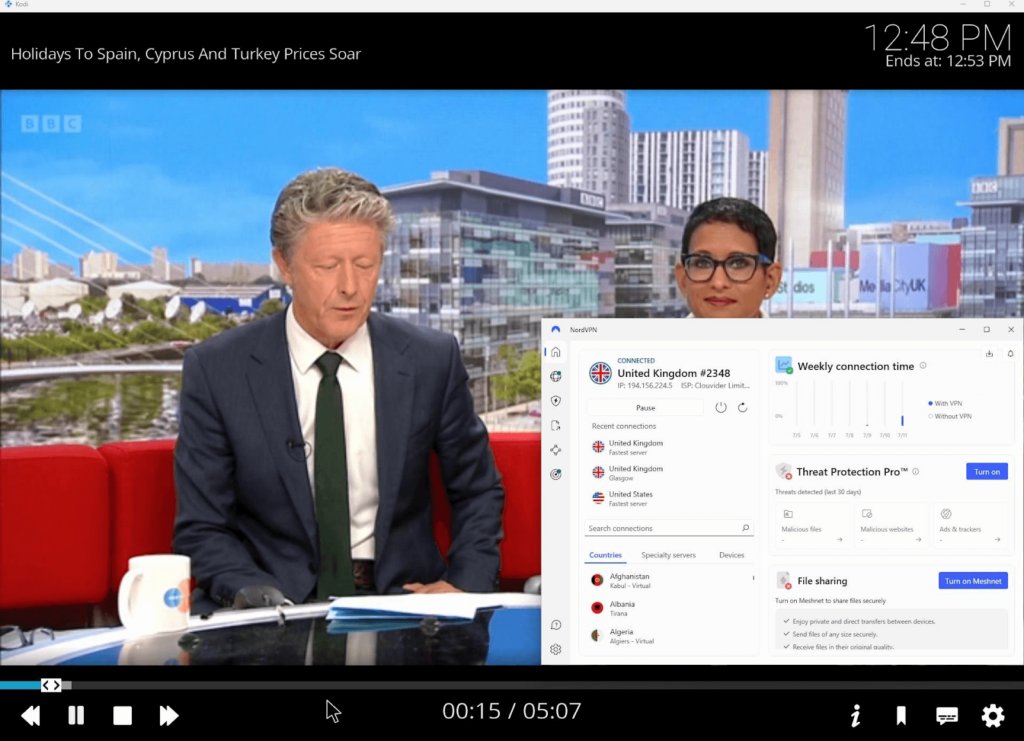
Setting up NordVPN on Kodi is quick and simple. When I opened the Amazon Appstore on my Firestick, I found the official NordVPN app easily, and I installed and logged into the software in no time. Installing it on an Android TV is simple too, as it follows the same process via the Google Play Store. On a router, it’s a bit more technical; however, NordVPN’s router installation guides simplified the process a lot and allowed me to set the VPN up on my router in about 10 minutes.
Streaming is easy with NordVPN, which has over 8900 servers in 149+ countries. During my tests, it unblocked Kodi add-ons from BBC iPlayer, Netflix US, Hulu, and HBO Maxdespite many being region-locked to the US and UK. In terms of speed, I averaged 468 Mbps download speeds on a baseline 500 Mbps connection, which meant I could stream in 4K and HD without any lag or buffering. While there’s a Smart DNS feature for devices without native VPN support, I didn’t need it thanks to NordVPN’s broad compatibility.
Many Kodi add-ons use torrent-based streams, which means your add-on might not work if your VPN doesn’t support torrenting. NordVPN is thankfully adept at torrenting, offering dedicated P2P servers too. These allowed me to connect and stream on any Kodi add-on without worrying about unresponsive links.
If you’re an Android or Android TV user, you can get a 3-day NordVPN free trial to get started. Otherwise, there’s also a 30-day money-back guarantee available on any operating system, which gives you plenty of time to test it for yourself. After that, pricing starts from $ 3.49/month.
Things I liked
- Easily unblock any Kodi add-on
- Fastest HD and 4K streaming speeds
- 3-day free trial for Android users
Things I didn’t like
- 10 device limit per account
Top 2. Surfshark – Easy-to-use VPN for Kodi with unlimited devices
- Rating: 9.0 ⭐⭐⭐⭐⭐
- Apps for Kodi: Android (+Smart TVs), Router, Windows, Mac, iOS, Amazon Fire TV Stick, Linux
- Price: $ 2.49/month and 7-day free trial on Android and iOS
Surfshark is the best VPN for Kodi if you want to connect multiple devices, as it offers unlimited device support under one account. It’s highly affordable and comes equipped with Surfshark Everlink, which will ensure your true streaming location remains hidden at all times.

Surfshark has the same broad compatibility as NordVPN. During tests, it covered all my devices, including Firestick, Android TV, Windows, Mac, iOS, Linux, and my Asus router installation. Thanks to built-in Smart DNS, I was also able to use Surfshark with Kodi on an Apple TV that hadn’t been upgraded to tvOS 17 yet – the operating system with native app support.
Surfshark’s installation wizard made first-time setup easy regardless of device type. On my Firestick and Android TV, I easily found the official app on Google Play. Otherwise, Surfshark’s official website has apps for every device and installation guides if you get stuck.
Streaming performance was strong too, with a network of 4500 servers in 100+ countries offering IP addresses that can unblock Kodi add-ons quickly. I bypassed geo-blocks on add-ons like BBC iPlayer, Netflix, Disney+, and Hulu in my tests. While streaming, my download speeds averaged 466 Mbps on the WireGuard protocol.
While some VPNs can throttle P2P performance, Surfshark fully supports torrenting across its entire server network. That makes it ideal for Kodi users in my book, as you won’t need to search for special servers and be careful about the one you choose. I streamed via torrent-based add-ons like Elementum to test this theory and had no issues.
Surfshark’s free trial lasts 7 days and can be used on both iOS and Android devices. There’s also a 30-day money-back guarantee beyond that for extended testing. Price-wise, Surfshark is my go-to Kodi VPN, offering subscriptions from just $ 2.49/month.
Things I liked
- Unlimited simultaneous devices
- 7-day free trial for iOS and Android mobiles
- Obfuscation helps unblocks Kodi add-ons
Things I didn’t like
- Slightly slower than NordVPN
- Dedicated IPs charged separately
Top 3. Proton VPN – Secure free VPN for Kodi with no data limits
- Rating: 8.9 ⭐⭐⭐⭐
- Apps for Kodi: Android (+Smart TVs), Router (manual), Windows, Mac, iOS, Linux
- Price: $ 2.99/month and unlimited data free plan
Proton VPN is the best VPN for Kodi if you want a freemium service to test before upgrading for access to a vast and highly secure server network. Its broad compatibility makes it a solid choice for Kodi streamers.
Proton VPN worked well on my Firestick, Android TV, Windows, Mac, iOS, and Linux. Installation was simple too, with the built-in installation wizard. Setup on an Android TV was also simple when using the Google Play Store. I was impressed with the application on Linux and would say this is one of the better options for Linux users that want an intuitive interface.
In my tests, Proton VPN easily unblocked geo-restricted Kodi add-ons including Netflix US, BBC iPlayer, Hulu, and HBO Max. Connecting to a UK or US VPN server gave me a new IP address in seconds and allowed me to sidestep geo-blocks. With Proton VPN’s Secure Core servers, my speeds averaged 428 Mbps when benchmarked with Ookla Speedtest, which gave me perfect-quality HD and 4K streams.
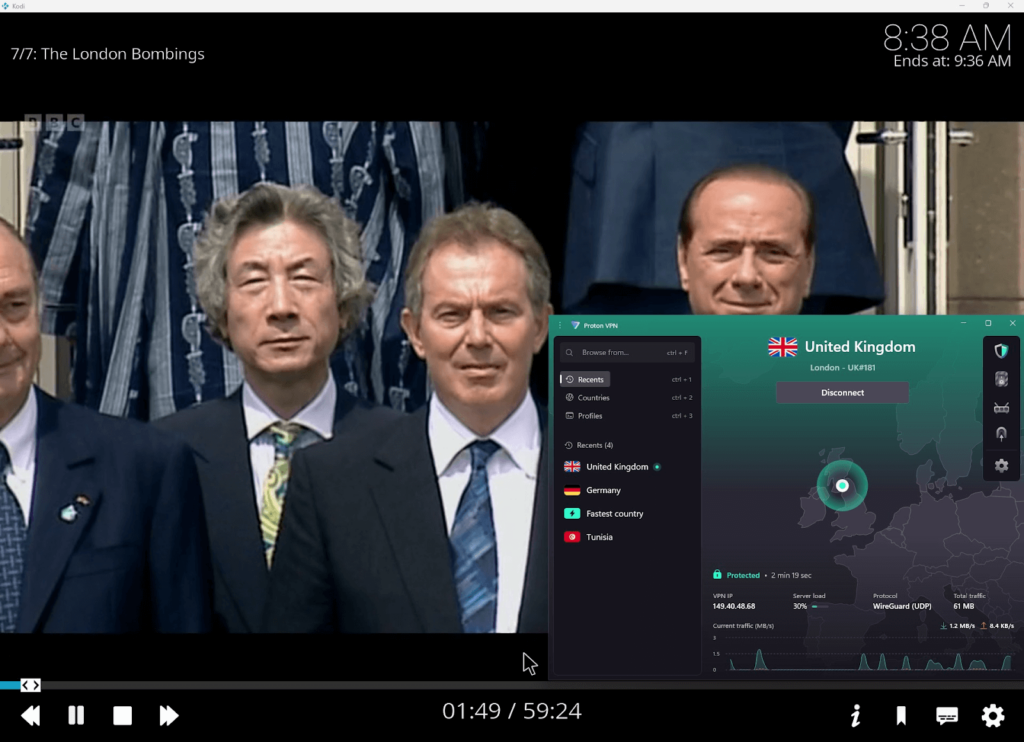
Proton VPN supports P2P, though not on every server. For torrenting support, you have to connect to a P2P-optimized server, but fortunately, they’re clearly labeled in the app. However, Surfshark was definitely my preferred option for hassle-free streaming on torrent-enabled Kodi add-ons since it offers P2P on all servers.
There’s no free trial since Proton VPN offers a completely free and uncapped account, though note that it’s not ideal for streaming on Kodi. I noticed that you can’t choose your server, so I was at the mercy of server roulette to try and unblock Kodi add-ons. However, paid plans start at $ 2.99/month and come with a 30-day money-back guarantee.
Things I liked
- Free tier with unlimited data
- Privacy-friendly servers in Switzerland
- Dedicated P2P servers for Kodi add-ons
Things I didn’t like
- Free tier lacks server choice
- Pricier than competitors
Top 4. PIA – Customizable VPN for Kodi with a vast server network
- Rating: 8.6 ⭐⭐⭐⭐
- Apps for Kodi: Android (+Smart TVs), Router, Windows, Mac, iOS, Amazon Fire TV Stick, Linux
- Price: $ 2.19/month and 7-day free trial on Android and iOS
Private Internet Access is the best VPN for Kodi if you value the largest server network available from a premium service. I was easily able to find IP addresses in any location and unblock Kodi apps with high-speed streaming connections.
PIA is a reliable, privacy-focused VPN, but I ranked it in fifth place because its streaming support, while good enough for a Kodi VPN, isn’t quite as strong. It performed well on Firestick during my tests, as well as Android TV, Windows, Mac, iOS, Linux, and routers. To me, the Android TV interface felt a little dated though.
While testing, PIA unblocked Netflix US, BBC iPlayer, and Hulu, but struggled with some Kodi add-ons like DAZN and HBO Max. Its speeds averaged 398 Mbps when measured, though it still supports HD and 4K streaming. However, with such a vast server network, I commonly saw variations in speed depending on the server I chose.
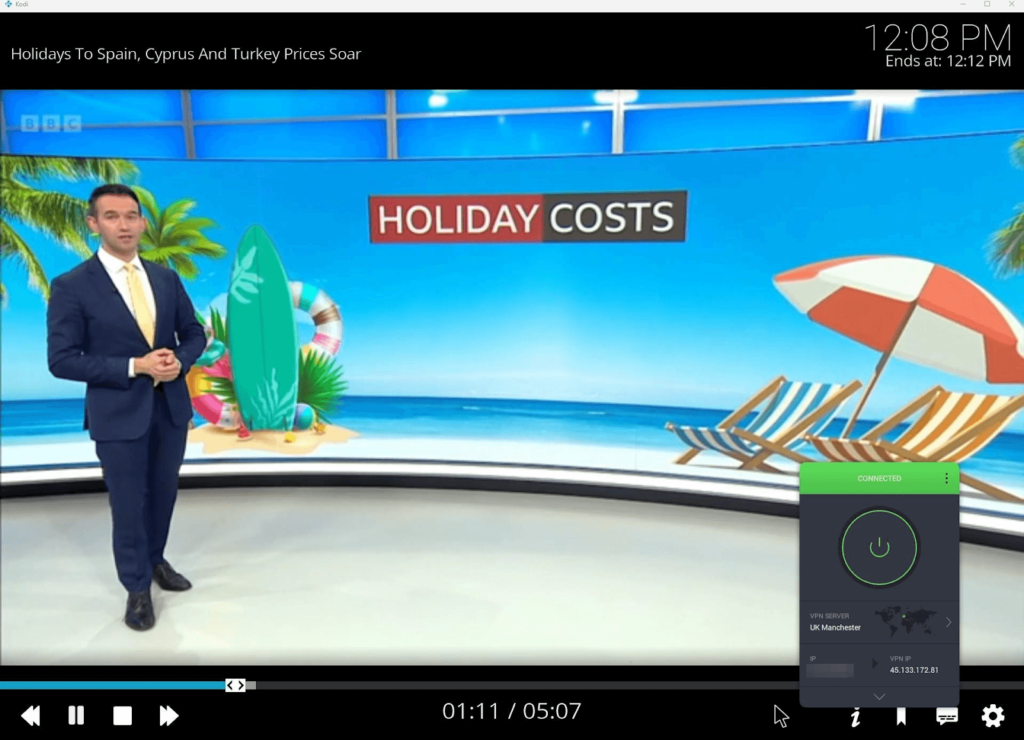
P2P support is excellent, with full support for torrenting across its network regardless of your server choice. I easily loaded torrent-based Kodi add-ons like Elementum once I’d established my VPN connection. I also appreciated the split tunneling feature, which let me specifically protect my VPN traffic and save bandwidth by having other apps use my regular connection.
PIA users can start with a 7-day free trial for mobile devices, and it has a 30-day money-back guarantee. After that, new subscriptions start from $ 2.19/month, making it equally as affordable as CyberGhost.
Things I liked
- Largest server fleet for unblocking Kodi
- Full P2P compatibility on all servers
- Unblocks Kodi add-ons in the US and UK
Things I didn’t like
- Unlisted exact number of servers
Top 5. CyberGhost – User-friendly VPN for Kodi with streaming-optimized servers
- Rating: 8.6 ⭐⭐⭐⭐
- Apps for Kodi: Android (+Smart TVs), Router, Windows, Mac, iOS, Amazon Fire TV Stick, Linux
- Price: $ 2.19/month and 45-day free trial
Cyberghost is the best VPN for Kodi if you want an extended risk-free testing period, with up to 52 days available to iOS users via a free trial and money-back guarantee. While speeds vary based on server distance, it’s a solid option for streaming with a VPN on Kodi.
CyberGhost is a very beginner-friendly app and easy to use, though its streaming performance isn’t as consistent as NordVPN and Surfshark. This Kodi VPN is compatible with Firestick, Android TV, Windows, Mac, iOS, Linux, and routers. During my tests, the installation was simple on any device thanks to a useful installation wizard and official apps available through the website and respective app stores.
While inconsistent, CyberGhost’s streaming performance was still impressive. It unblocked Netflix US, BBC iPlayer, and Hulu, but struggled with some third-party Kodi add-ons during my tests. Its vast network of 9800 servers in 100+ countries made finding an IP address in another region easy to unblock international Kodi add-ons. What’s more, while lower than the competitors above, my speeds still averaged 408 Mbps, which is strong enough for HD and 4K streaming, though speeds are more variable than with other Kodi VPNs, depending on server location.

CyberGhost servers support P2P traffic for Kodi add-ons that rely on torrenting, with specific servers labeled in the app. I had no issue using torrent-based Kodi add-ons once connected to these servers, but I preferred Surfshark’s set-it-and-forget-it functionality.
CyberGhost’s free trials are varied, with Windows users getting 24 hours, Android users 3 days, and iOS users 7 days. This VPN also offers a longer 45-day money-back guarantee. Beyond that, subscriptions begin from $ 2.19/month, making this an affordable Kodi VPN with a solid risk-free trial period.
Things I liked
- Highly affordable subscriptions
- Extended 45-day money-back guarantee
- Vast server network
Things I didn’t like
- Speeds less consistent than competitors
- Lacks obfuscated servers
Compare best Kodi VPNs
| VPN for Kodi | Rating | Servers | P2P servers | Based in | Simultaneous connections | Logging | Price | Free trial |
|---|---|---|---|---|---|---|---|---|
| 1. NordVPN | 9.3⭐⭐⭐⭐⭐ | 8900 servers in 149+ countries | ✅ Yes, unlisted number in 114 countries | Panama | 10 | ❌ No, zero logs | From $ 3.49/month | ✅ Yes, 3-day Android trial / 30-day money-back guarantee |
| 2. Surfshark | 9.0⭐⭐⭐⭐⭐ | 4500 servers in 100+ countries | ✅ Yes, on all 4500 servers | The Netherlands | Unlimited | ❌ No, zero logs | From $ 2.49/month | ✅ Yes, 3-day Android and iOS trial / 30-day money-back guarantee |
| 3. Proton VPN | 8.9⭐⭐⭐⭐ | 20700 servers in 149 countries | ✅ Yes, around 300 in 15 countries | Switzerland | 10 | ❌ No, zero logs | From $ 2.99/month | ✅ Yes, 30-day money-back guarantee |
| 4. PIA | 8.6⭐⭐⭐⭐ | 35000+ servers in 91 countries | ✅ Yes, on all 35000 servers | United States | Unlimited | ❌ No, zero logs | From $ 2.19/month | ✅ Yes, 3-day Android and iOS trial / 30-day money-back guarantee |
| 5. CyberGhost | 8.6⭐⭐⭐⭐ | 9800 servers in 100 countries | ✅ Yes, unlisted number in 80+ countries | Romania | 7 | ❌ No, zero logs | From $ 2.19/month | ✅ Yes, 24-hour Windows, 3-day Android, 7-day iOS trial / 45-day money-back guarantee |

How I tested VPNs on Kodi
My test process with Kodi VPNs spanned a couple of weeks and encompassed a range of devices. My approach to testing spanned several key areas, which included:
- The setup process on Kodi (40% weighting): I installed each VPN on all of my test devices, including an Amazon Fire TV Stick 4K, a Shield Pro Android TV, a Windows 11 laptop, and a 2024 MacBook Pro. I also tested each VPN on my iPhone 15 Pro and a Google Pixel 9. I analyzed how easy it was to locate the official app, download and install it, sign in, and connect to a VPN server. NordVPN and Surfshark offered me the most seamless setup process.
- Servers and streaming performance (30% weighting): As part of my tests, I connected to 10 international VPN servers in the UK, US, Europe, and Asia, averaging my download speeds across all servers. Once connected, I tested some of the most popular Kodi add-ons like BBC iPlayer, Hulu, The Crew, and Seren to see how fast the streams loaded and whether I experienced any lag or geo-blocks. NordVPN was consistently the best Kodi VPN for unblocking and maintaining high-speed streaming connections.
- Security and privacy (20% weighting): For security, I looked for features including AES-256 encryption, a no-logs policy, a kill switch to keep your location secured, and leak protection so that your true location doesn’t slip through the cracks. I also took note of where each provider is headquartered for data-privacy reasons. Proton VPN is particularly strong here thanks to its jurisdiction in Switzerland, though NordVPN excels with annual independent audits and a robust Threat Protection toolkit.
- Price (10% weighting): I also took price into consideration, even though I didn’t weigh it very strongly. This included comparing the cost of short-term and best-value plans and looking at how long of a risk-free period you can get through free trials and money-back guarantees. While all of these Kodi VPNs offer a money-back guarantee and some form of free-use period, CyberGhost allows iOS users up to 52 days of risk-free use, which was particularly impressive.
Some VPNs didn’t make the final list, such as IPVanish. While IPVanish is a reliable streaming VPN for unlimited devices, you can get the same benefit from the more powerful Surfshark at an affordable price. Ivacy VPN had inconsistent streaming results and worse-quality apps on some devices, so I discounted it too.
Overall, this testing process showed that NordVPN is the best VPN for Kodi, though there are also other strong alternatives like Surfshark and Proton VPN, giving you a good range of choice for unrestricted streaming.
Is there a free VPN for Kodi?
Yes, Proton VPN is a free VPN for Kodi and offers a free app on Apple TV, but it’s not ideal for streaming. Instead, it’s suited to basic privacy needs or simple, everyday browsing with protection. The limited server choice and slower speeds on the free tier make it a bad choice if you want to stream HD and 4K content, and the Plus plan is required for full streaming access on Apple TVs. Instead, I recommend NordVPN or Surfshark and their respective free trials and money-back guarantees for an extended free-use period on Kodi devices.
How to install a VPN on Kodi: step-by-step instructions
Installing a VPN for Kodi is quick to achieve and will immediately improve your experience with the app. If you want to know how to install a VPN on Kodi, use these step-by-step instructions to get up and running in just a few minutes.
Step 1: Get a Kodi-compatible VPN
First, choose a Kodi-compatible VPN from the list of recommended providers above. I recommend choosing NordVPN as it has a vast server network, powerful anonymity features to shield your Kodi activities, and the fastest streaming speeds I saw during tests. Right now, you can get 3 days free on Android and a 30-day money-back guarantee.
Step 2: Download a VPN on your device
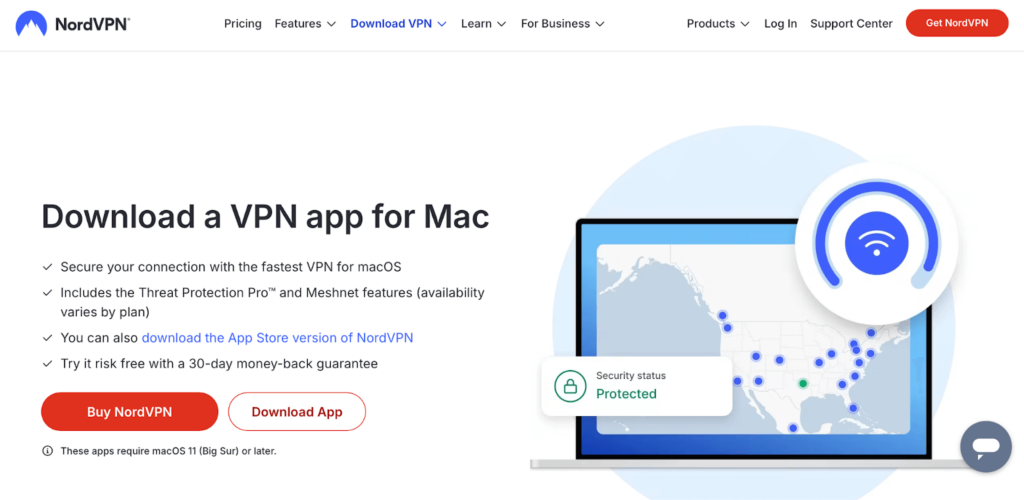
Next, download your chosen VPN’s software on your Kodi device. If you’re on Windows or Mac, go to the official website for your VPN. On Android or iOS, you’ll find an official app in the Google Play Store or Apple App Store, respectively. For Firestick and smart TVs that support native apps, use the Amazon Appstore or other dedicated app repository for your device. Then, you can install the software on your device.
Step 3: Log in and connect to a server
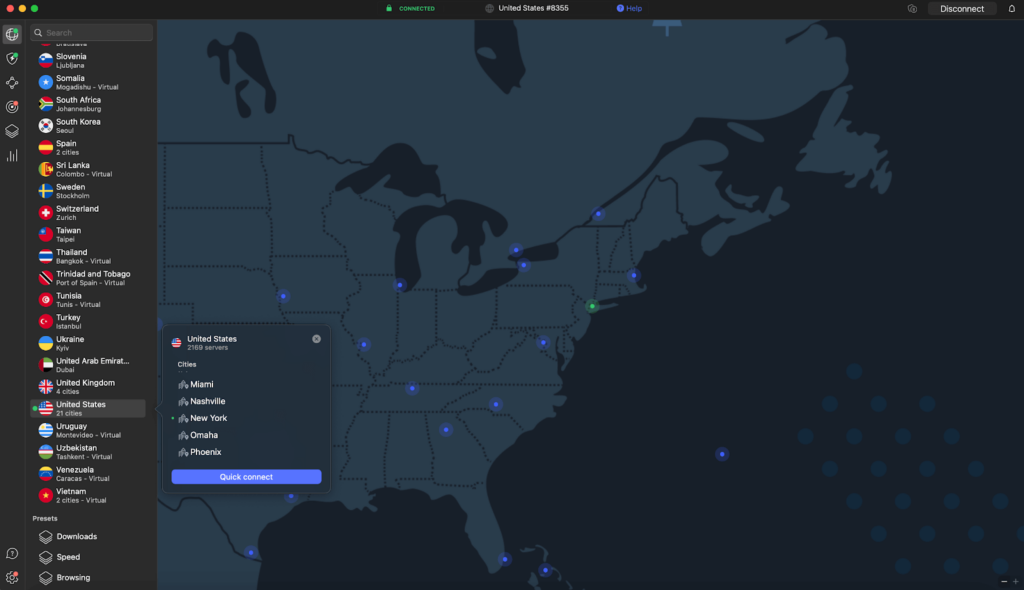
Now you’ll be able to log into your VPN account and connect to a server. If you want to unblock a particular Kodi add-on, make sure you’re connecting to the right server for the region it’s restricted to. For example, connect to a UK VPN server to unblock BBC iPlayer, or connect to a US VPN server to unblock Hulu.
Step 4: Launch Kodi and start streaming
Finally, you can launch Kodi and enjoy streaming with any add-on, even if it’s restricted in your country or region. Any time you want to use a new application, you can get a new IP address from a different VPN server if you need to unblock it. Just be sure that your VPN connection is active whenever you want to use Kodi, as it’ll ensure your activities are protected, you’re not blocked, and your speed can’t be throttled by your ISP.
How to set up a VPN on a router for Kodi?
If you stream Kodi on devices like Smart TVs, Firesticks, or older Android boxes that don’t support native VPN apps, installing a VPN on your router lets you bypass the problem and still protect your Kodi device with a VPN. It secures your entire network instead, offering protection to every device that uses the network with no additional installation required on those devices.
- Check if your router supports VPNs. Some routers don’t, so look for OpenVPN or WireGuard configuration options in your router’s admin settings or manual.
- Choose a VPN with router support. I recommend NordVPN, which offers useful installation guides and support for many routers like Asus and DrayTek.
- Download the VPN configuration files. Log in to your VPN software, find the router section, and download the .ovpn files for your preferred servers. This is often found on the provider’s website too.
- Open your router’s admin panel. Not physically – instead, open a browser and enter your router’s IP address. You’ll usually find all the credentials needed on the back of the router.
- Upload the VPN config file. In your router’s VPN settings, upload your .ovpn file, enter your VPN software login details, and save them.
- Connect and test your VPN. Connect to a VPN server through your router admin dashboard, then check your new IP address using whatismyipaddress.com.
How to use Sky Go with a VPN on any device
If you want to take your Sky Go subscription wherever you go but don’t know how, here’s a set of guides that’ll let you use your Sky account on any device.
How to use Sky Go with a VPN on Fire TV Stick
With Kodi and Sky Go on your Fire TV Stick, you’ve got a central place for all your entertainment – but it’s geo-blocked to anyone outside the UK. Fortunately, you can connect a VPN to your Fire Stick to access geo-blocked content like Sky Go. Here’s how:
- Choose a reliable Kodi VPN. I recommend NordVPN for the Fire TV Stick.
- On your Fire Stick, search for your VPN and install the app.
- Open the VPN app and log in with your details.
- Connect to a UK server to unblock Sky Go.
- Download Kodi onto your Fire TV Stick.
- Open Kodi and install the Sky Go add-on from a trusted repository.
- Launch the Sky Go add-on and start streaming.
How to use Sky Go with a VPN on Android TV
Installing a VPN with Sky Go on your Android TV is simple thanks to Android TVs’ support for the official Google Play Store. You can find both your VPN and the Sky Go app within the Play Store, allowing you to avoid risky third-party sources. Here’s how to use Sky Go with a VPN on your smart TV:
- Go to the Google Play Store via your Android TV interface.
- Choose a Kodi VPN like NordVPN and install it on your Android TV.
- Run the VPN app, log in to your account, and connect to a UK server.
- Download Kodi through the Google Play Store.
- Install Kodi and run the application.
- Add the Sky Go add-on to Kodi.
- Start streaming Sky Go with your VPN connection.
How to use Sky Go with a VPN on a computer
Whether you’re on vacation or located outside of the UK indefinitely, you can stream Sky Go on your computer using a VPN to change your IP address. Here’s how:
- Download a reliable Kodi VPN from the official website. Based on tests, I recommend NordVPN thanks to its vast server network and fast speeds.
- Install the VPN software and log in with your account.
- Connect to a UK server through your VPN’s dashboard.
- Go to the official Kodi website and download the software for your device.
- Install Kodi and add the Sky Go add-on from the Kodi repository.
- Launch the Sky Go add-on and stream securely with your VPN.
How to use Sky Go with a VPN on mobiles
Using a VPN with Sky Go is easy on mobile, with dedicated apps available for both services in the Apple App Store and Google Play Store.
- Download a reliable Kodi VPN app from the App Store or Google Play Store. I recommend NordVPN, which offers a fast and polished app for both.
- Connect to a UK server to unblock Sky Go.
- Install Kodi on your device.
- Run Kodi and install the Sky Go add-on from the Kodi repo.
- Open the add-on and start streaming Sky Go wherever you are.
Do you need a VPN for Kodi?
Yes, you need a VPN for Kodi if you want to enjoy the biggest range of content while making the most of the application. There are various reasons why you need a VPN for Kodi:
- Hide your Kodi usage from your ISP. If you accidentally use a third-party Kodi add-on without a VPN, your ISP can see what you’ve streamed and could cancel your connection. Using a VPN hides your activity so that it can’t be tracked.
- Bypass geographical Kodi add-on restrictions. Some Kodi add-ons restrict usage to specific regions, such as BBC iPlayer in the United Kingdom. By changing your IP address with a VPN, you can access these add-ons from other locations.
- Avoid sports blackouts. Changing your IP address allows you to sidestep regional blackouts on NFL, MLB, and NHL games for example so that you can watch a wider range of games live.
- Improve your streaming speeds. In some cases, using a VPN with Kodi can improve and stabilize your connection speeds, such as by preventing ISP throttling, giving you a better chance of enjoying content without lag or buffering.
Final tips for choosing the best VPN for Kodi
When choosing the best VPN for Kodi, there are certain criteria I recommend looking for to ensure that you won’t hit any obstacles when trying to stream with Kodi add-ons:
- Broad device compatibility: Choose a Kodi VPN that offers support for the widest range of devices, while also offering a high or unlimited number of connections. This way, you have more options for streaming Kodi on multiple devices.
- High-speed connections: Speed is essential for uninterrupted HD and 4K streaming, which is why I recommend choosing one of these tried-and-tested Kodi VPNs with the fastest download speeds.
- Vast server network: A broad server network is important for unblocking geo-restricted Kodi add-ons such as BBC iPlayer in the UK and Hulu in the US.
- Unblocking capabilities: Some VPNs are better at defeating geo-blocks than others, and it’s important that your VPN can bypass restrictions to give you the largest range of Kodi content possible, regardless of your location.
- No-logs policy: While we do not condone breaking copyright laws, some users choose to access copyrighted content via Kodi using third-party add-ons. If you do, you should make sure that your chosen Kodi VPN doesn’t log web traffic or personal data.
NordVPN was easily the best VPN for Kodi during my tests, checking all of these boxes and allowing me to unblock and watch content on any Kodi add-on.
You may also like to read:
- How to install a VPN on a smart TV
- How to install a VPN on an Android TV
- How to install a VPN on an Apple TV
- How to install a VPN on Roku
FAQ
Yes, you can use a VPN on Kodi by installing the VPN software on the same device that you use to access Kodi. First, choose a reliable VPN and install the VPN software on the same device. Then, log into the account you created and connect to a VPN server. Finally, launch your Kodi application, and you’ll now be using Kodi with a VPN. I recommend choosing NordVPN, which offers the best combination of server availability, high-speed streaming connections, and anonymity features to beat obstacles like ISP throttling.
Yes, there is a free VPN that works with Kodi – Proton VPN offers a free tier, but during my tests I noted that you can’t select a server location. So while it is a free and powerful Kodi VPN, you’ll be seriously limited by using the free tier. My recommendation is to instead use a premium VPN with a VPN free trial and money-back guarantee. For example, get up to 33 days risk-free use from NordVPN or 52 days from CyberGhost by using this tactic.
Yes, you can use NordVPN on Kodi by installing the VPN app on the same device that you use for Kodi, or by installing it on your router if your Kodi device doesn’t support native VPN apps. After that, it’s as simple as signing into your NordVPN account, connecting to a server, and loading your Kodi add-on of choice.
NordVPN is the fastest VPN for Kodi, delivering 468 Mbps on a 500 Mbps baseline connection during my tests, which is more than sufficient for lag-free 4K and HD streaming. The proprietary NordLynx protocol is hard to beat and improves upon the industry standard WireGuard protocol, which is often seen as one of the fastest protocols available from most other VPN competitors.
Yes, Kodi works better with a VPN due to improvements in speed, content availability, and anonymity. Using a VPN with Kodi can result in a better experience because it can potentially increase your connection speeds, resulting in less lag or buffering issues. What’s more, it shields your internet activity from your ISP so that your speed can’t be throttled. VPNs for Kodi also unblock geo-restricted Kodi add-ons, leading to a broader choice of streaming content.



I have ExpressVPN installed on my pc. I also have Kodi, but not installed on Kodi. Am i still protected when i run kodi? So my question, Do I need to install a VPN on Kodi, and on my pc? joe
Hey Joe, Kodi is software, just like a VPN. As long as you have the VPN running on the device you also use Kodi on, Kodi should run through the VPN. For example, if you use Kodi on a laptop, and run a VPN on that laptop, the VPN should protect you when using Kodi. But, if you use Kodi on your Smart TV, and a VPN on your laptop, Kodi is not protected by the VPN. You should install the VPN on the same device that you use Kodi on, if you want to use Kodi with a VPN.