
- Key differences between ExpressVPN and Surfshark
- Surfshark vs ExpressVPN price comparison
- Which has more global servers: Surfshark vs ExpressVPN
- Which is more secure: ExpressVPN or Surfshark?
- Which VPN has stronger privacy policies: ExpressVPN or Surfshark?
- Which is better for streaming: Surfshark or ExpressVPN?
- Should I choose Surfshark or ExpressVPN for torrenting?
- Should I choose ExpressVPN or Surfshark for gaming?
- Which VPN is easier to use: ExpressVPN or Surfshark?
- Surfshark vs ExpressVPN Reddit comparison
- Final verdict: is Surfshark better than ExpressVPN in 2025?
- FAQ
When it comes to VPNs, ExpressVPN and Surfshark are probably some of the prominent names that come to mind, and for good reason. ExpressVPN has long marketed itself as a premium service with top-tier security tools and fast, reliable performance, while Surfshark has made waves more recently by offering a feature-packed platform at a much lower cost, plus unlimited device connections.
To see which one truly holds up in real life in 2025, I decided to try them both out extensively, hands-on. Over several weeks, I put Surfshark and ExpressVPN to the test across all the areas that matter most in a VPN: speed, streaming reliability, server coverage, advanced privacy features, ease of use, and value for money. After living with both services day to day, I took away a clear winner, but the results weren’t as obvious as I had first expected.
Here’s a nutshell comparison:
| VPN provider | ExpressVPN | Surfshark |
| Website | www.expressvpn.com | www.surfshark.com |
| Rating: | 8.5⭐⭐⭐⭐ | 9.0⭐⭐⭐⭐⭐ |
| Servers | 3000 servers in 113 countries | 4500 servers in 100+ countries |
| Speed performance | Fast (Lightway protocol, highly optimized) | Excellent (WireGuard, OpenVPN, IKEv2) |
| Simultaneous connections | 8 | Unlimited |
| Encryption | AES-256, ChaCha20, perfect forward secrecy | AES-256, ChaCha20, perfect forward secrecy |
| Streaming support | ✅ Works with Netflix, Hulu, Disney+, BBC iPlayer, Amazon Prime, etc. | ✅ Works with Netflix, Hulu, Disney+, BBC iPlayer, Amazon Prime, etc. |
| Torrenting support | ✅ Yes (all servers, strong performance) | ✅ Yes (P2P optimized servers on all locations) |
| Starting price | $ 2.99/month on a 2-year plan (plus 4 months free) | $ 2.49/month on a 2-year plan (plus 3 months free) |
| Money-back guarantee | ✅ 30 days | ✅ 30 days |
Key differences between ExpressVPN and Surfshark
Both Surfshark and ExpressVPN have earned their reputations as top-tier VPN services in 2025, but they excel in different areas.
ExpressVPN delivers consistently stable speeds, polished apps, and the reassurance of independent audits, making it ideal for set-and-forget streaming with instant access to Netflix, Disney+, and other platforms. Surfshark, meanwhile, emphasizes value and versatility, offering unlimited device connections, extras like CleanWeb, MultiHop, IP rotation, and dark web monitoring, along with fast WireGuard speeds and attractive long-term pricing. While ExpressVPN is best for those who want simple, reliable performance across the globe, Surfshark stands out for households or users who need multiple devices and advanced features.
| Surfshark pros and cons | ExpressVPN pros and cons |
| ✅ Competitive long-term deals, providing excellent value for money | ✅ Great overall performance, especially for streaming with Lightway protocol |
| ✅ Unlimited simultaneous device usage – great for families or power users | ✅ Extremely simple, consistent apps across any platform |
| ✅ Impressive feature package: specialty servers, built-in ad blocker, Multi-Hop, rotating IP, dark web alerts | ✅ Leading privacy (British Virgin Islands base, frequent third-party audits) |
| ✅ Responsive apps and fast speeds with the WireGuard protocol | ✅ Every plan comes with the full suite of ExpressVPN features |
| ❌ Advanced features require upgrading to the One or One+ plan for an extra cost | ❌ Costs more than most VPNs |
Here’s a summary of the differences I noticed between Surfshark and ExpressVPN:
- Surfshark allows unlimited device use, while ExpressVPN supports up to 8 connections per subscription.
- ExpressVPN’s Lightway protocol is praised for smooth streaming and top security, but Surfshark’s WireGuard protocol is slightly faster in raw speed tests.
- Both have global server coverage, but Surfshark’s network is a bit larger: 4500 servers in 100 countries, as opposed to ExpressVPN’s 3000 servers across 113 countries.
- Surfshark delivers excellent support for gaming and torrenting, with faster speeds and more optimization than ExpressVPN.
- ExpressVPN keeps things simple with a single, uniform subscription tier, while Surfshark offers extras if subscribers want advanced tools.
- For privacy, ExpressVPN’s British Virgin Islands jurisdiction and strong independent audits may attract those concerned about data safety. Surfshark also offers RAM-only servers and no-logs policies, but is based in the Netherlands – a less private jurisdiction.
ExpressVPN is generally viewed as more dependable for tricky streaming services, but Surfshark is just as effective, plus excels in price and simultaneous connections.
Surfshark vs ExpressVPN price comparison
As of September 2025, Surfshark clearly wins on price without compromising on features
- ExpressVPN’s 2-year plan costs $ 2.99/month with four months free included.
- Surfshark offers a 2-year plan at just $ 2.49/month with three months free included, which is less than half the price.
ExpressVPN and Surfshark both provide monthly, yearly, and two-year plans. The difference between the two is that Surfshark includes tiered subscriptions with extra privacy tools for an additional price. Still, if saving money is the top priority, Surfshark is the obvious choice thanks to its budget-friendly long-term plans and unlimited device connections. But if a smooth, polished experience with a solid privacy record is worth spending more on, ExpressVPN justifies its premium price tag for users who are not too picky with their spending. For me, Surfshark offers excellent value without major trade-offs, especially for families or anyone needing to protect many devices at once.
| Subscription plans | ExpressVPN | Surfshark |
| 1-month plan | $12.95 | From $9.99 |
| 1-year plan | $6.67/month ($99.95 total + 3 months free) | From $3.19/month ($47.86 total + 3 months free) |
| 2-year plan | $ 2.99/month ($139.72 total + 4 months free) | $ 2.49/month ($53.37 total + 3 months free) |
| Free trial | ✅ 3-day free trial on mobile | ✅ 7-day free trial on up to 3 devices |
| Money-back guarantee | ✅ 30 days | ✅ 30 days |
| Current deal | 80% off + 4 months free | 85% off + 3 months free |
Surfshark is easier to test before committing long-term. It offers a 7-day free trial on up to 3 devices, plus a 30-day money-back guarantee across all plans. This gives you time to try its features, streaming performance, and unlimited device connections with less risk. ExpressVPN offers a shorter 3-day free trial on mobile, along with a 30-day money-back guarantee for first-time users who subscribe directly through its website.
Which has more global servers: Surfshark vs ExpressVPN
Surfshark has more global servers than ExpressVPN, with over 4500 servers across 100 countries, while ExpressVPN offers around 3000 servers in 113 countries. Surfshark’s larger server pool helps maintain fast, stable speeds, whereas ExpressVPN’s wider country coverage makes it better for accessing content from less common locations.
Both providers use RAM-only servers, but Surfshark offers more specialized options like obfuscated and multi-hop servers – advanced features that enhance privacy and help bypass censorship and VPN detection. ExpressVPN, meanwhile, focuses on consistently reliable performance and a simple, user-friendly experience, making it a strong choice for users who prioritize ease of use and broad access to streaming content worldwide.
| Feature | ExpressVPN | Surfshark |
| Total servers | 3000 | 4500 |
| Countries covered | 113 | 100 |
| Server types | RAM-only | RAM-only |
| Specialty servers | TrustedServer (RAM-only tech) | Multi-hop (Double VPN), Camouflage Mode (obfuscation), P2P-optimized servers, and Static IP. |
| Server ownership | Owns most servers | Mixed ownership |
Which is more secure: ExpressVPN or Surfshark?
Both Surfshark and ExpressVPN deliver strong VPN security fundamentals: industry-leading AES-256 encryption, an automatic kill switch, DNS and IP leak protection, and strict no-logs policies. The differences are in how each provider implements these protections.
- ExpressVPN relies on AES-256 encryption paired with Perfect Forward Secrecy, ensuring session keys change frequently for stronger defense. It supports OpenVPN and IKEv2, alongside its proprietary Lightway protocol, which is designed for faster connection setup and stability. Its base of operations is in the British Virgin Islands, a privacy-friendly jurisdiction outside intelligence-sharing alliances. Crucially, the company’s no-logs policy has been independently verified multiple times by leading auditors like PwC and Cure53.
- Surfshark also employs AES-256 encryption but adds flexibility with modern WireGuard support alongside OpenVPN and IKEv2. What sets it apart is its specialized servers designed for different VPN tasks, like Multi-Hop servers, Camouflage Mode, and rotating IP. Surfshark is headquartered in the Netherlands, a country with data-retention laws, but it offsets this with repeated independent security audits that validate its no-logs policy.
| Security aspect | ExpressVPN | Surfshark |
| Jurisdiction | British Virgin Islands (privacy-friendly) | The Netherlands (Nine Eyes alliance) |
| Encryption | AES-256, ChaCha20 | AES-256, ChaCha20 |
| Protocols supported | Lightway, OpenVPN, IKEv2 | WireGuard, OpenVPN, and IKEv2/IPsec |
| No-logs policy | Independently audited | Independently audited |
| Kill switch | ✅ Yes (all apps) | ✅ Yes (all apps) |
| Leak protection | DNS/IP/WebRTC protection | DNS/IP/WebRTC protection |
Kill switch
Both ExpressVPN and Surfshark include a kill switch feature intended to stop all internet traffic if the VPN connection unexpectedly drops, thereby preventing data leaks or real IP exposure.
ExpressVPN calls this function “Network Lock”, which is robust and activates automatically when the VPN disconnects across desktops and mobile devices. Surfshark also provides a kill switch, with options for both “soft” and “strict” modes. This allows users to choose whether the internet should be blocked only after unexpected drops or at any time the VPN is not connected at all. This flexibility gives Surfshark more nuanced control, which can be especially helpful for privacy-focused users.

Split tunneling
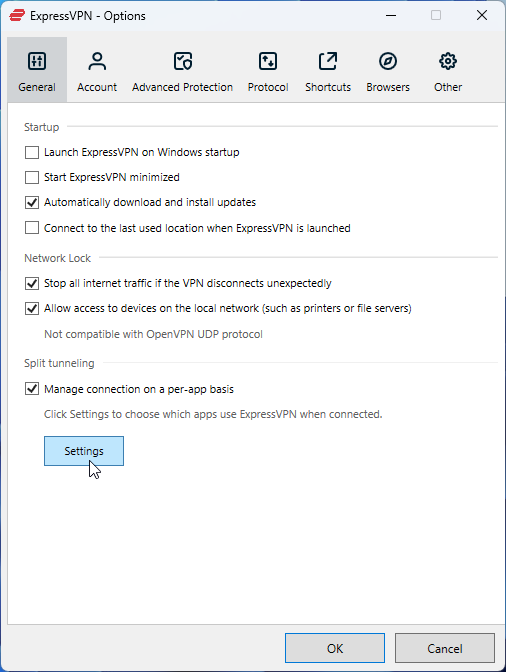
Split tunneling lets certain apps or websites bypass the VPN, routing only selected traffic through the encrypted tunnel.
ExpressVPN supports split tunneling on Windows, Mac, and Android, letting users pick which apps or domains should be protected by the VPN. Surfshark offers similar functionality, supporting split tunneling (called “Bypasser”) on Windows, Mac, Android, and iOS. Surfshark’s Bypasser also allows for selective app and IP-based exclusions. Both make it simple to access local services while keeping other online activities private, with customization comparable between the two providers.
Obfuscation
Obfuscation disguises your VPN traffic as regular internet activity, which is necessary for bypassing advanced censorship and tough firewall restrictions. ExpressVPN builds obfuscation directly into its apps. All servers automatically enable obfuscation when using Lightway or OpenVPN protocols, so no extra configuration is required. With Surfshark, obfuscated servers, or Camouflage Mode, must be manually selected, but they’re widely available and highly effective at evading VPN detection. Both are suitable for use in restrictive regions, but ExpressVPN’s automatic approach offers slightly higher convenience for users.
Specialty servers
Unlike some VPNs, ExpressVPN does not offer servers designated for specific functions. However, all its servers run in RAM for enhanced privacy (TrustedServer technology). On top of that, the VPN has built-in split tunneling and stealth features.
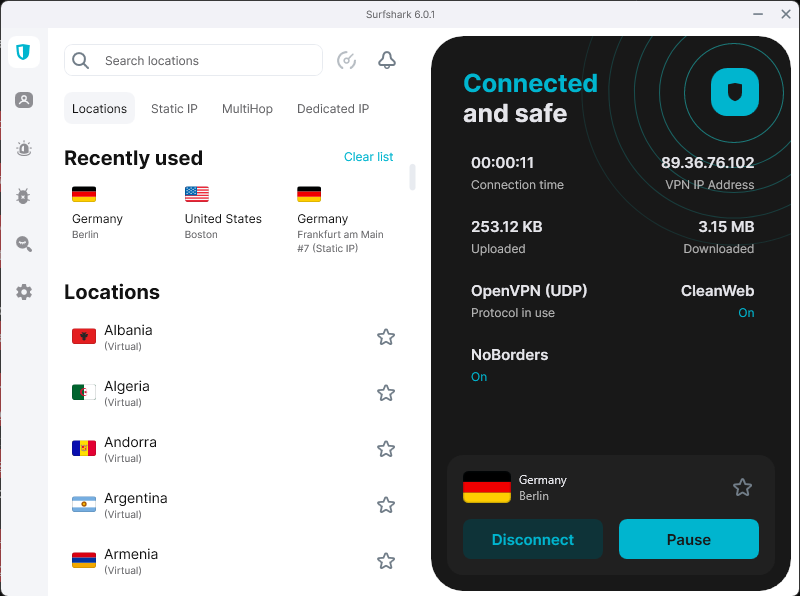
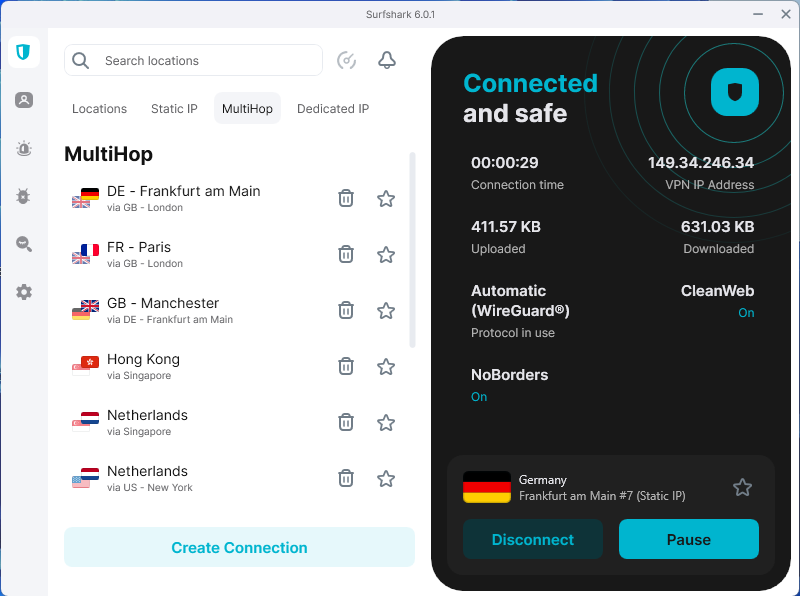
Surfshark sets itself apart here, with specialty options like MultiHop (double VPN), static IP servers, and dedicated IP features, alongside its core RAM-only infrastructure and obfuscated servers. For those wanting advanced setups, such as layered connections, IP rotation, or GPS spoofing, Surfshark presents more niche choices, while ExpressVPN is more streamlined and not as customizable.
Ad & malware blocker
Built-in ad and malware blocking improves browsing experience by filtering out ads, trackers, and harmful domains.
Surfshark includes CleanWeb, its comprehensive ad/tracker blocker, across all of its apps. It can be enabled with a single tap, covering pop-ups, banners, and recognized malware domains. ExpressVPN’s Threat Manager focuses more on blocking trackers and known malicious sites, but it’s not as aggressive at ad-blocking as Surfshark. Users primarily wanting extensive ad blocking can opt for Surfshark, while ExpressVPN’s feature is solid for guarding against trackers and malware.
Which VPN has stronger privacy policies: ExpressVPN or Surfshark?
In terms of privacy, ExpressVPN holds a slight advantage thanks to its base in the British Virgin Islands. This is a jurisdiction free from mandatory data retention laws and outside the reach of international surveillance alliances such as the Five, Nine, and Fourteen Eyes. This location inherently enhances user privacy by limiting government interference.
In contrast, Surfshark operates out of the Netherlands, a country within the Nine Eyes intelligence-sharing alliance. Although the Netherlands has robust data protection laws, association with an intelligence alliance may concern privacy-first users. Taking that into consideration, Surfshark remains highly responsible and proactive when it comes to data-handling and privacy protection.
No-logs policy
Both Surfshark and ExpressVPN maintain strong, strict no-logs policies, assuring they don’t track or retain users’ browsing activity, connection timestamps, or IP addresses. This commitment is reinforced by independent audits.
ExpressVPN has undergone multiple comprehensive third-party evaluations, including a recent check carried out in December 2023, confirming its zero-logging claims once again. ExpressVPN also utilizes TrustedServer technology and RAM-only server operation. This means wiping data immediately on reboot to virtually eliminate traceable stored information.
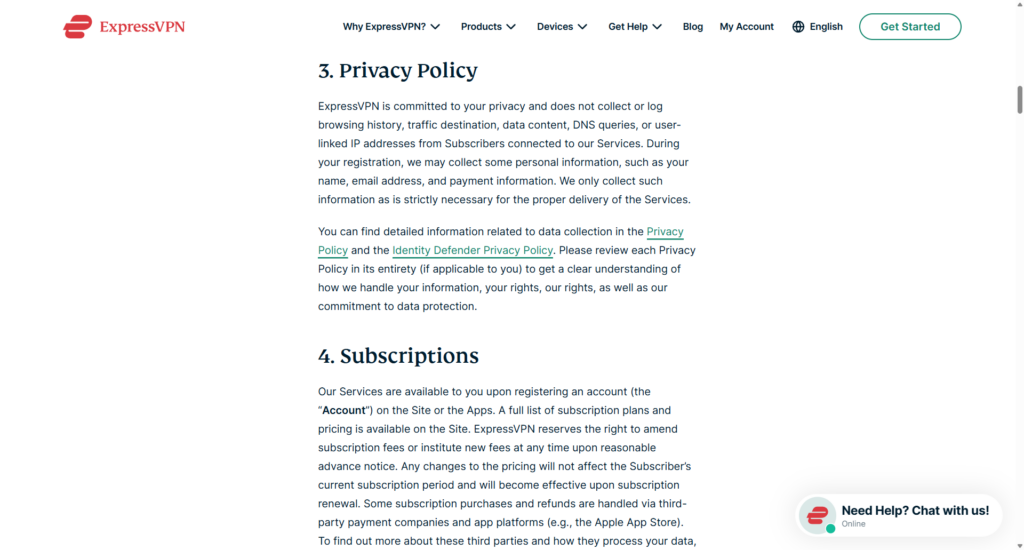
Surfshark equally emphasizes no-logs compliance, confirming it through regular audits, with the last one completed as recently as June 2025. Like ExpressVPN, Surfshark operates RAM-only servers. However, Surfshark acknowledges brief storage of minimal connection metadata (for example, assigned IP and connection time), but that is automatically deleted upon disconnection. Yet, this minor detail, combined with its jurisdiction, might be a slight concern for users wanting ultimate anonymity.
Independent audits & transparency reports
ExpressVPN’s transparency is backed by a well-documented history of audits, an extensive Trust Center that publishes detailed audit results and privacy policies, and the adoption of cutting-edge server technology promoting data minimization.
Conversely, Surfshark also publishes privacy policies clearly and has undergone thorough third-party audits by respectable investigators like Deloitte and Cure53. The VPN stores minimal connection logs for operational purposes, confirming they are anonymized and used to improve service quality.
Which is better for streaming: Surfshark or ExpressVPN?
Confirmed by my real-world experience, both VPNs deliver excellent streaming experiences with reliable access to popular platforms and smooth playback. In my speed tests, Surfshark edged out ExpressVPN slightly by maintaining higher download speeds across multiple regions, thanks to its use of the WireGuard protocol and wider server network. ExpressVPN relies on its proprietary Lightway protocol, demonstrating competitive speeds and improved connection stability, particularly on mobile devices. When it comes to unblocking international content, both VPNs reliably bypass geo-restrictions on major services like Netflix, Hulu, BBC iPlayer, Disney+, Amazon Prime Video, and HBO Max. Users can expect consistent speeds and reliable access to regional libraries worldwide with either provider.
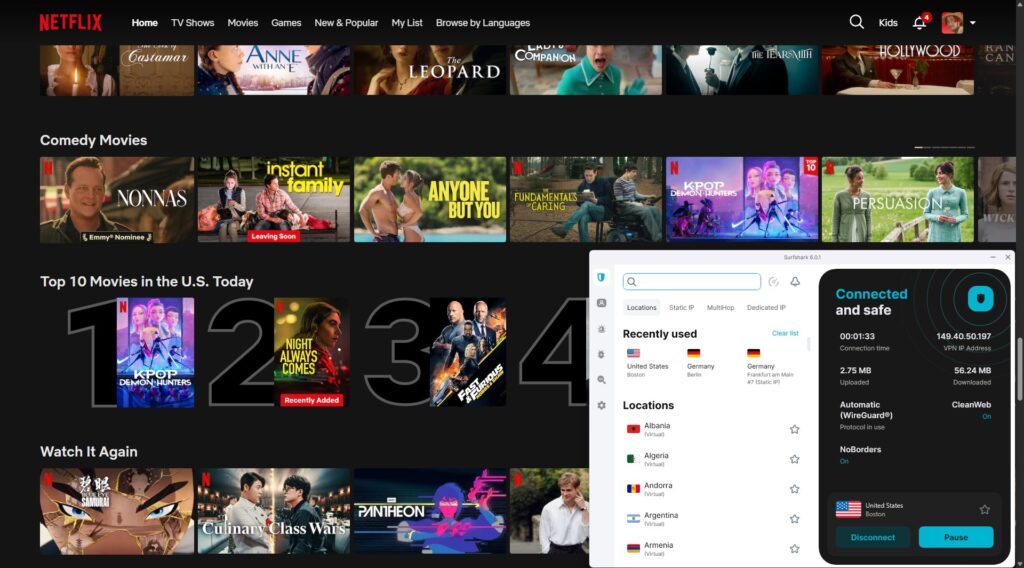
Overall, whether prioritizing top-tier performance or streaming reliability, both Surfshark and ExpressVPN stand as top choices. Surfshark is generally favored for faster speeds and no-limit device support, while ExpressVPN offers dependable performance and stability for 4K streaming on various devices.
| Streaming service | ExpressVPN | Surfshark |
| Netflix | ✅ Yes (multiple regional libraries) | ✅ Yes (multiple regional libraries) |
| BBC iPlayer | ✅ Yes | ✅ Yes |
| ITVX | ✅ Yes | ✅ Yes |
| Disney+ | ✅ Yes | ✅ Yes |
| Amazon Prime Video | ✅ Yes | ✅ Yes |
| Hulu | ✅ Yes | ✅ Yes |
| HBO Max | ✅ Yes | ✅ Yes |
Should I choose Surfshark or ExpressVPN for torrenting?
If you’re looking for the best VPN for torrenting, both Surfshark and ExpressVPN deliver strong security, privacy, and full P2P support across all servers. Surfshark often outperforms ExpressVPN in download speeds, thanks to its use of the WireGuard protocol, along with advanced features like Nexus technology and Everlink. These tools enhance connection stability and minimize interruptions during large downloads.
ExpressVPN also allows torrenting on every server and includes a reliable kill switch to protect your privacy, but its speeds are generally slightly lower than Surfshark’s. Neither VPN offers native port forwarding, which some torrenting enthusiasts may consider a drawback. Overall, Surfshark’s faster speeds and added connection features make it a more attractive choice for torrenting, especially for users who value quicker downloads and consistent uptime.

Should I choose ExpressVPN or Surfshark for gaming?
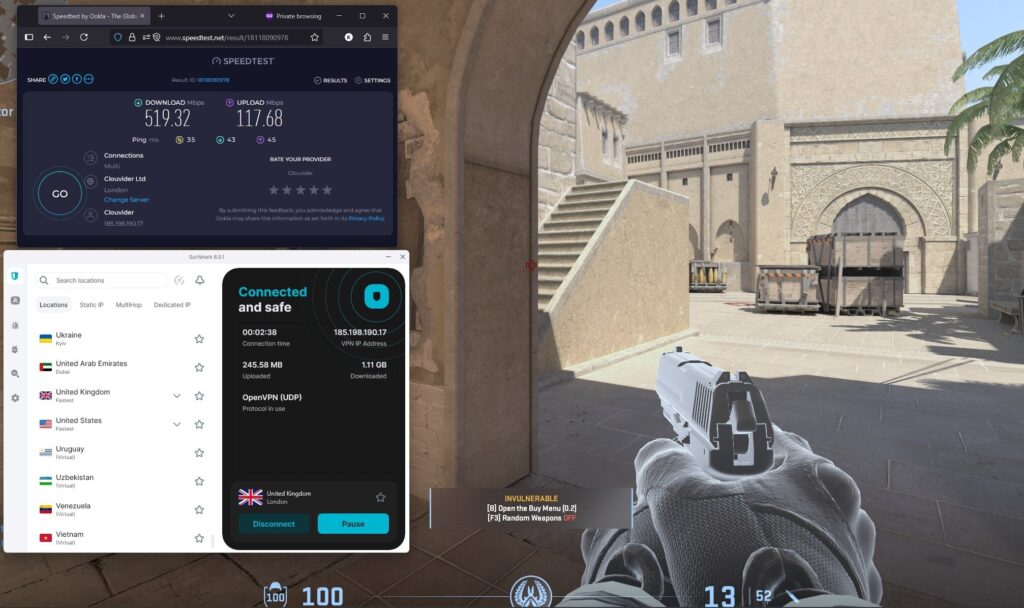
For gaming, ExpressVPN and Surfshark are both solid picks, offering invincible security and low-latency connections. Surfshark generally provides faster speeds and lower ping times thanks to its WireGuard protocol and large global server network, reducing lag and providing better responsiveness during gameplay. The VPN also shields against DDoS attacks and supports unlimited simultaneous devices per plan, making it ideal for gamers using multiple platforms.
ExpressVPN delivers consistently stable and secure connections with its Lightway protocol and is compatible with an extensive range of gaming devices and routers. While both are outstanding for gaming, Surfshark’s general speed advantage and device freedom give it the edge for serious gamers seeking a smooth, no-lag experience.
Which VPN is easier to use: ExpressVPN or Surfshark?
ExpressVPN and Surfshark keep things user-friendly with quick installation and dedicated apps for Windows, macOS, iOS, and Android. ExpressVPN guides you through setup with a simple, step-by-step flow that requires little more than logging in and hitting connect. Surfshark’s process is equally fast, but its modern, sleek design gives the app a slightly more polished feel right from the start.
Once installed, ExpressVPN leans toward simplicity: its interface is stripped down to the essentials, with a prominent one-click connect button and a clutter-free server list that makes switching locations easy. On the other hand, Surfshark blends ease of use with a bit more style – its dashboard feels smooth and modern. While it also offers straightforward navigation, it adds useful extras like quick access to MultiHop and CleanWeb right in the main menu, appealing to users who want access to features without complexity.
In short, both providers go beyond core platforms with apps for Linux, browser extensions, smart TVs, routers, and streaming devices like Fire TV. ExpressVPN is more about versatility, offering wider support for consoles and robust router compatibility. Meanwhile, Surfshark’s modern, sleek apps may fit those who want simplicity packed in a stylish design.
Surfshark vs ExpressVPN Reddit comparison
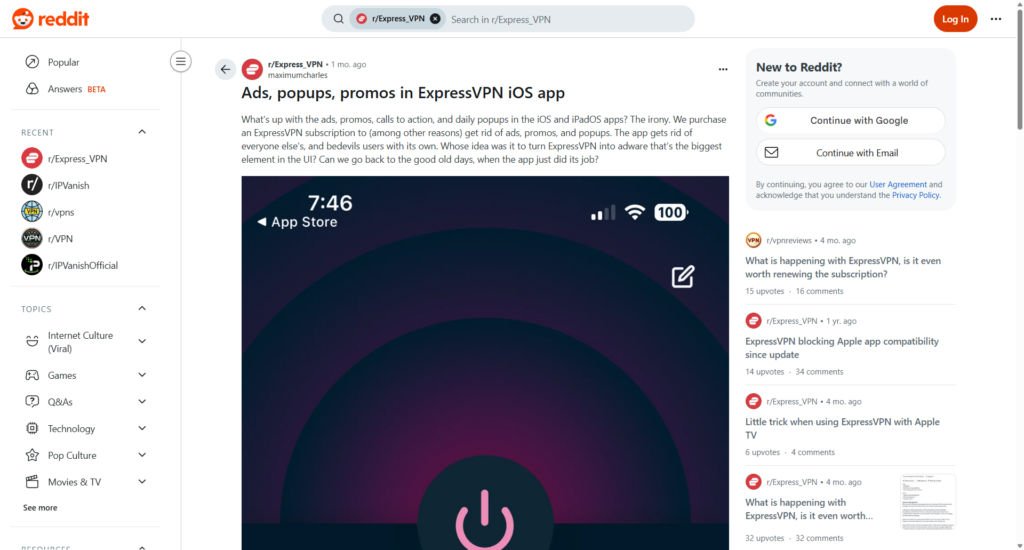
On Reddit threads, discussions around Surfshark and ExpressVPN often point to which VPN users are more satisfied with in 2025. ExpressVPN is still widely recognized for its high security standards, reliable server network, and proven ability to unblock popular streaming platforms. Many point out that it works consistently for accessing global content, making it appealing to those who primarily use a VPN for entertainment. That said, community feedback also names specific issues.

Some users report that ExpressVPN’s customer support feels less than expected, that the app occasionally pushes ads or pop-ups, and that speeds have declined over time.
Surfshark, on the other hand, is frequently praised for its sleek apps, convenience, and especially fast connection speeds compared to many competitors, including ExpressVPN.
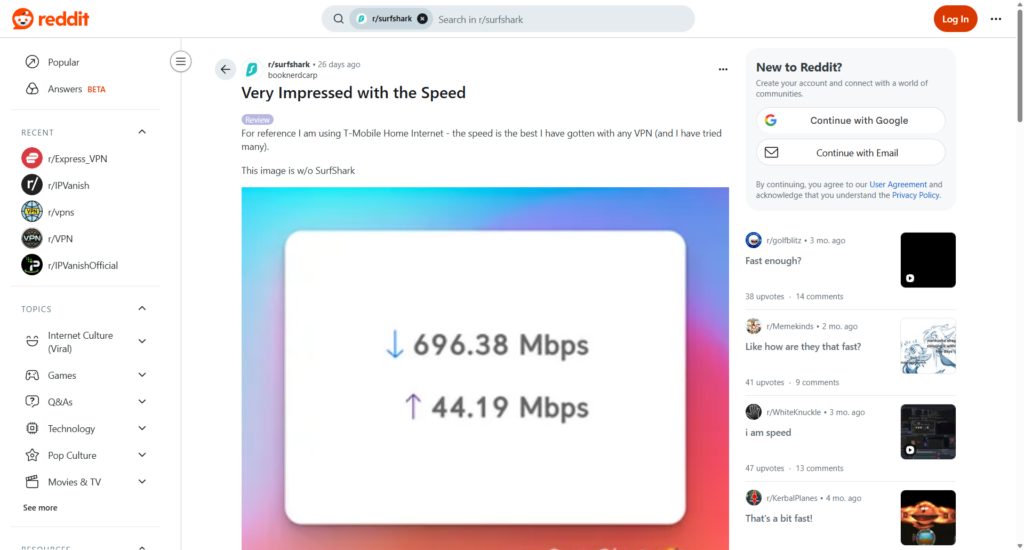
Another major positive from Reddit is Surfshark’s allowance of unlimited devices under one subscription. Its affordability is also a recurring theme, with users saying it hits a sweet spot between performance and value for money. While Surfshark delivers it strongly, it can occasionally require switching servers to maintain consistent streaming access, according to a Redditor.
Final verdict: is Surfshark better than ExpressVPN in 2025?
Surfshark and ExpressVPN continue to rank among the top VPNs in 2025, both offering the strongest security, military-grade encryption, and proven track records of user data protection. ExpressVPN remains a strong contender, thanks to its established reputation, decent server coverage, and guaranteed access to major streaming platforms worldwide. It is a safe bet for those who want longevity, a polished interface, and a streaming VPN with years of market recognition.
Surfshark, however, has gained significant momentum and often pushes out ExpressVPN in areas that matter most for everyday users. My hands-on experience, independent testing, and Reddit feedback highlight its notably faster speeds, smoother performance across gaming, streaming, and torrenting, plus the advantage of unlimited simultaneous connections on a single subscription. Surfshark’s pricing is more competitive, too, making it an attractive option for casual browsers, VPN power users, and gadget-filled households alike. While ExpressVPN stays strong in its own right, Surfshark’s blend of speed, cost-effectiveness, and smart UX/UI approach gives it the upper hand in 2025.
| When to choose ExpressVPN | When to choose Surfshark |
| ✅ When reliable streaming access across multiple regions is your top priority | ✅ When fast speeds for streaming, torrenting, or gaming are most important |
| ✅ When you want a proven provider with a long track record and strong reputation | ✅ When you want an affordable VPN with unlimited device connections |
| ✅ When privacy jurisdiction (Virgin Islands) backed by external audits is your priority | ✅ When you’re looking for a cost-effective option without compromising on security |
| ✅ When you prefer a simple, polished interface with minimal setup | ✅ When you want extra features on top of VPN basics |
| ❌ When a budget-friendly VPN service is your main consideration | ❌ When you’re seeking an oversimplified VPN service for basic use |
Areas where Surfshark outperforms ExpressVPN:
- Surfshark allows unlimited simultaneous connections, whereas ExpressVPN supports up to 8 devices.
- Surfshark provides more advanced privacy tools, while ExpressVPN focuses on simplicity and user data security.
- Surfshark is more affordable with multiple subscription options. ExpressVPN has one higher-priced plan.
- Speeds are not too far apart, but Surfshark shows better performance over long distances, compared to ExpressVPN.
Areas where ExpressVPN outperforms Surfshark:
- ExpressVPN uses Lightway protocol, Surfshark uses WireGuard with extra features like Multi-Hop and specialized servers.
Where Surfshark and ExpressVPN are on par:
- Both offer strong security essentials like AES-256 encryption and a kill switch.
- Both have respectable global server presence: Surfshark around 4500 in 100 countries, ExpressVPN 3000 in 113 countries.
You may also want to read:
- NordVPN vs Surfshark
- NordVPN vs Proton VPN
- NordVPN vs Surfshark vs ExpressVPN
- ExpressVPN vs Private Internet Access
- ExpressVPN vs NordVPN
- NordVPN vs CyberGhost
- CyberGhost vs Surfshark
- Compare NordVPN with Windscribe
- Differences between PIA and ExpressVPN
FAQ
While similar in core VPN principles, ExpressVPN and Surfshark differ in pricing, connection limits, and features. Surfshark offers unlimited simultaneous device connections and more advanced features like CleanWeb (ad blocker) and MultiHop, at a lower price point. ExpressVPN, meanwhile, has a longer-established reputation, backed by the Virgin Islands jurisdiction, known for its data privacy laws.
Yes, it can be said that Surfshark is better than ExpressVPN in value, offering faster average speeds, unlimited device support, and a richer feature set. This makes it the more practical choice for many users, although ExpressVPN undoubtedly remains a strong competitor overall.
Yes, Surfshark generally delivers faster download speeds and more consistent performance over long distances, according to recent testing and user experience. ExpressVPN can offer strong speeds as well, particularly on nearby servers, but Surfshark tends to have the edge in overall speed when it comes to real-life use.
ExpressVPN and Surfshark are equally reliable for bypassing sports blackouts due to their respectable server network and ability to unblock geo-restricted content. Surfshark’s NoBorders mode and frequent updates make it an even stronger contender, with users reporting successful streaming of blackout-restricted sports in many cases.